How to Check Where Your Player Stands (Placement Check)
Tournaments Updated November 2, 2026 1 min read
Before you enter, see where your player would stand: their place in the field, how many players rate higher, a likely seed, and how each applicant compares. It works on any tournament's Applicants List.
Part 1Open the Applicants List
-
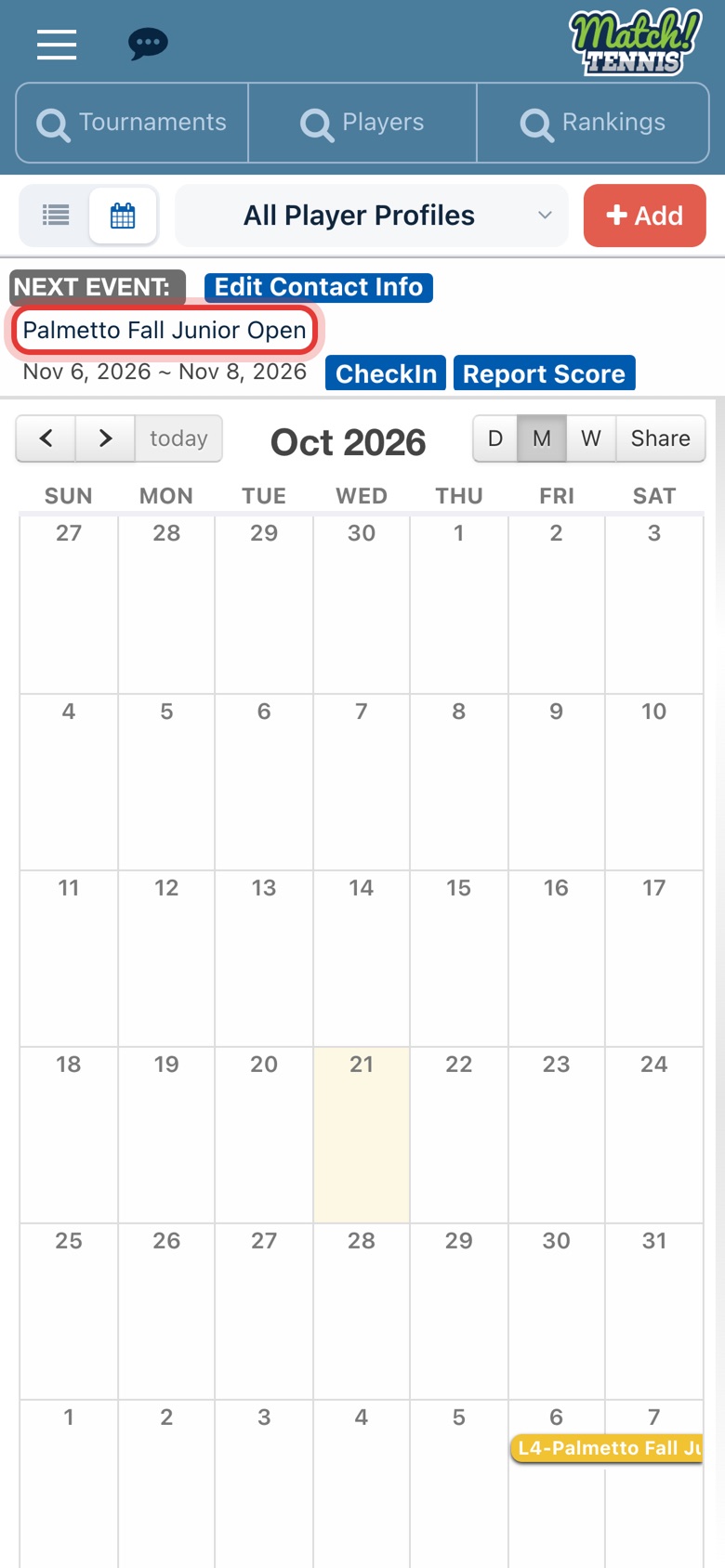
Step 1: Open the tournament
On Home, tap the tournament name in your Next Event card. You can also open any tournament from the Tournaments search.
-
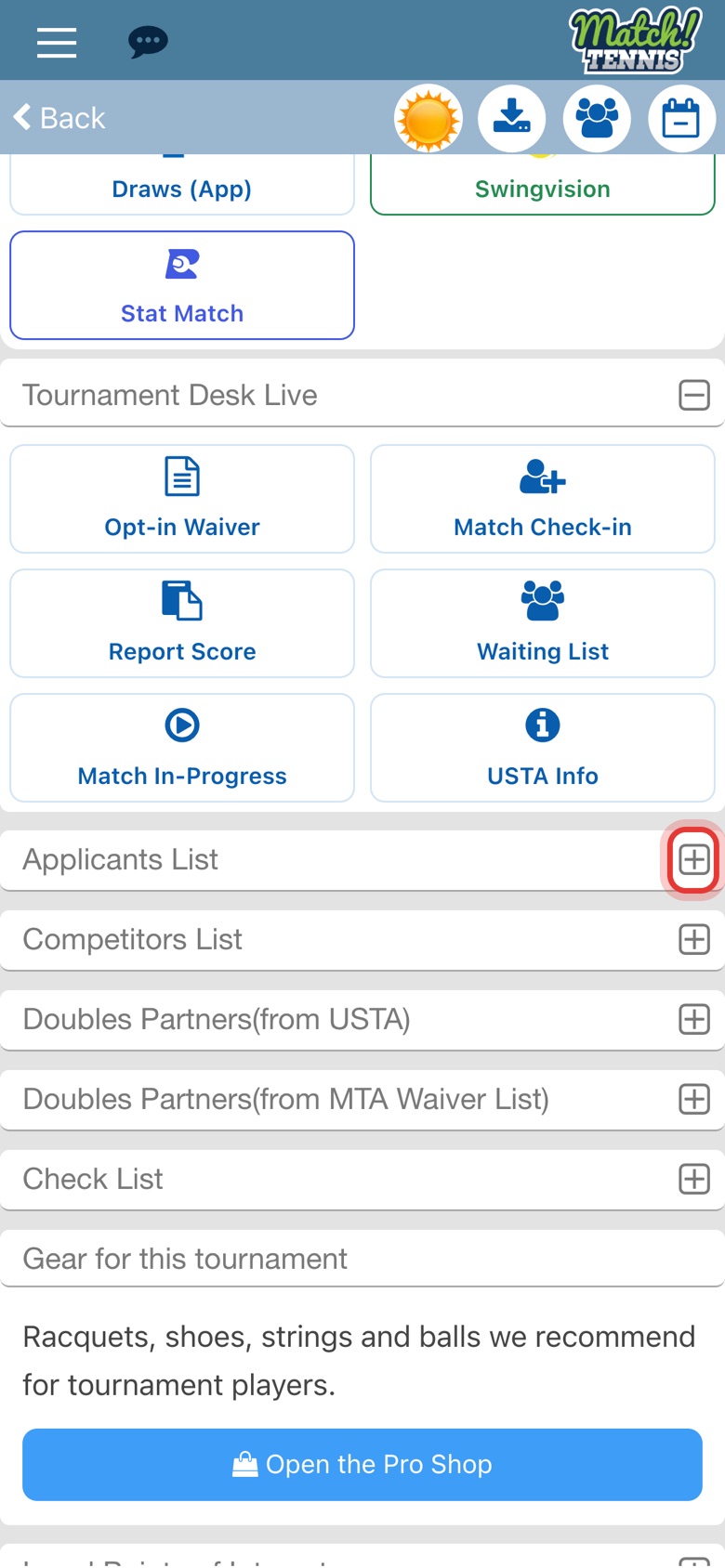
Step 2: Open the Applicants List
Scroll down the tournament page and tap the plus sign next to Applicants List.
Part 2Run the Placement Check
-
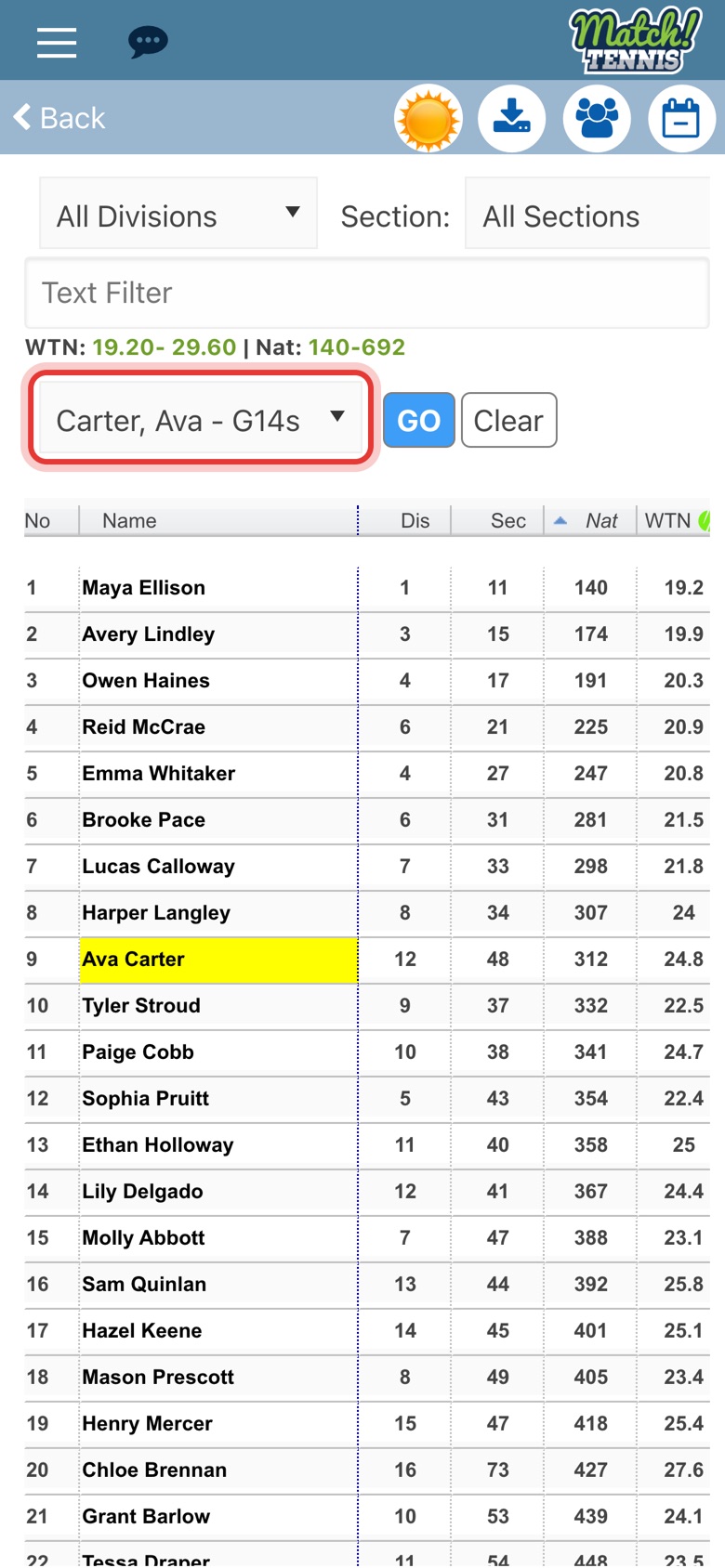
Step 3: Choose your player
Tap RSI and Placement Check and pick one of your players. The list only shows players on your My Players list.
-
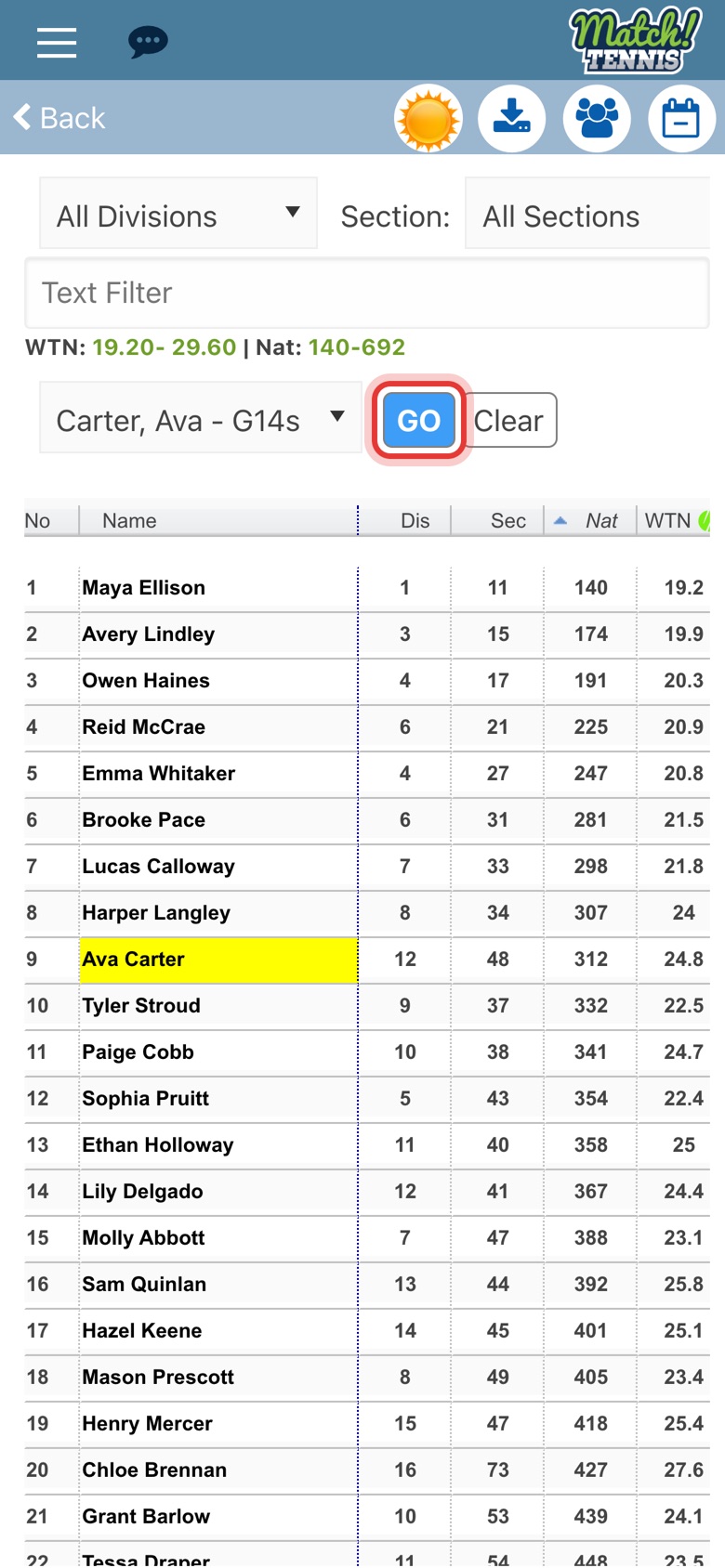
Step 4: Tap GO
The list switches to your player's division and the check runs.
Part 3Read the results
-
Step 5: Read where your player stands
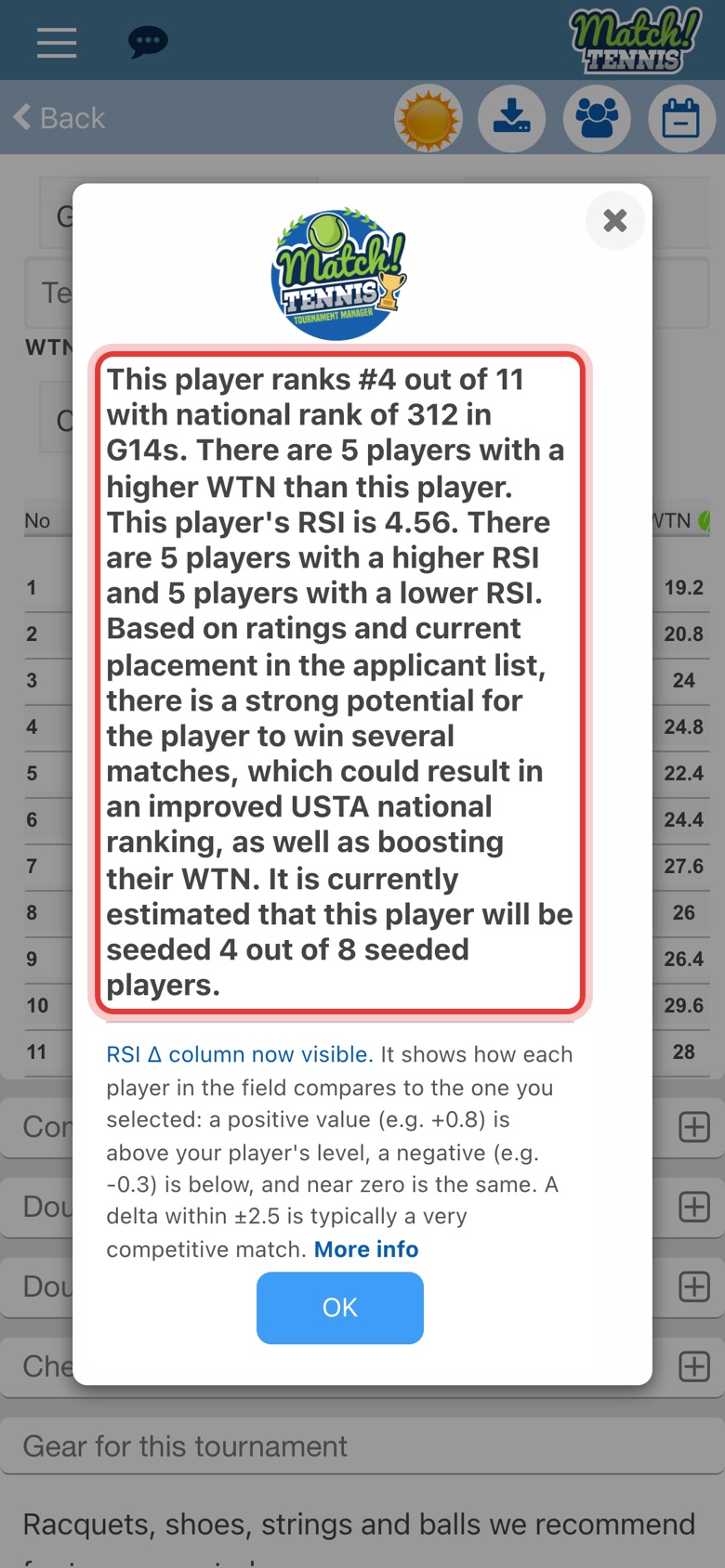
A message shows your player's place in the field by national ranking, how many players have a better WTN and RSI, what the tournament could do for their ranking, and their likely seed. Tap OK to close it.
-
Step 6: Compare each player by RSI
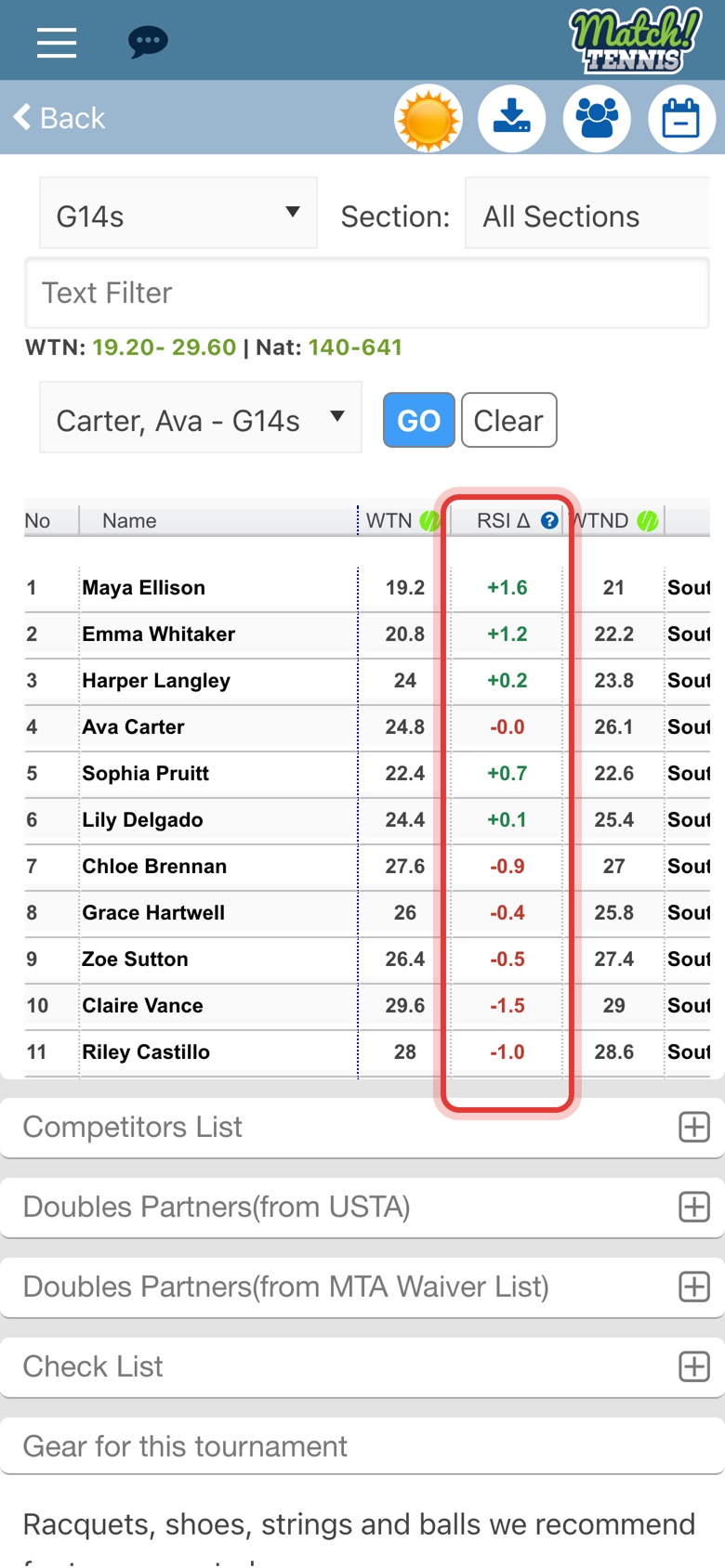
The new RSI Δ column, next to WTN, compares each applicant with your player. A plus in green means stronger, a minus in red means weaker, and within ±2.5 is usually a competitive match. Tap Clear to hide it.
Tips
- Your player needs an RSI. Placement Check uses RSI, Match Tennis's Relative Strength Indicator, a premium rating on a 1.0 to 10.0 scale. If your player doesn't have one yet, the app asks you to pick another player. Read more in A Reset for Competitive Tennis.
- Check several tournaments. Run it on each tournament you're considering to find a field where your player can win matches and still be challenged.
- The field can change. It's based on who has applied so far and on current rankings, so check again closer to the deadline.
- See the whole field at a glance. The line above the list shows the WTN and national ranking range. See How to See the WTN and Ranking Range of a Tournament's Applicants.
- Plan ahead. The Ranking Forecaster shows what each round could add to your player's ranking, and How to Decide Which Tournaments to Play puts the tools together.