How to Use AI Analysis to Compare Tournaments
TournamentsRankings & ratings Updated November 8, 2026 2 min read
AI Analysis sums up a tournament on one screen: its rating, dates, distance from home, draw size, deadline and the WTN range of the field. Pick your player to see where they would rank among the applicants and whether the event is a good fit. Open it for one tournament from its page, or compare up to 25 tournaments from Tournament Search.
Part 1Analyze one tournament
-
Step 1: Open a tournament
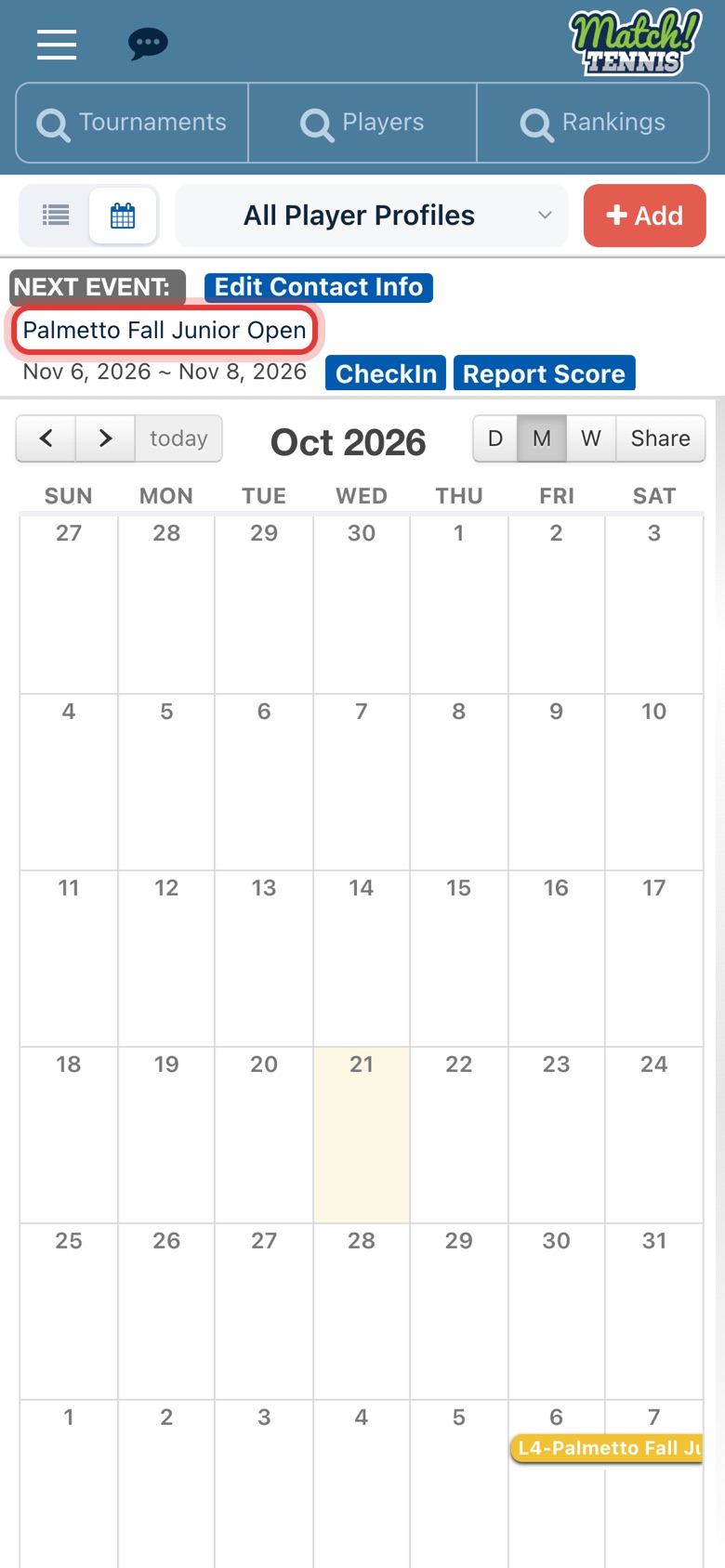
On Home, tap your player's next event. You can also open any tournament from Tournament Search or your calendar.
-
Step 2: Tap AI Analysis
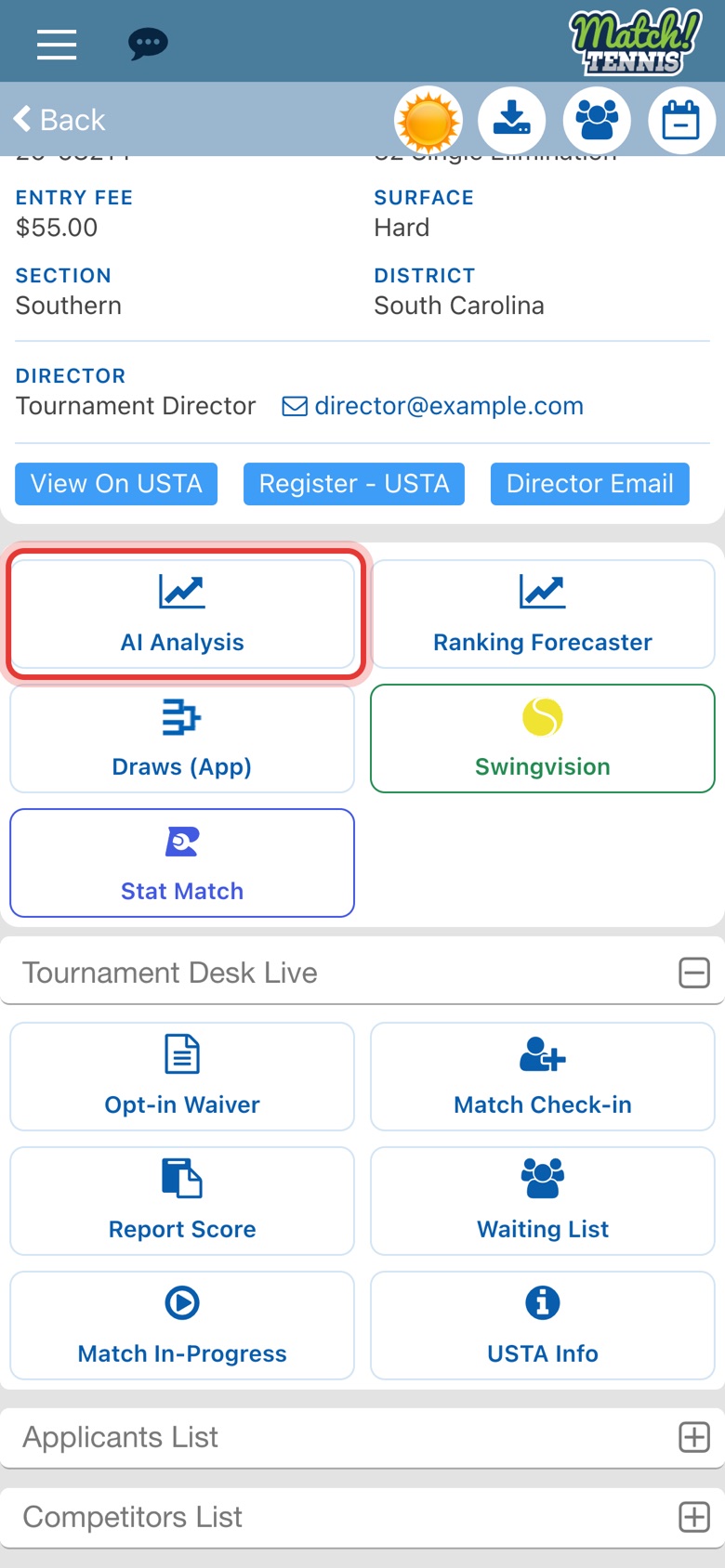
Below the tournament details, tap AI Analysis. It's the first tile, next to Ranking Forecaster.
-
Step 3: See the tournament at a glance
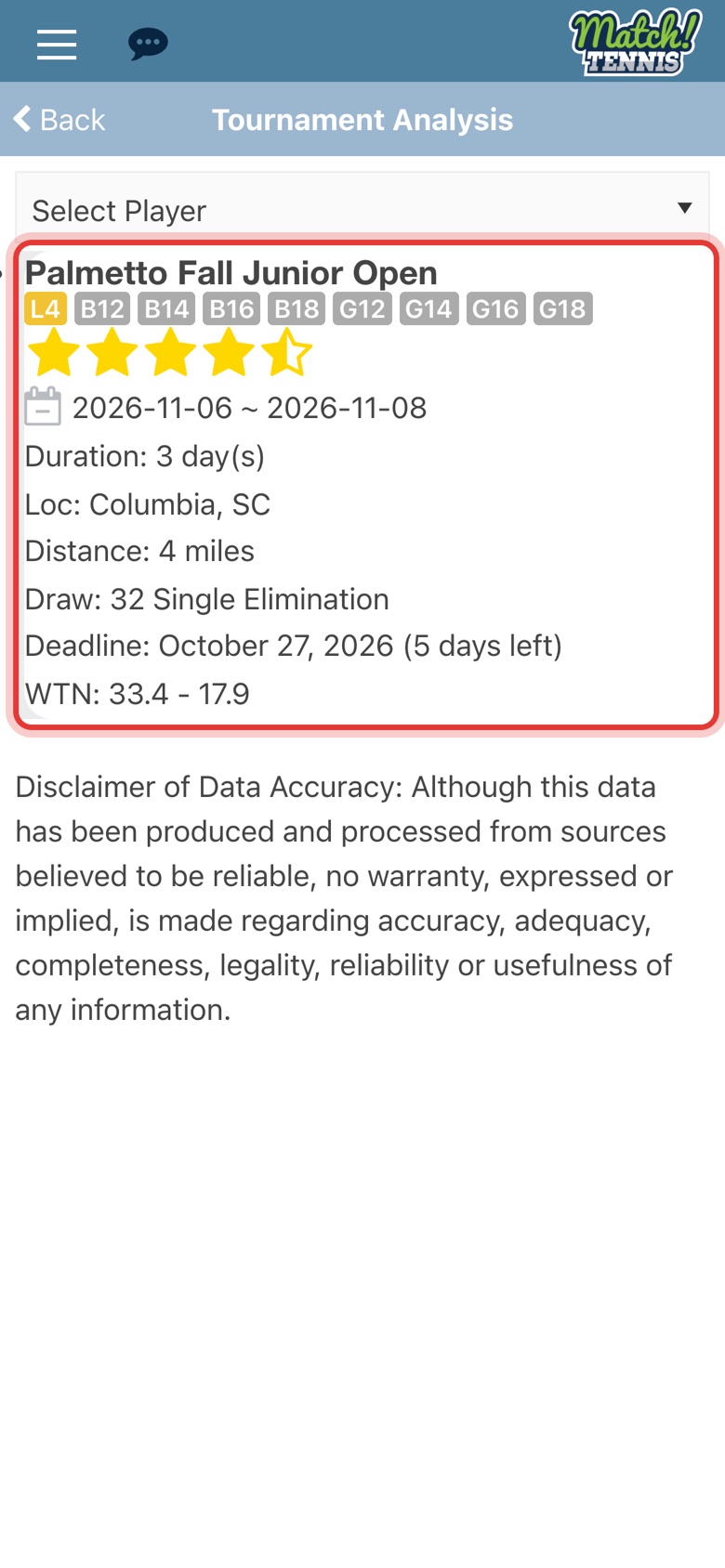
Tournament Analysis shows the tournament's star rating, dates, how many days it lasts, its location and distance from your home zip code, the draw size and the entry deadline. WTN shows the range of the field, from the highest to the lowest rated applicant.
-
Step 4: Pick your player
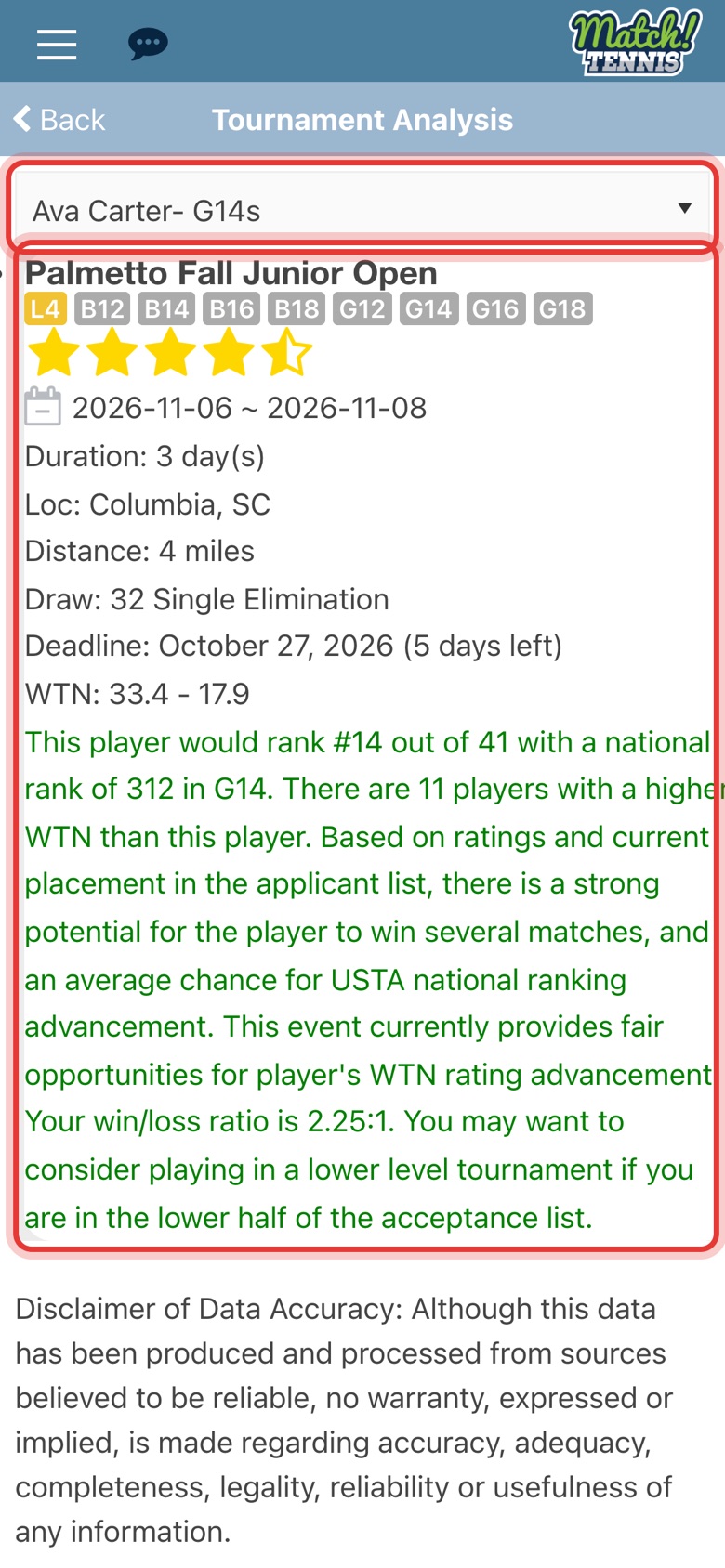
Tap Select Player and choose your player. The analysis in green shows where they would rank among the applicants in their division, how many applicants have a better WTN, and what to expect: a chance to be seeded, an even field, or a tough draw. For a single tournament it also adds your player's win/loss ratio and whether to think about playing a higher or lower level.
Part 2Compare several tournaments
-
Step 5: Tick the tournaments to compare
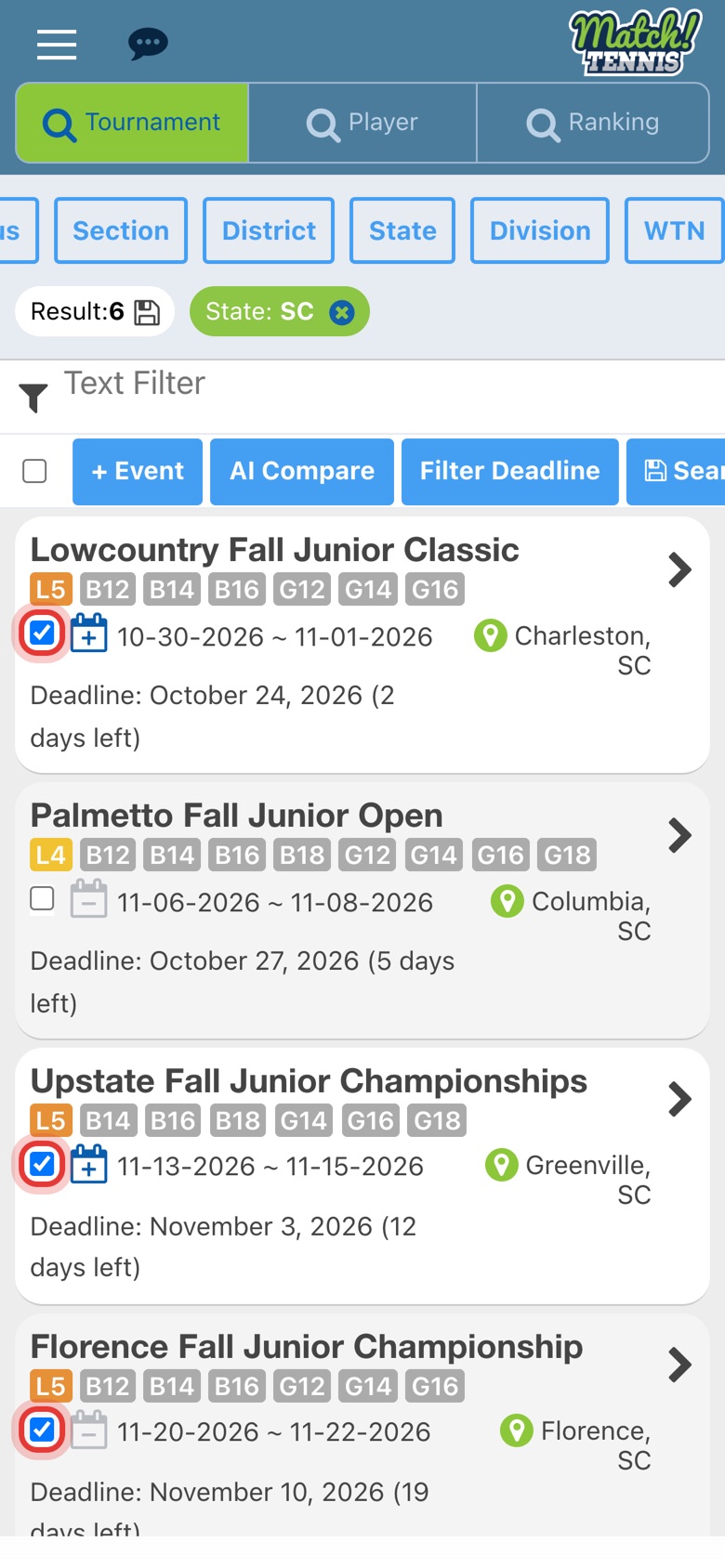
In Tournament Search, search as usual (here, State: SC), then tick the box next to each tournament you're considering. You can compare up to 25 at once.
-
Step 6: Tap AI Compare
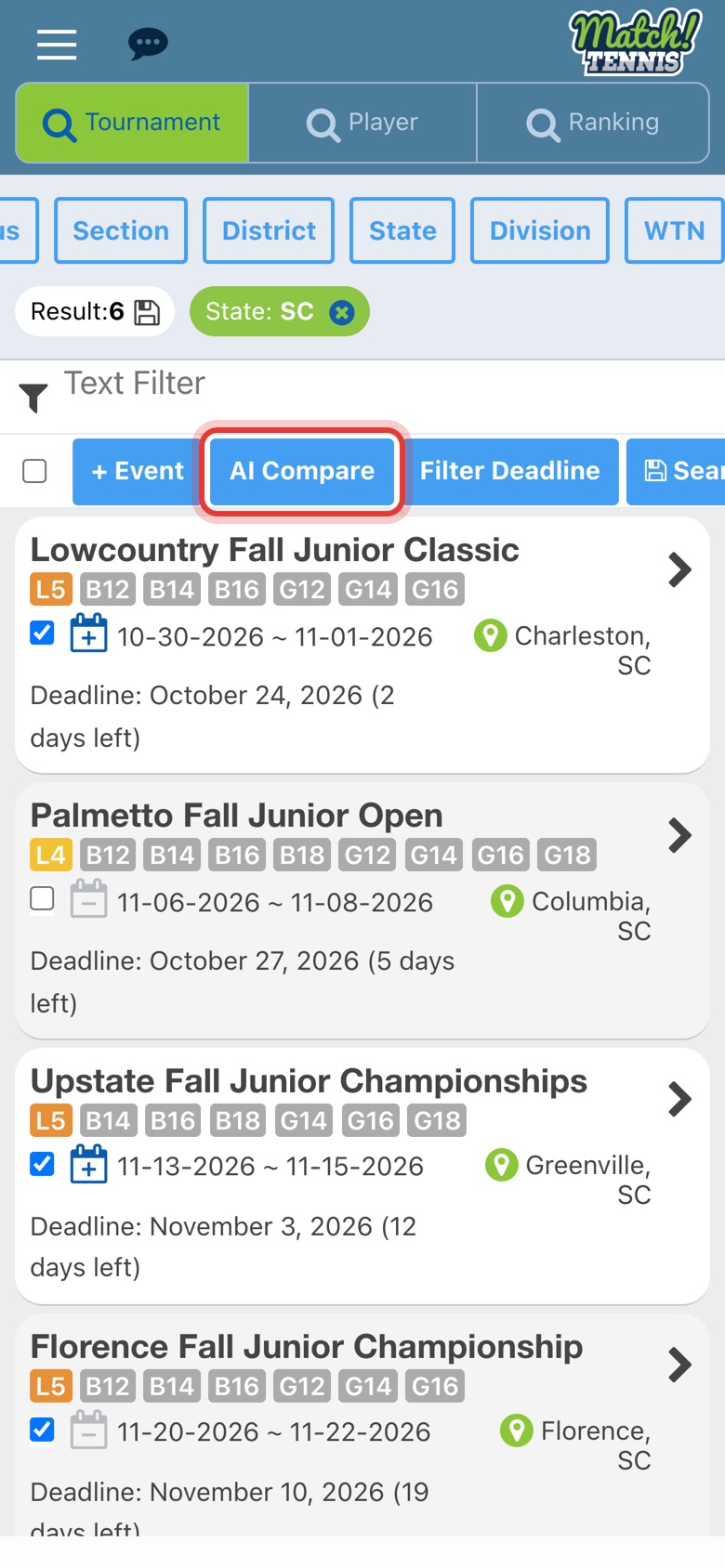
Tap AI Compare above the results. Tournament Analysis opens with every tournament you ticked.
-
Step 7: Pick your player and compare
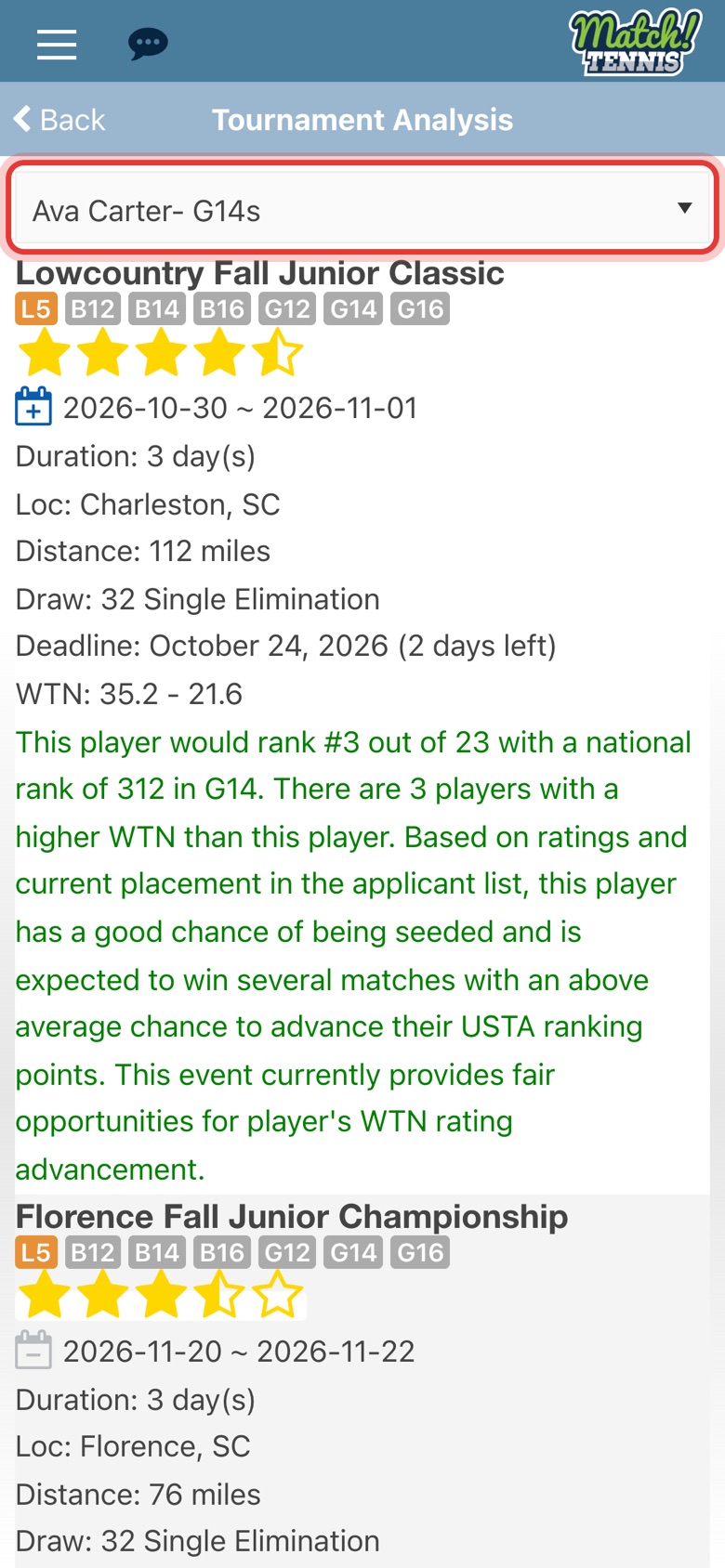
Choose your player in Select Player. Each tournament now has its own analysis in green, so you can compare distance, deadlines and your player's place in each field side by side.
-
Step 8: Watch for events your player may not get into
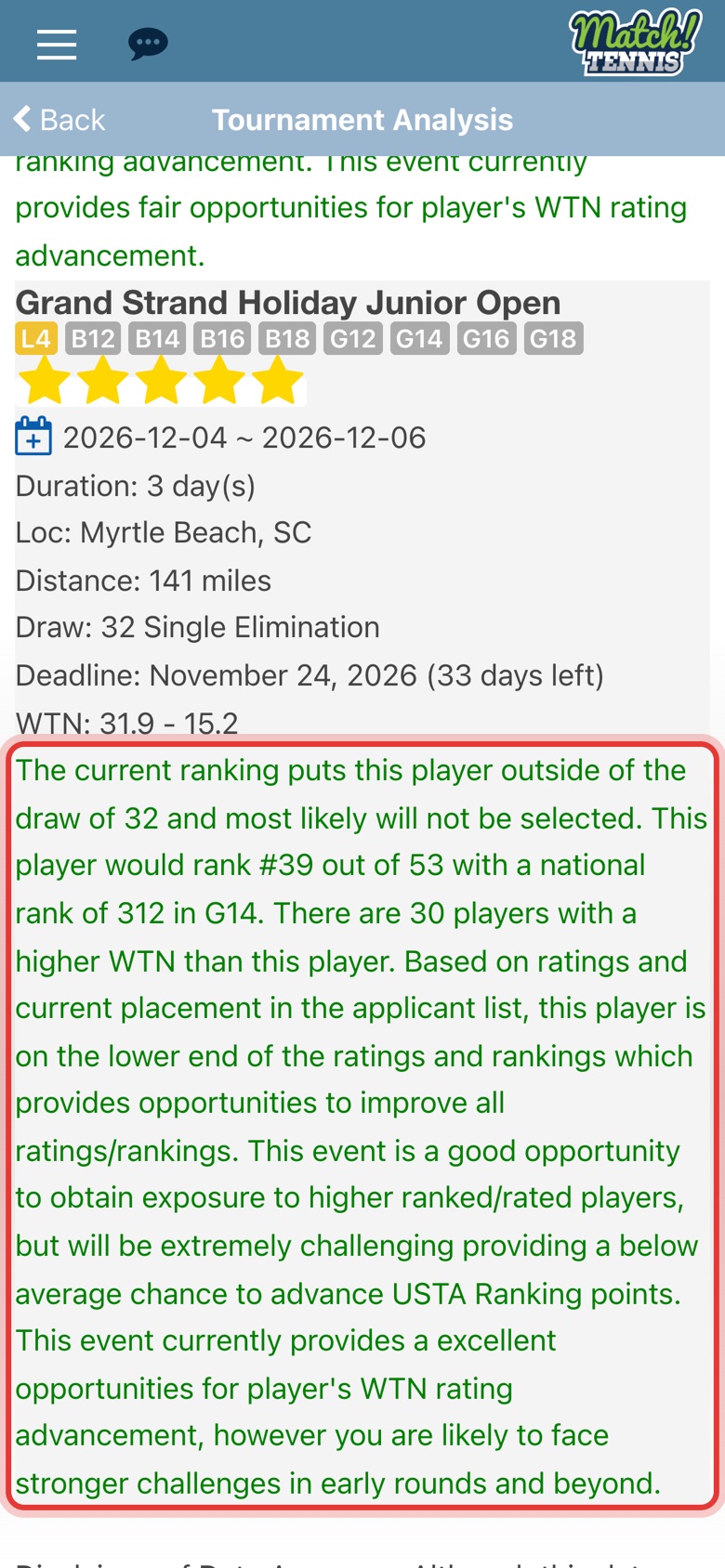
If your player ranks below the draw size, the analysis says they're outside the draw and most likely won't be selected. Use it to spot events where your player is unlikely to be accepted before you enter.
Before you start
- Pro and Elite plans. AI Analysis and AI Compare are part of the Pro and Elite plans. On the Free plan, the AI Analysis tile doesn't appear on tournament pages.
- Add your player first. Select Player lists the players on My Players. See how to add a player to My Players.
- Distance uses your home zip code. It's measured from the zip code in your account profile.
Tips
- Check again after the deadline. The analysis is based on the applicants entered so far, so your player's place can change as more players enter. Look again close to the entry deadline.
- Mix your levels. Use the analysis to balance events where your player can go deep in the draw with tougher ones that offer more ranking points. See how to decide which tournaments to play.
- See the whole field. For each applicant's ranking, rating and likely seed, use the Placement Check on the tournament's Applicants List.