How to Use ACE, Your Personal AI Agent
Players & scoutingTournaments Updated November 7, 2026 2 min read
ACE (shown as Ace in the app) is your personal AI agent on the Elite plan. It watches your players' rankings, results, deadlines and travel, answers your questions from your own data, and reads the tournament or player page you're looking at.
Part 1Open Ace and ask a question
-
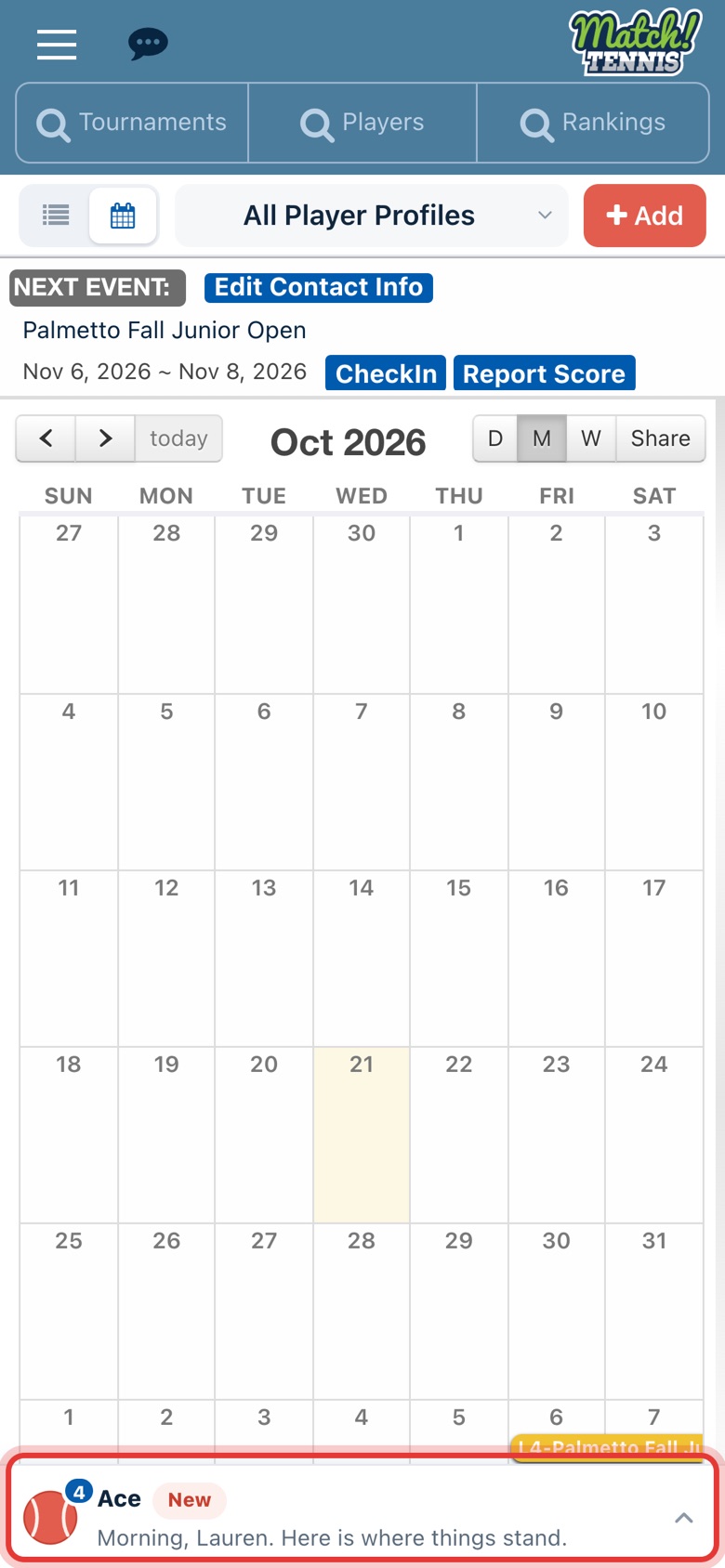
Step 1: Find Ace at the bottom of the screen
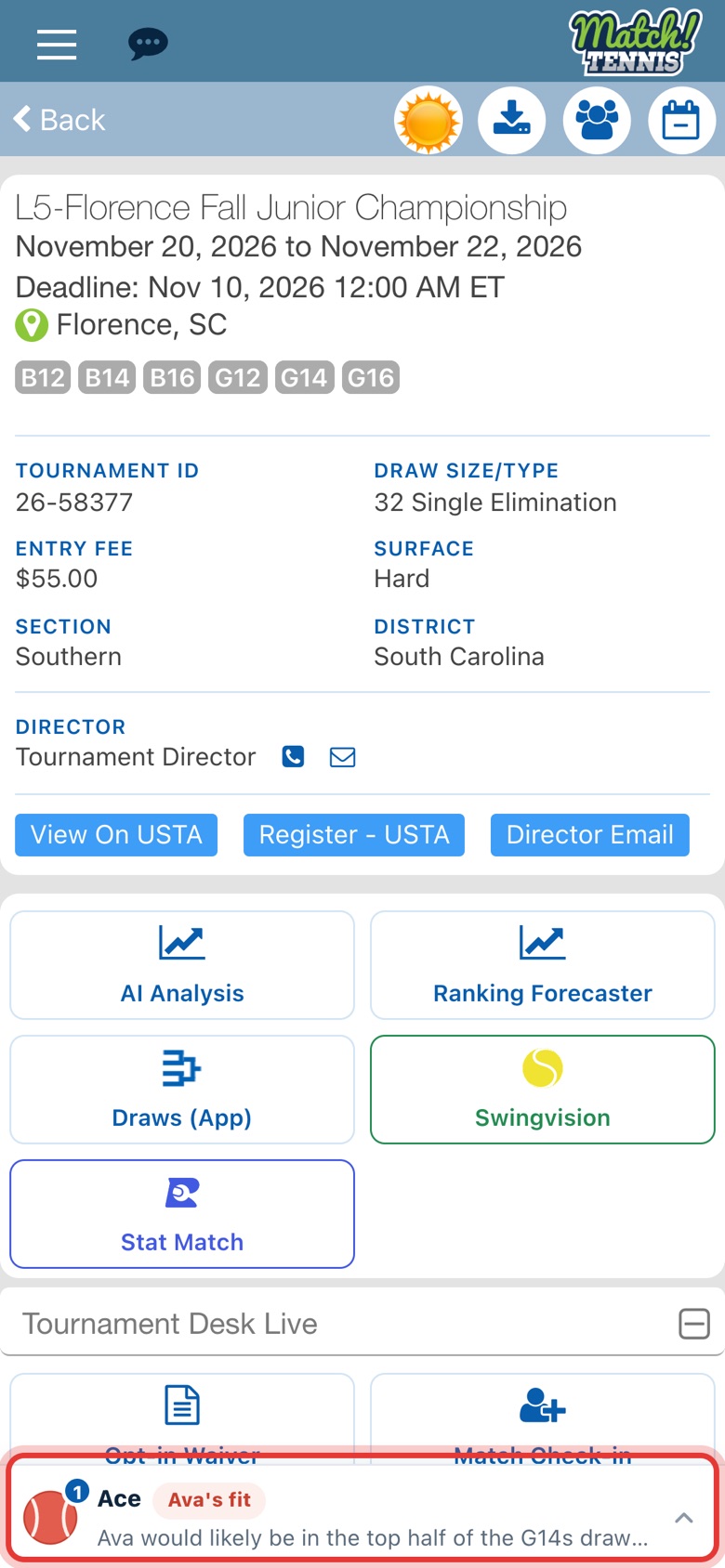
Elite members see the Ace bar along the bottom of every screen. The number shows how many new updates are waiting. Tap the bar to open Ace.
-
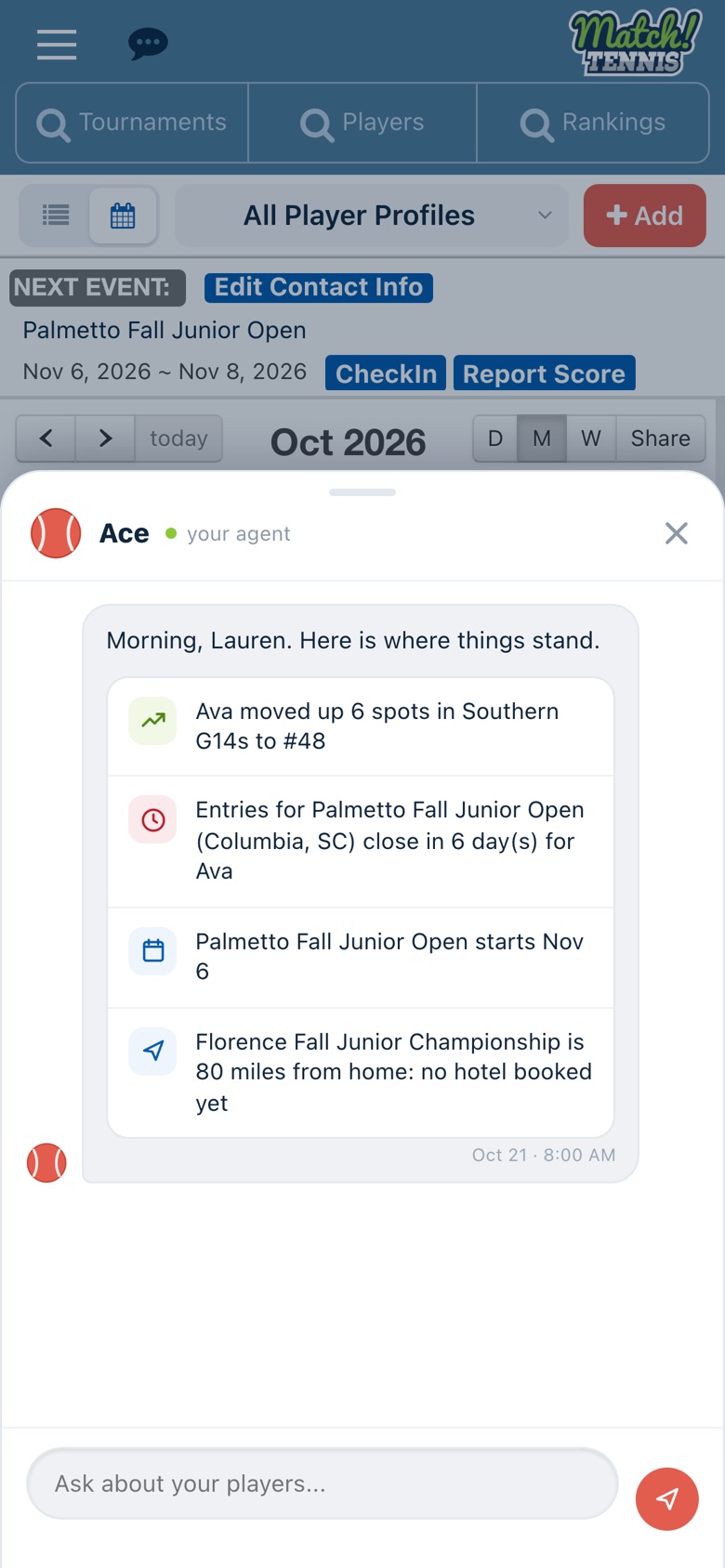
Step 2: Read your briefing
Ace starts with what's new for your players: ranking moves, entry deadlines, upcoming events, travel still to book and gear that's due.
-
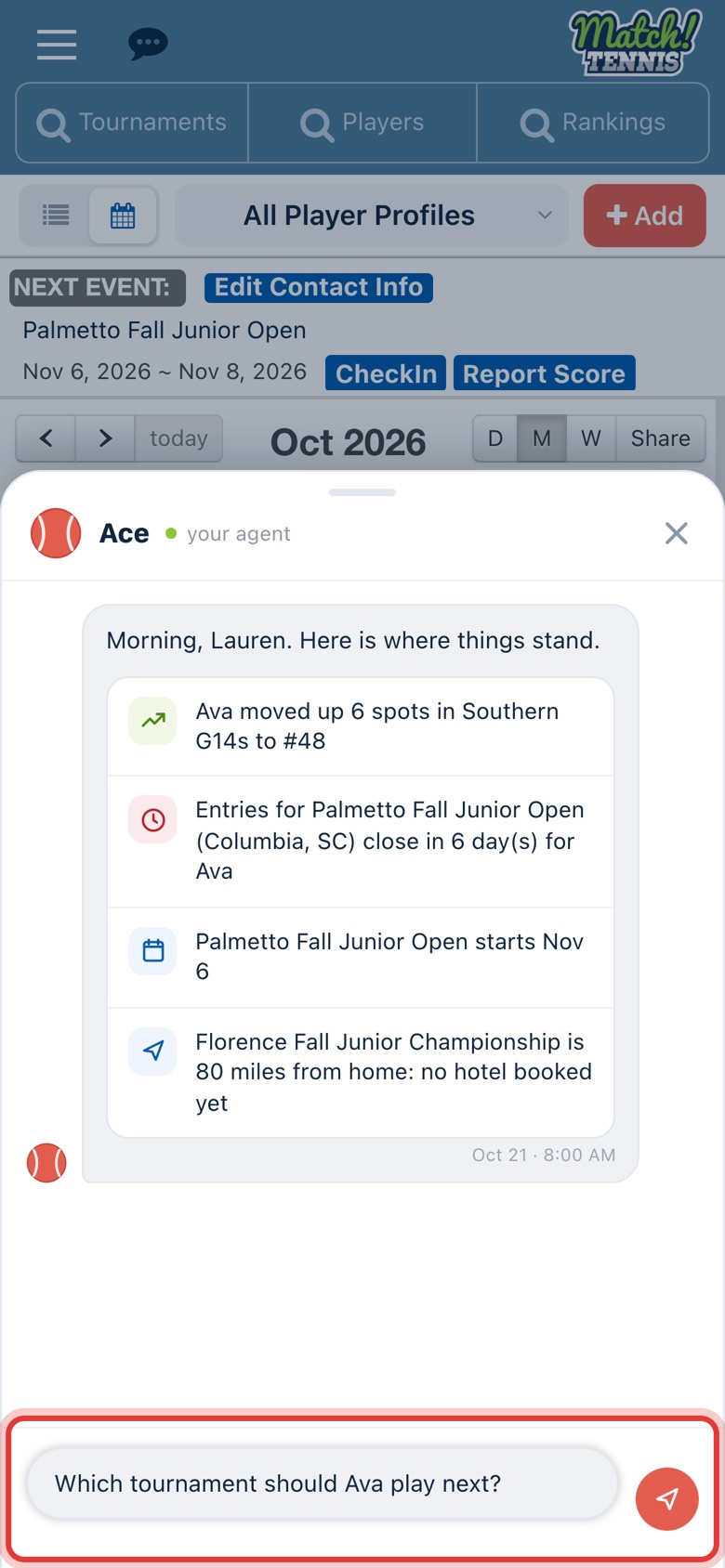
Step 3: Ask a question
Type in Ask about your players... and tap the send button. Ask about rankings, tournaments, opponents, travel or scheduling in your own words.
-
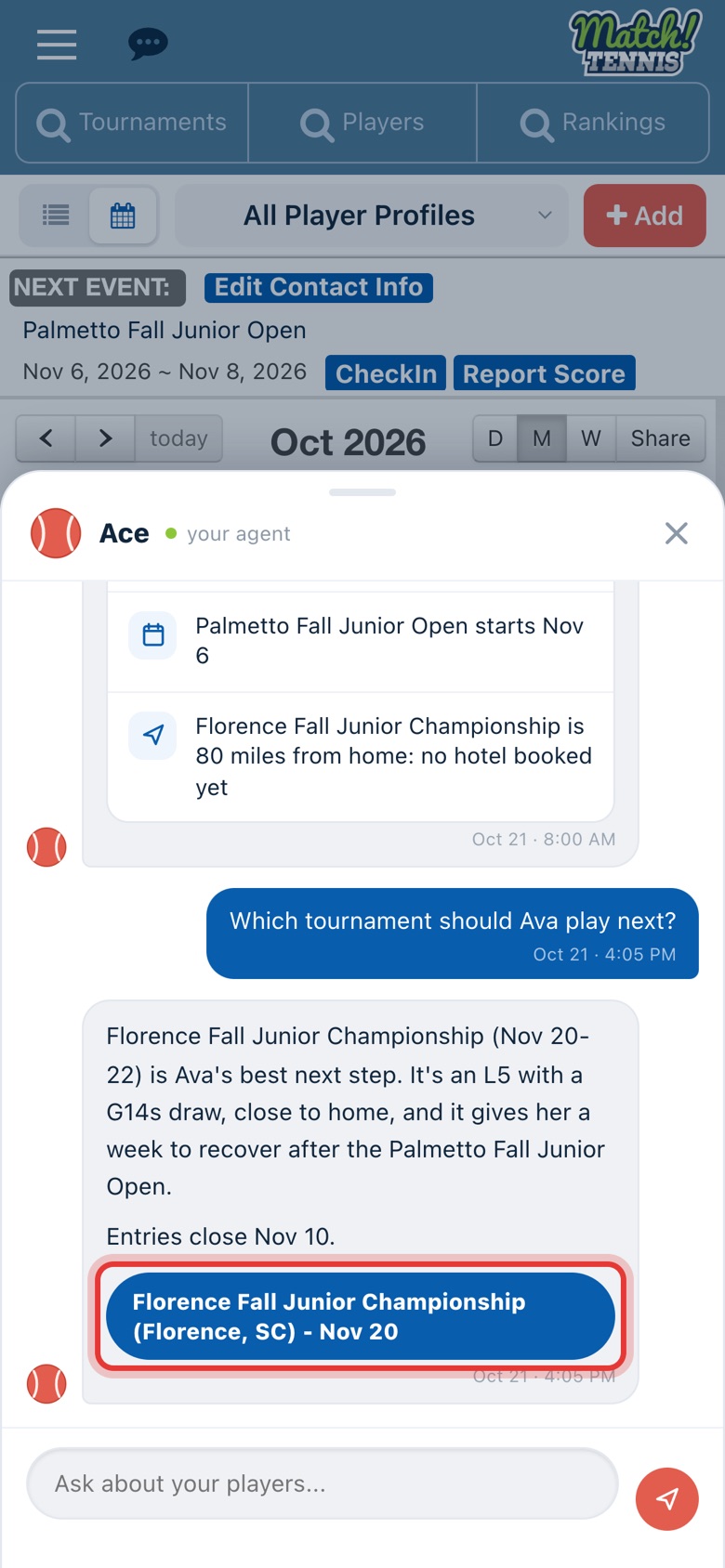
Step 4: Get an answer from your data
Ace answers from your players' own records. Tap a button in the answer, like a tournament, to open it.
Part 2Let Ace read a tournament for you
-
Step 5: Open a tournament or player page
When you open a tournament or player page, Ace reads it for you. The Ace bar shows the read's title, like Ava's fit. Tap the bar to see it.
-
Step 6: Read Ace's take
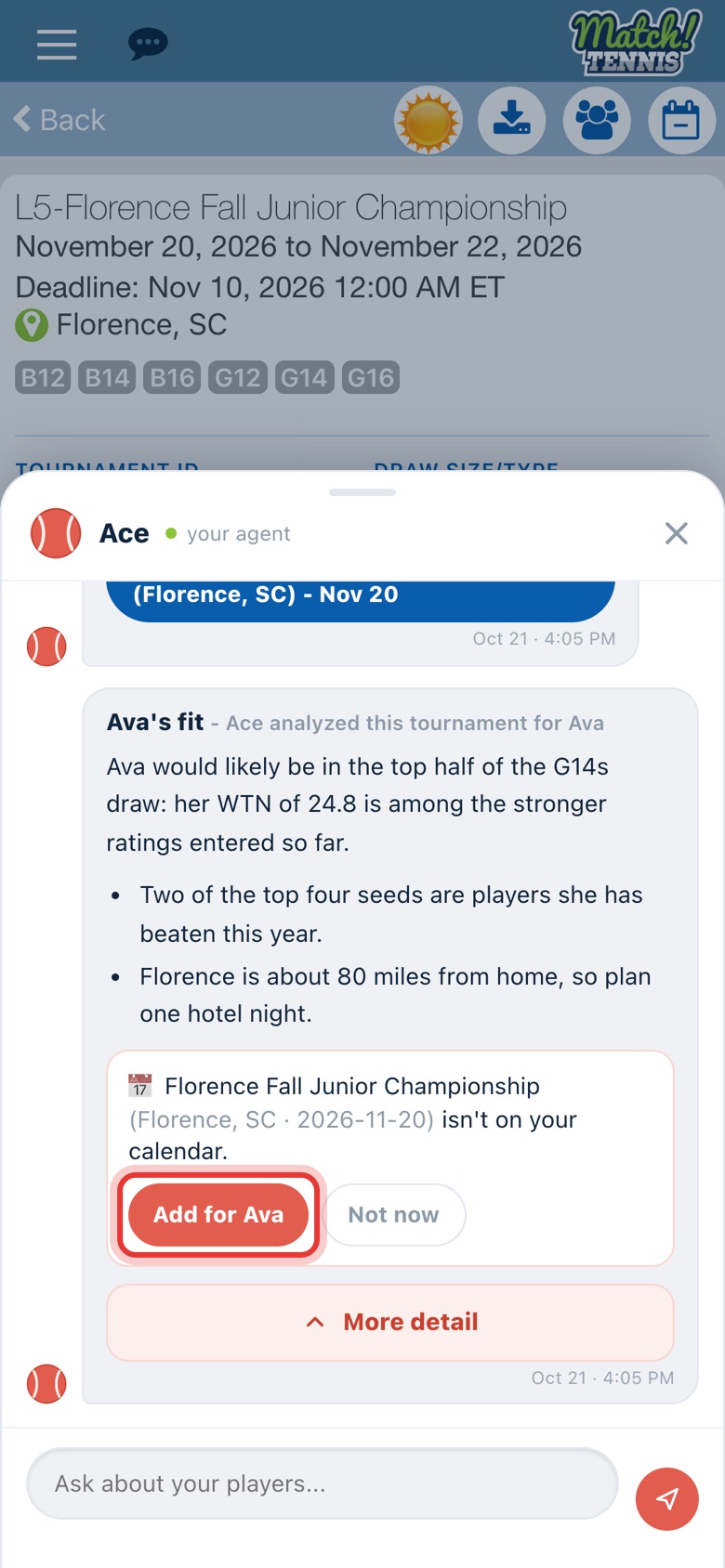
Ace explains how the tournament fits your player. If it's not on your calendar yet, tap Add for your player. Tap More detail for a deeper look.
-
Step 7: It's on your calendar
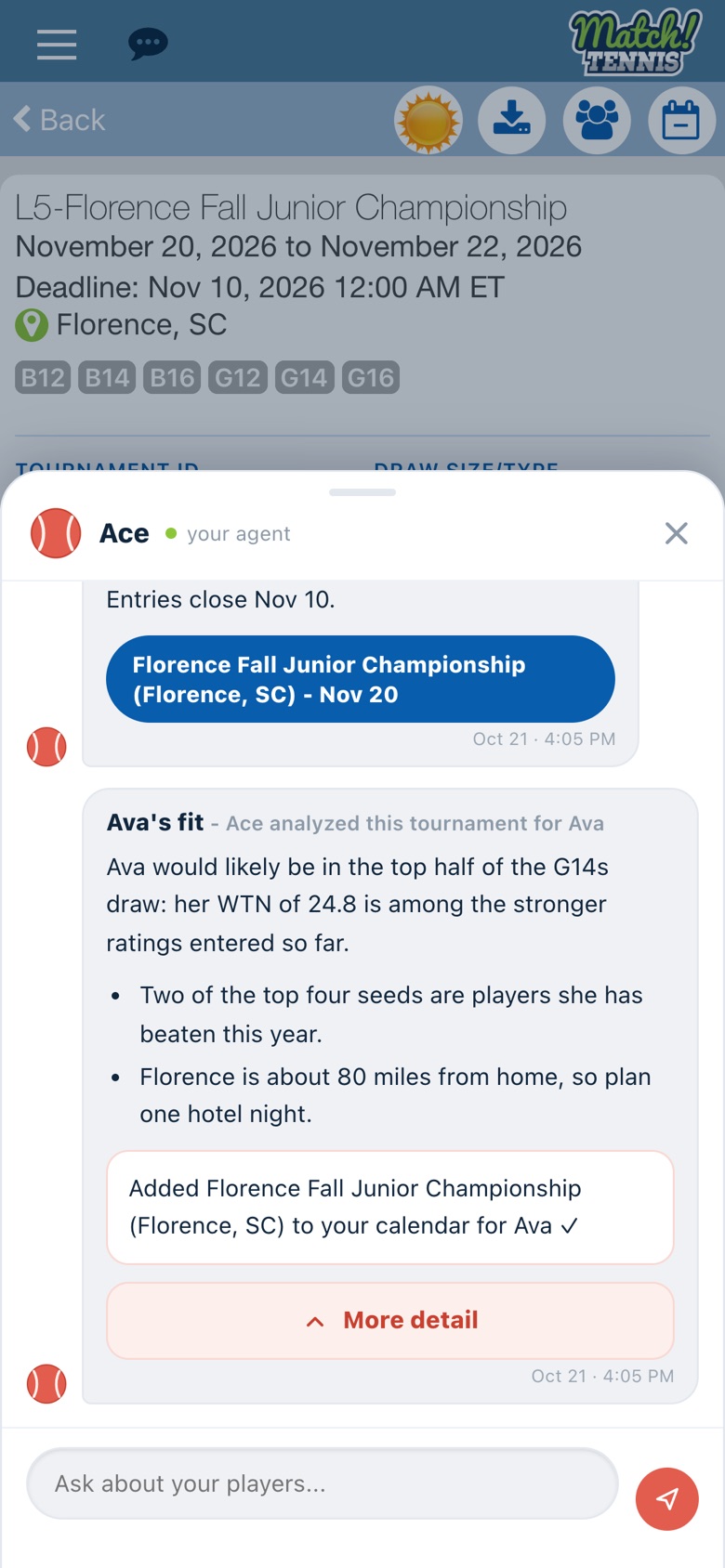
Ace confirms the tournament is on your calendar for your player. Close Ace with the X, or keep asking.
Before you start
- Ace is part of the Elite plan. If you don't see the Ace bar, see the plans to upgrade.
- Add your players to My Players. Ace works from their rankings, results and events. See how to search and add a player.
Things to ask Ace
- "Which tournament should Ava play next?"
- "Show me L4 tournaments within 100 miles in December." Ace opens Tournament Search with the filters filled in.
- "Where does Ava rank in Southern G14s?"
- "Who is ranked #3 nationally in G14s?"
Tips
- Ask one question at a time. Wait for Ace's answer before sending the next one.
- Scouting reports use your monthly reports. On a player page, More detail offers the full AI Scouting Report and tells you how many reports you have left this month before it uses one.
- Share a read. On a tournament or player page, Ace can send its note by text or email.