How to Complete Your MatchU Recruiting Profile
MatchU guidesPlayers & scouting Updated November 6, 2026 1 min read
College coaches across NCAA DI, DII, DIII, NAIA and JUCO use MatchU to find recruits. Your player's ratings and rankings are already there; add the academics and contact details coaches filter by. It takes about 2 minutes on the Get Recruited page.
Part 1Sign in and pick your player
-
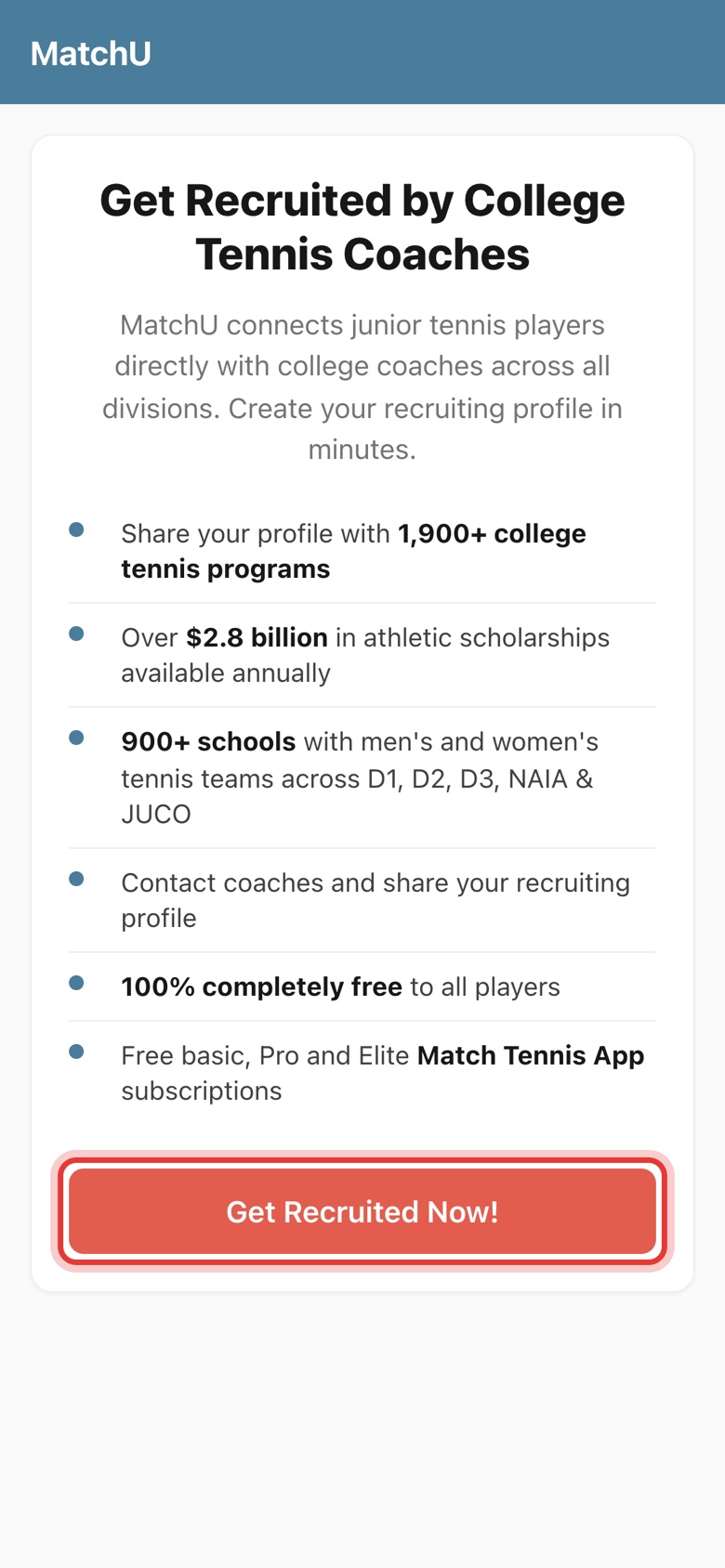
Step 1: Tap Get Recruited Now!
Open the Get Recruited page (link above) and tap Get Recruited Now!
-
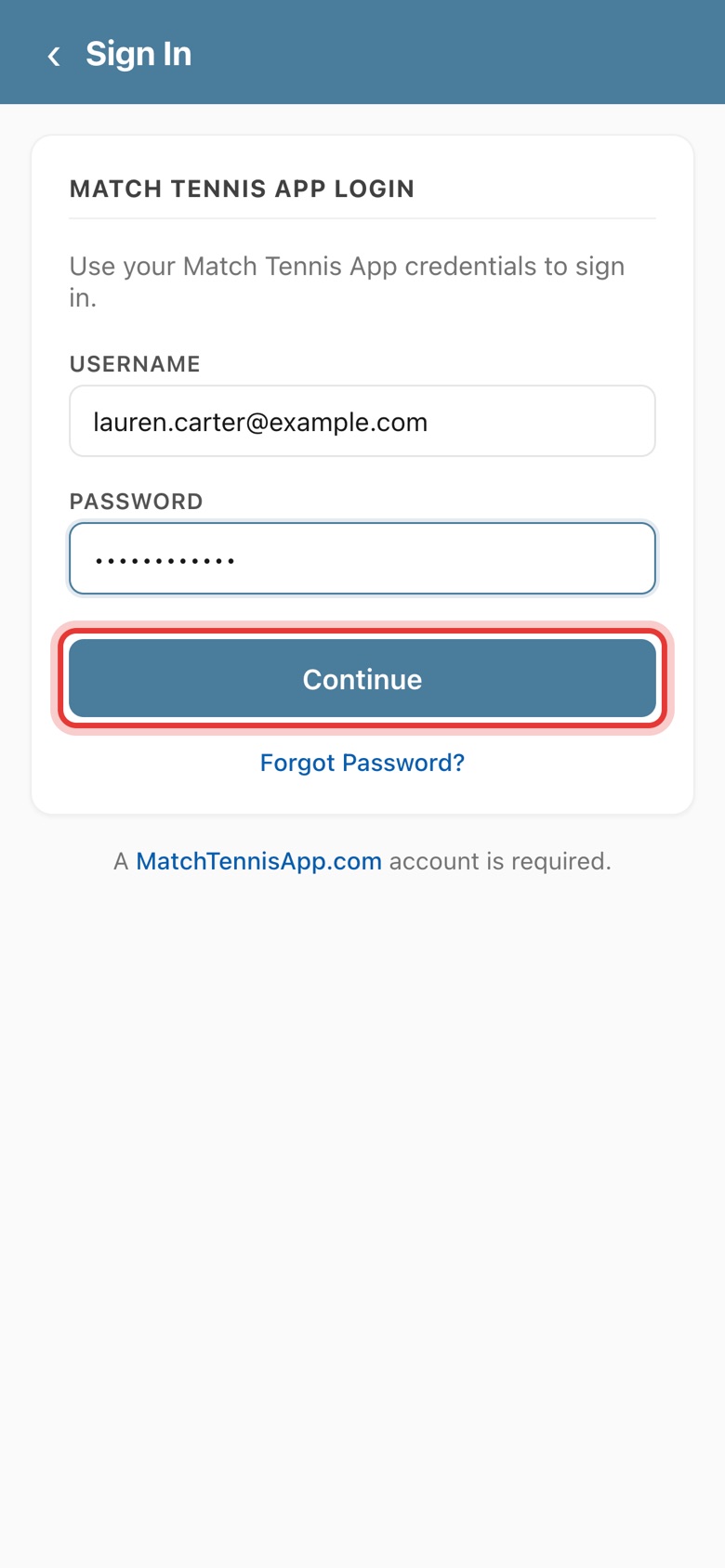
Step 2: Sign in
Enter your Match Tennis App username and password, then tap Continue. Forgot it? Tap Forgot Password?
-
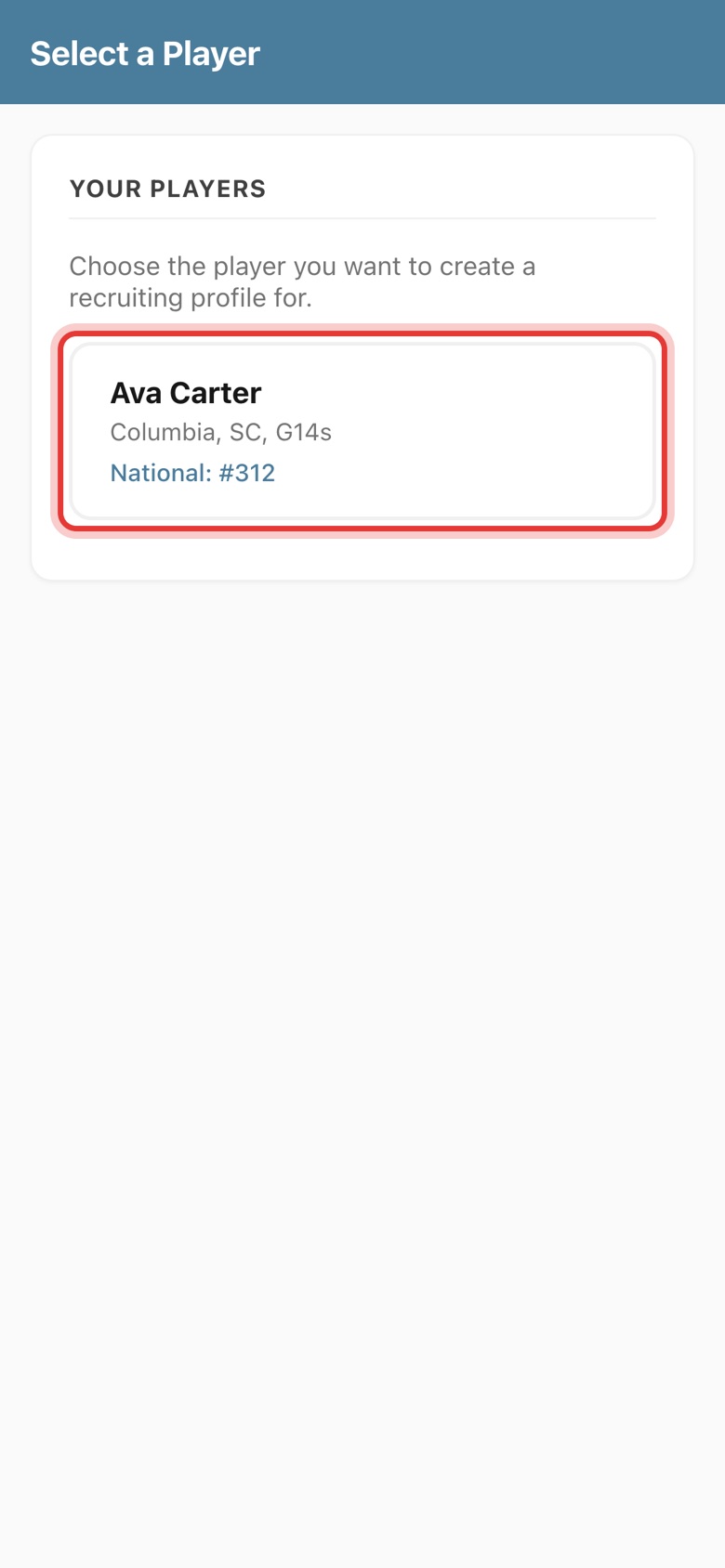
Step 3: Pick your player
Tap the player you're creating the recruiting profile for. Players come from My Players on your account.
Part 2Fill in the profile
-
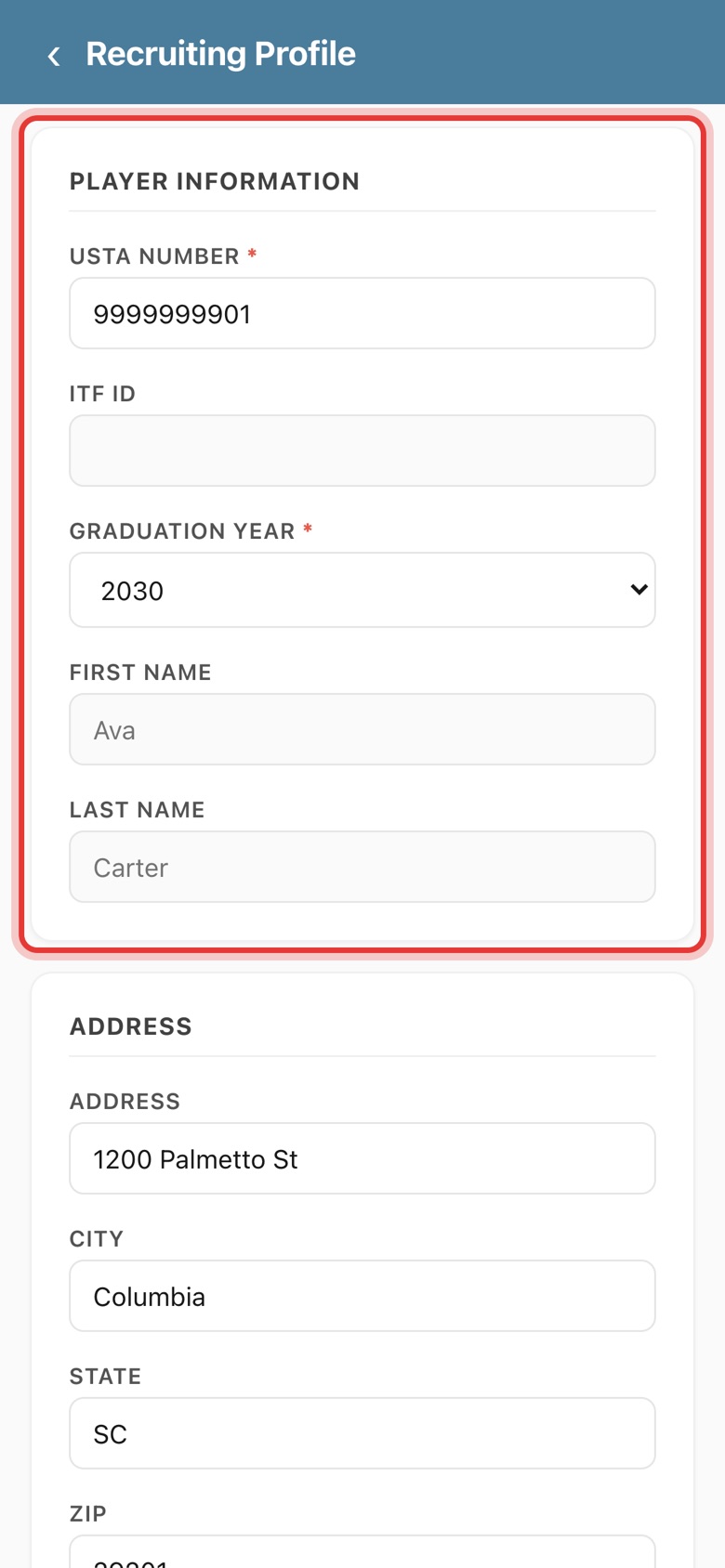
Step 4: Check the player information
Check the USTA number and choose the graduation year. Both are required. Name comes from your account.
-
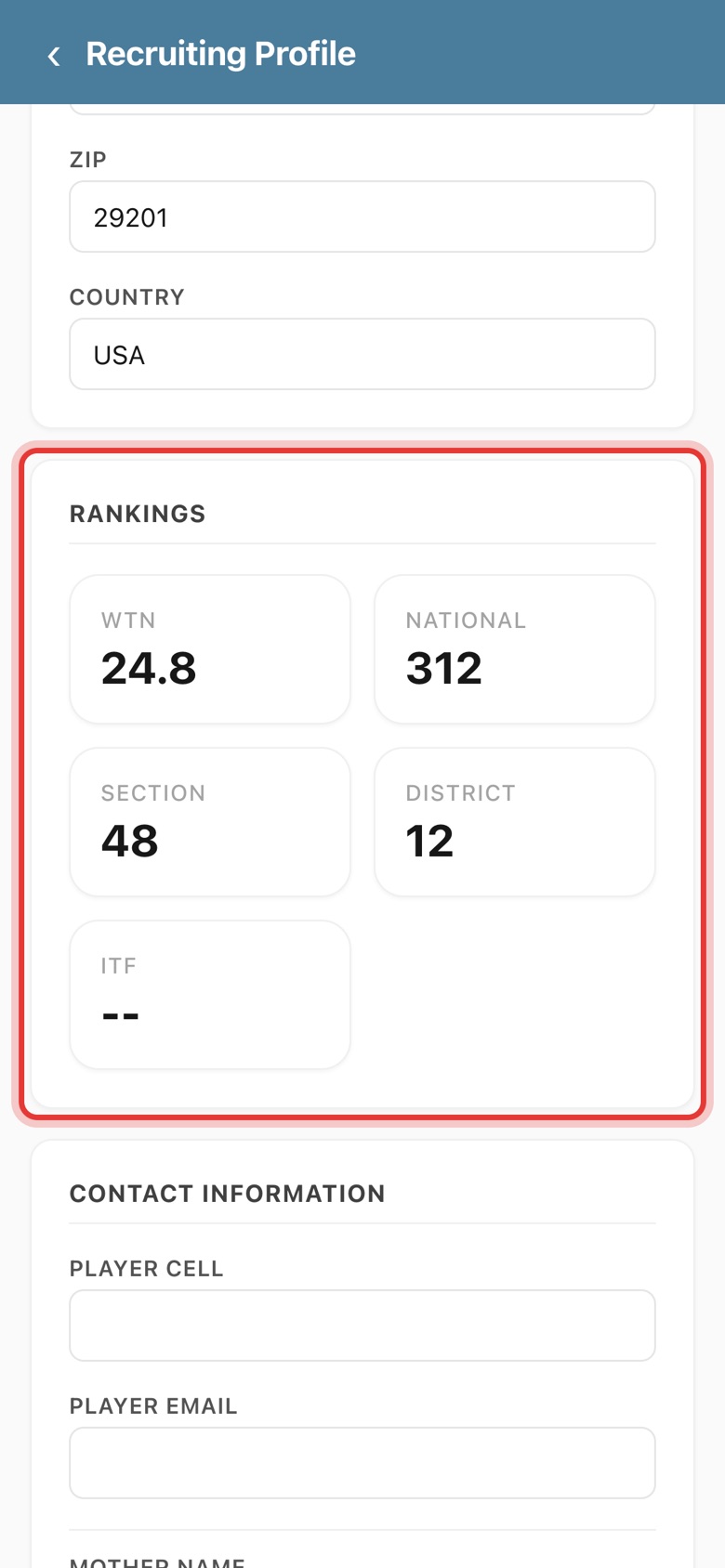
Step 5: Add your address and check rankings
Fill in the address. WTN and national, section, district and World Tennis (ITF) rankings fill in automatically from official records.
-
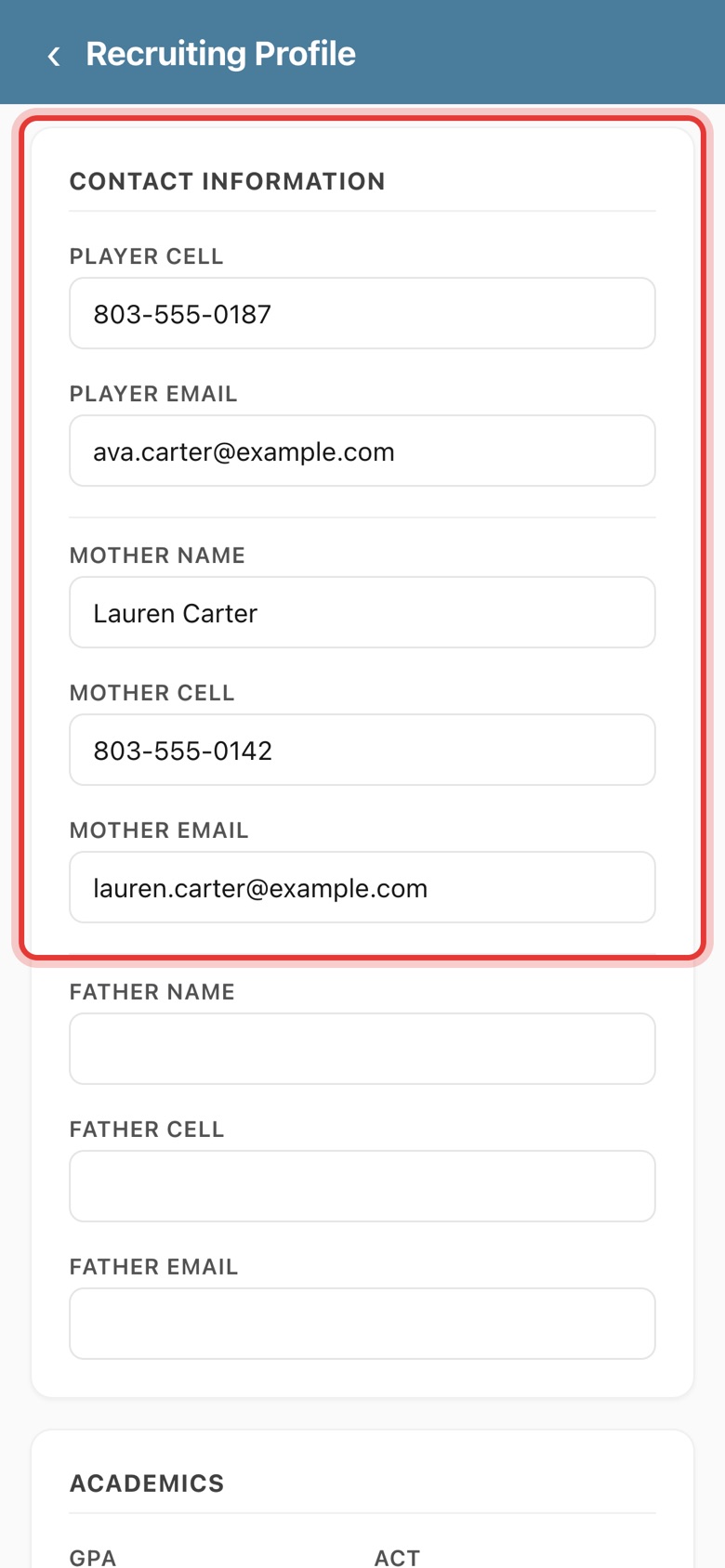
Step 6: Add contact details
Add the player's cell and email, and at least one parent's name, cell and email, so coaches can reach you.
-
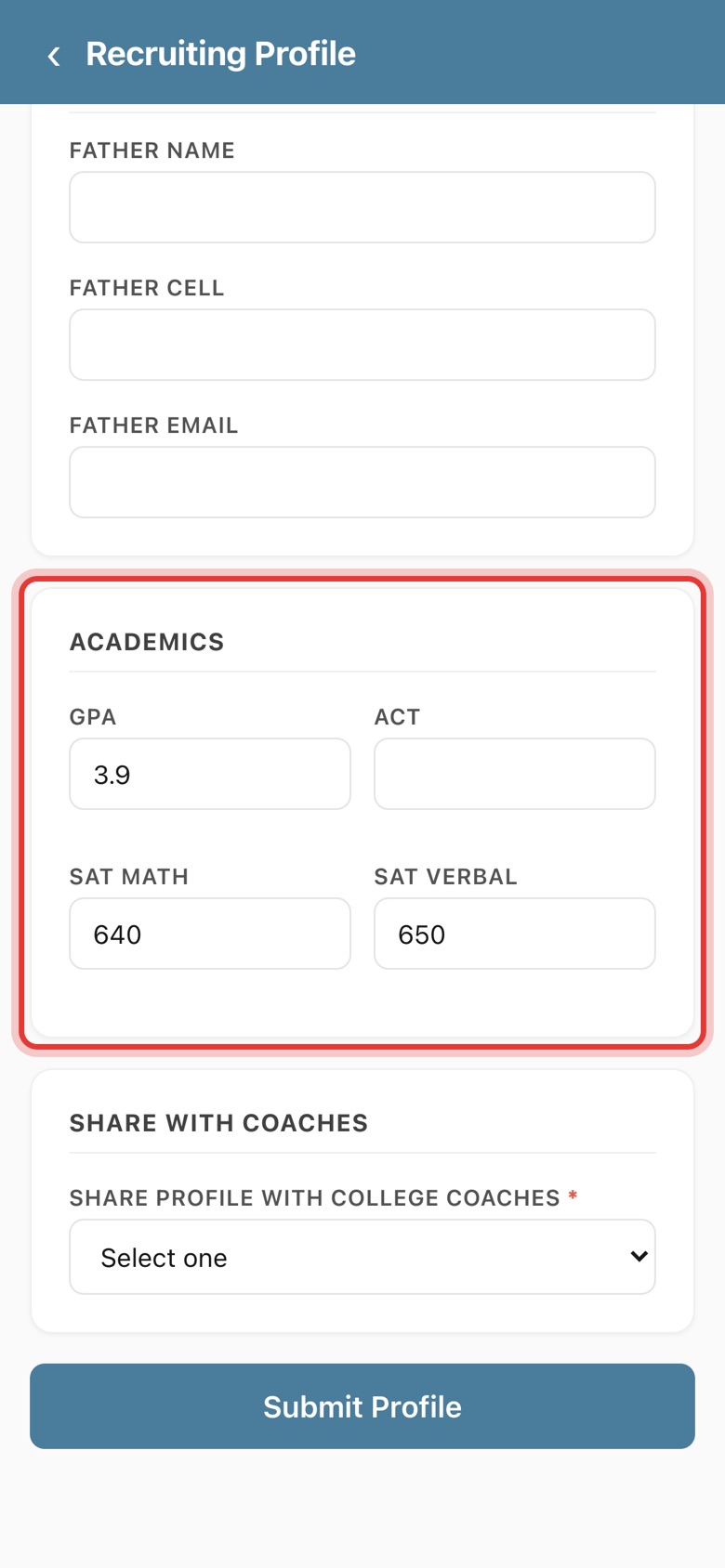
Step 7: Add GPA and test scores
Enter GPA and ACT or SAT scores. Coaches use academics first, to see if a player qualifies for admission.
-
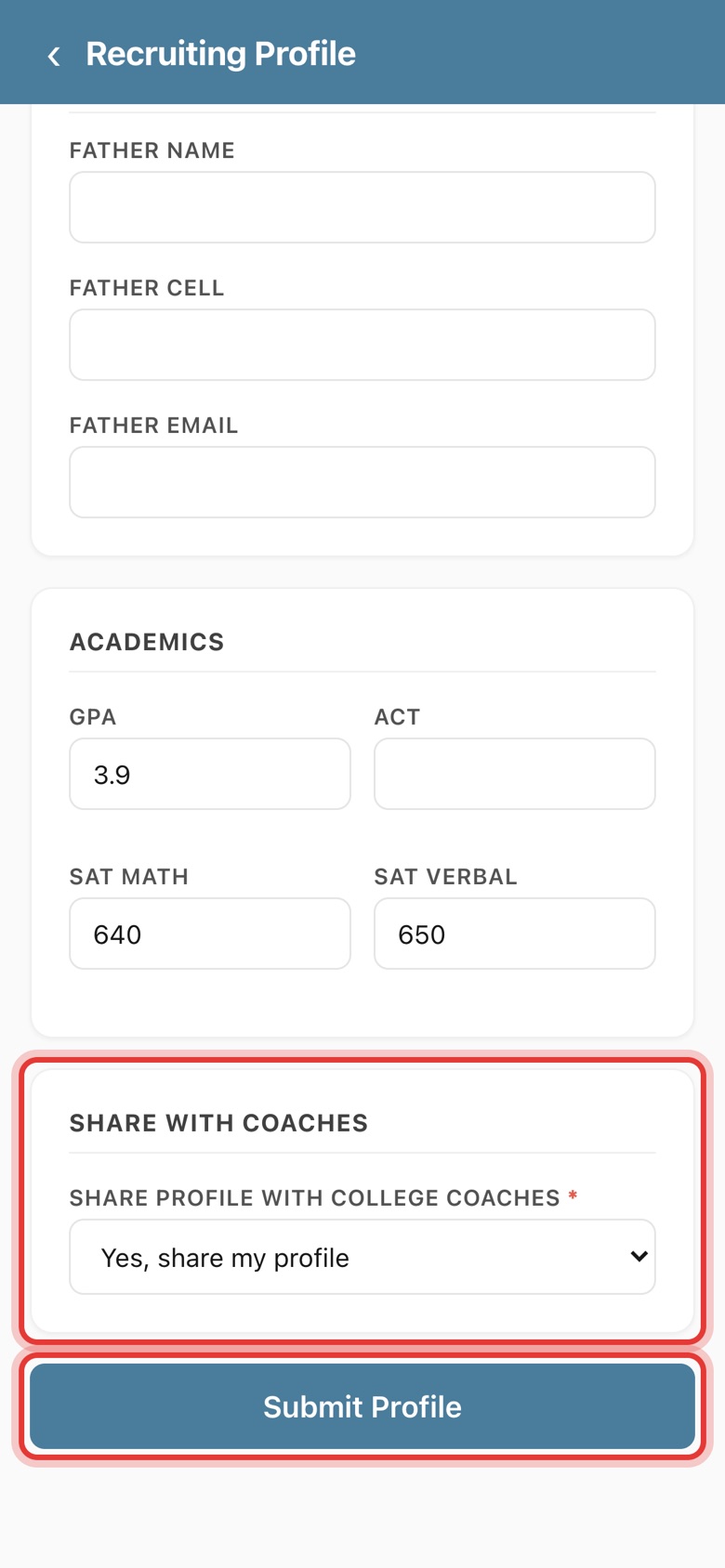
Step 8: Share with coaches and submit
Choose Yes, share my profile, then tap Submit Profile. If contact details or academics are missing, you're asked to confirm first.
-
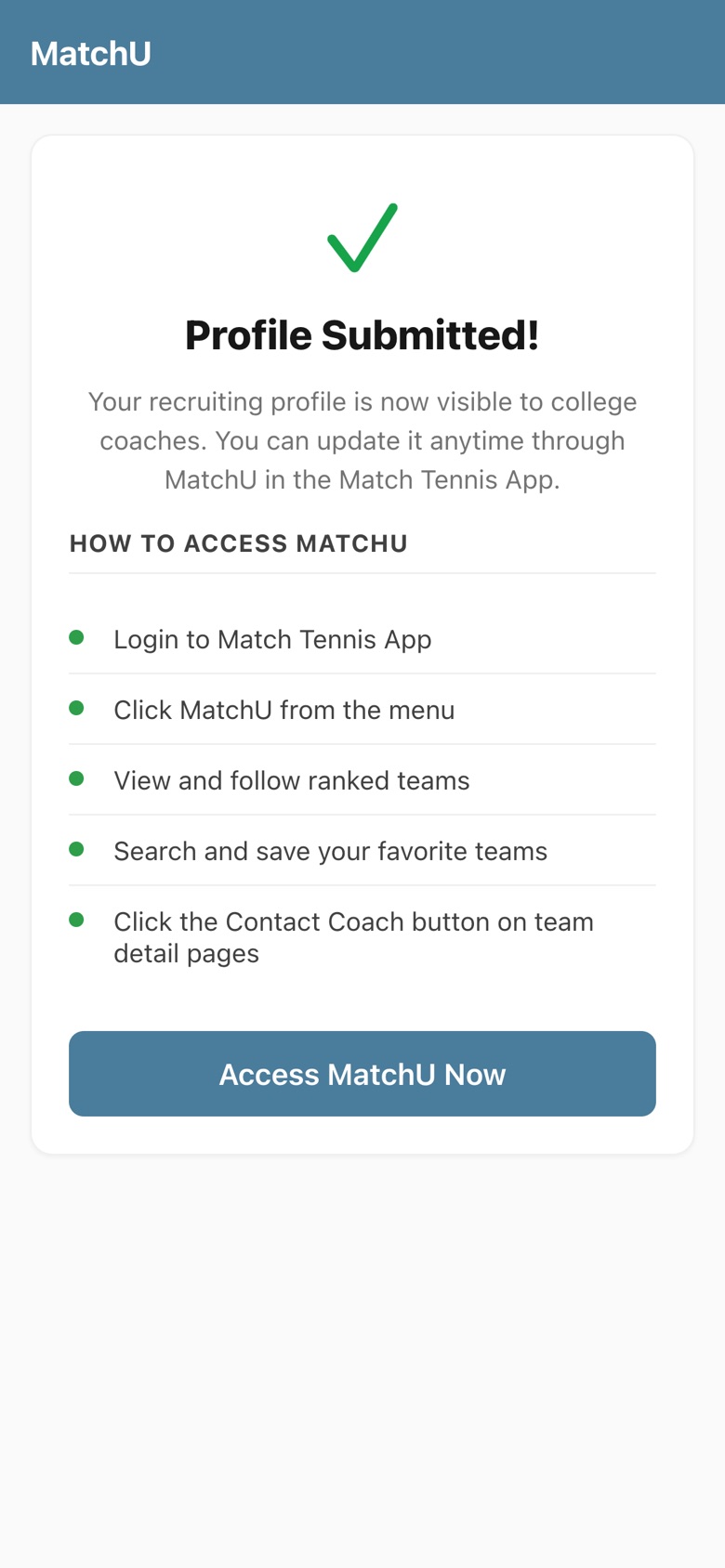
Step 9: Your profile is live
Profile Submitted! Your recruiting profile is now visible to college coaches. You can update it anytime.
Before you start
- Have a free account. Sign up free, no credit card needed, one account per family.
- Add your player to My Players. See how to search and add a player.
- Have the numbers handy. USTA number, graduation year, GPA and any ACT or SAT scores.
Tips
- Add a highlight video. Coaches review hundreds of profiles, and even a short match clip helps a player stand out. In the app, open MatchU, go to Recruit › Profile, and add the link under Additional › Video URL.
- Keep it up to date. Come back after new grades or test scores. You can also edit your profile anytime in MatchU.
- Need help? Our team can walk you through it step by step. Use live chat inside Match Tennis App.
Open the Get Recruited page to complete your player's profile, or learn more about MatchU.