How to Find a Player and Add Them to My Players
Getting startedPlayers & scouting Updated November 1, 2026 1 min read
Save your player, or any player you follow, to My Players. It takes about a minute.
Part 1Find the player
-
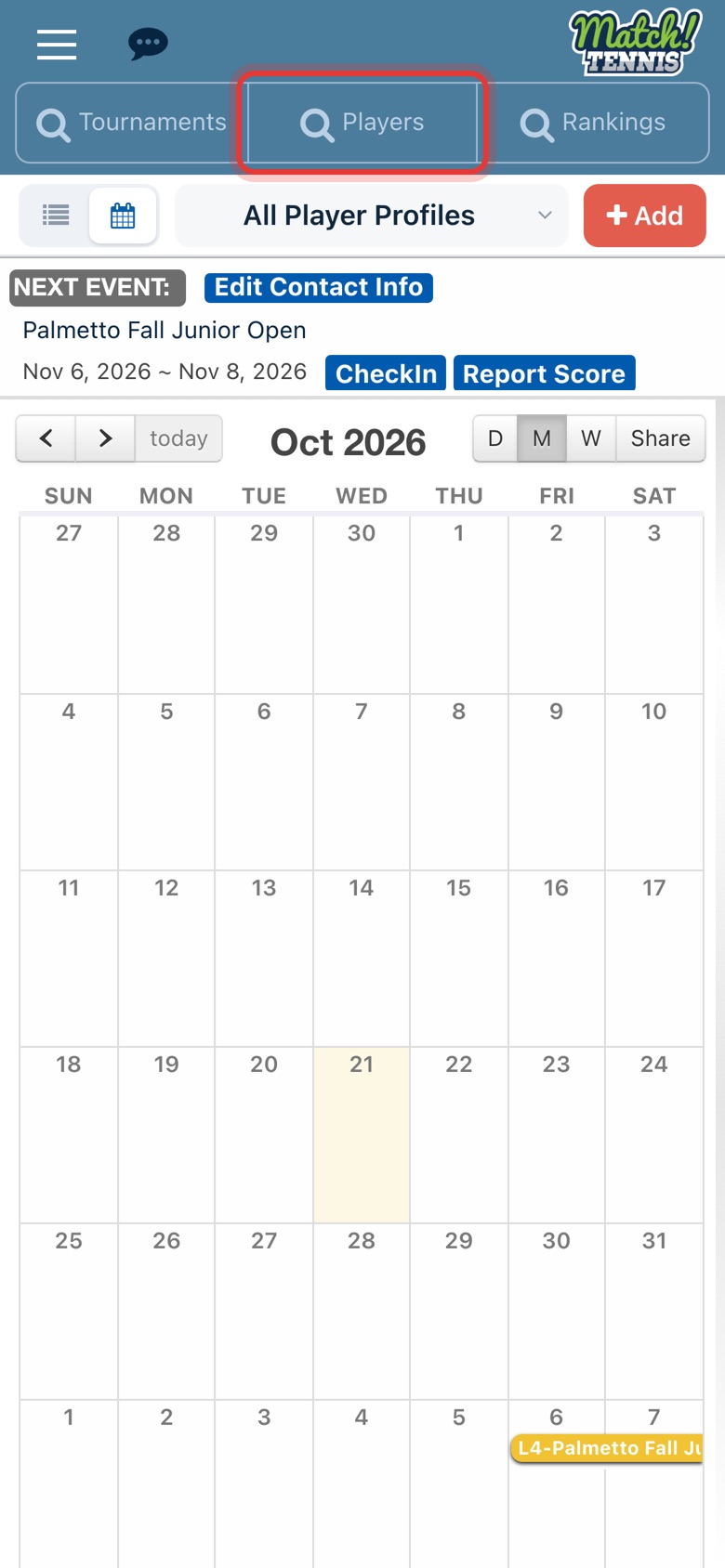
Step 1: Open the Players search
On Home, tap Players at the top of the screen.
-
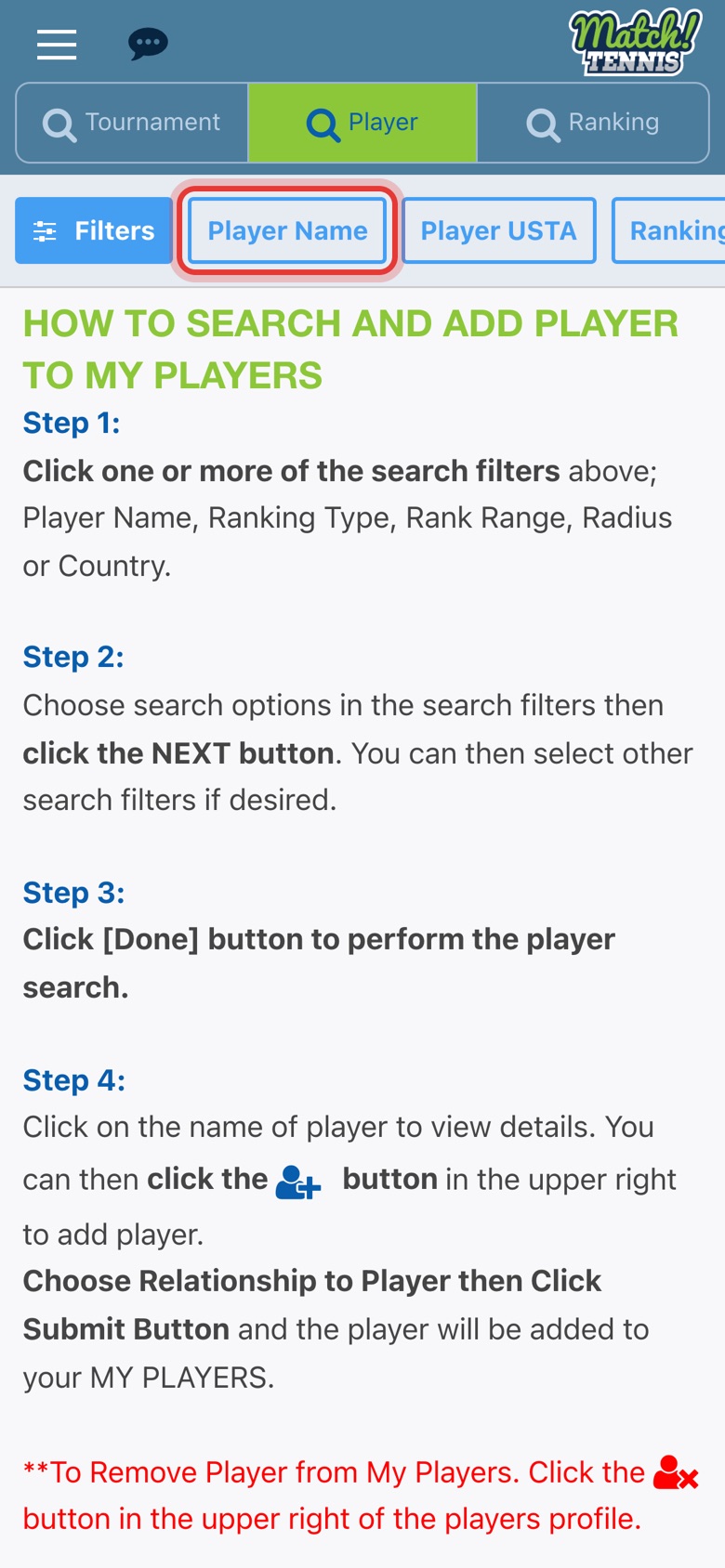
Step 2: Tap Player Name
You can also search by USTA number, ranking, age group, gender or state.
-
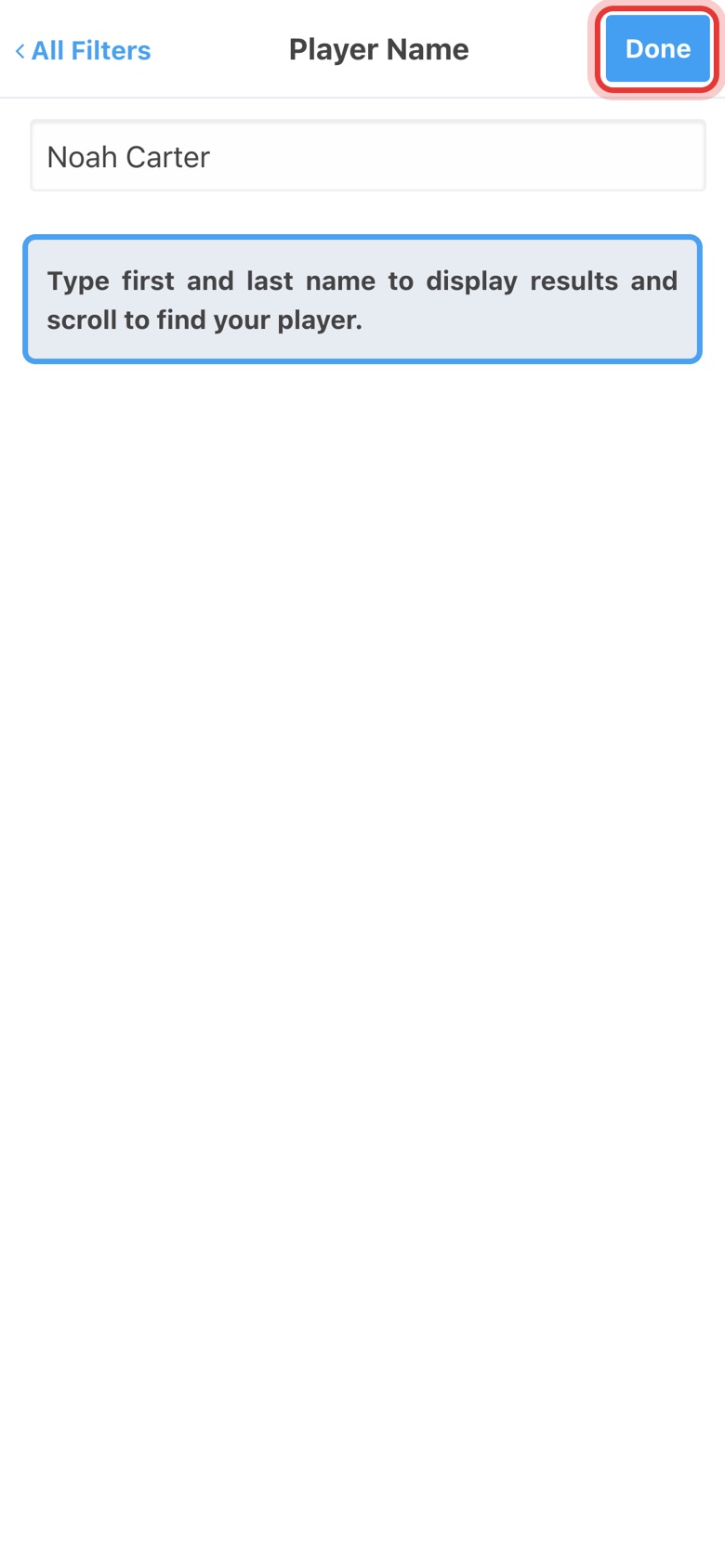
Step 3: Type the name, then tap Done
Type the player's first and last name and tap Done.
-
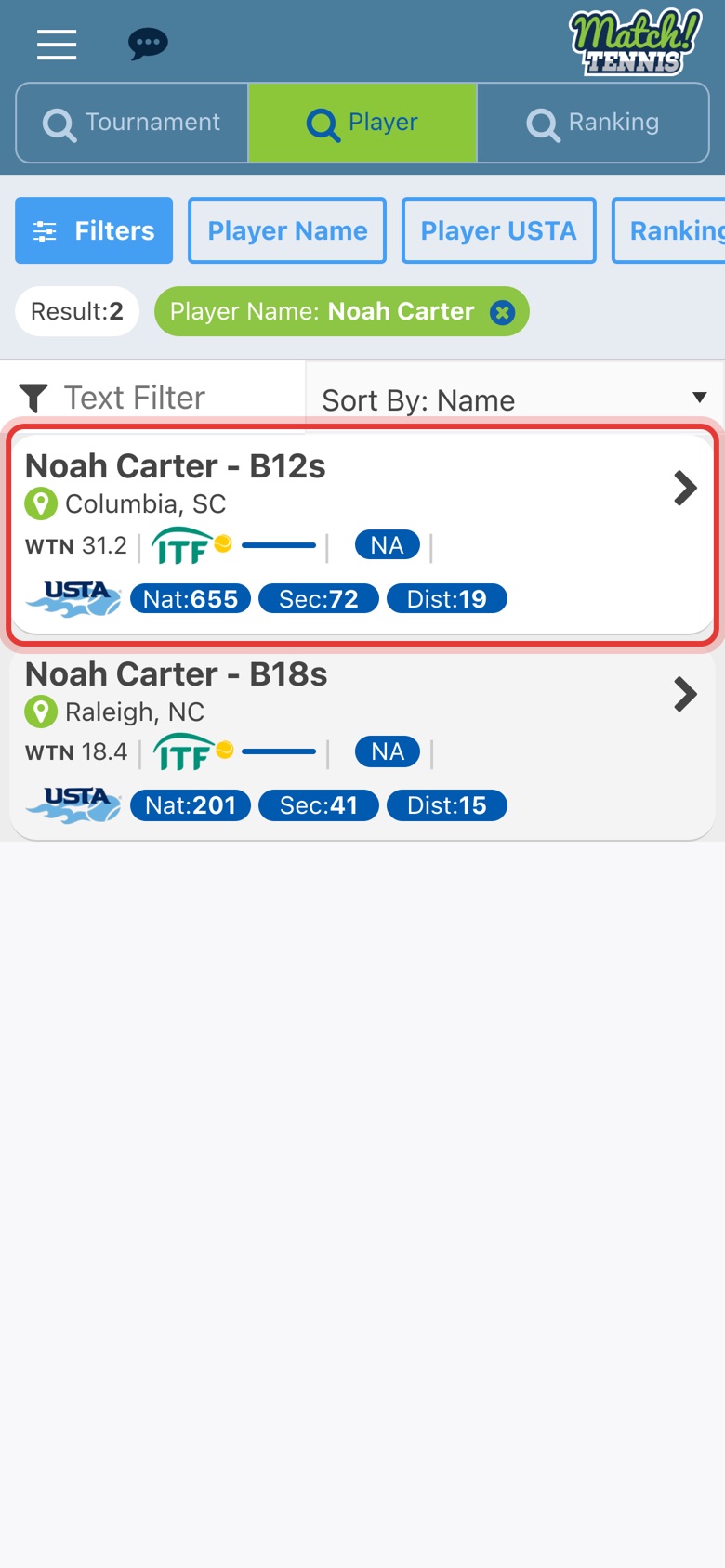
Step 4: Tap the right player
Players can share a name. Check the age group and city, then tap the player.
Part 2Add them to My Players
-
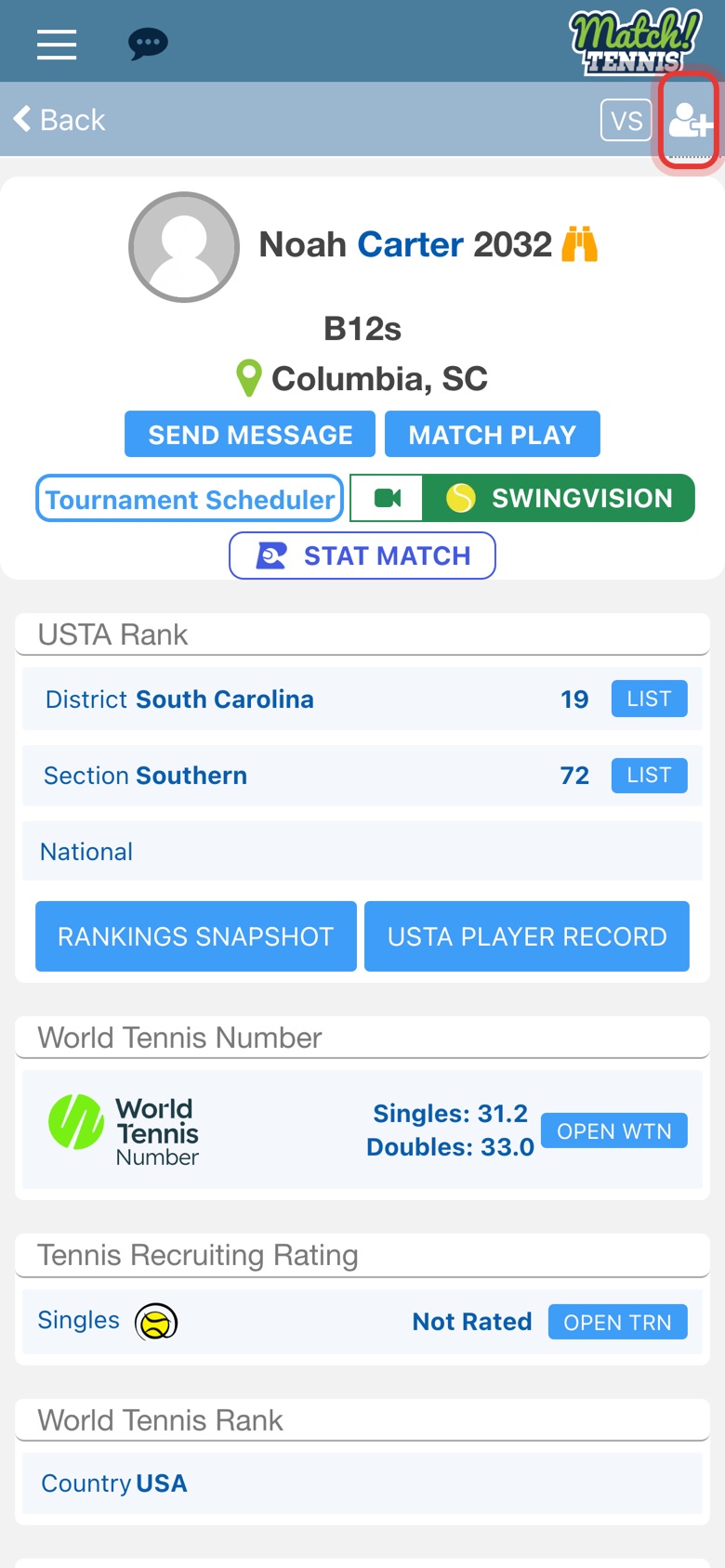
Step 5: Tap the add-player icon
On the player's profile, tap the person icon with a plus sign at the top right.
-
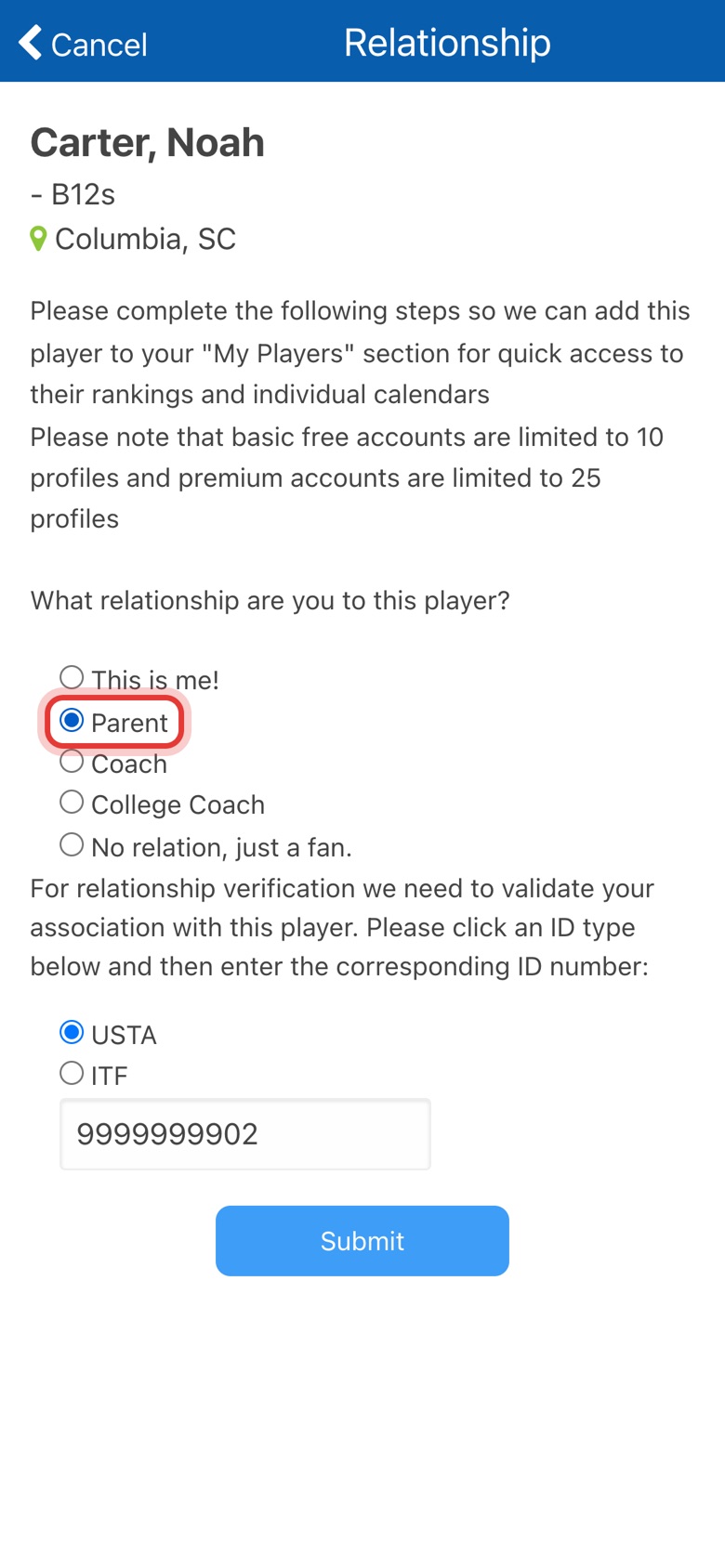
Step 6: Choose your relationship
Pick This is me, Parent, Coach, College Coach, or No relation, just a fan.
-
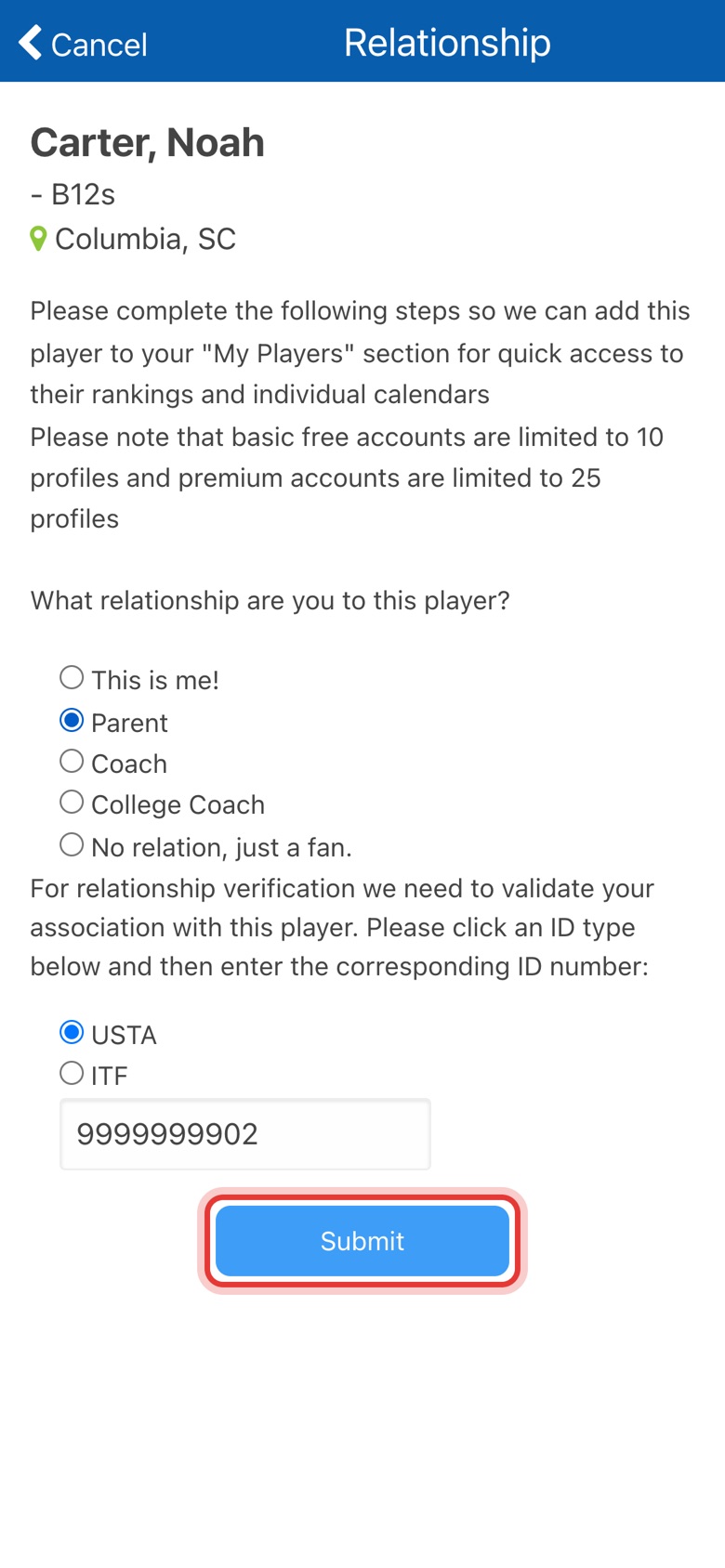
Step 7: Check the USTA number and tap Submit
For you, your child or a player you coach, the USTA number is filled in so we can verify the link. Tap Submit.
-
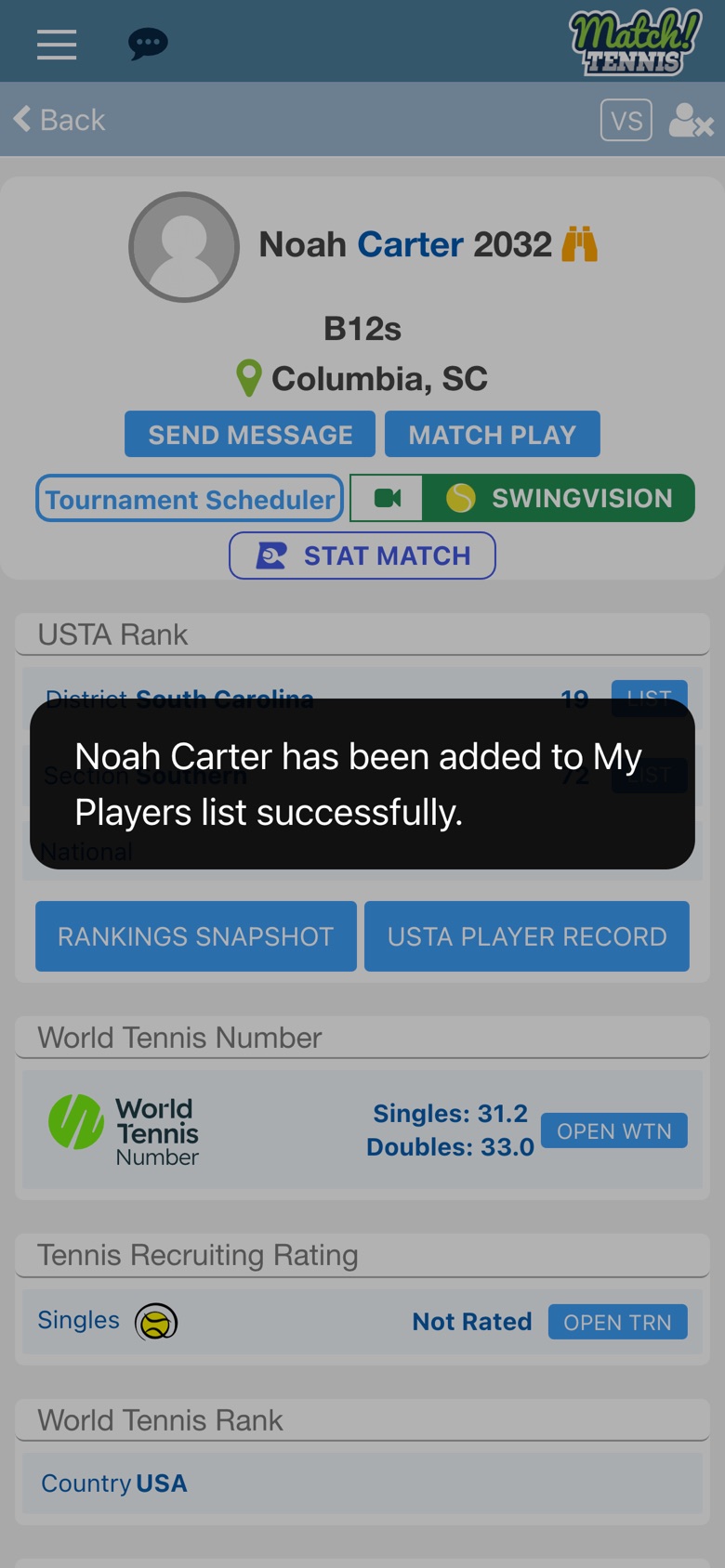
Step 8: The player is added
A message confirms the player is now on your My Players list.
Part 3See your players
-
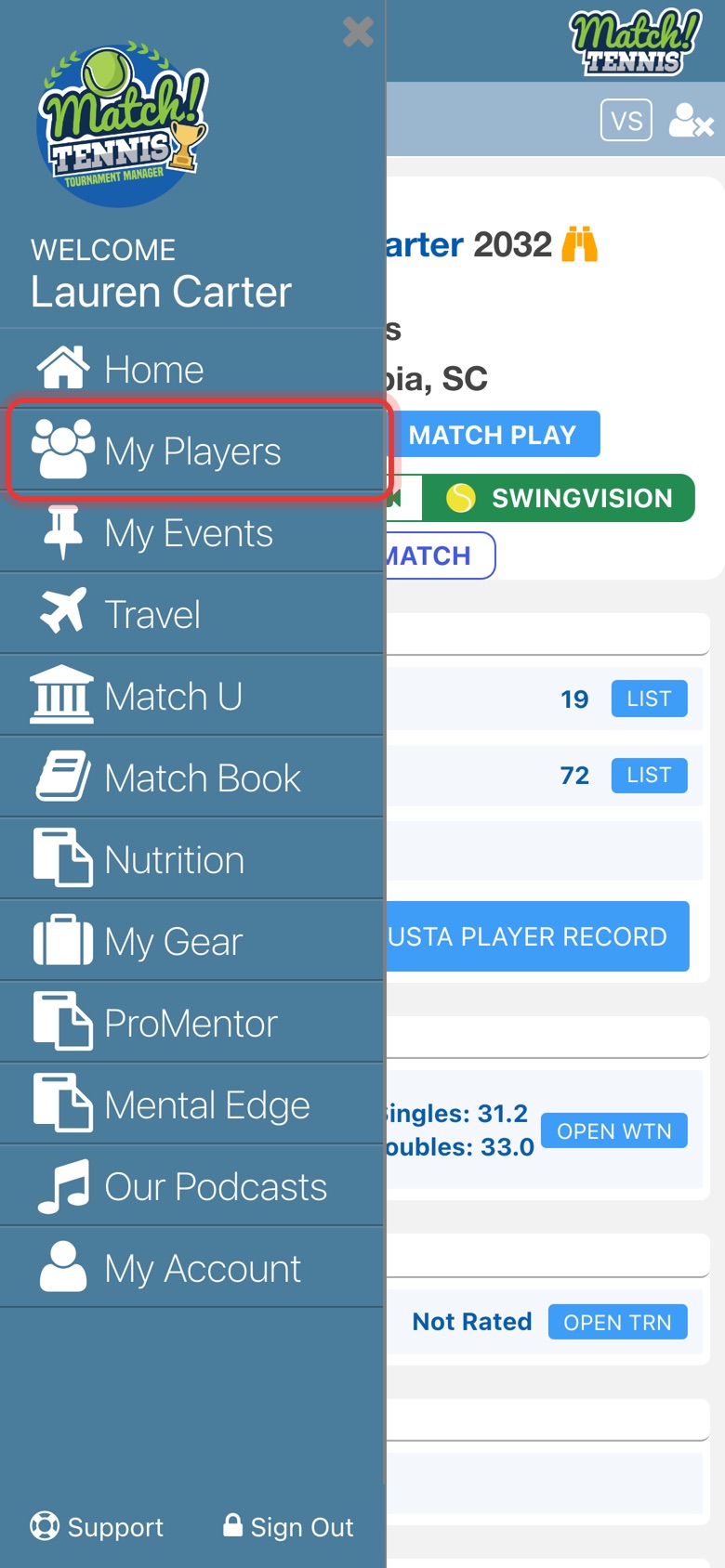
Step 9: Open My Players
Tap the menu at the top left, then tap My Players.
-
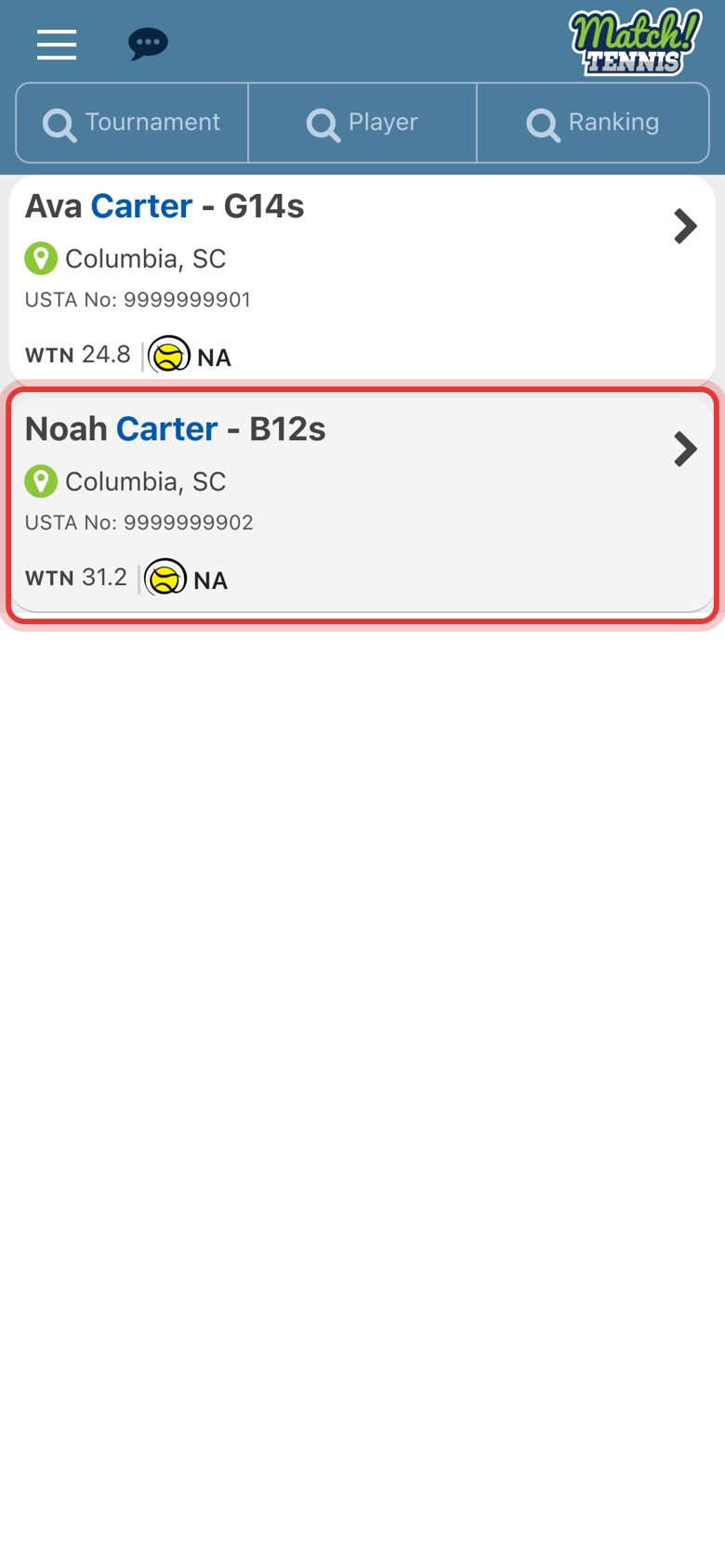
Step 10: Your player is on the list
Tap a player any time to see their rankings, results and upcoming tournaments.
Tips
- Remove a player. Open their profile and tap the person icon with an x at the top right.
- Know their USTA number? Use the Player USTA filter instead of the name to find them straight away.
- Same name, different player. The age group and home city on each result tell players apart.