How to Share the App With a Friend
Getting started Updated November 1, 2026 1 min read
Four quick steps in the phone app.
-
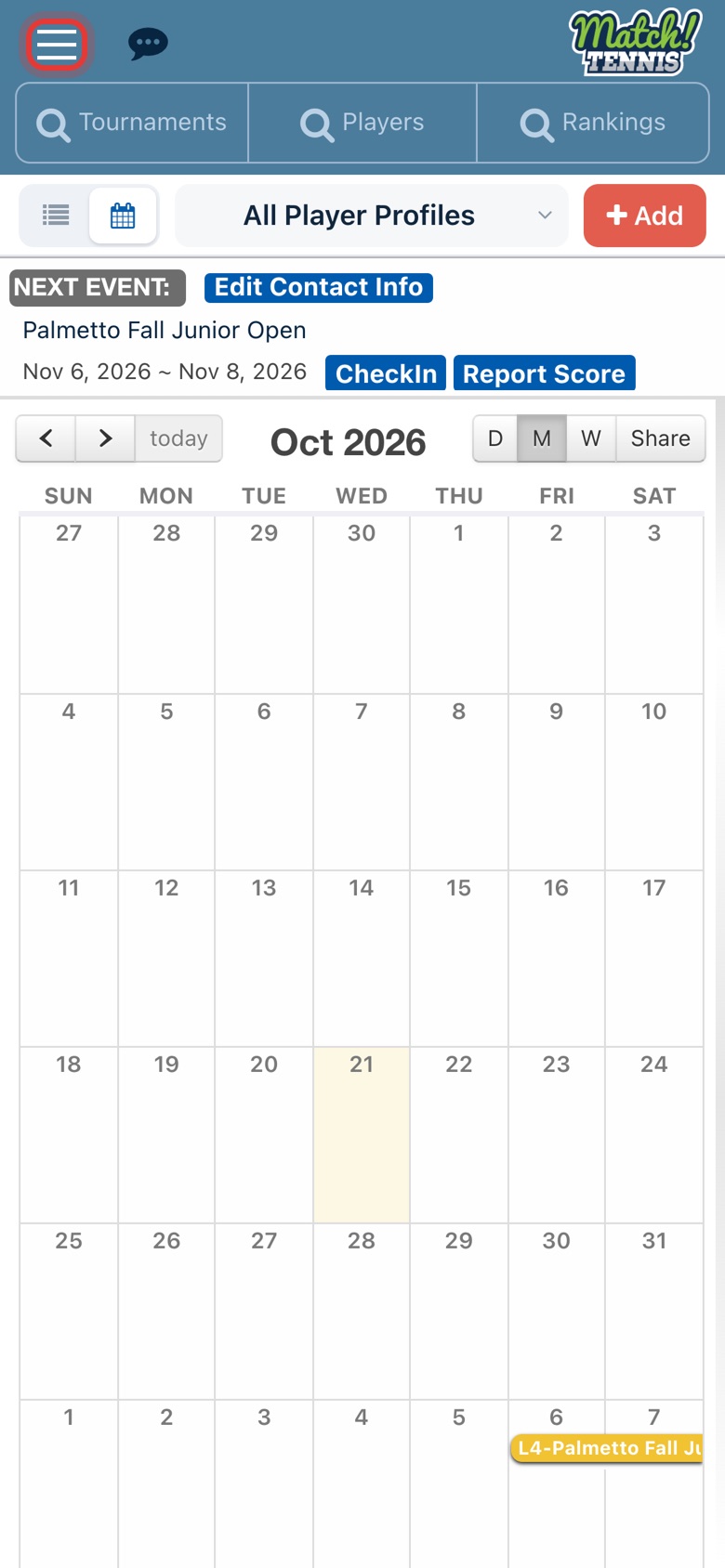
Step 1: Open the menu
On Home, tap the menu icon at the top left.
-
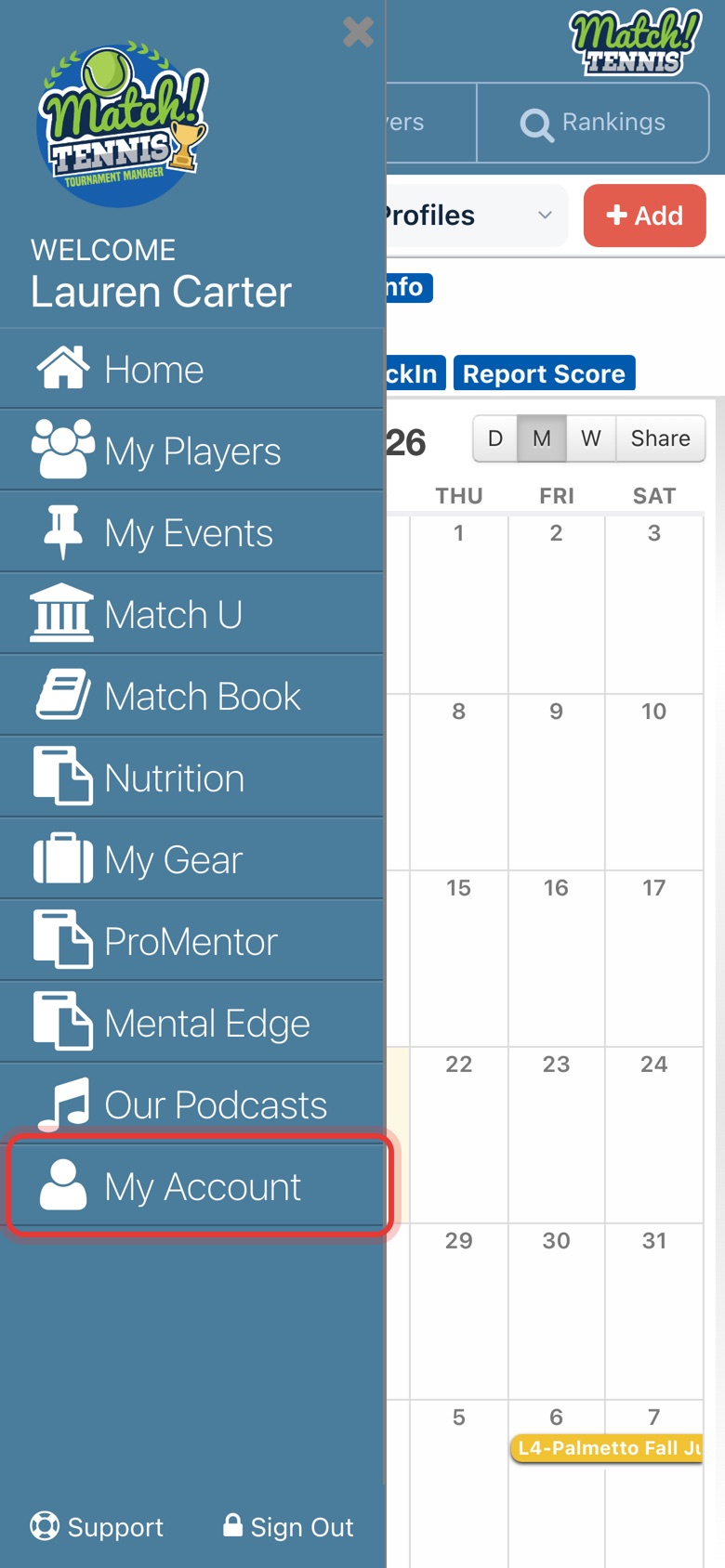
Step 2: Tap My Account
It is the last item in the menu.
-
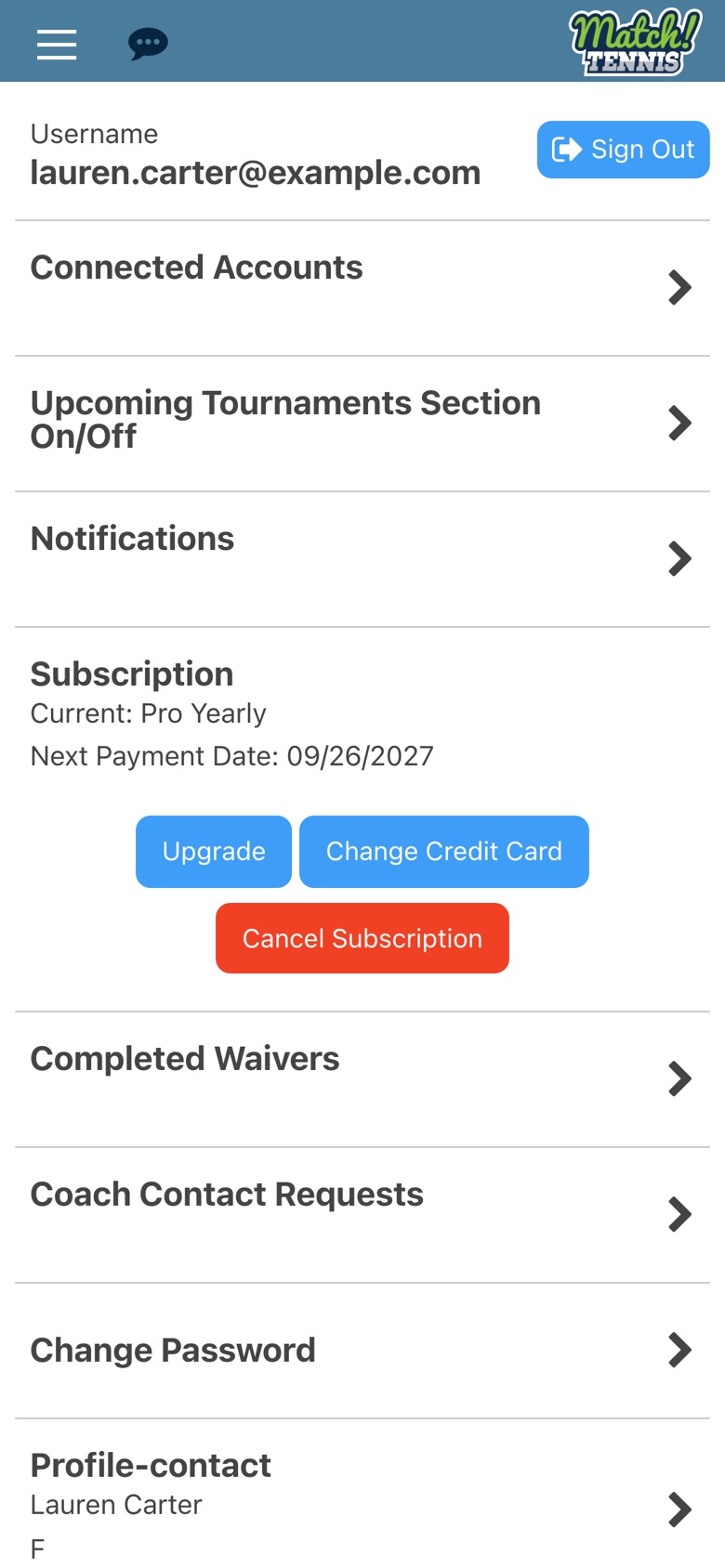
Step 3: Scroll down
My Account opens at the top. Scroll down to the bottom of the page.
-
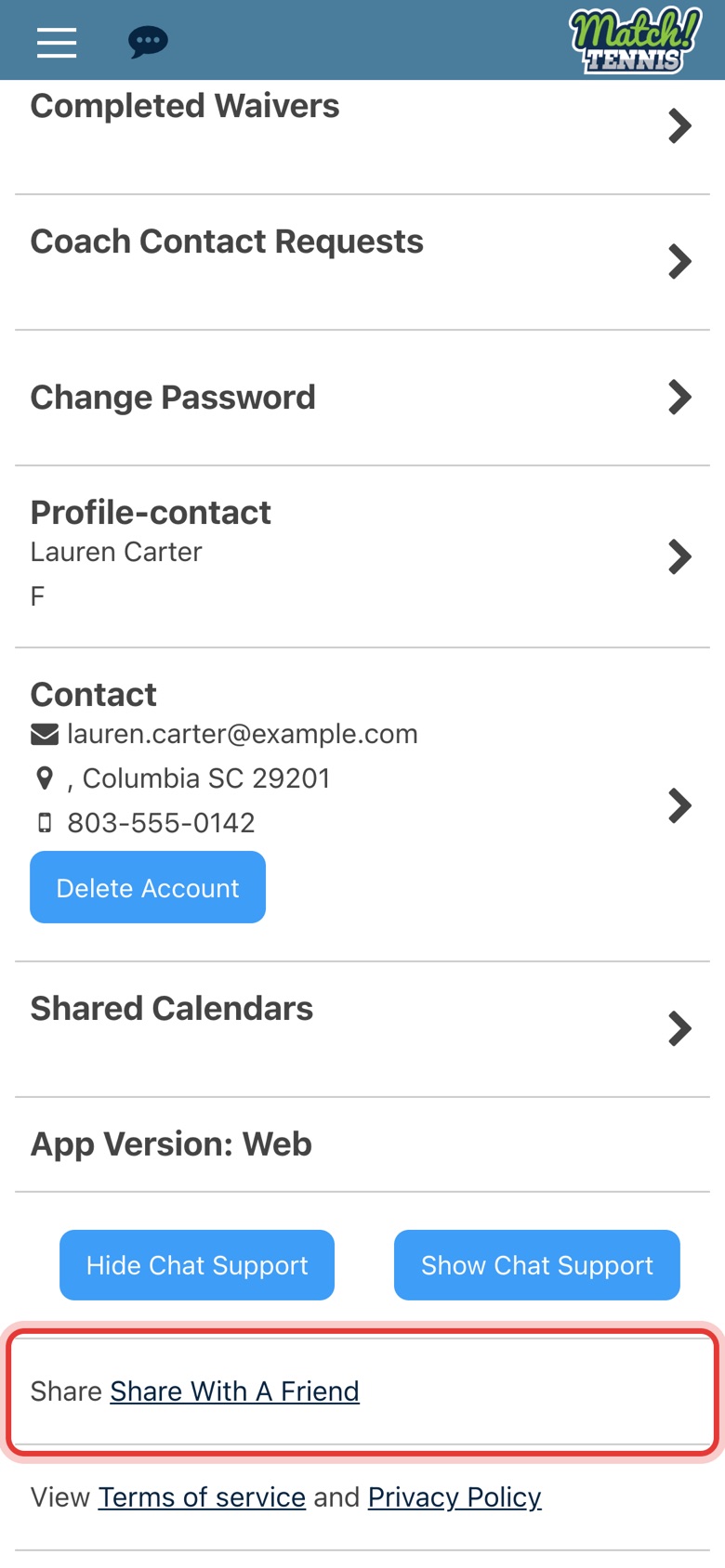
Step 4: Tap Share With A Friend
Your phone’s share options open with a short message and a free trial link. Pick how to send it.
Tips
- Use the phone app. Share With A Friend opens your phone's share options, so it works in the Match Tennis app on your phone, not in a web browser.