How to Add the Match Tennis Calendar to Apple, Google or Outlook
Getting started Updated November 1, 2026 1 min read
Calendar Sync is a premium feature. Copy your calendar link in the app, then add it to your own calendar.
Part 1Open Calendar Sync
-
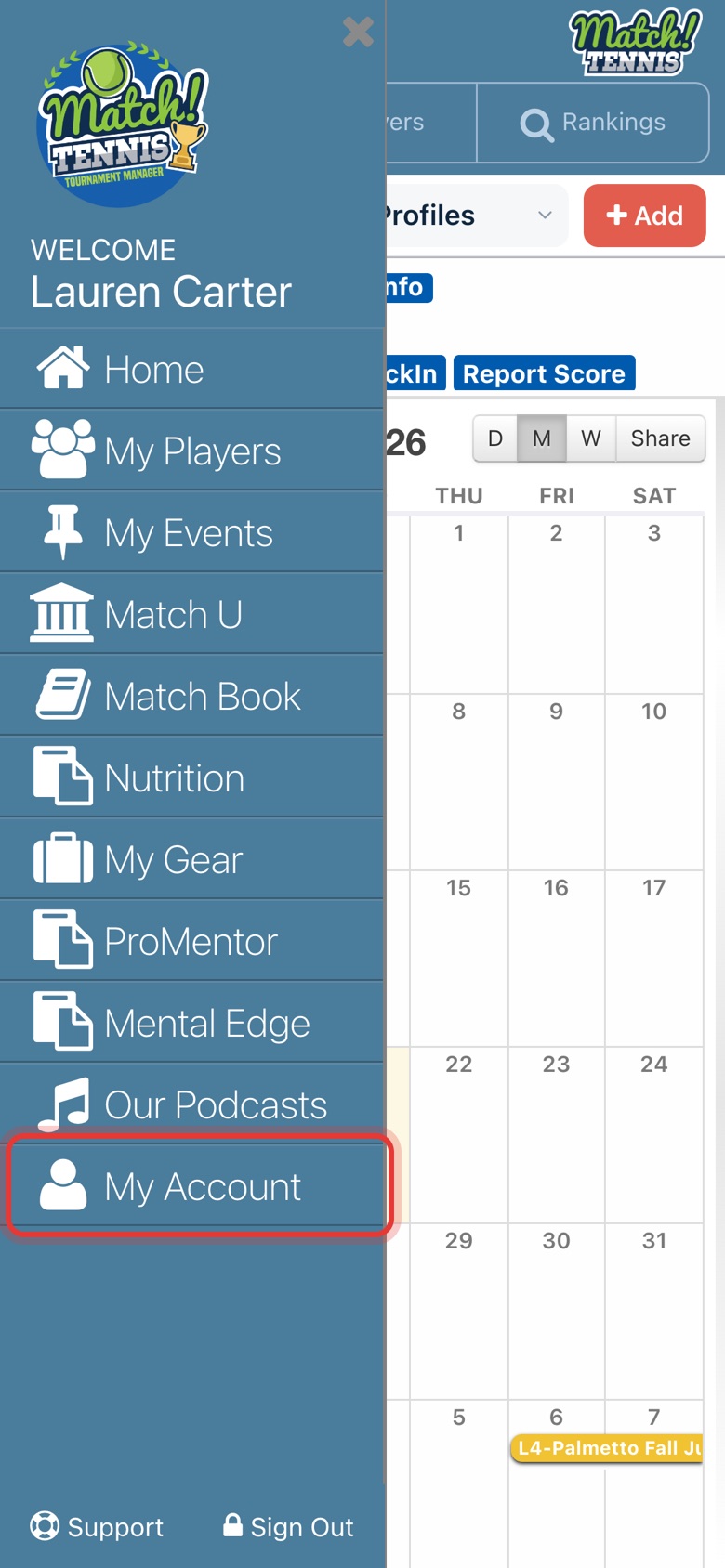
Step 1: Open My Account
Tap the menu at the top left, then tap My Account.
-
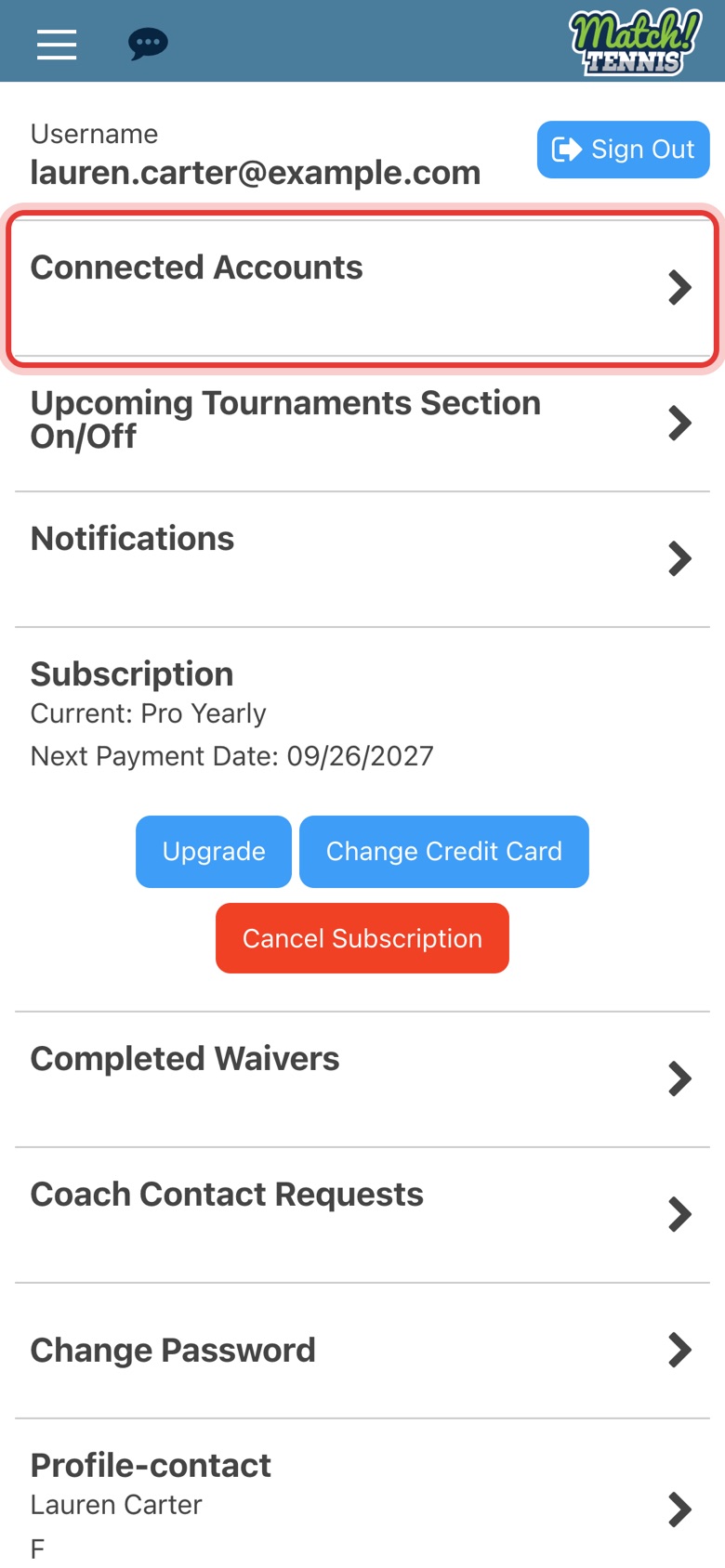
Step 2: Tap Connected Accounts
It is near the top of My Account.
-
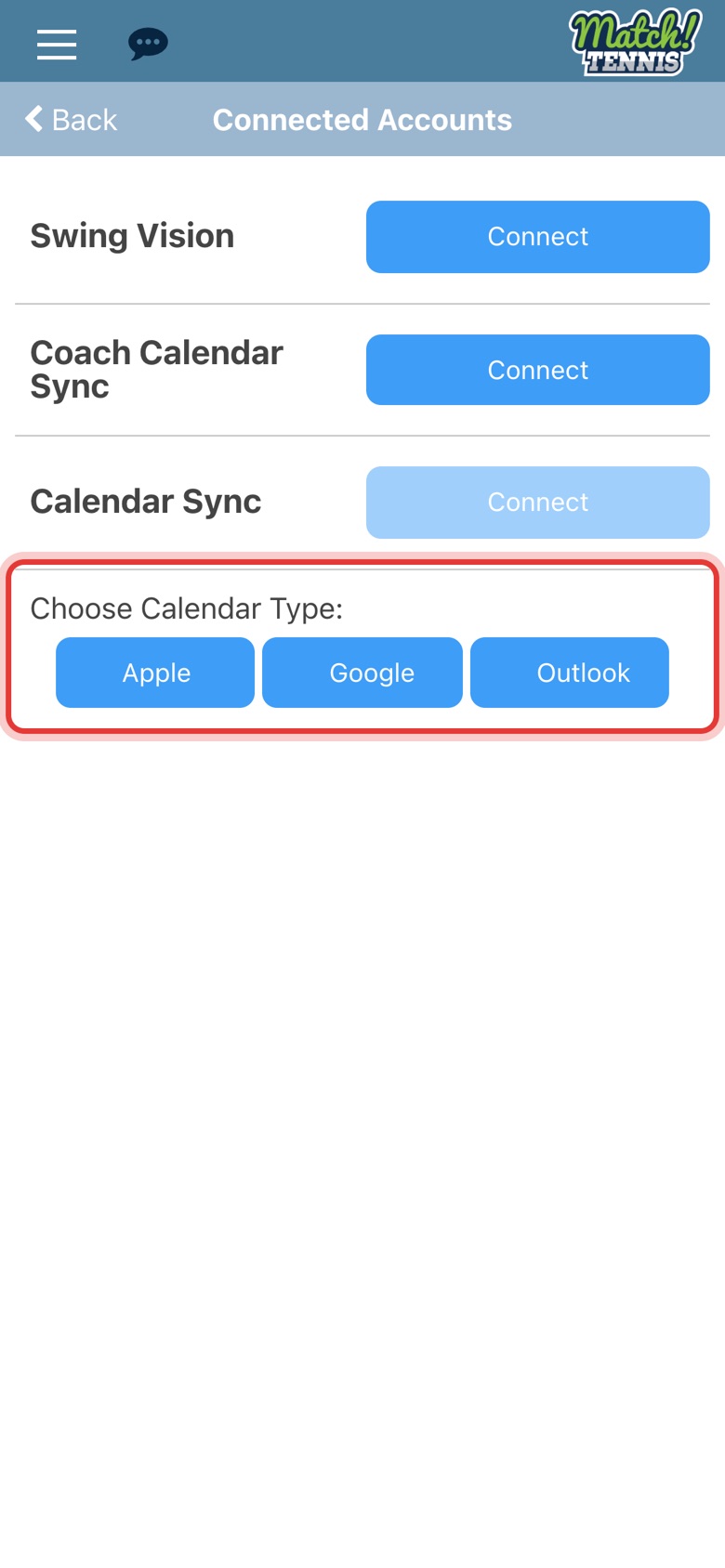
Step 3: Tap Connect next to Calendar Sync
Use Calendar Sync, not Coach Calendar Sync.

Part 2Copy your calendar link
-
Step 4: Choose your calendar
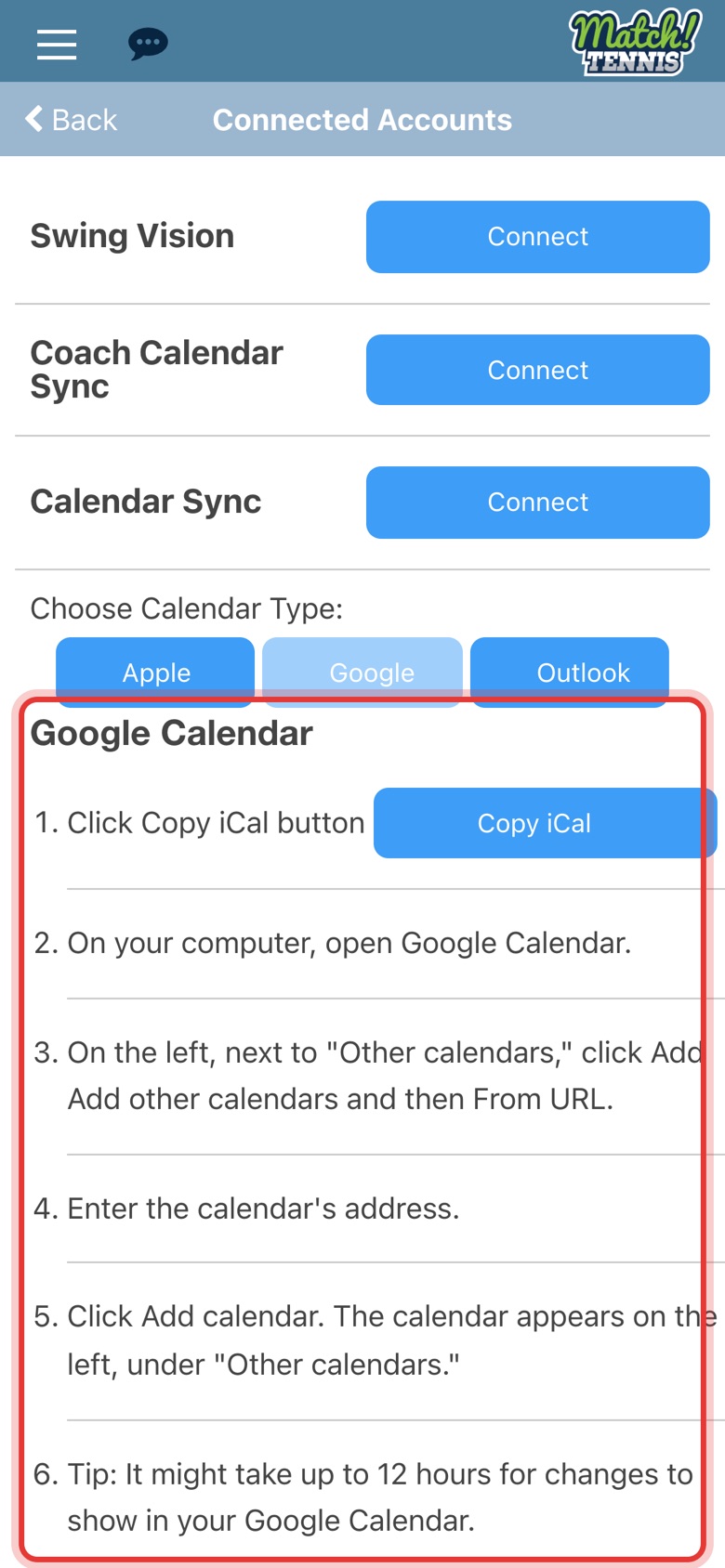
Under Choose Calendar Type, tap Apple, Google or Outlook.
-
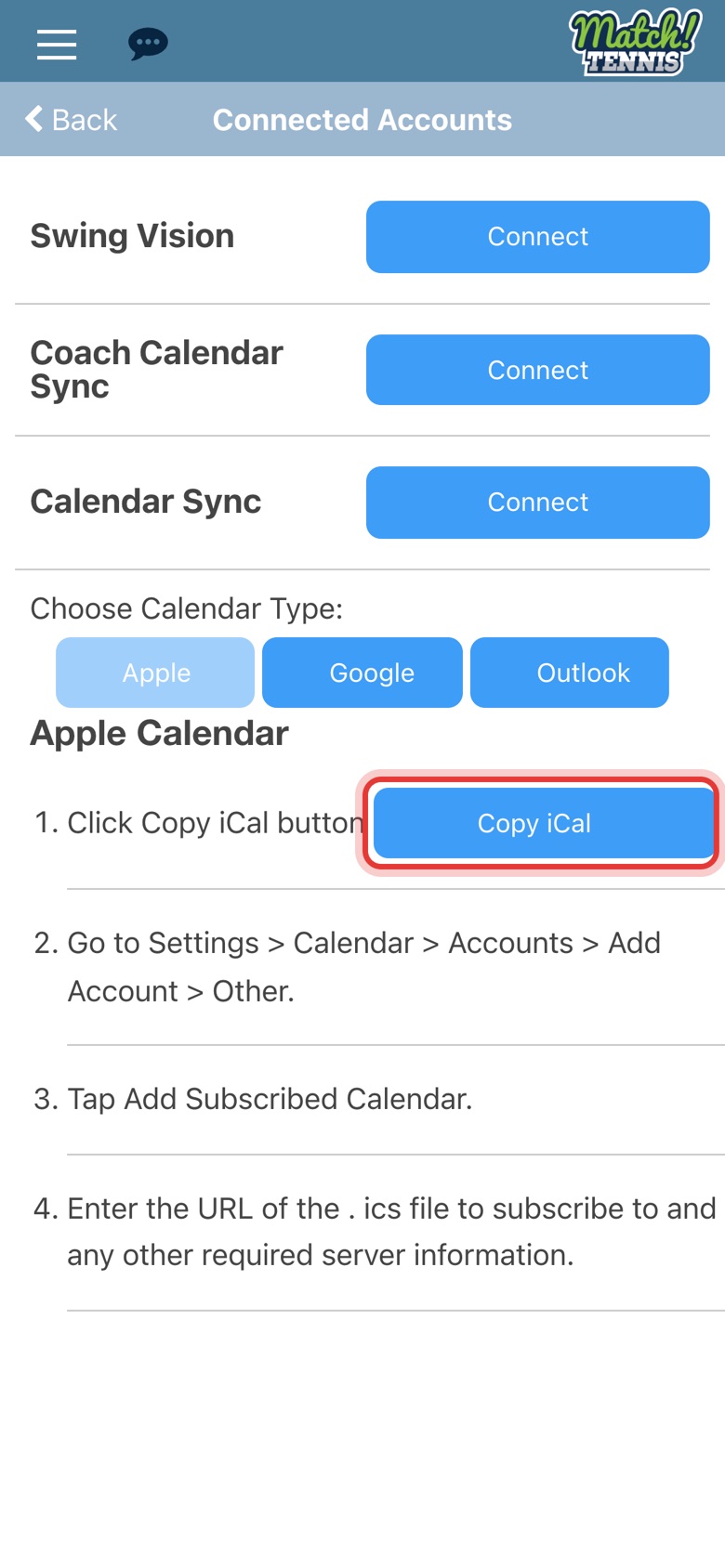
Step 5: Tap Copy iCal
Each calendar type shows its own steps. They all start with the Copy iCal button.
-
Step 6: Follow the steps for your calendar
The Google steps are done on a computer. The Apple steps are done in your iPhone Settings.
-
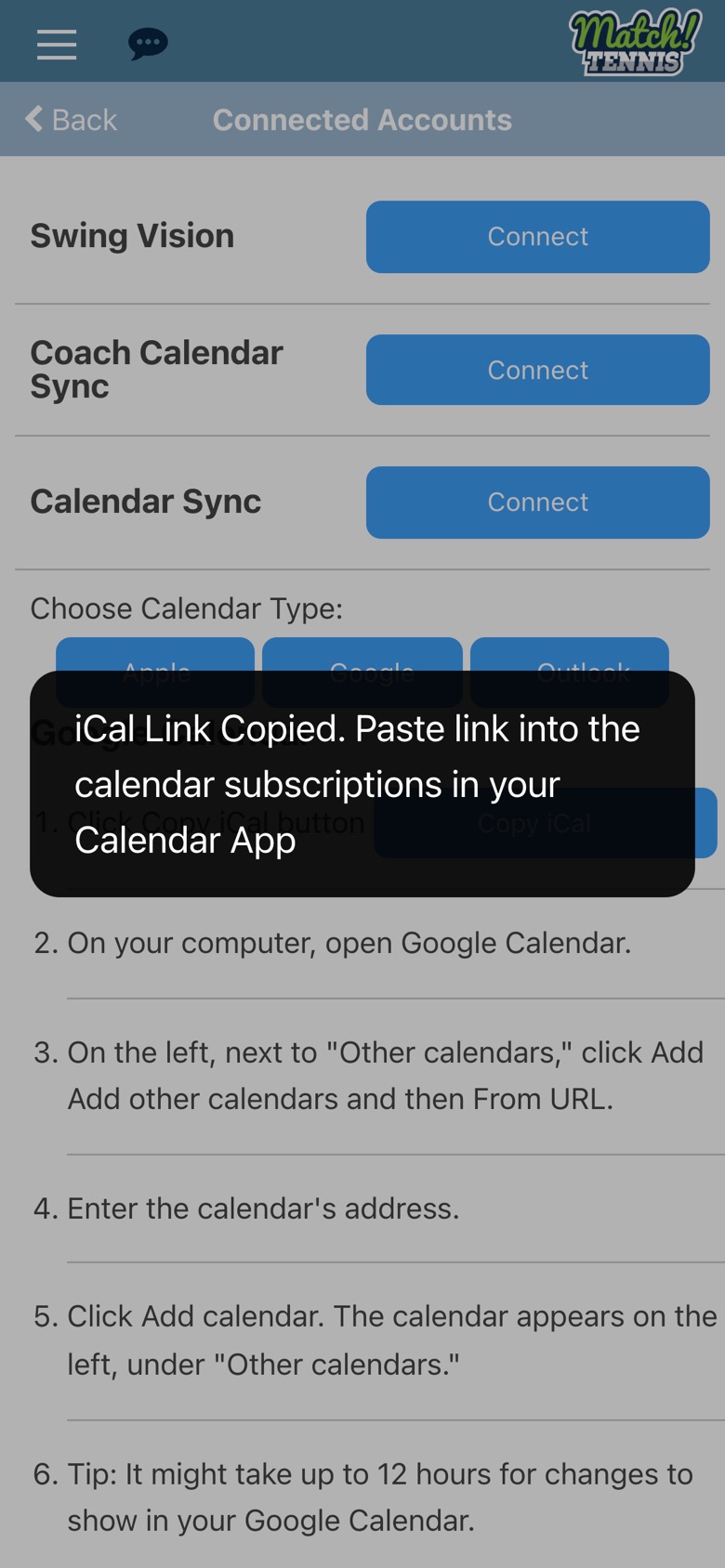
Step 7: Your link is copied
A message confirms the link is copied. Paste it into your calendar app as a subscribed calendar.
Tips
- It updates on its own. Once your calendar app is subscribed, tournaments you add in Match Tennis show up there too. Google says it can take up to 12 hours for changes to appear.
- Premium only. On the free Basic plan, Copy iCal shows a message asking you to upgrade instead of copying the link.