How to Nominate a Player for Sportsmanship
Tournaments Updated November 6, 2026 1 min read
Saw a player show great sportsmanship? Nominate them from Home once the tournament has started. It takes under a minute, and it counts toward your USTA section's sportsmanship prizes.
Part 1Open the vote
-
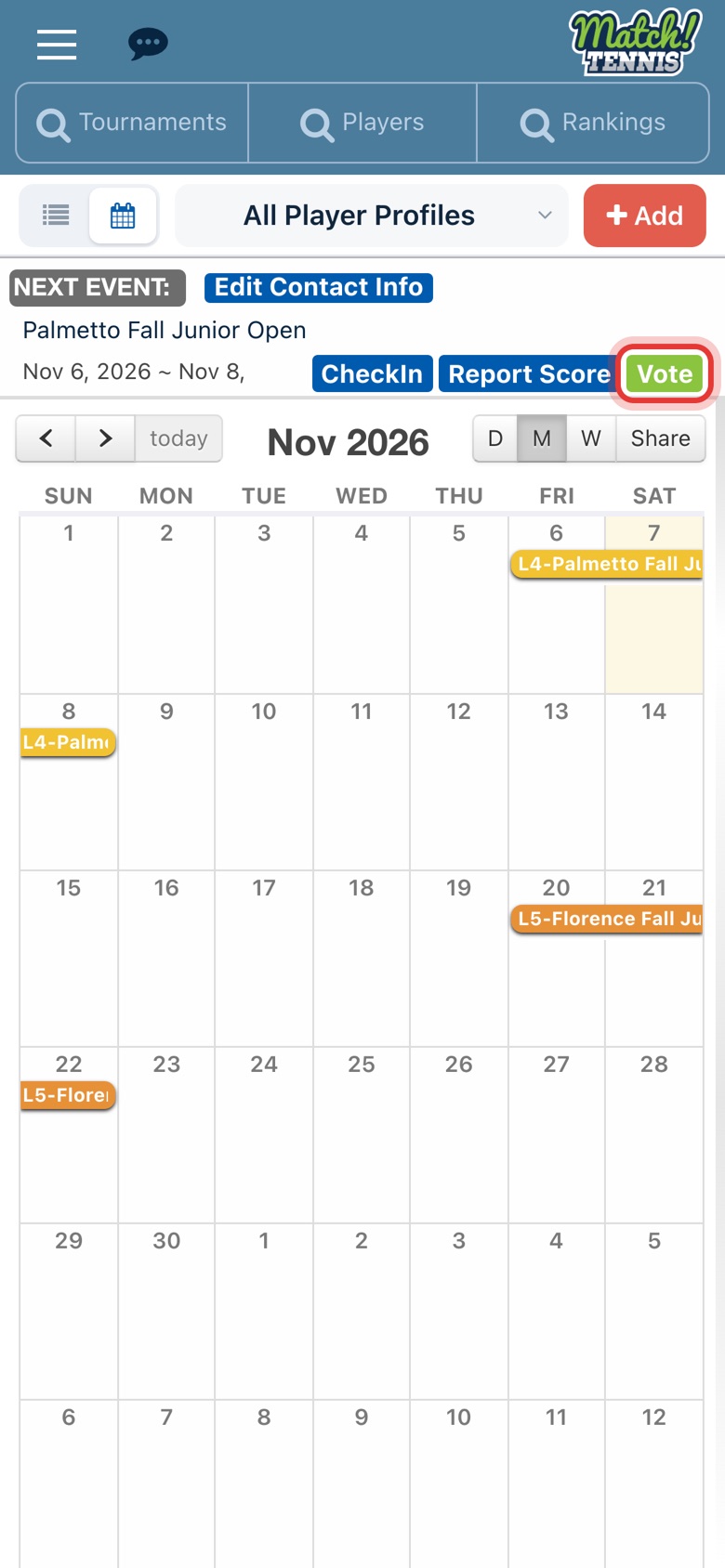
Step 1: Tap Vote
On Home, tap the green Vote button on your Next Event card. It shows on USTA tournaments saved to My Events.
Part 2Nominate the player
-
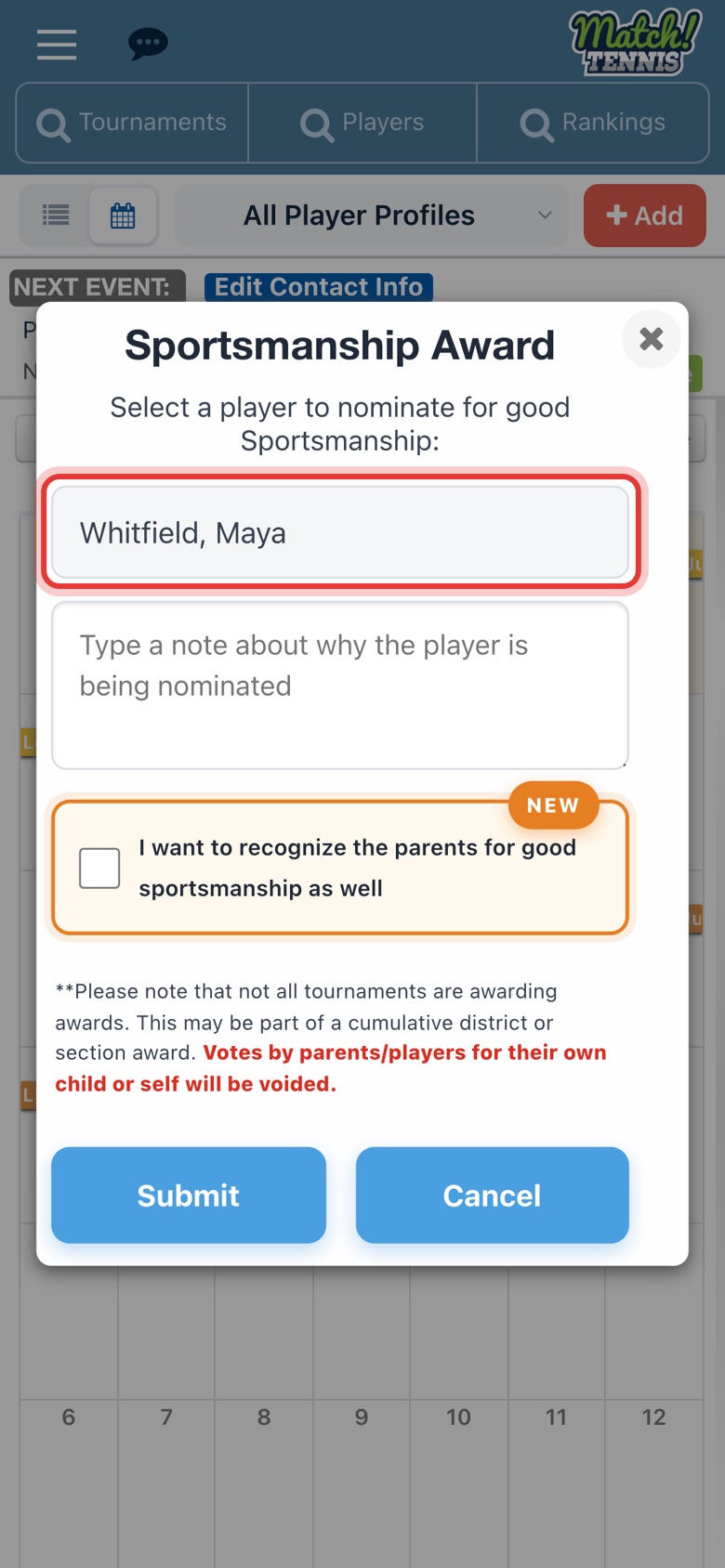
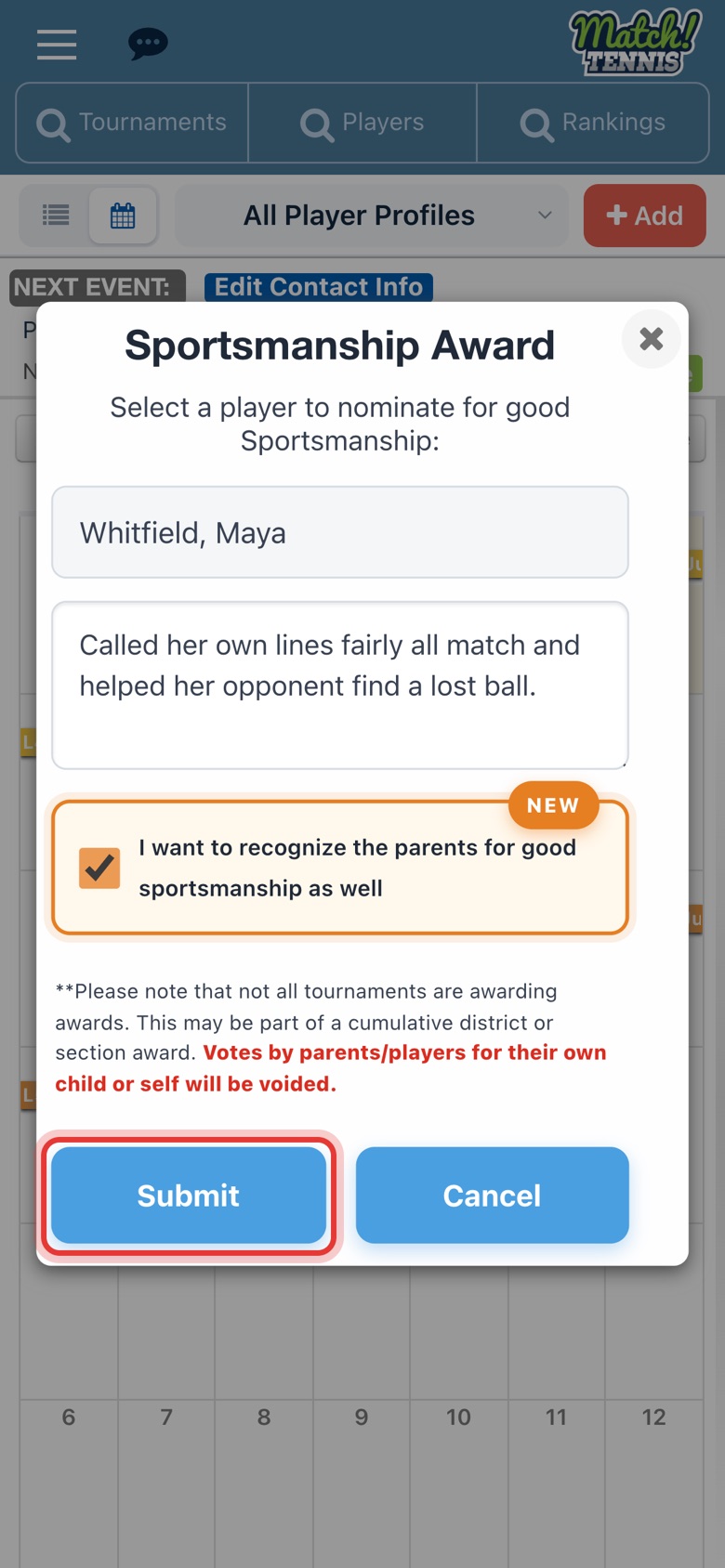
Step 2: Pick the player
Choose the player you're nominating from the list of players at the tournament.
-
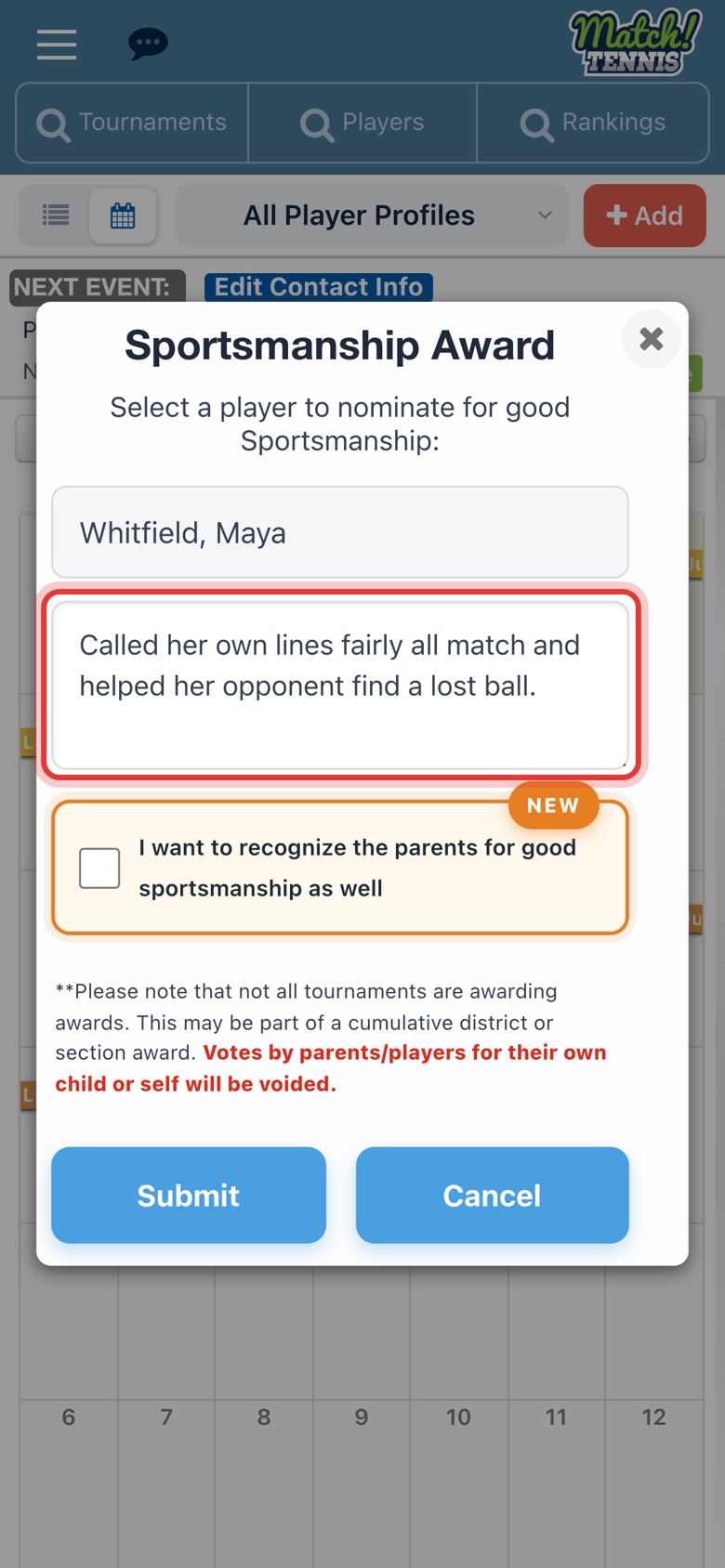
Step 3: Say why
Type what the player did, such as fair line calls or helping an opponent. A reason is required.
-
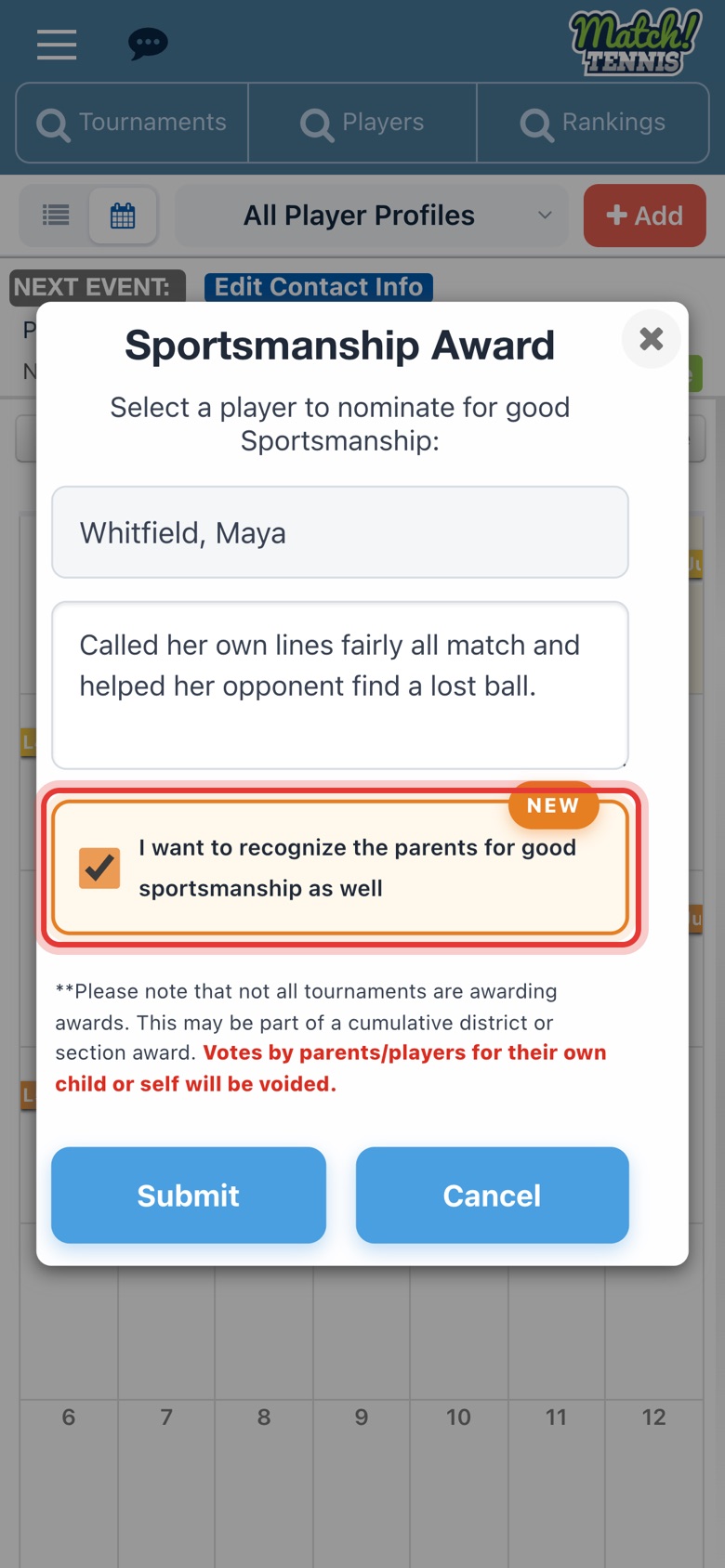
Step 4: Recognize the parents too (optional)
Tick the box if the player's parents also showed good sportsmanship.
-
Step 5: Tap Submit
Check the player and your note, then tap Submit.
-
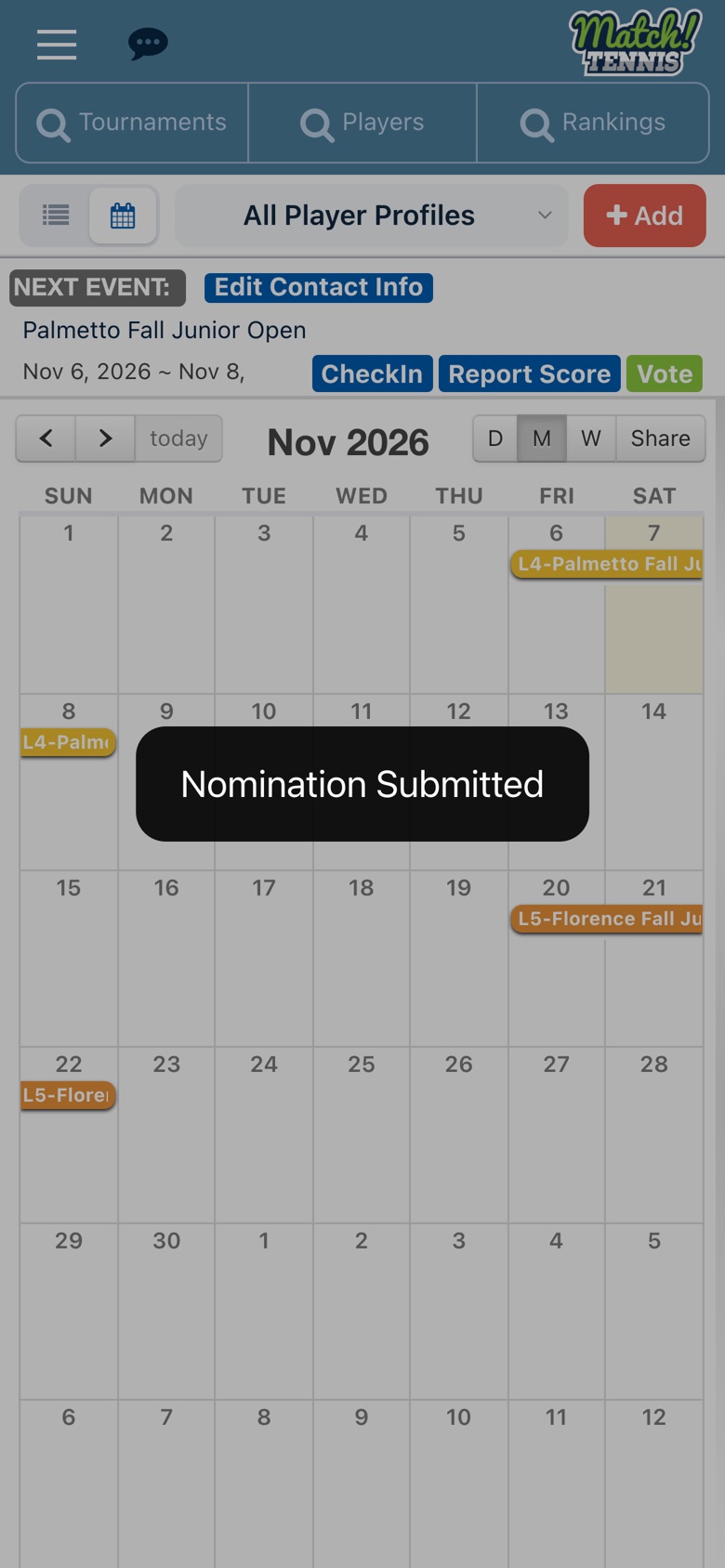
Step 6: Your nomination is in
Nomination Submitted shows. Your section's sportsmanship committee checks every nomination before it counts.
Before you start
- Have a free account. Sign up free, no credit card needed, one account per family. Add your player's USTA number when you register.
- Save the tournament to My Events. Search by tournament name or ID and add it; see how to search and add a tournament.
- Wait until the tournament starts. Vote opens on the tournament's first day, so you nominate a player you've watched play.
Tips
- After a match. When you report a score, the app asks "Did the opponent have good Sportsmanship?" with a Vote button.
- Your own family doesn't count. Votes by parents or players for their own child or themselves are voided.
- Each section has its own rules. How many players you can nominate per tournament, the prizes and the dates depend on your USTA section. Find yours under Sportsmanship programs.