How to Open the Pro Shop From a Tournament Page
Gear trackerTournaments Updated November 7, 2026 1 min read
The Pro Shop has the racquets, shoes, strings and balls we recommend for tournament players. You can open it from any tournament page, on every plan.
Part 1Open the Pro Shop
-
Step 1: Open a tournament
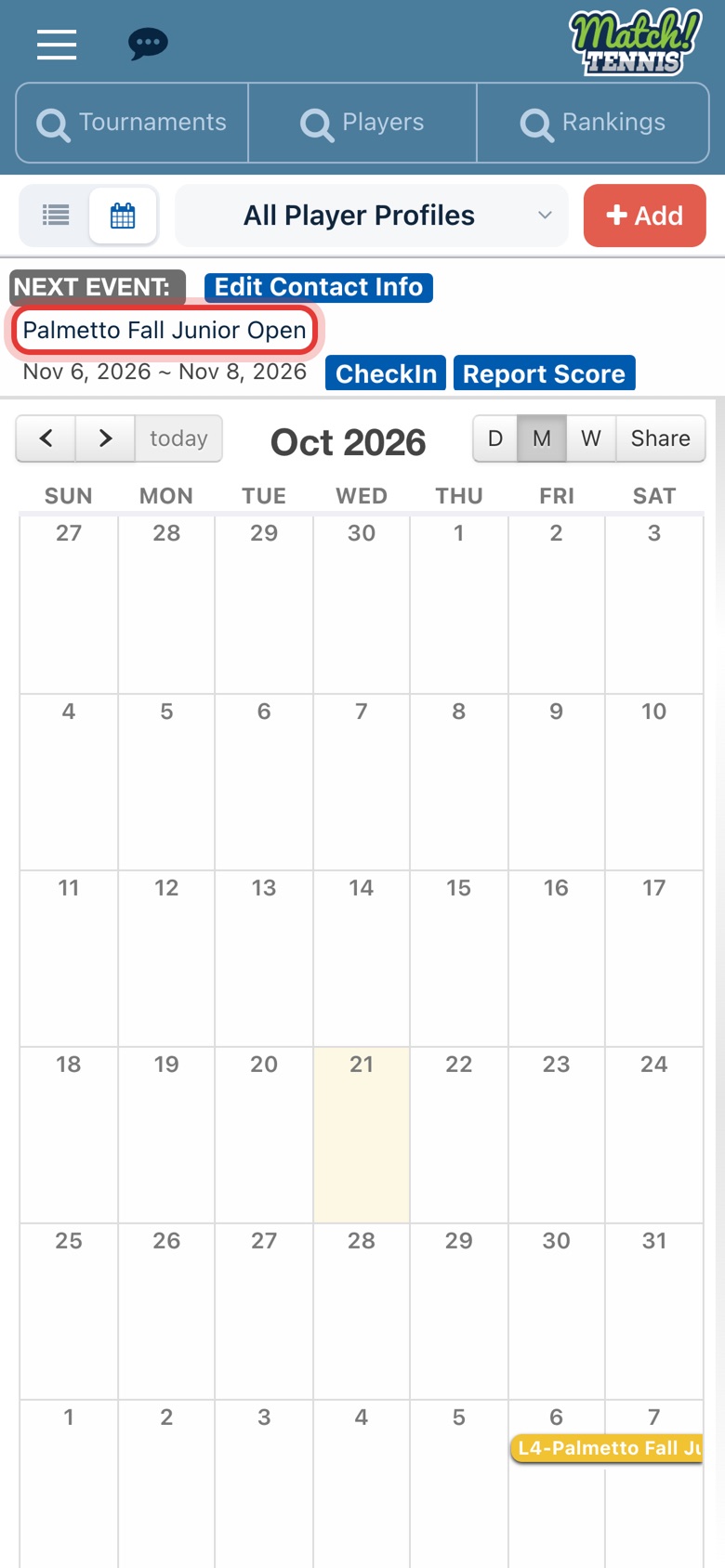
On Home, tap your player's next event. You can also open any tournament from Tournament Search or your calendar.
-
Step 2: Find Gear for this tournament
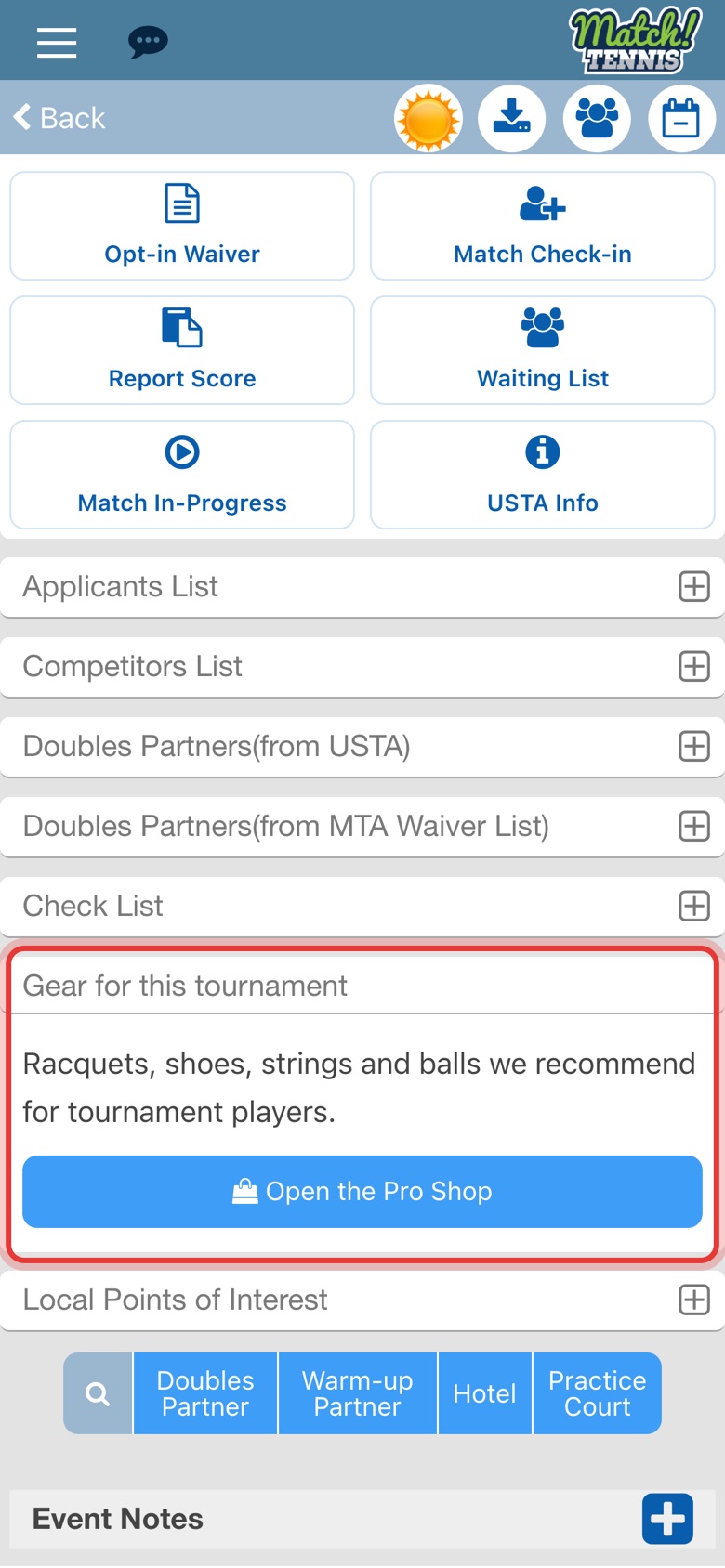
Scroll down the tournament page to Gear for this tournament. It's below the Check List.
-
Step 3: Tap Open the Pro Shop
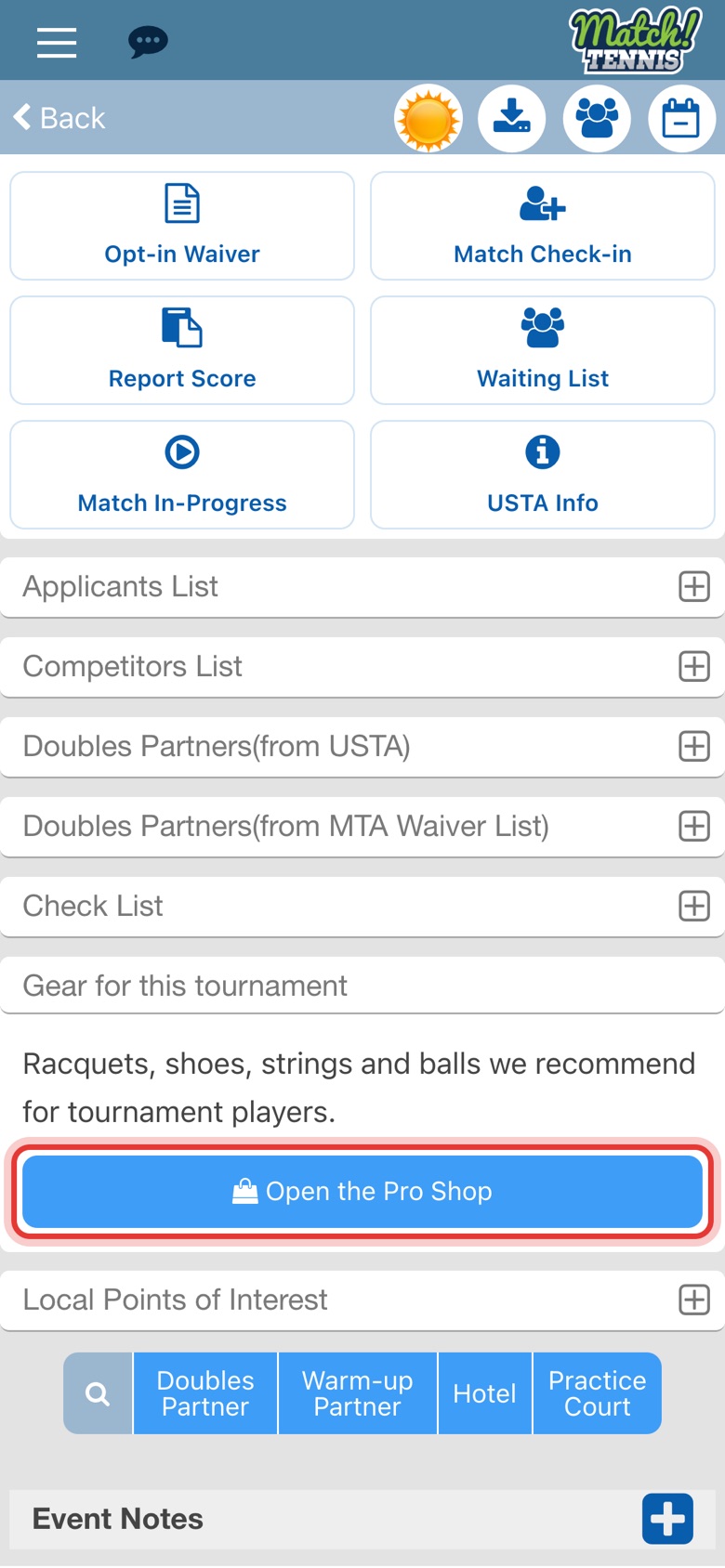
Tap Open the Pro Shop. The Pro Shop opens in your browser, so you can come back to the tournament page in the app at any time.
Before you start
- Open it from the app. When you open the Pro Shop from the app, it knows your account, so anything you save there shows up in My Gear.
- The Pro Shop is free to browse. It's open on every plan, including Free.
Tips
- You buy from the retailer. The Pro Shop has no cart. When you pick something, you finish the purchase on the retailer's site, and they handle payment and shipping.
- Save items for later. Tap the heart on anything in the Pro Shop to save it to the Wish list at the bottom of My Gear.
- Know when it's time to replace gear. My Gear tracks your player's racquet, strings and shoes and reminds you when they're due. See how to track your player's tennis gear.