How to Use the Ranking Forecaster
Rankings & ratings Updated November 1, 2026 1 min read
See how far your player's ranking could move at a tournament before you enter. It takes about a minute.
Part 1Open the forecaster
-
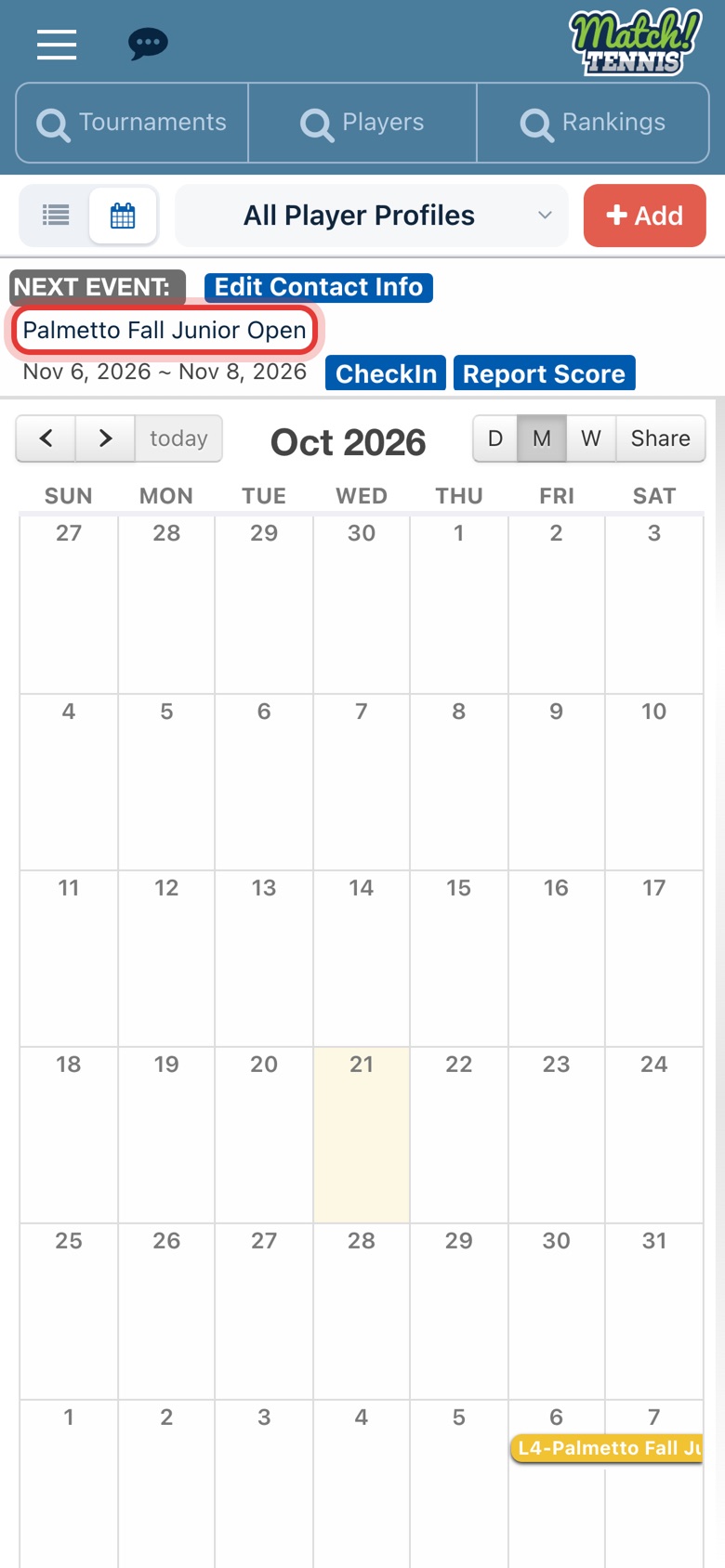
Step 1: Open the tournament
On Home, tap the tournament name on your Next Event card. You can also open any tournament from the Tournaments search.
-
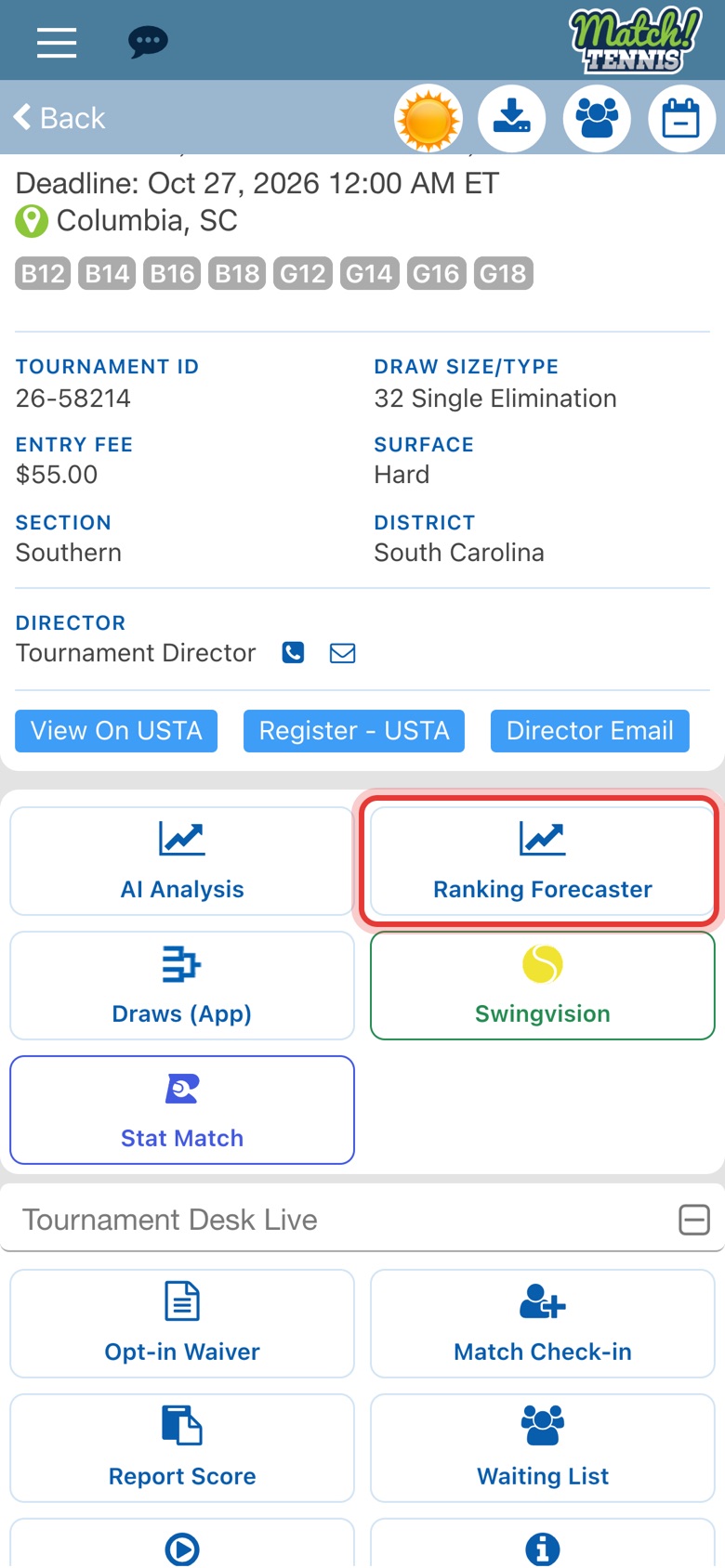
Step 2: Tap Ranking Forecaster
Scroll down the tournament page and tap Ranking Forecaster.
Part 2Fill in the form
-
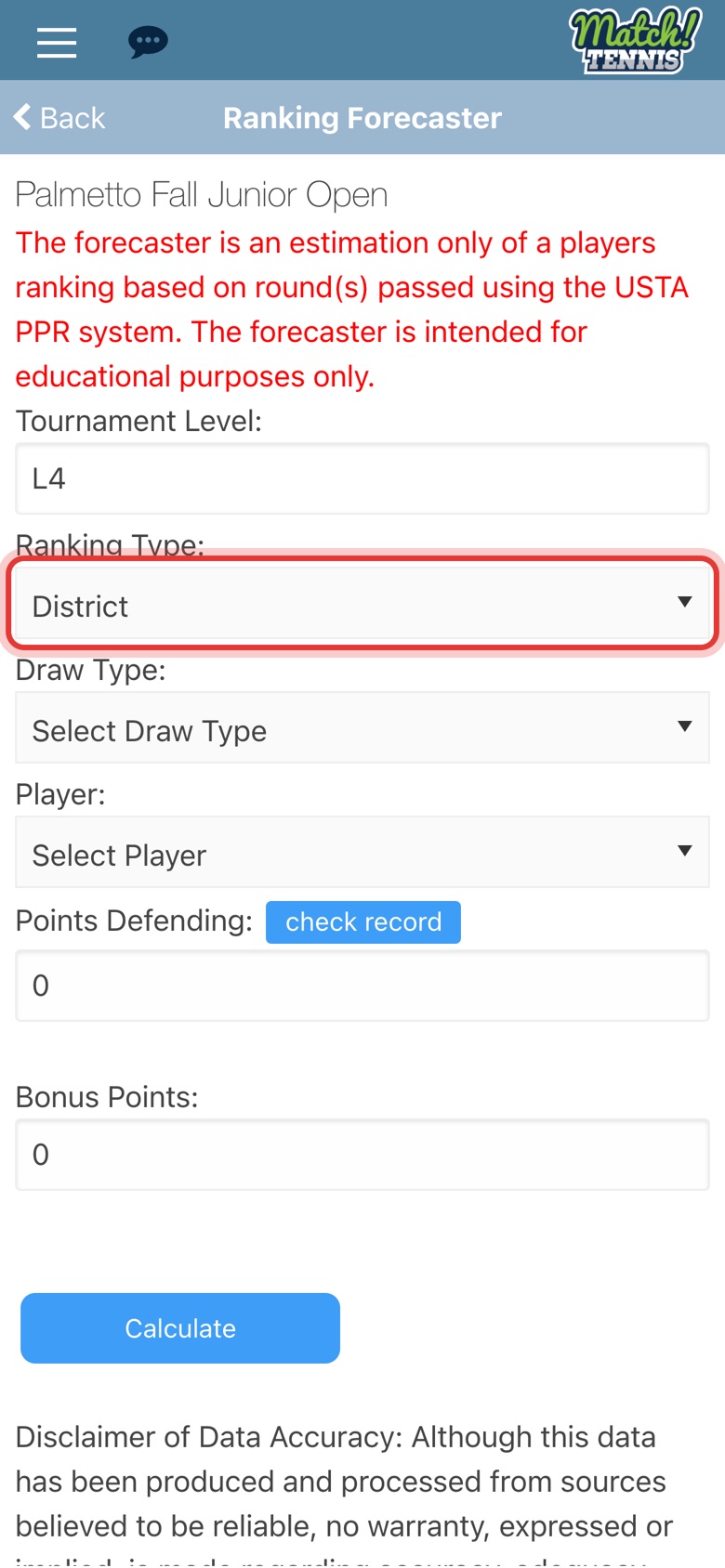
Step 3: Choose the ranking type
Pick National, Sectional or District. The tournament level is already filled in.
-
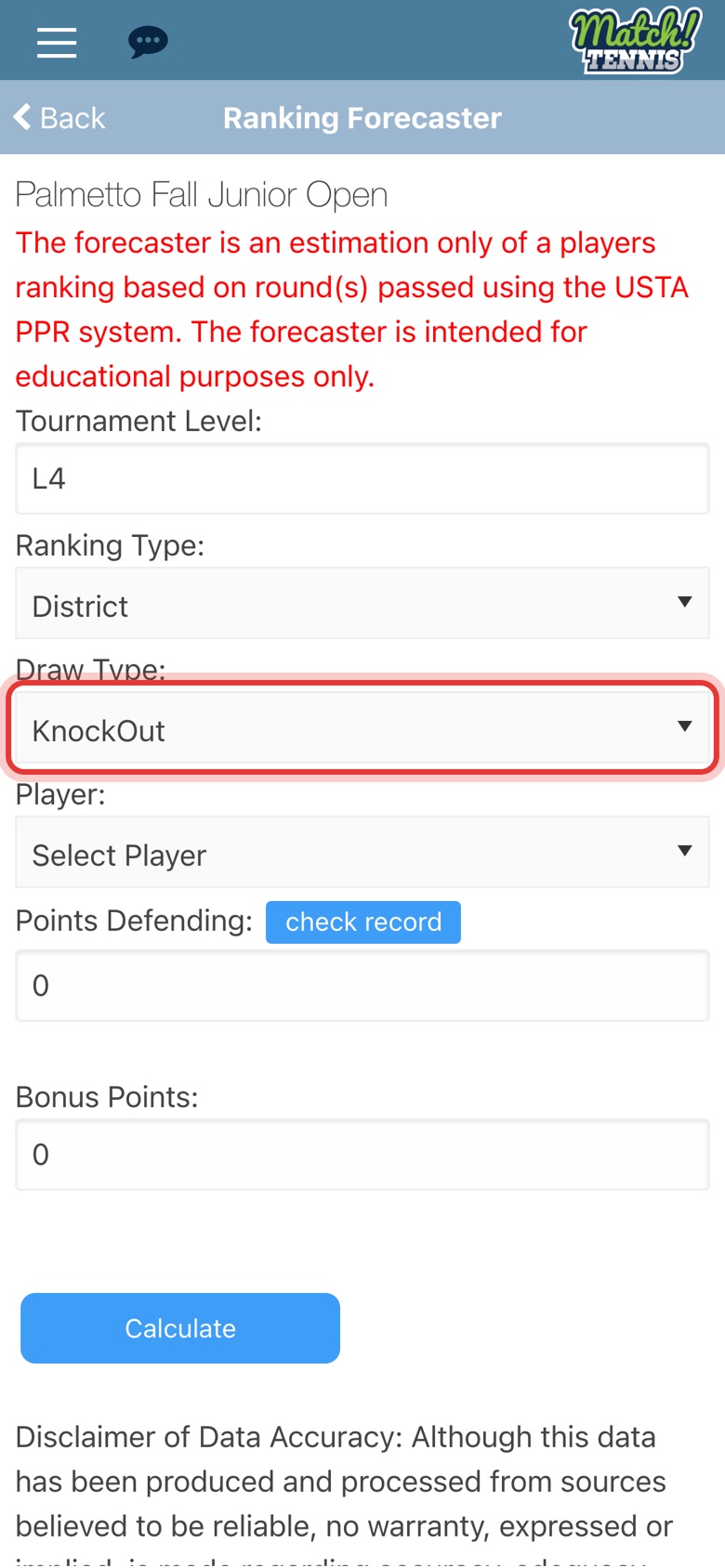
Step 4: Choose the draw type
Match the draw type on the tournament page. A Single Elimination draw is KnockOut.
-
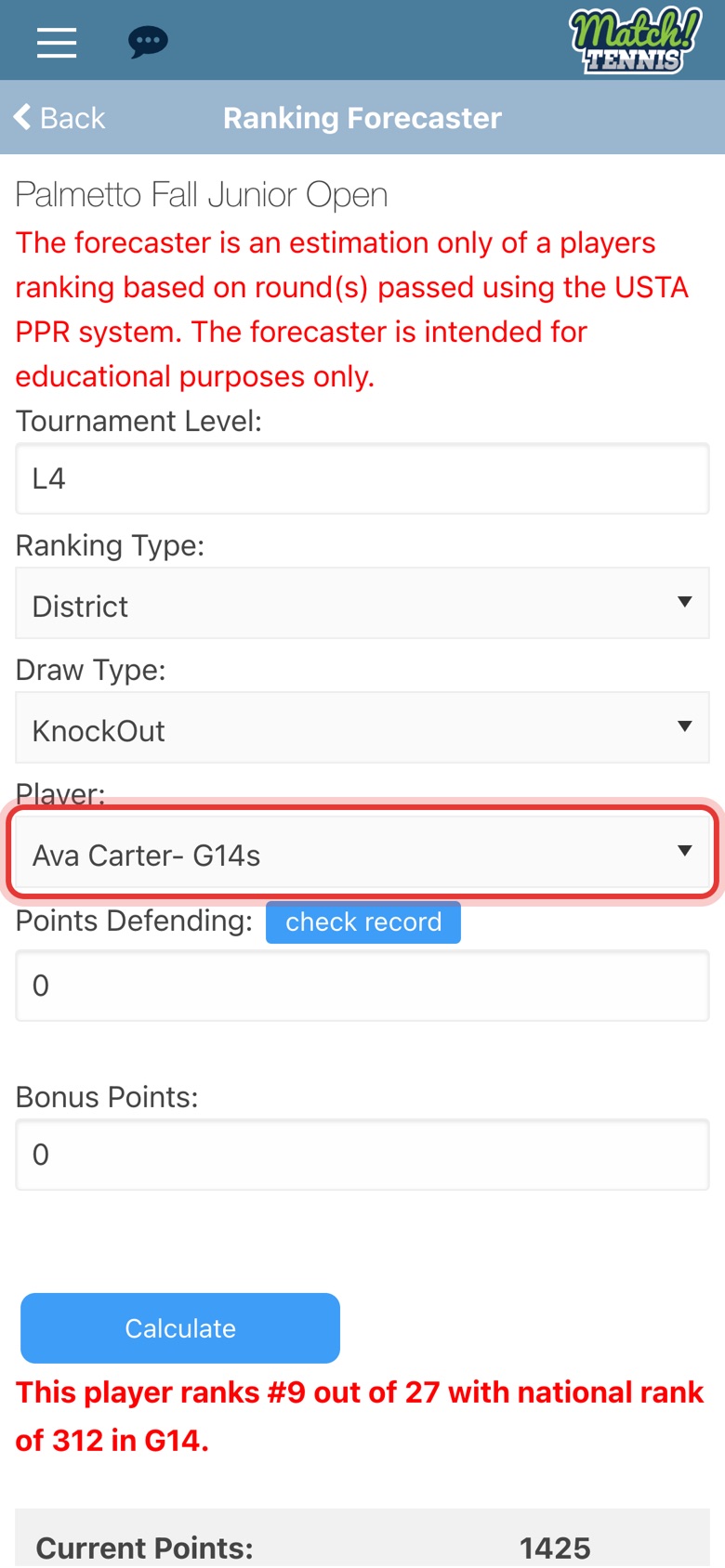
Step 5: Choose your player
The forecast runs as soon as you pick a player.
-
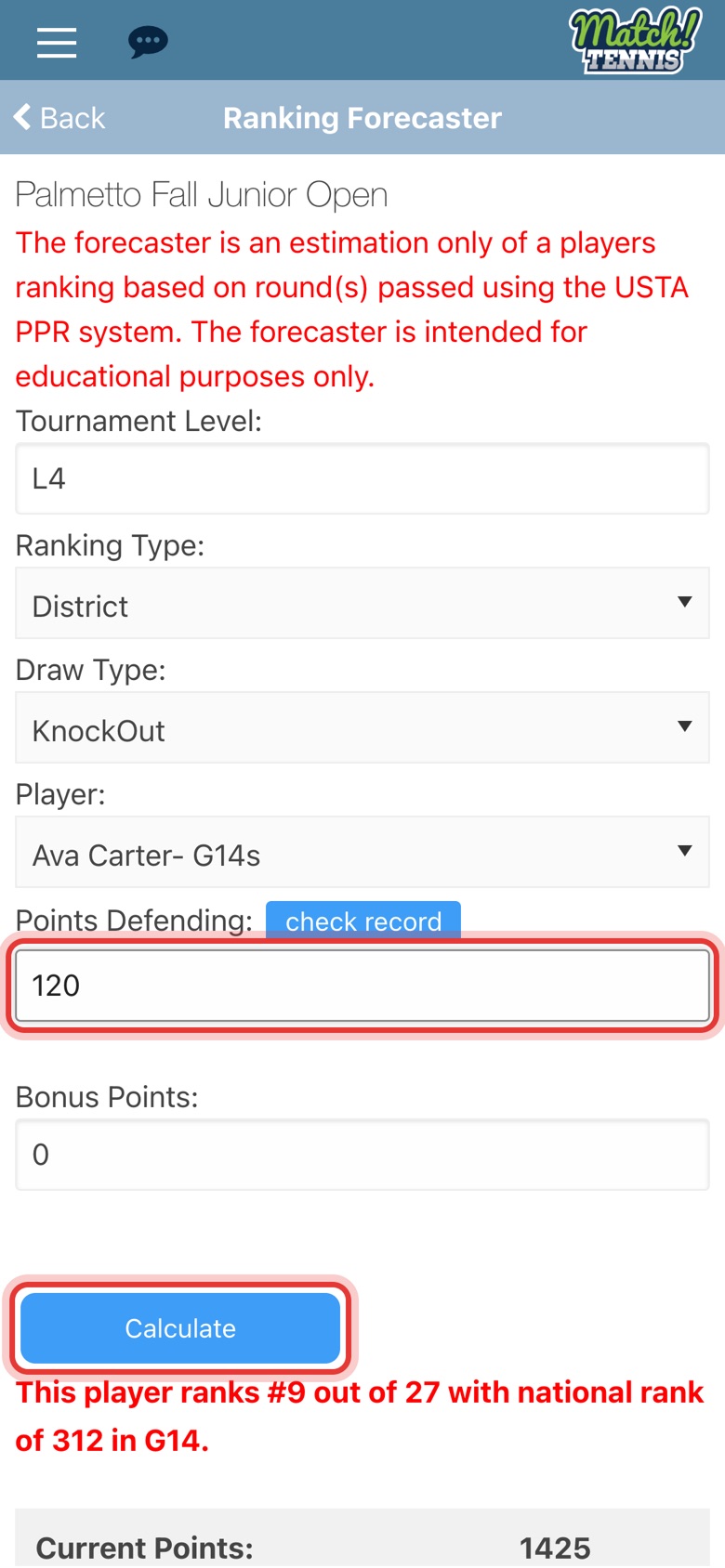
Step 6: Add points defending, then tap Calculate
If an old result will drop off your player's ranking, enter its points in Points Defending and tap Calculate.
Part 3Read the forecast
-
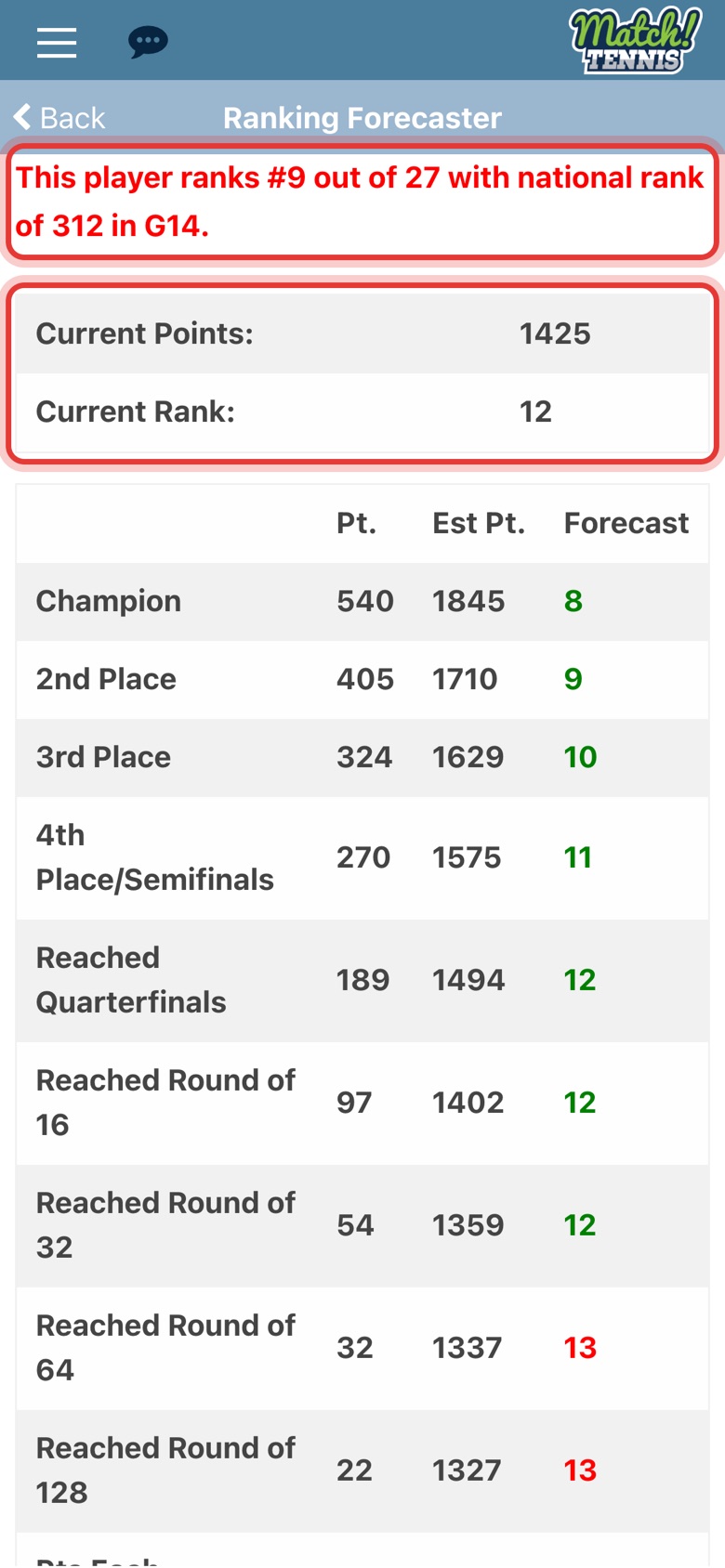
Step 7: See where your player stands
The red line shows where your player ranks among the players who applied. Below it are the current points and rank.
-
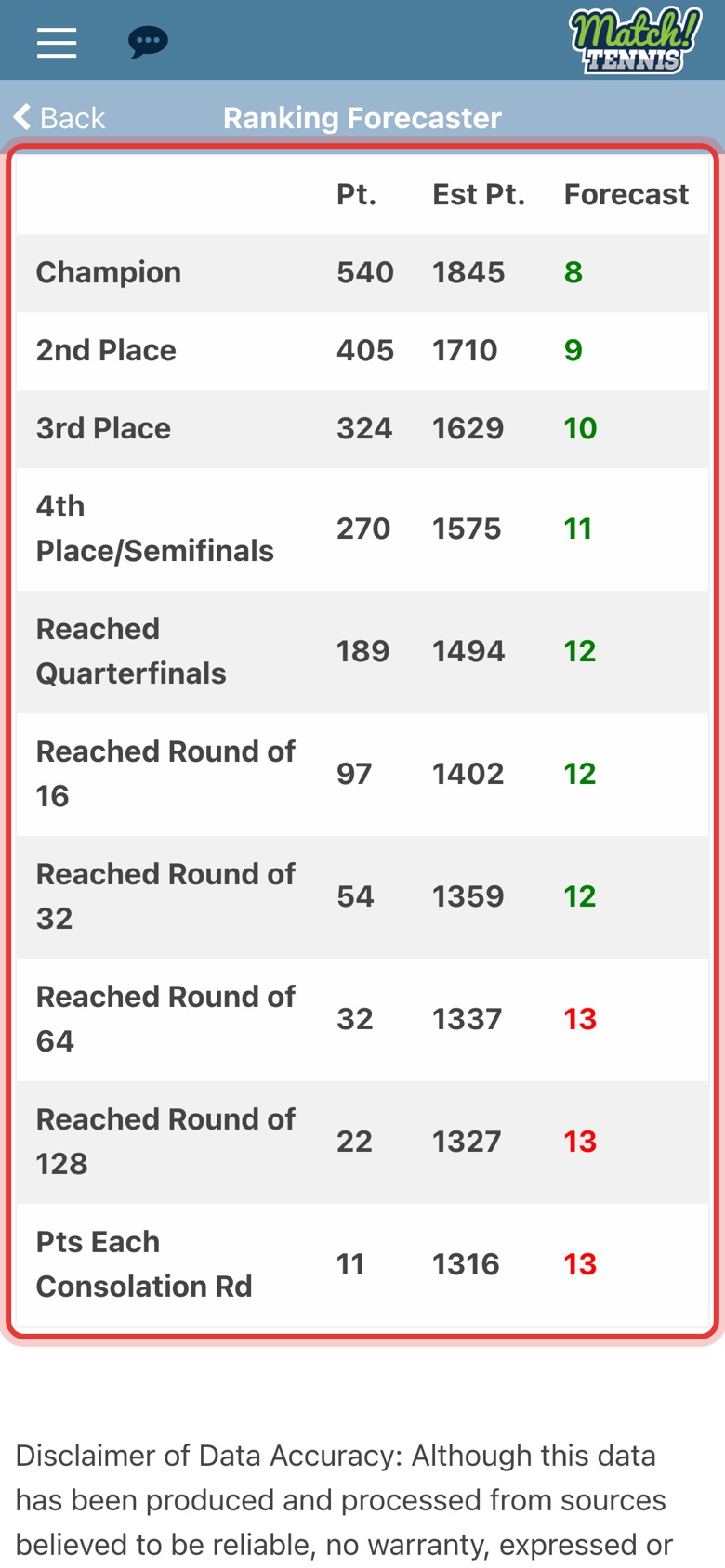
Step 8: Read the forecast for each round
Pt. is the points for reaching that round, Est Pt. is the new total and Forecast is the new rank. Green means the rank holds or improves, red means it drops.
Tips
- It's an estimate. The forecaster uses the USTA points tables. Use it to plan, not as an official ranking.
- Compare lists. Change Ranking Type and tap Calculate to see the same tournament for your district, section and national ranking.
- From the Tournament Scheduler. Each suggested tournament has a chart icon that opens the forecaster for that event.