How to View the Applicants List for an Upcoming Tournament
Tournaments Updated November 1, 2026 1 min read
See who has entered before the draw comes out. It takes about a minute.
Part 1Open the applicants list
-
Step 1: Open the tournament
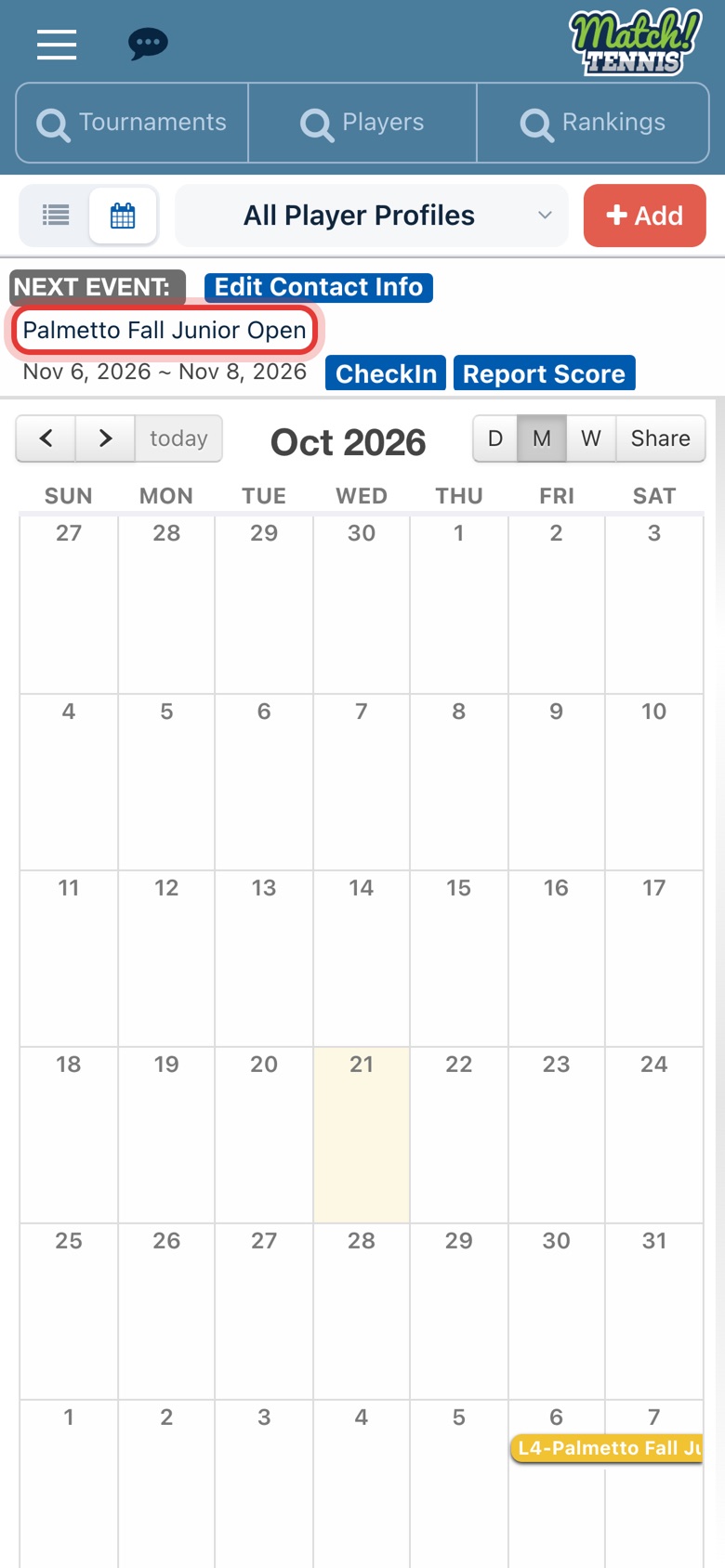
On Home, tap the tournament name in your Next Event card, or tap it on your calendar.
-
Step 2: Open the Applicants List
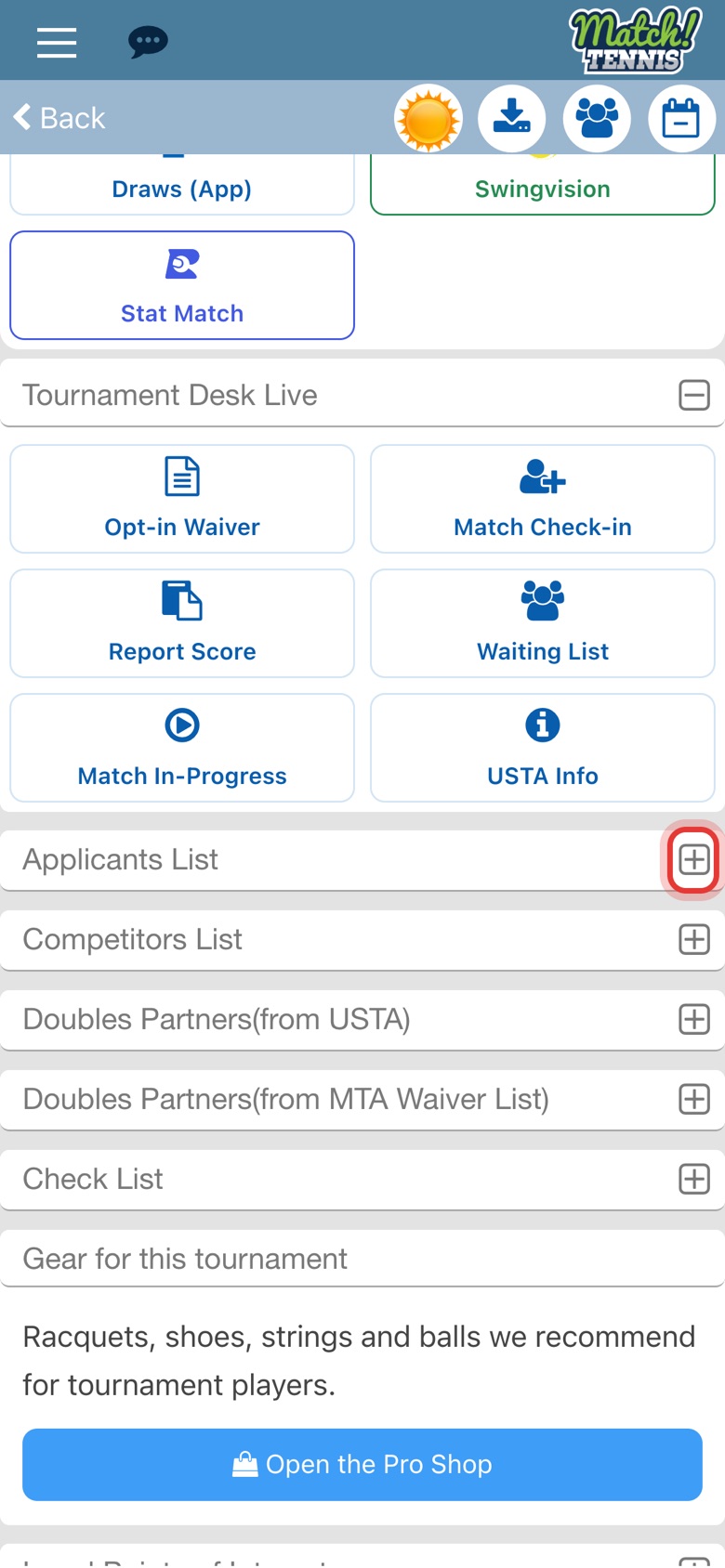
Scroll down the tournament page and tap the plus sign next to Applicants List.
Part 2Filter and sort
-
Step 3: Choose a division
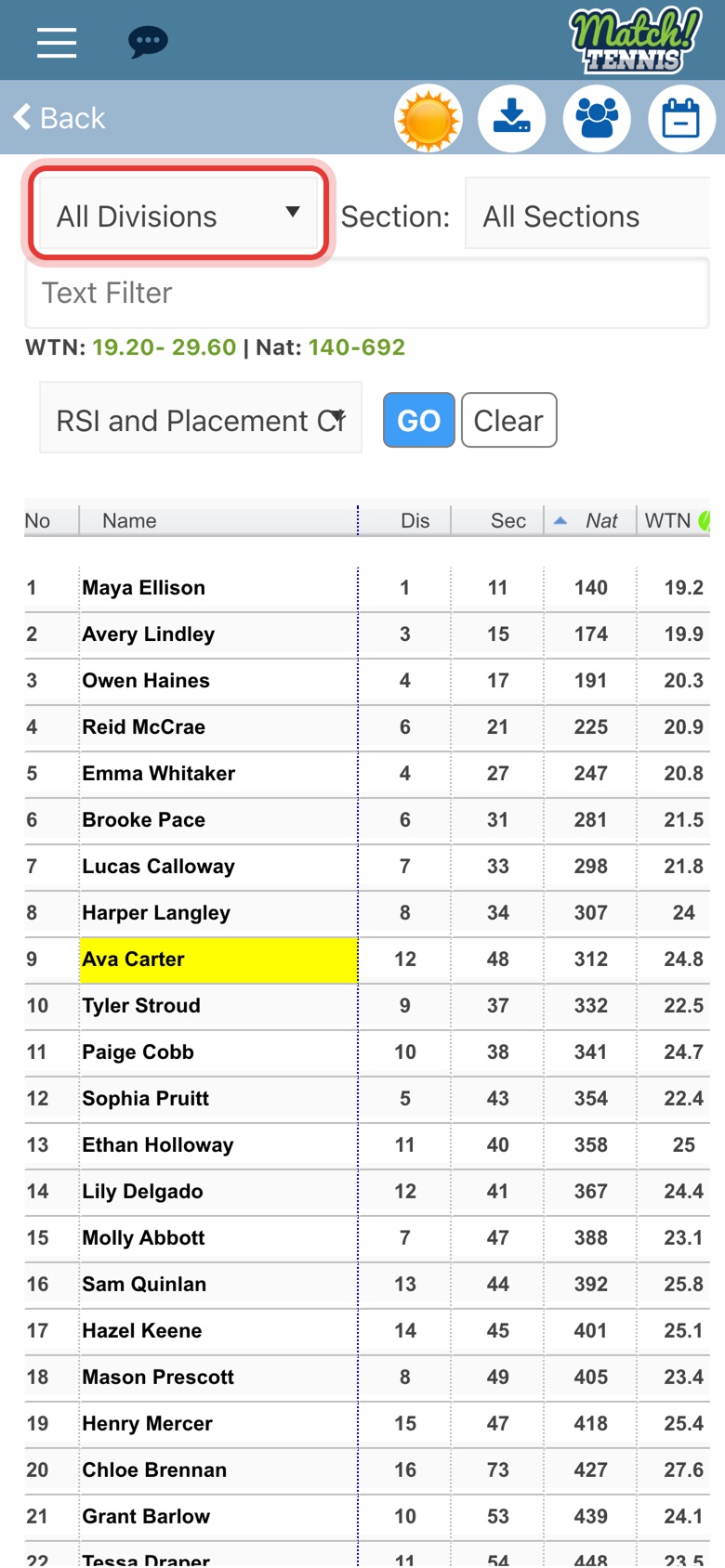
The list starts with every division, and your own players are highlighted in yellow. Tap All Divisions to pick one.
-
Step 4: Find your player
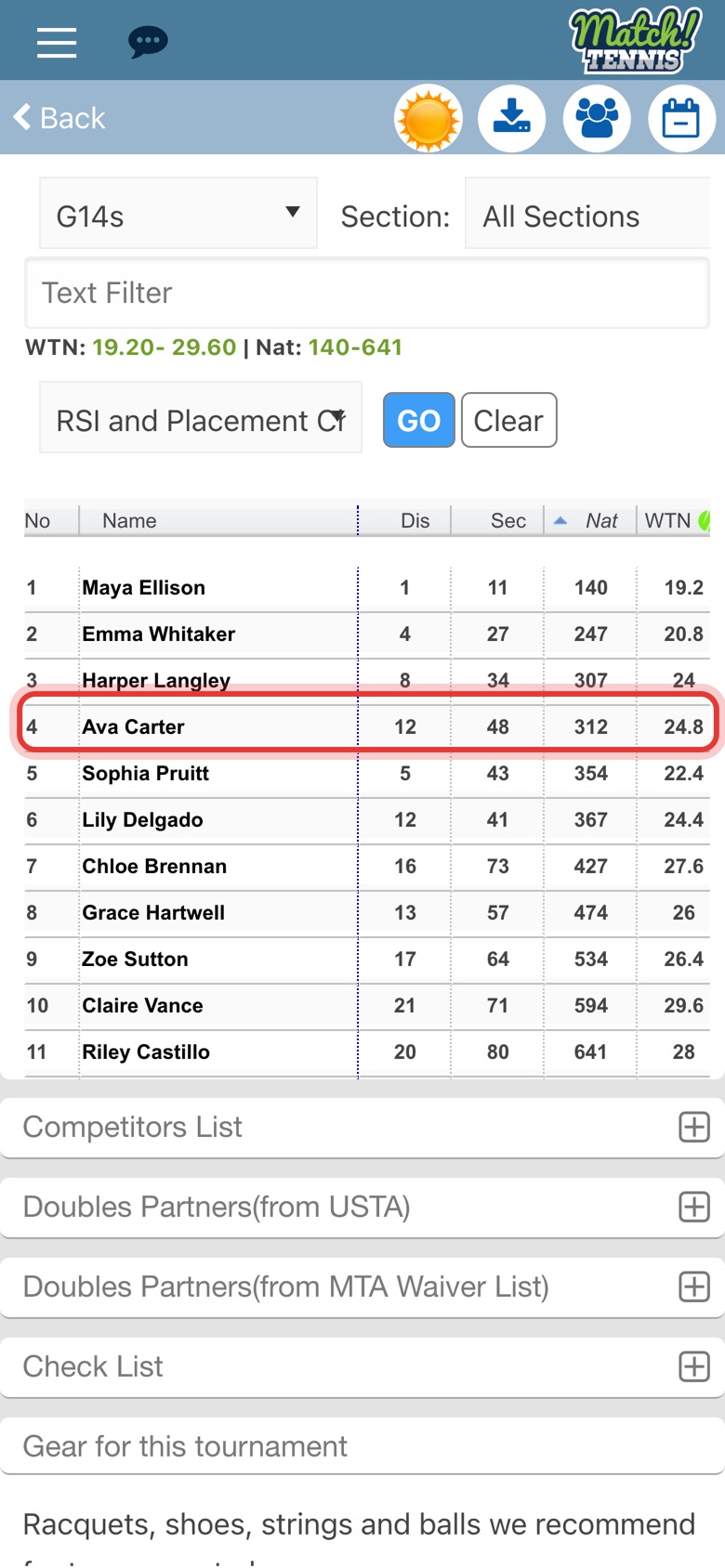
Now only that division shows, sorted by national ranking (Nat).
-
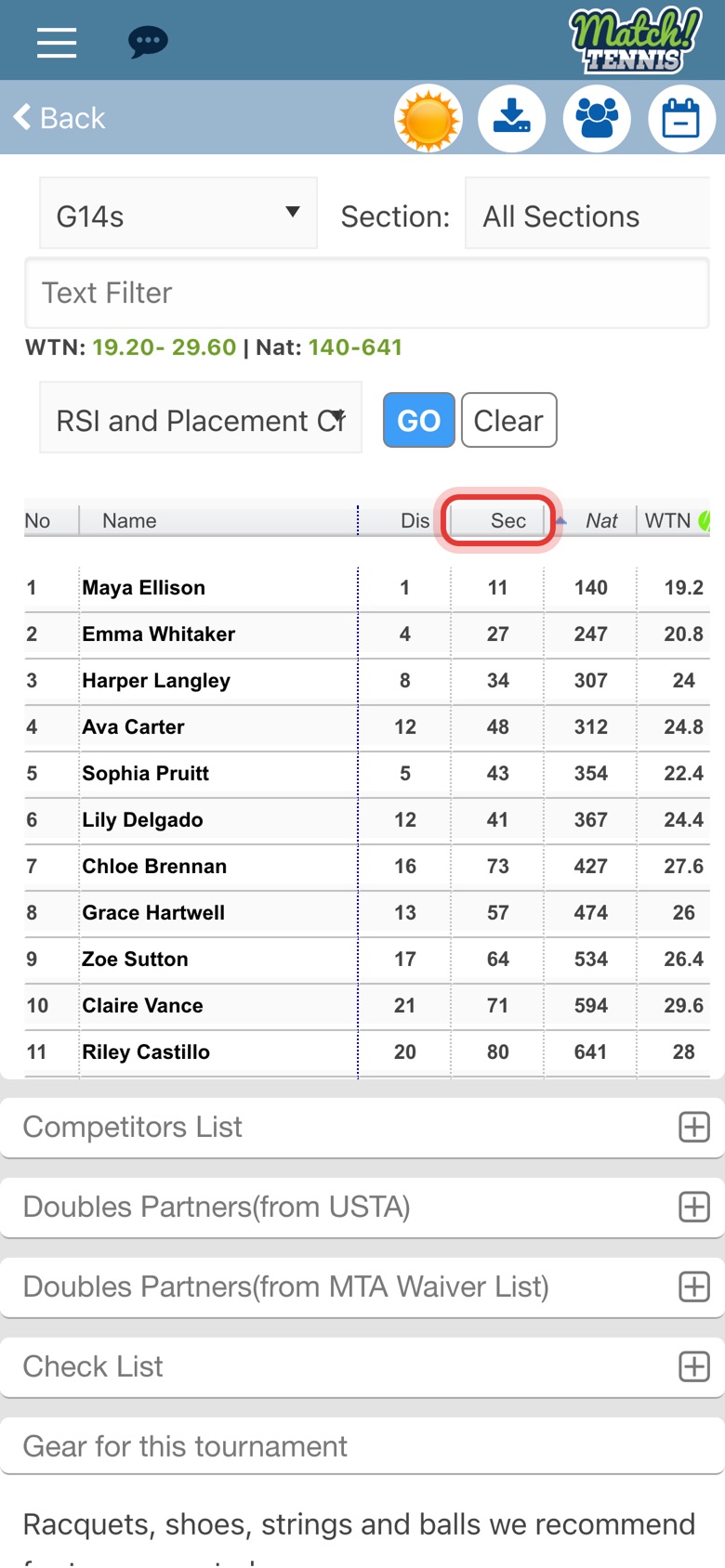
Step 5: Sort by ranking
Tap a column heading to sort by it. Dis is district, Sec is section and Nat is national ranking.
-
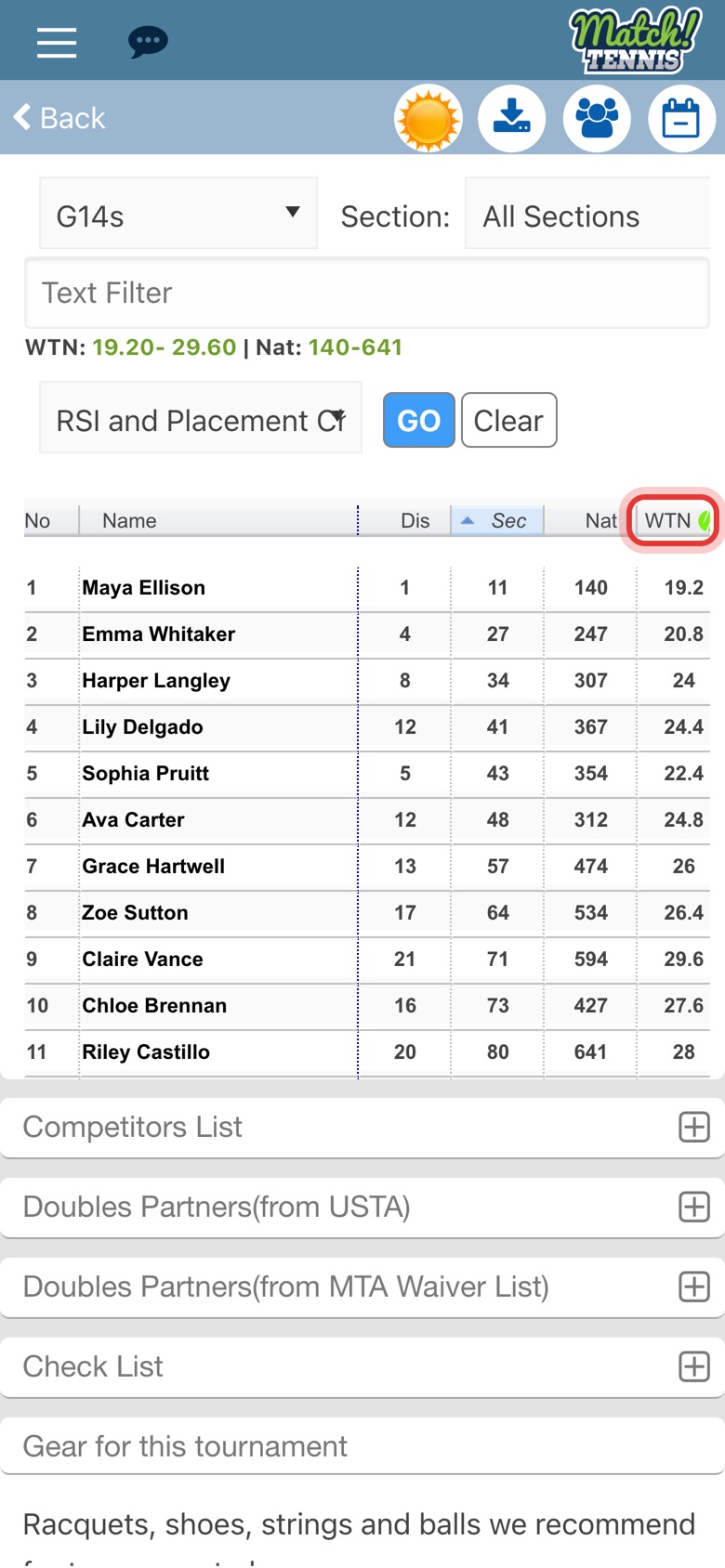
Step 6: Sort by WTN
Tap WTN to sort by World Tennis Number. A lower WTN means a stronger player.
-
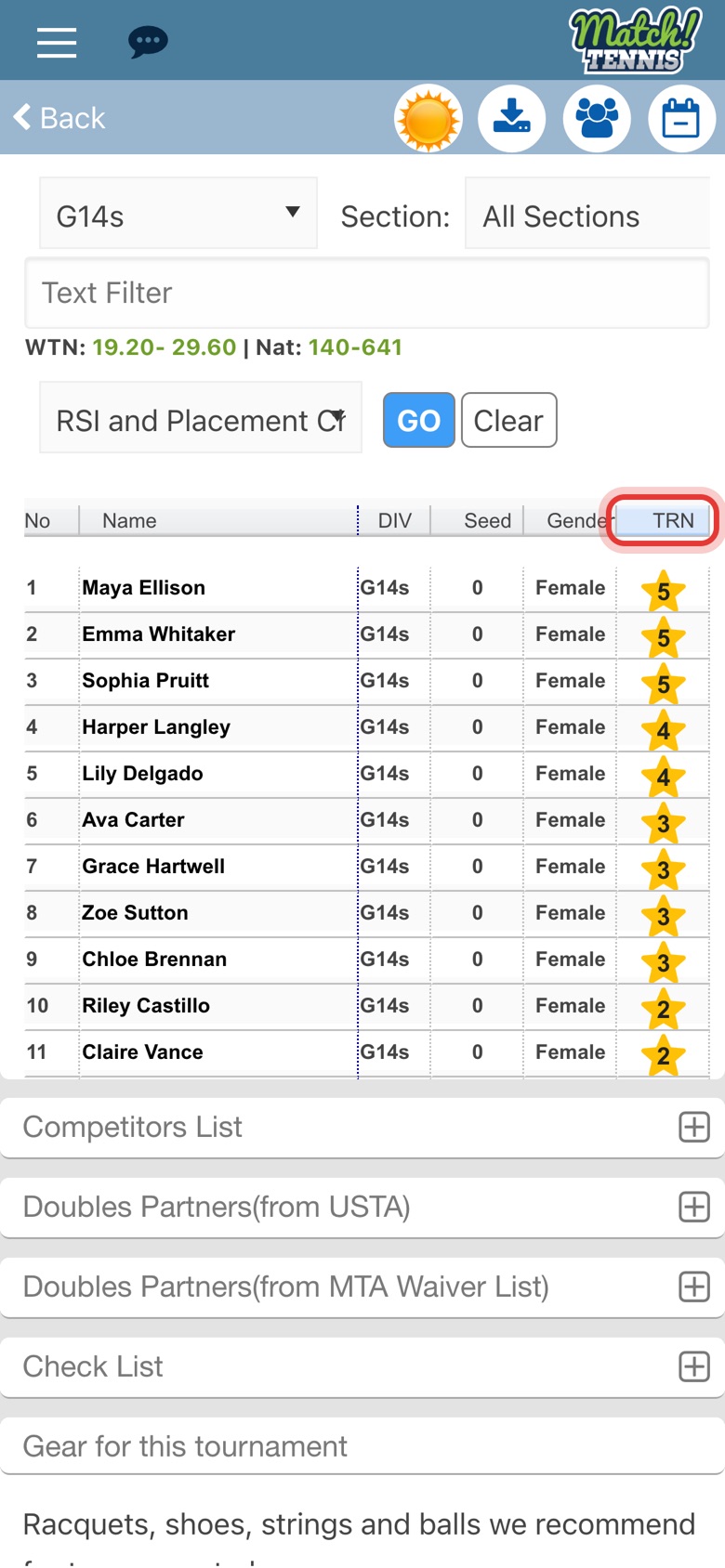
Step 7: Swipe for more columns
Swipe the table to the left to see more columns, such as division, seed and TRN, the Tennis Recruiting star rating.
Part 3Look up a player
-
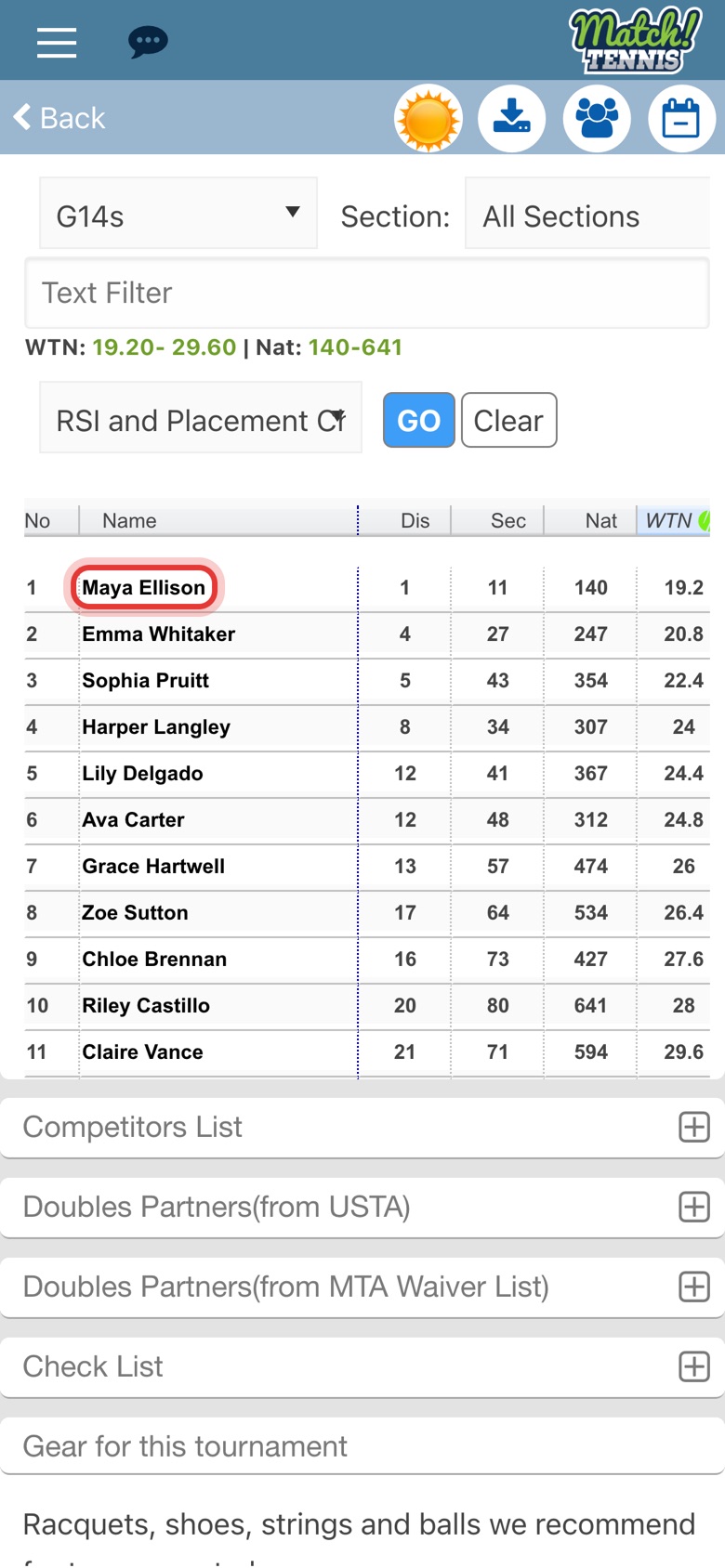
Step 8: Tap a player's name
Tap any name to open that player's profile.
-
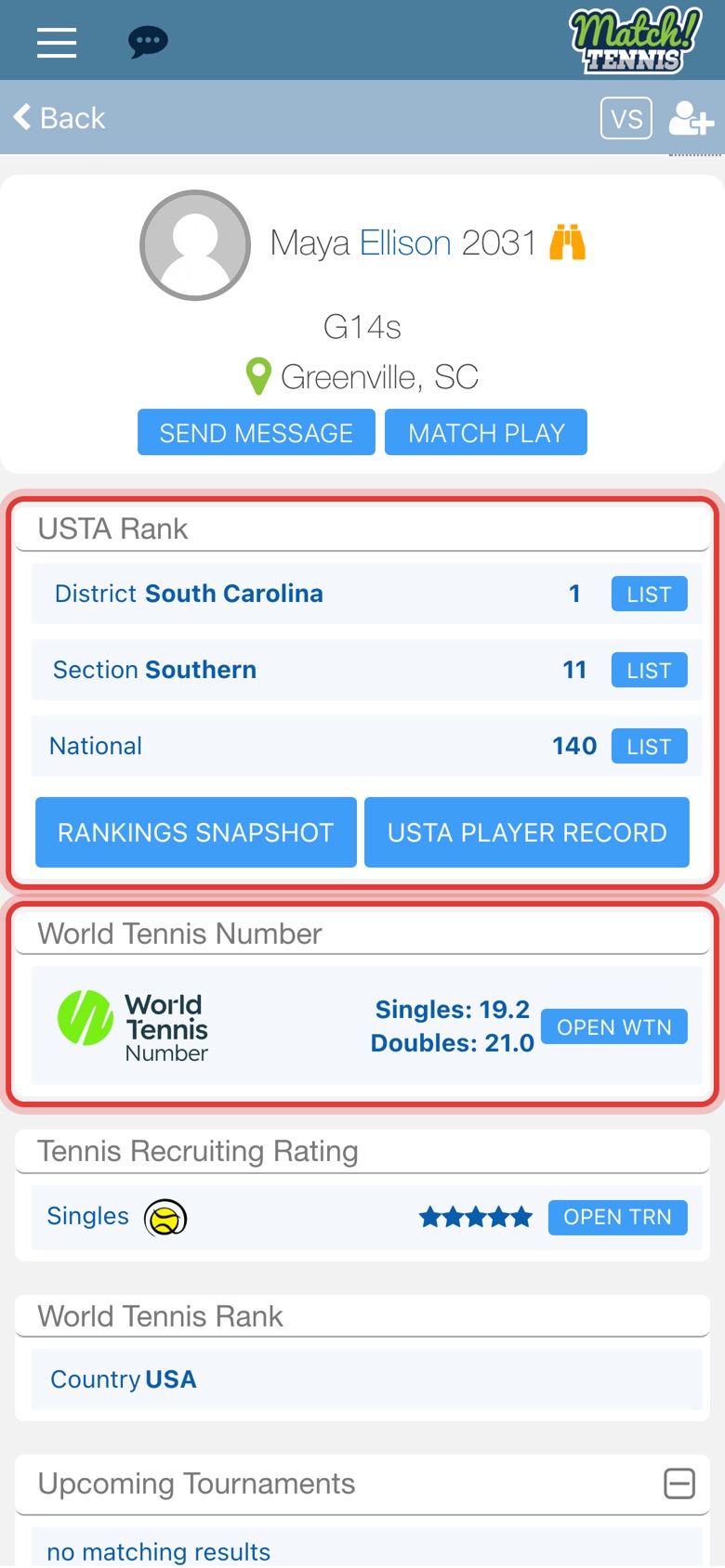
Step 9: Check the profile
The profile shows the player's USTA rankings, WTN and more. Tap Back to return to the list.
Tips
- See the spread at a glance. The line above the table shows the WTN range and national ranking range of the division you picked. See How to See the WTN and Ranking Range of a Tournament's Applicants.
- Narrow it down. Use Section to show players from one section, or type a name in Text Filter.
- After the deadline. If the list is not available once entries close, open Competitors List just below it.
- Applying is not the draw. Players can still withdraw, so check the draw once it is posted. See How to Use the In-App Draw Viewer.