How to Register for a USTA Tournament
Tournaments Updated November 1, 2026 1 min read
You enter on the USTA website. The app gets you there and helps you keep track. It takes a few minutes.
Part 1Open the tournament
-
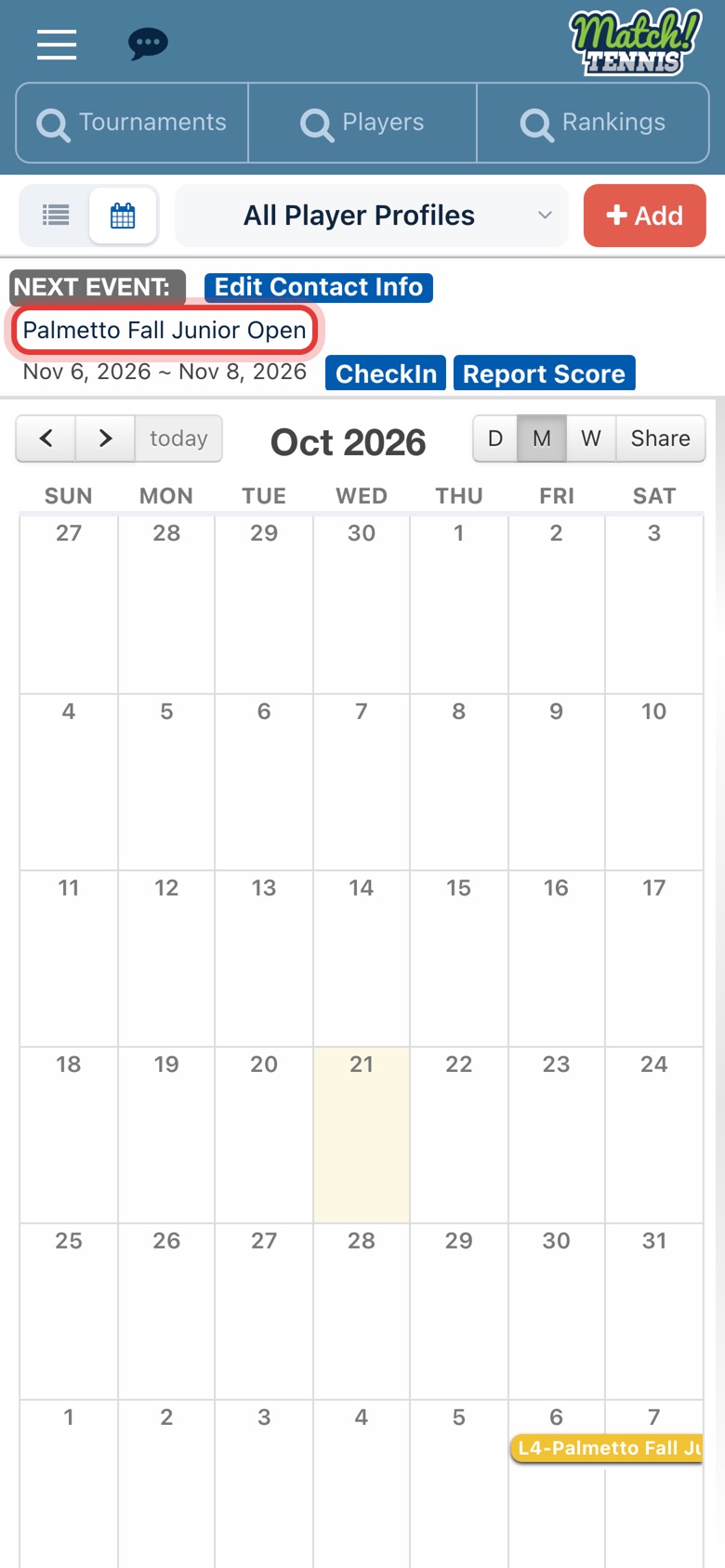
Step 1: Open the tournament
On Home, tap the tournament name in your Next Event card, or tap it on your calendar.
-
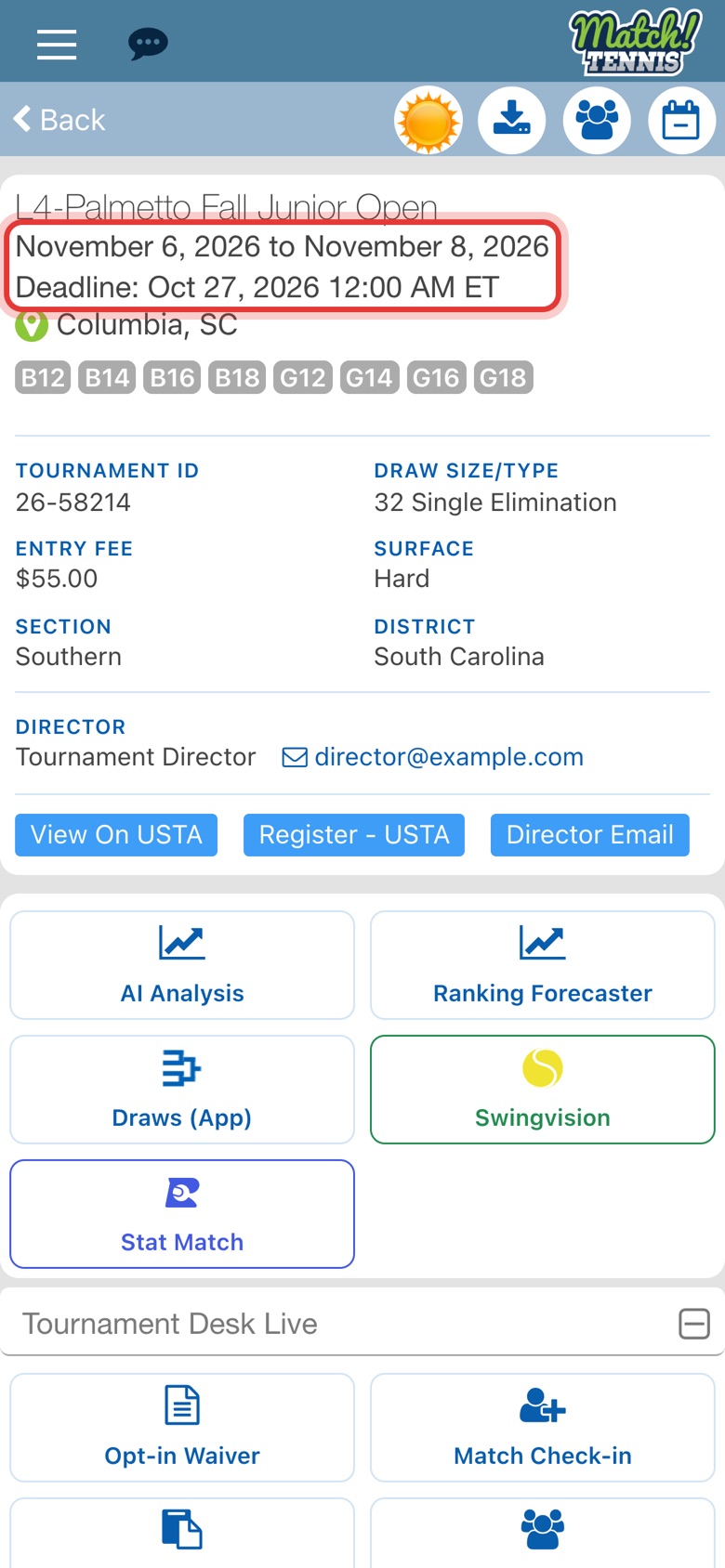
Step 2: Check the deadline
The dates and the entry deadline are at the top. Enter before the deadline.
Part 2Enter on the USTA site
-
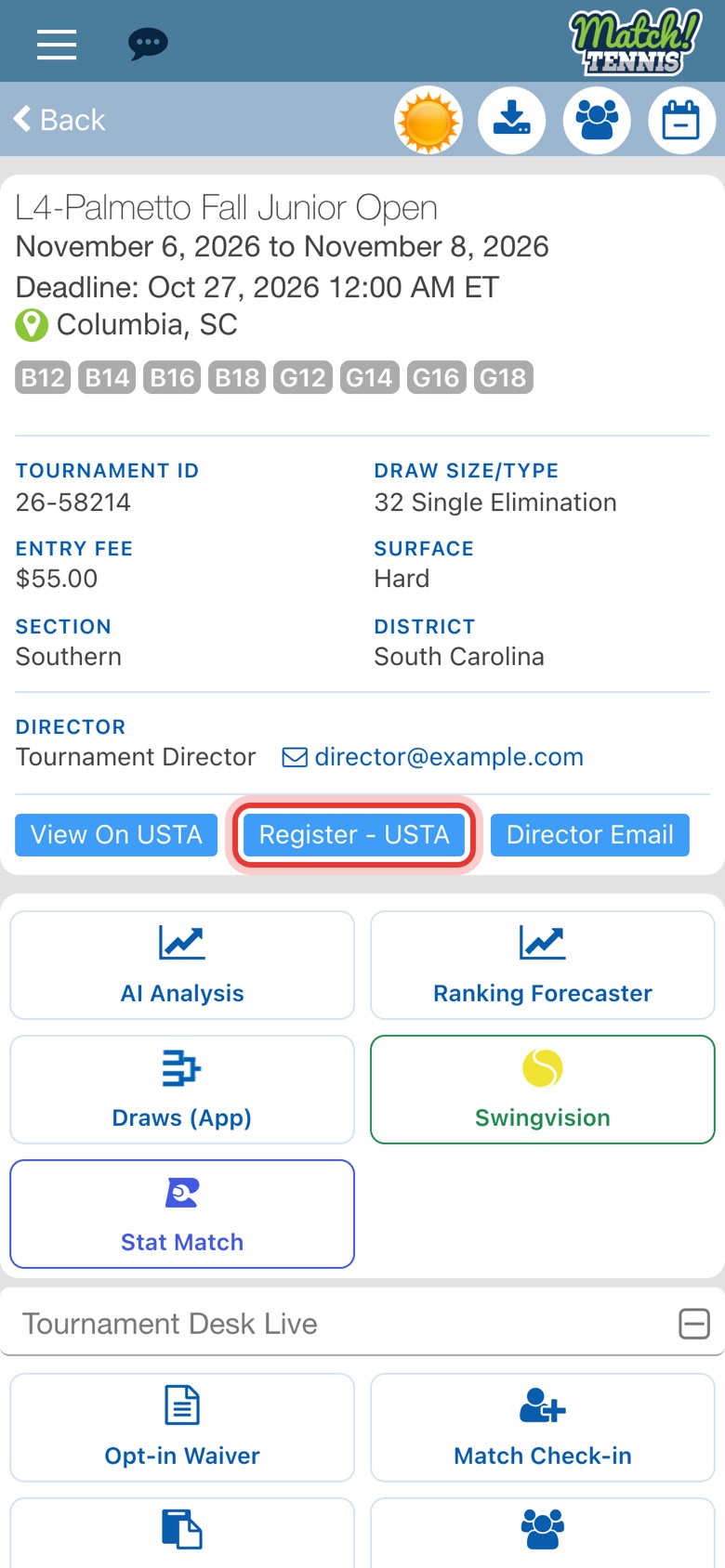
Step 3: Tap Register - USTA
The tournament's USTA page opens in your browser. Sign in with your USTA account and finish the entry there.
Part 3Keep track in the app
-
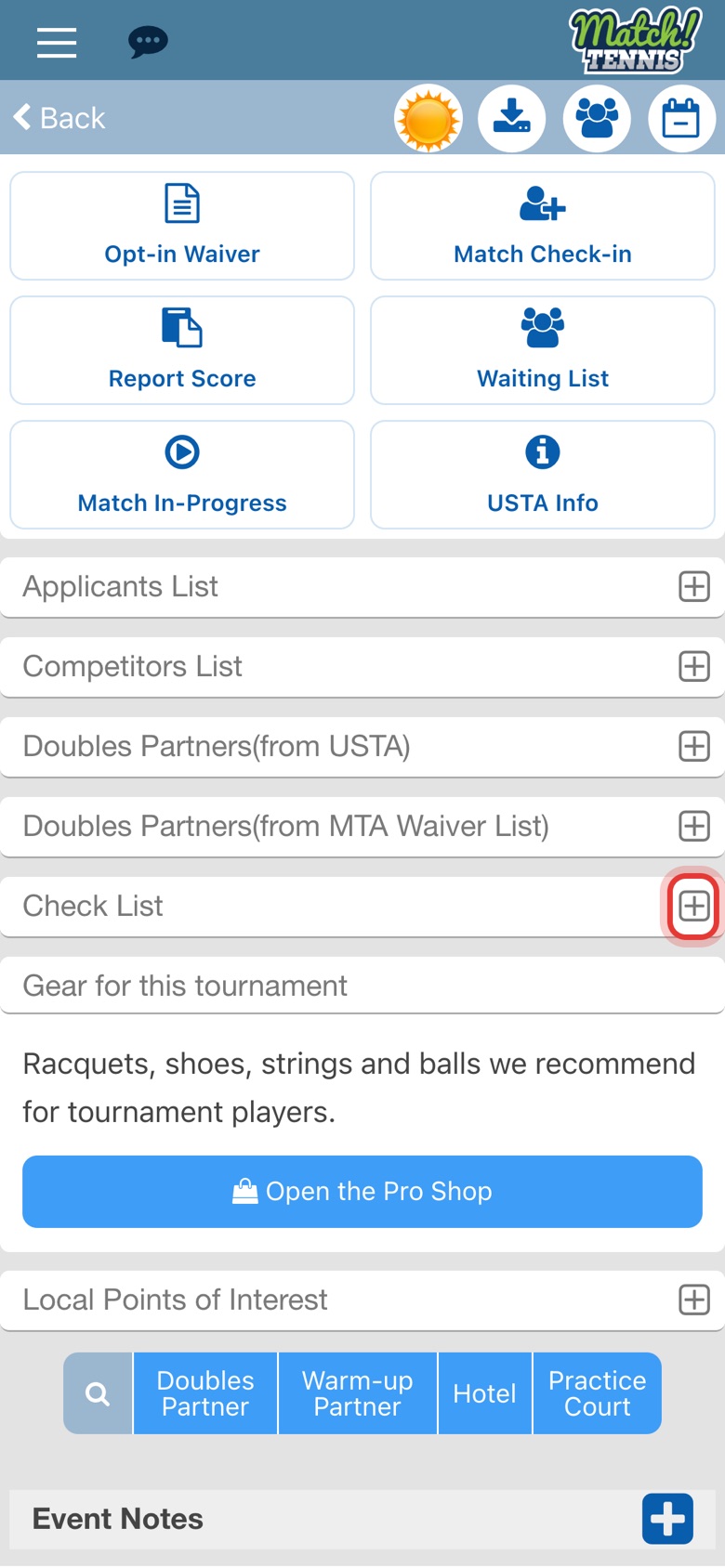
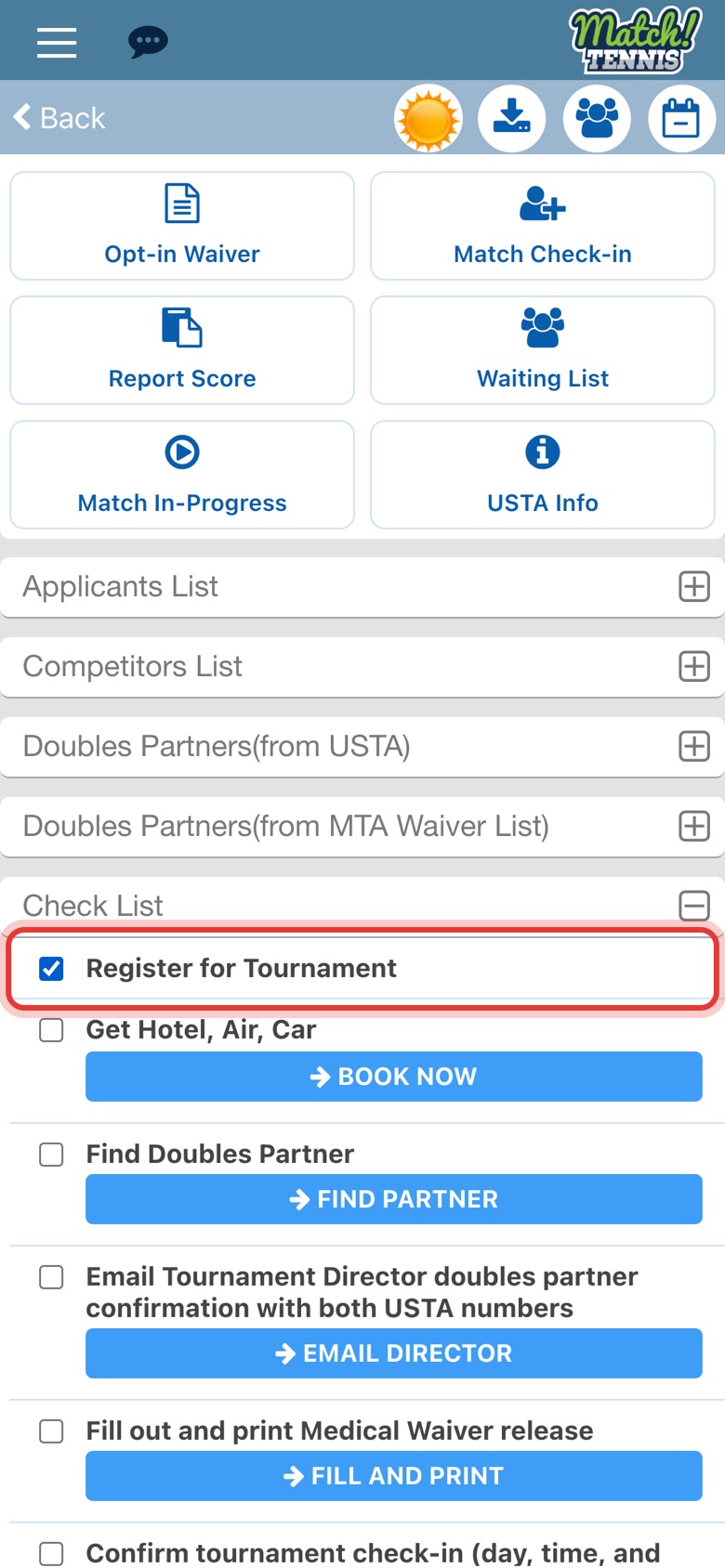
Step 4: Open Check List
Back in the app, scroll down and tap the plus sign next to Check List.
-
Step 5: Check Register for Tournament
Check it so you know the entry is done. The list also covers hotels, doubles partners and check-in.
-
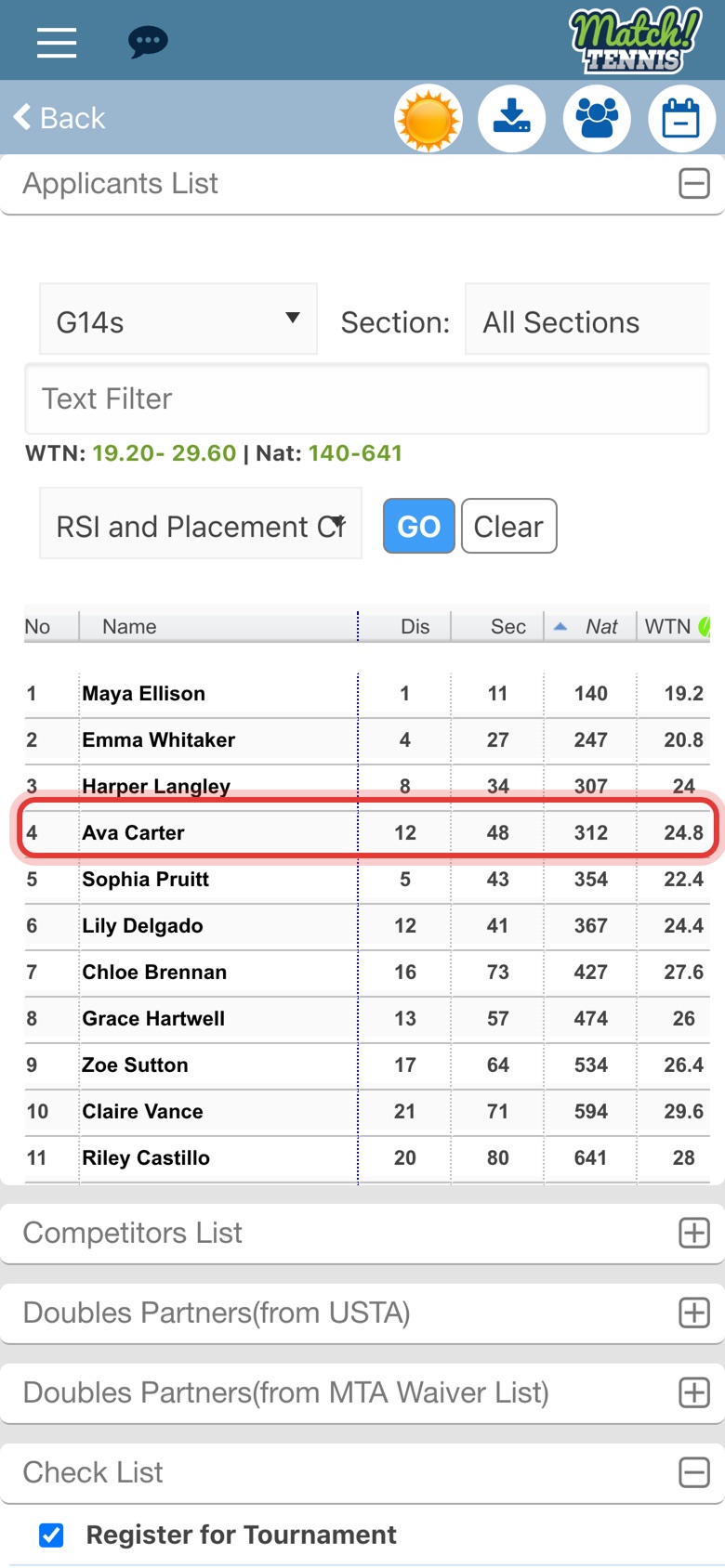
Step 6: Find your player on the Applicants List
Once USTA lists the entry, your player shows on the tournament's Applicants List.
Tips
- Not on your calendar yet? Find the tournament first. See How to Find a Tournament and Add It to Your Schedule.
- Just looking? View On USTA opens the same USTA page if you only want to read the tournament details.
- Need a doubles partner? Tap Doubles Partner near the bottom of the tournament page. See How to Find a Doubles Partner.