How to Find a Doubles Partner
Players & scouting Updated November 1, 2026 1 min read
Each tournament has its own doubles partner list. It takes about two minutes.
Part 1Add your player to the list
-
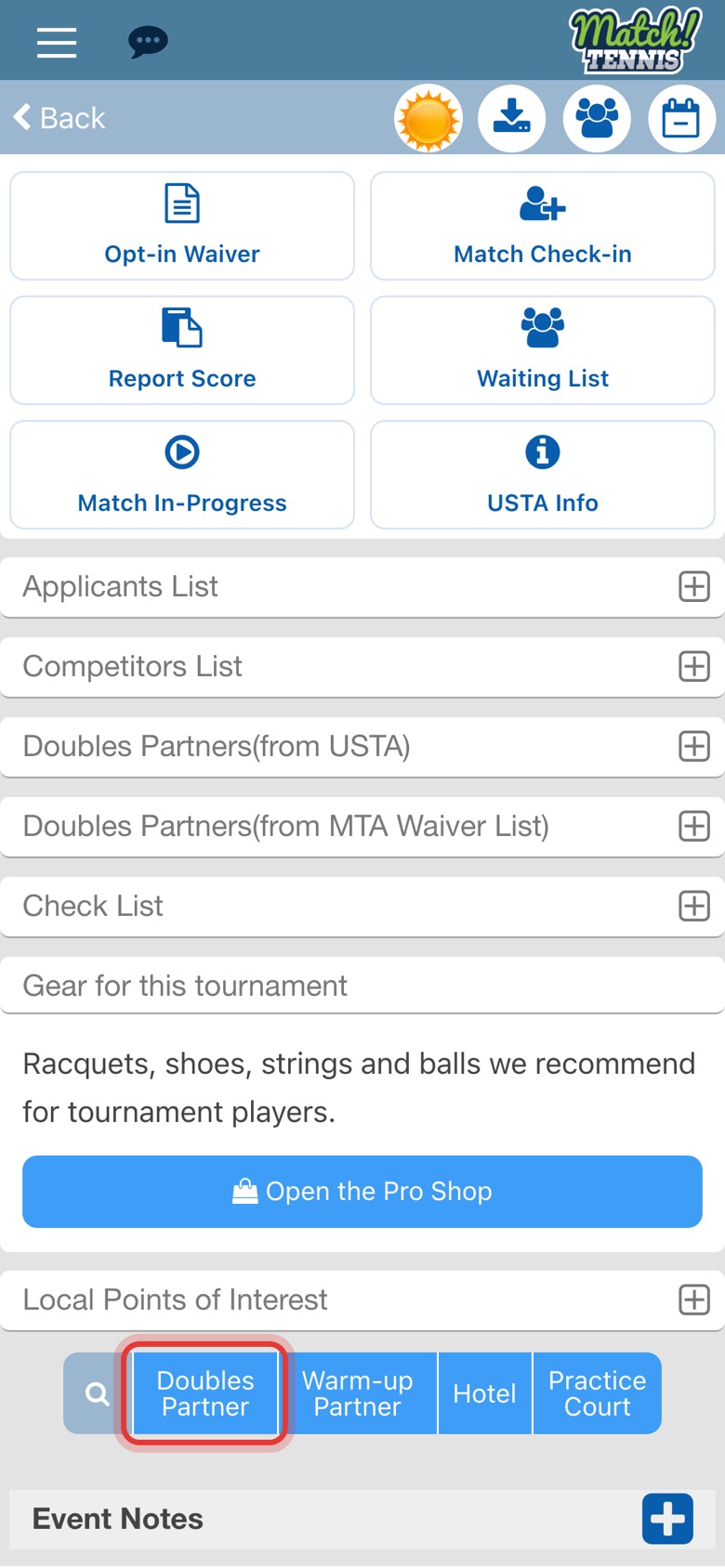
Step 1: Tap Doubles Partner
Open the tournament, scroll to the bottom and tap Doubles Partner.
-
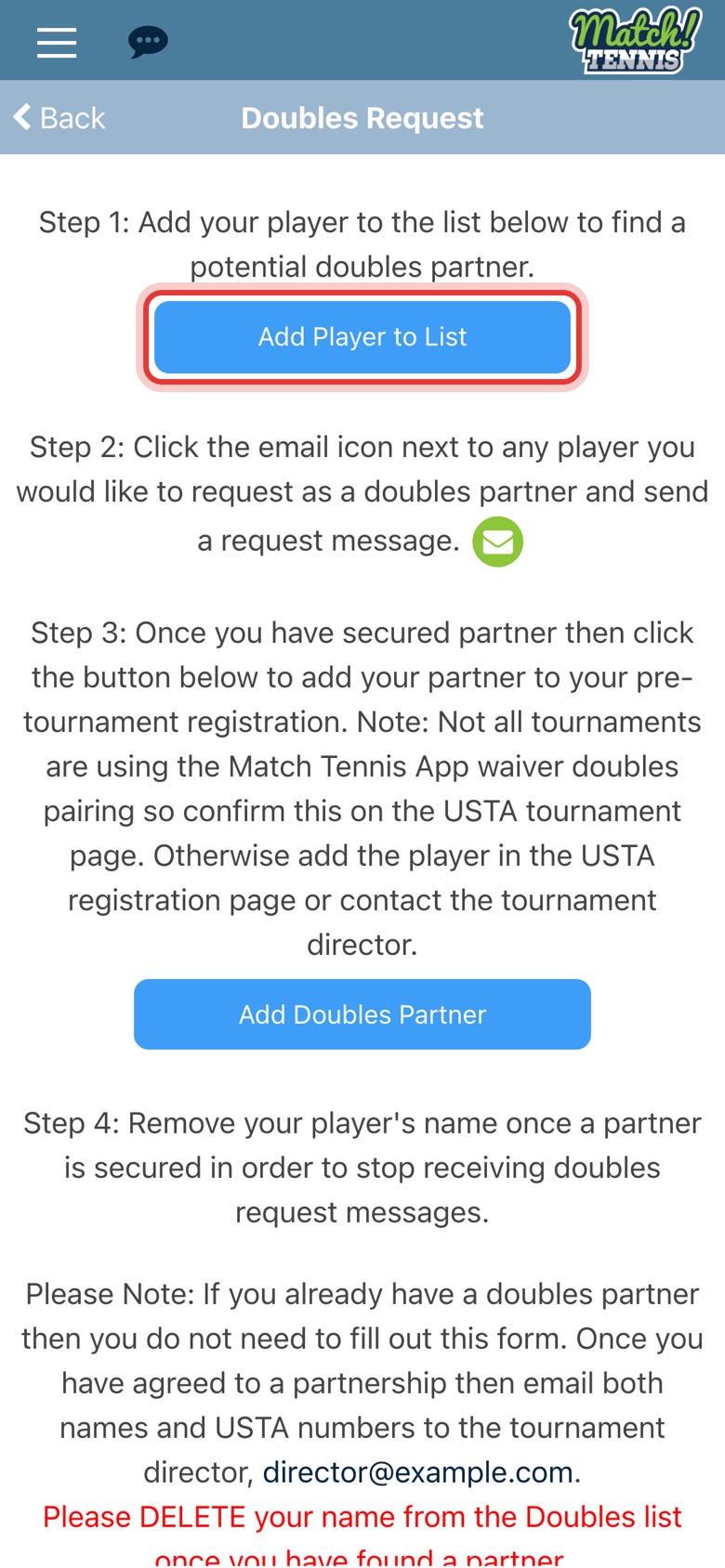
Step 2: Tap Add Player to List
The Doubles Request page explains each step. Tap Add Player to List.
-
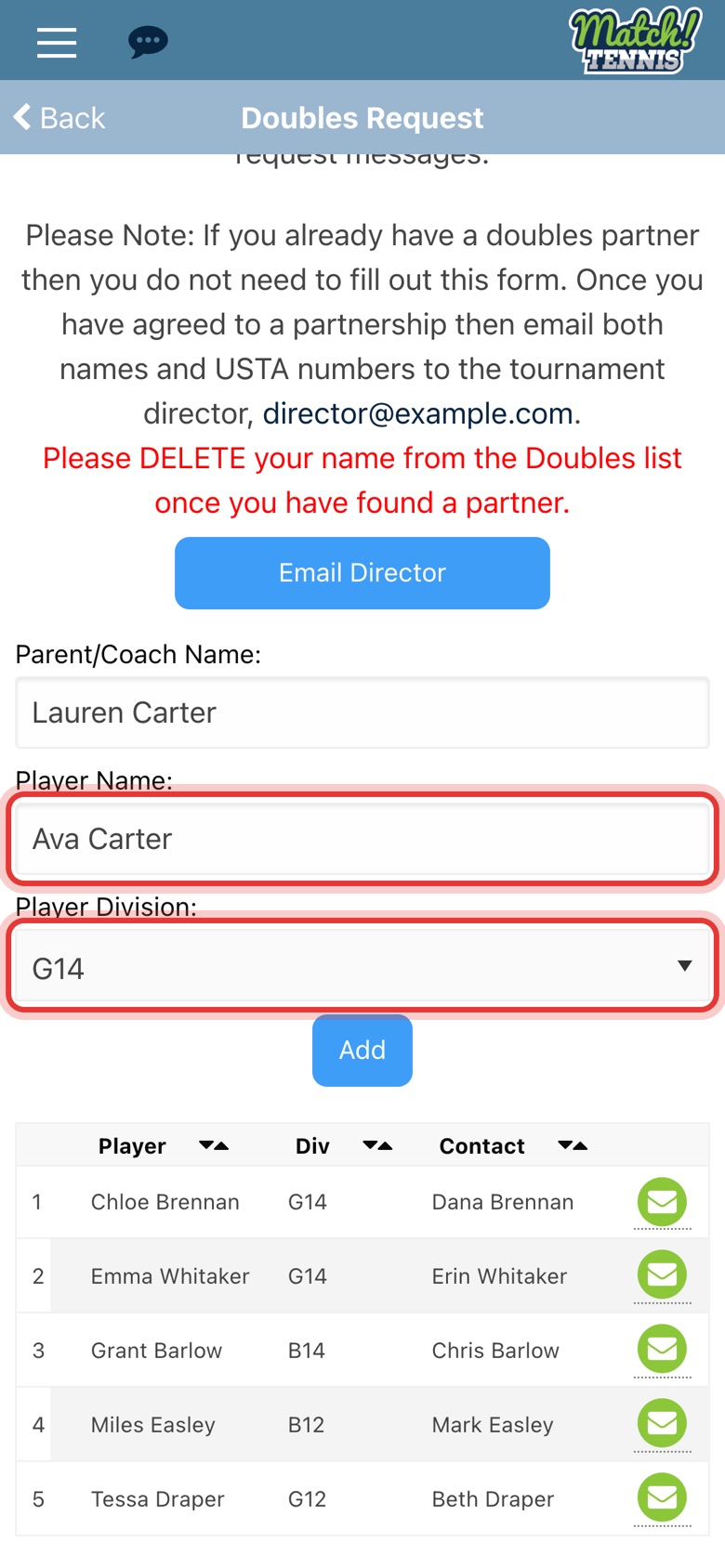
Step 3: Enter your player
Your name is filled in. Type your player's name and pick the division.
-
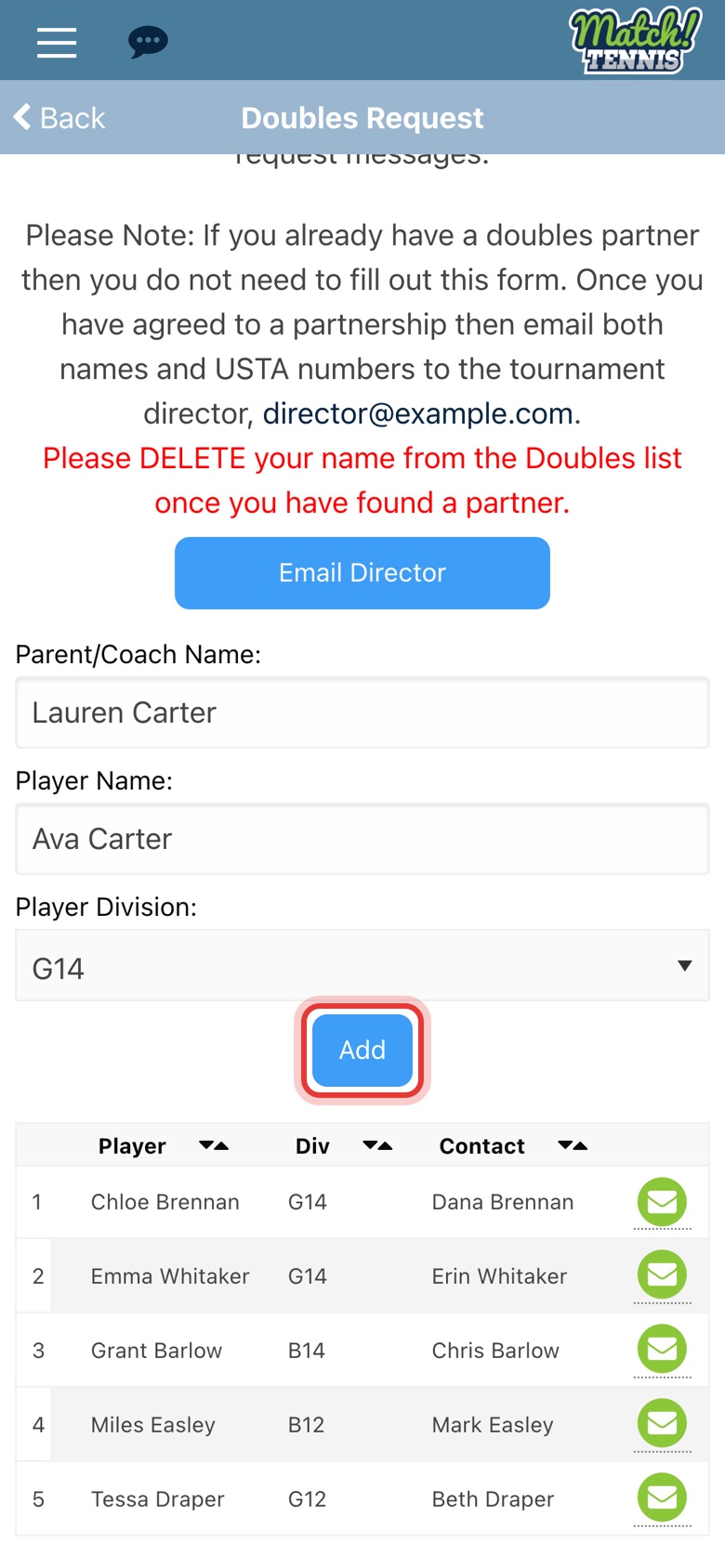
Step 4: Tap Add
Your player is added to this tournament's list.
-
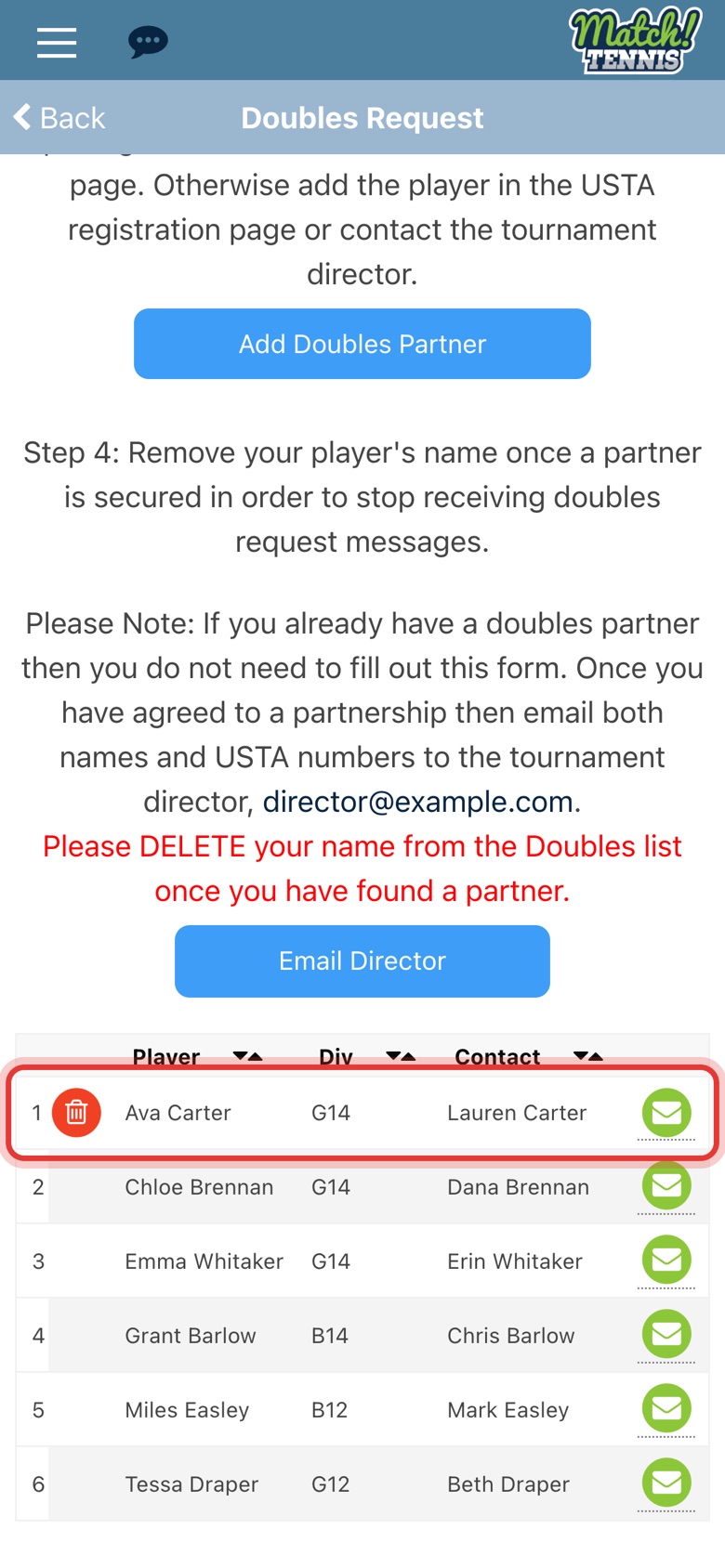
Step 5: Your player is on the list
Other families can now find your player and send you a request. The red trash can marks your own entry.
Part 2Ask another player
-
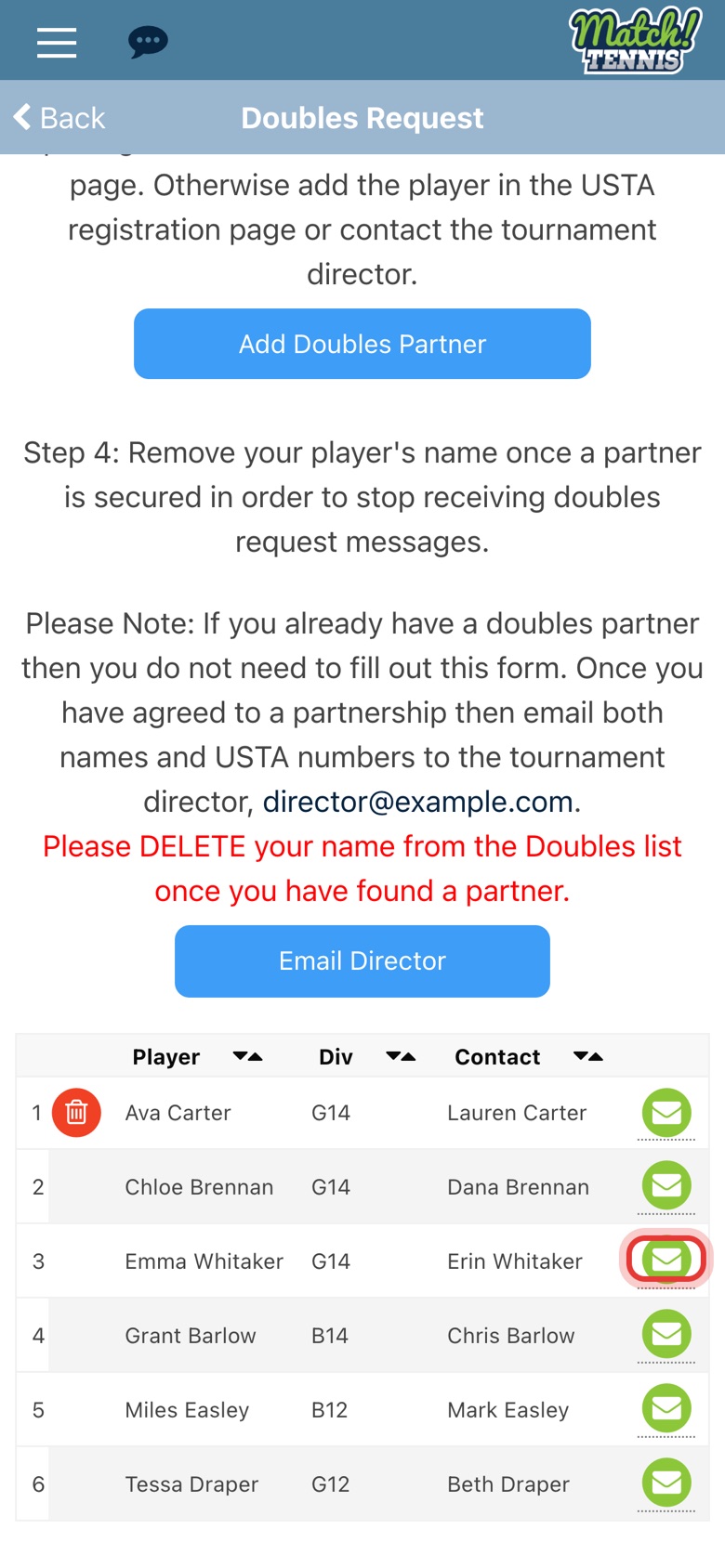
Step 6: Tap the envelope
Find a player in your division and tap the green envelope next to their name.
-
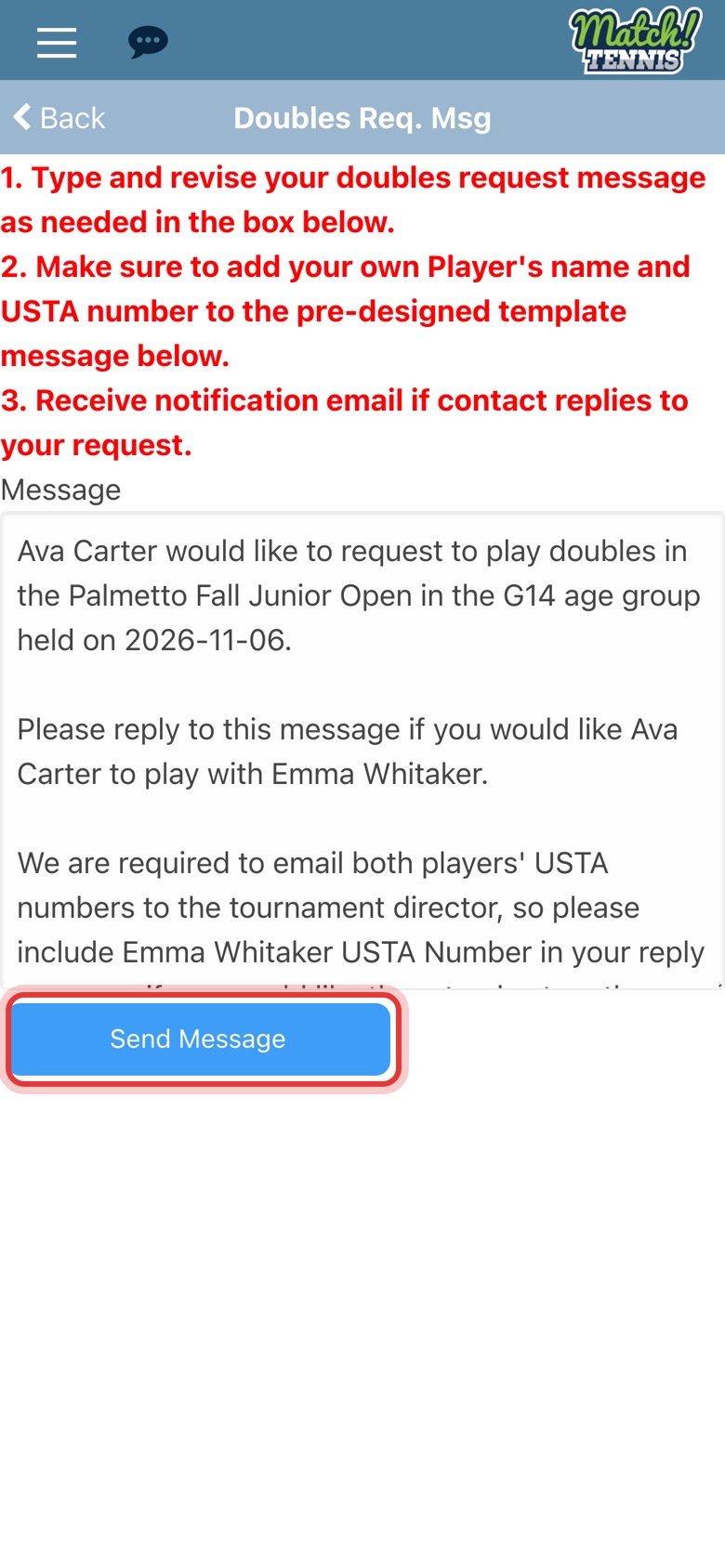
Step 7: Check the message and tap Send Message
The request is written for you. Add your player's USTA number and change anything you like.
-
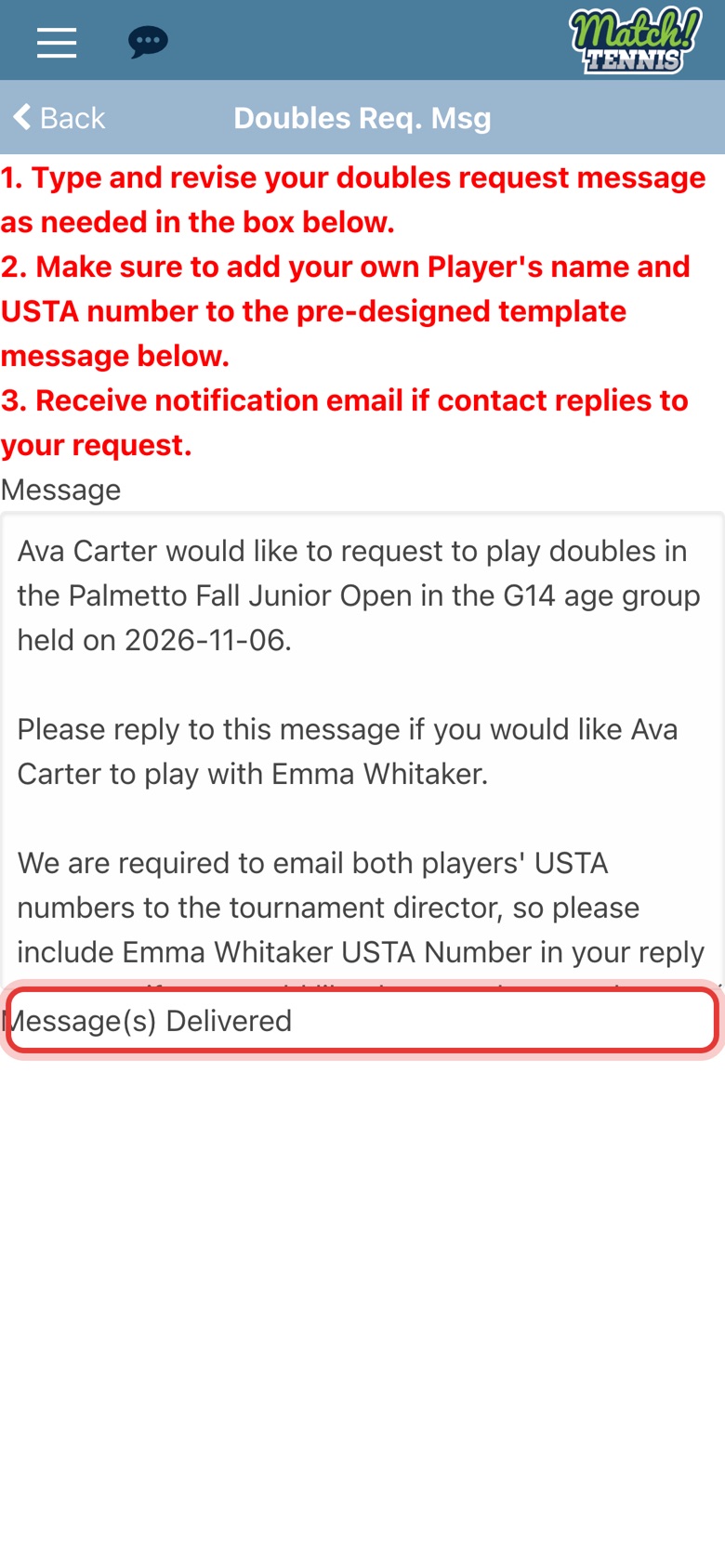
Step 8: The request is sent
Message(s) Delivered shows when it has gone. You get an email if they reply.
Part 3Remove your name
-
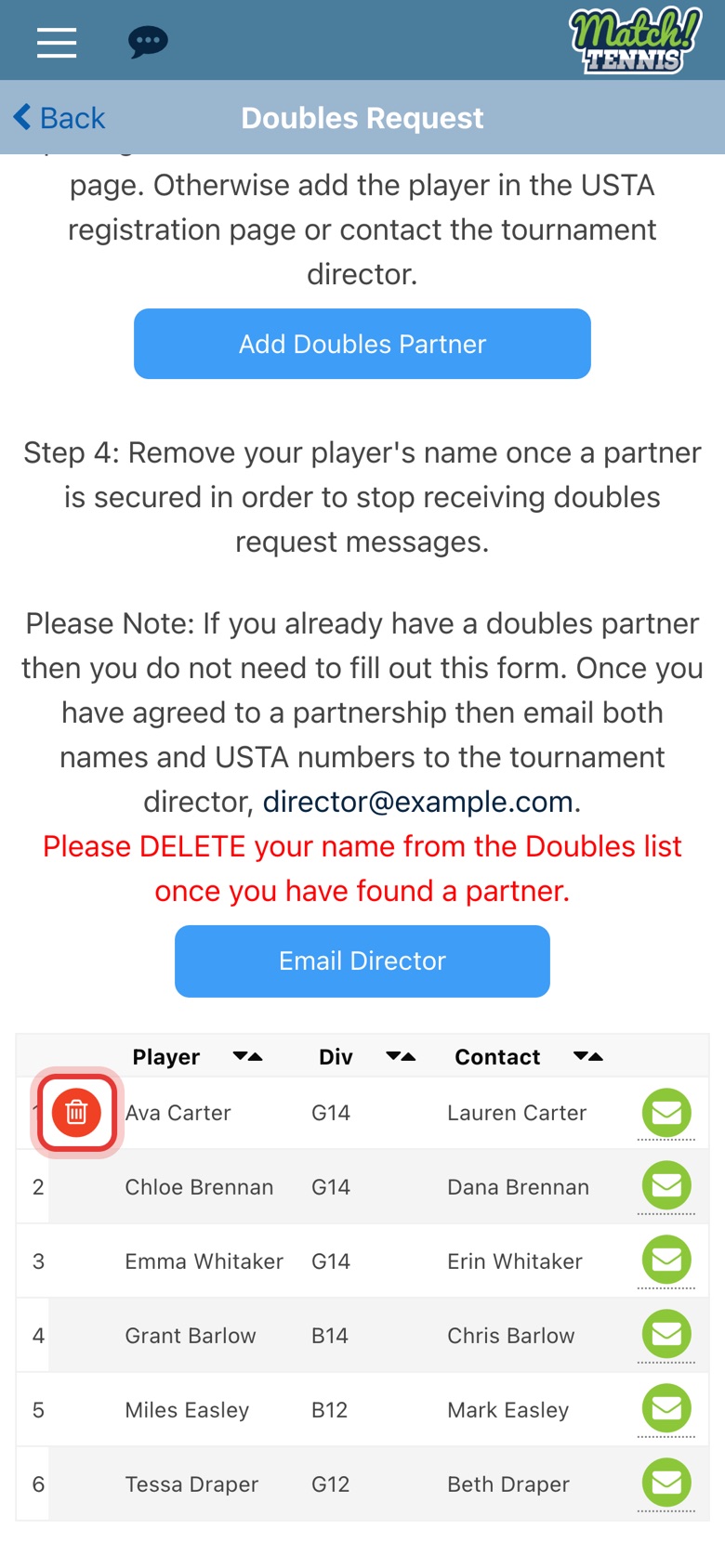
Step 9: Remove your name
Once you have a partner, go back to the list and tap the red trash can next to your player.
-
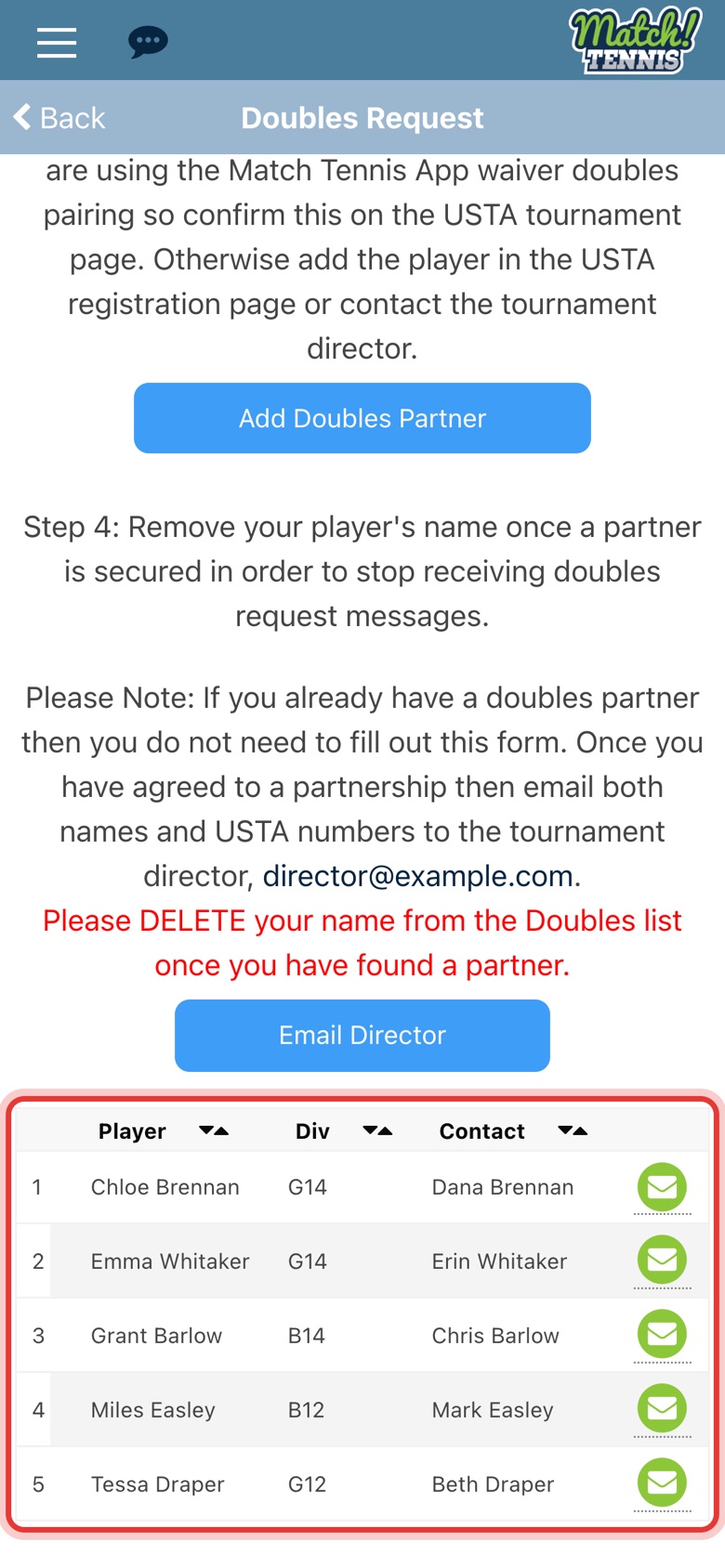
Step 10: You're off the list
Your player no longer shows, so you stop getting doubles requests.
Tips
- Tell the tournament director. Once you agree to play together, email both players' names and USTA numbers to the director. Tap Email Director on the Doubles Request page.
- Add your partner to your entry. If the tournament uses the Match Tennis App waiver, tap Add Doubles Partner on the same page. Otherwise add your partner on the USTA site.
- Already know who you want to play with? Open their profile from Players and tap Send Message.