How to Submit a Score in the App
Tournaments Updated November 1, 2026 1 min read
Send the tournament your player's score right after the match. It takes under a minute.
Part 1Open the score form
-
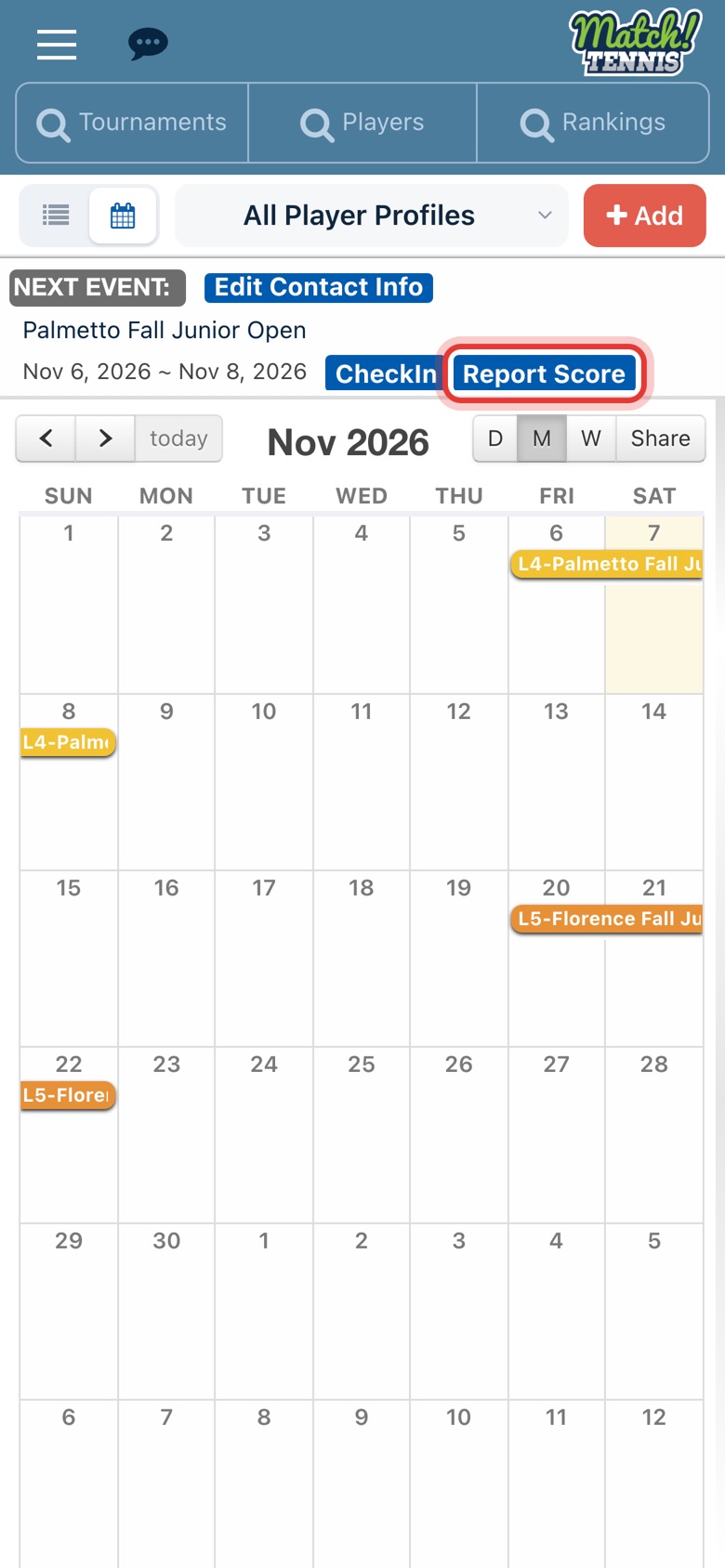
Step 1: Tap Report Score
On Home, tap Report Score on your Next Event card.
-
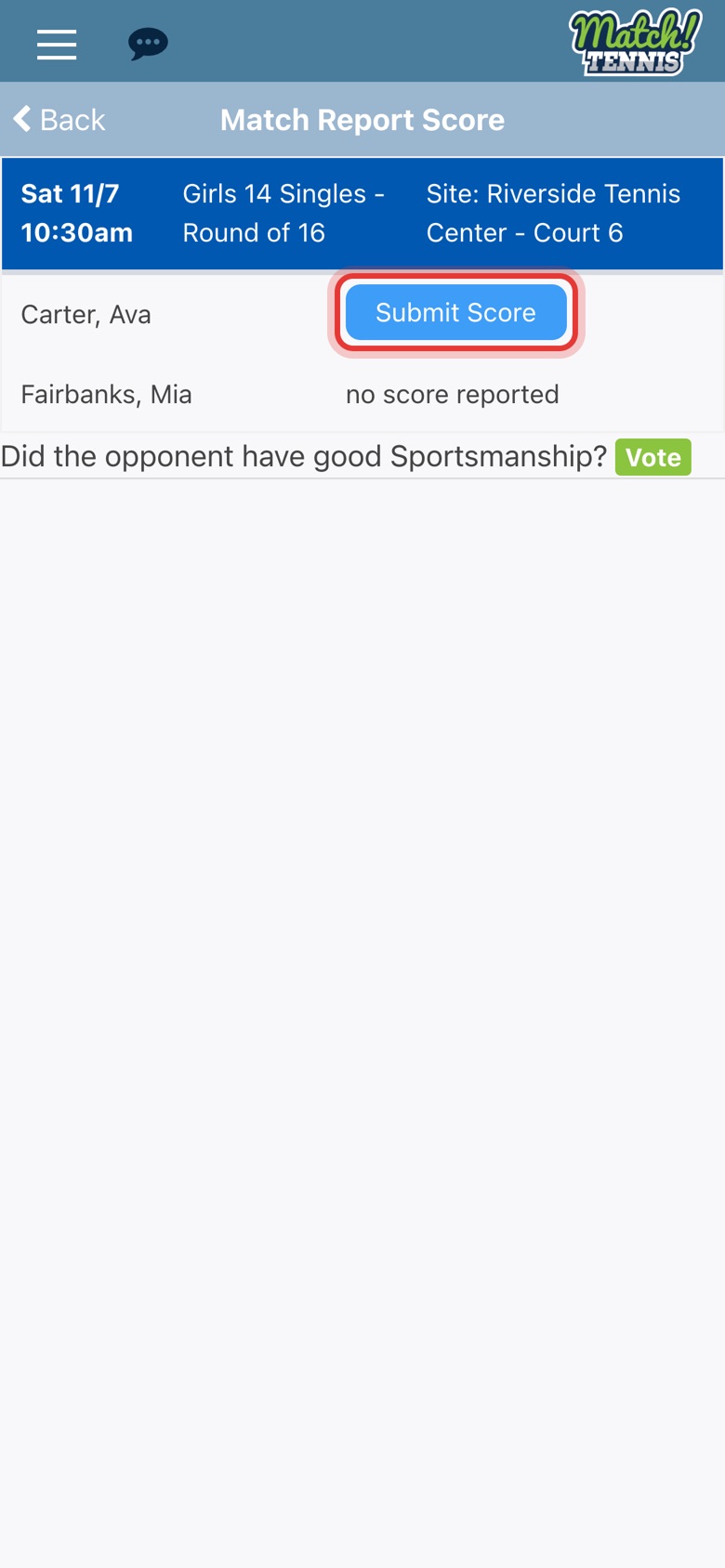
Step 2: Tap Submit Score next to your player
Your player's matches at the tournament are listed. Tap Submit Score on the match you want to report.
Part 2Enter the score
-
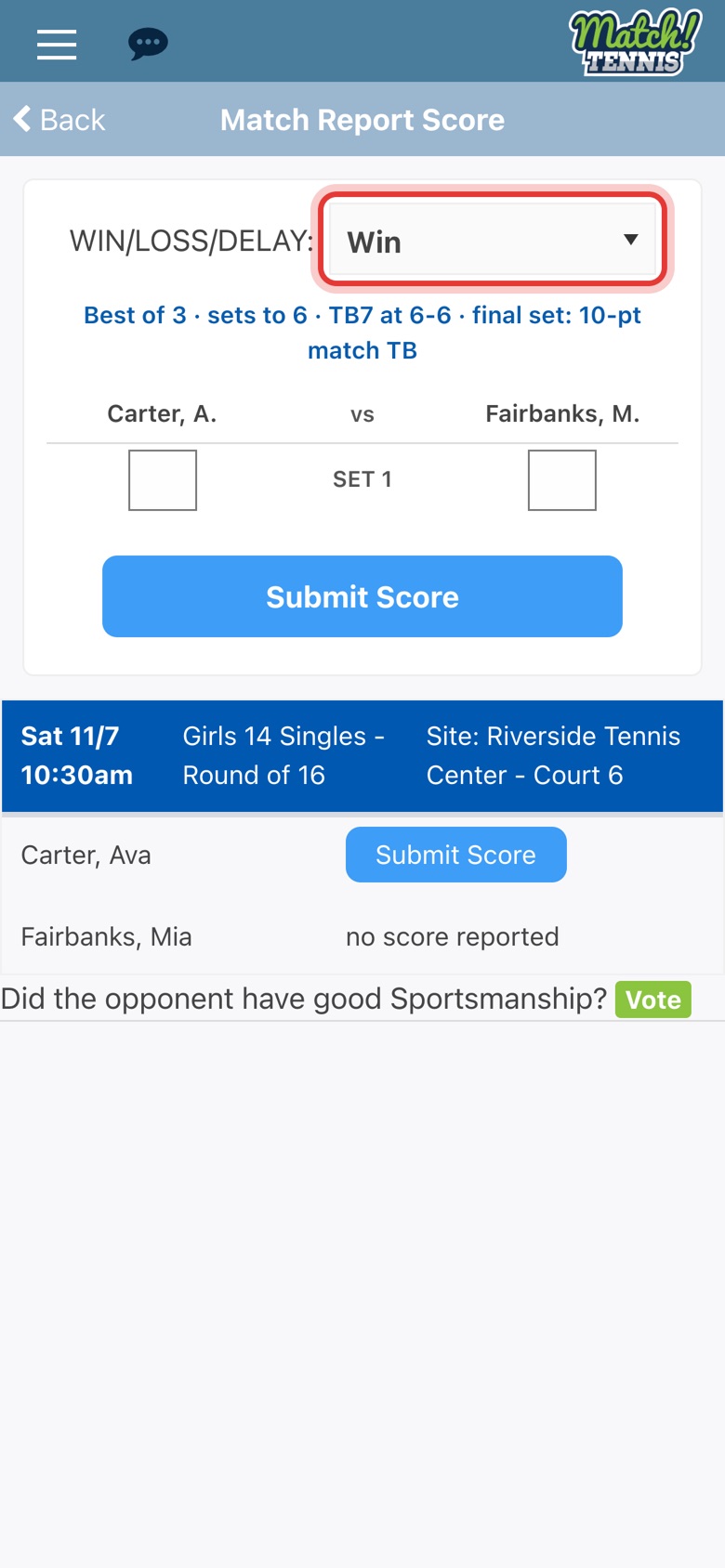
Step 3: Choose Win or Loss
Pick the result for your player. The blue line under it shows the match format.
-
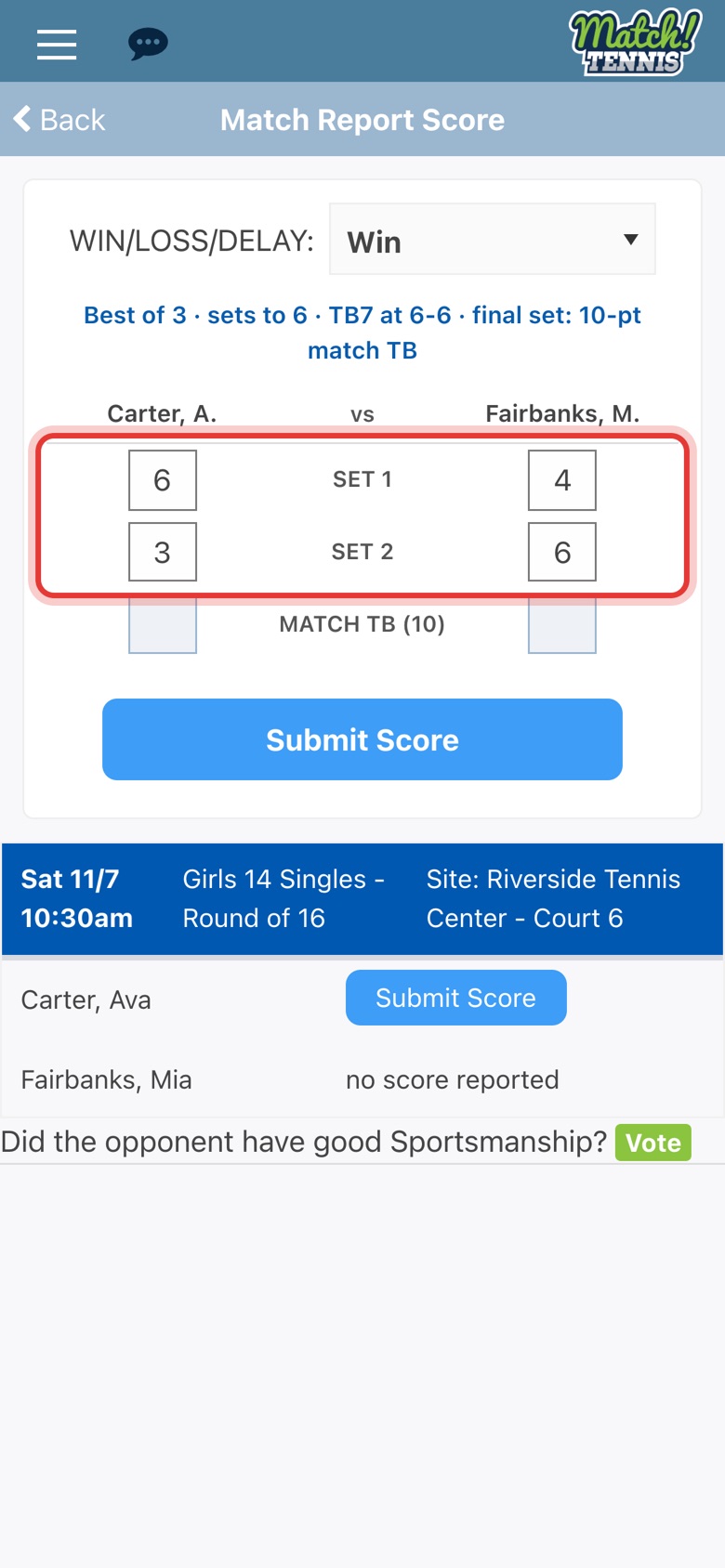
Step 4: Enter the set scores
Type the games for each set. Your player's games go on the left and the opponent's on the right.
-
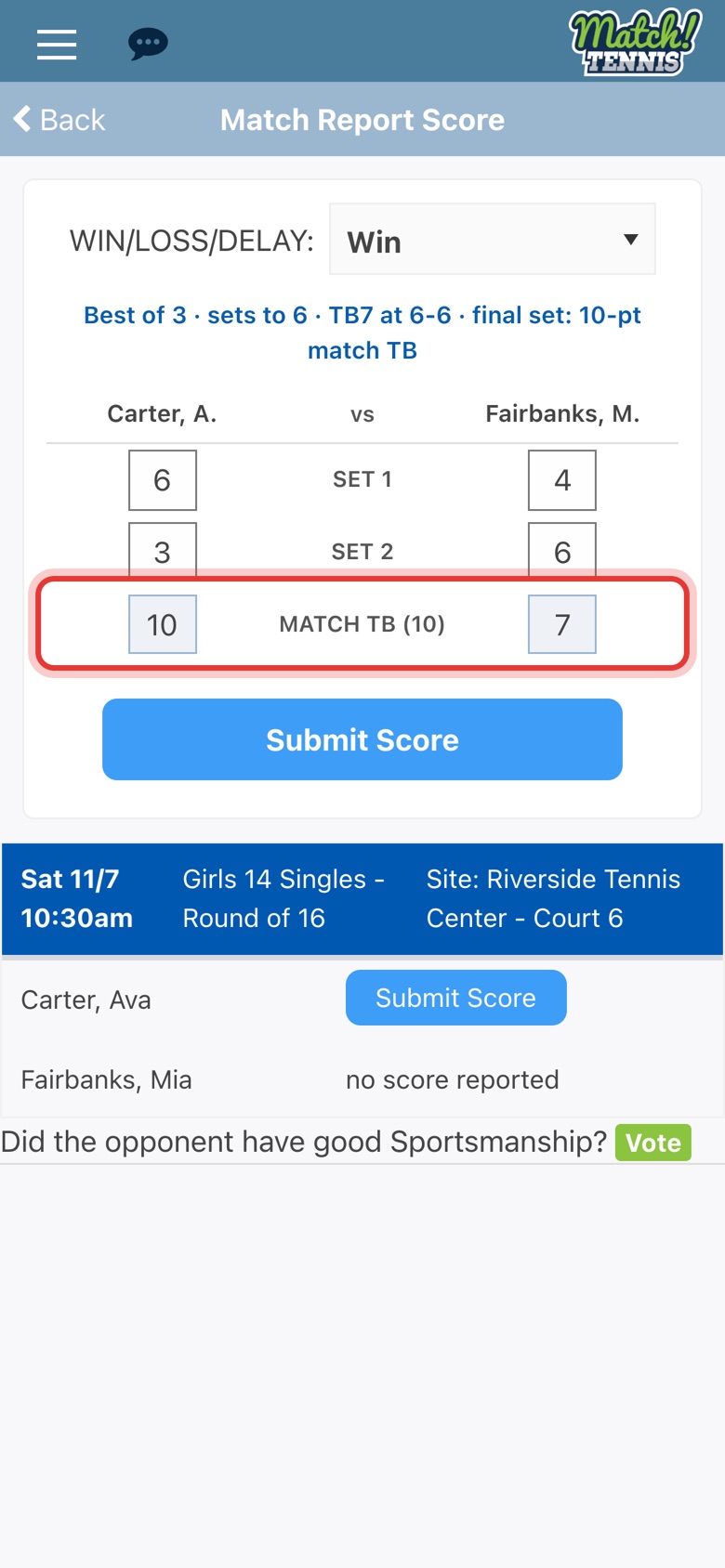
Step 5: Enter the match tiebreak
When the sets are split, a MATCH TB row appears. Type the tiebreak points, such as 10 and 7. The app records the third set as 1-0 for you.
-
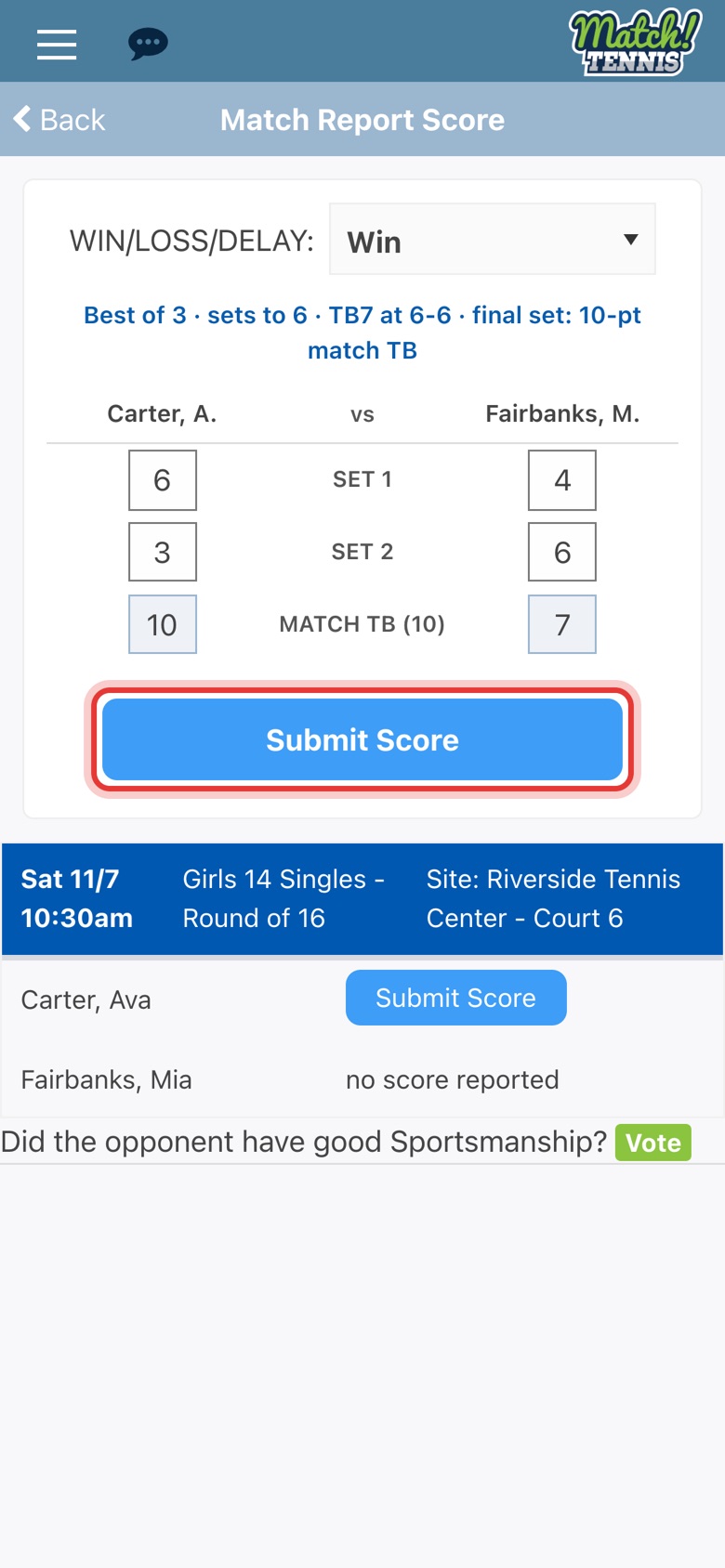
Step 6: Tap Submit Score
Check the score, then tap Submit Score.
-
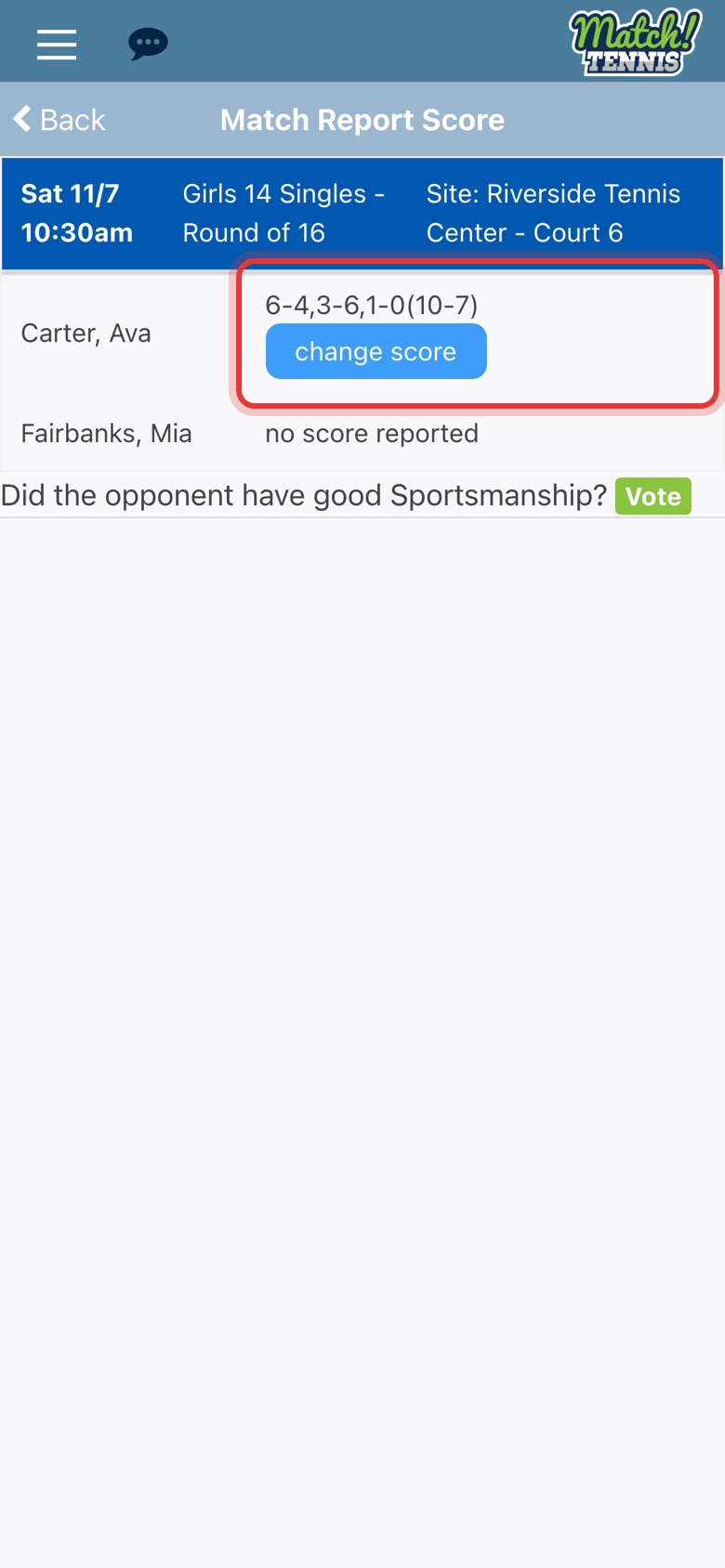
Step 7: Your score is in
Successfully Submitted shows, and the score appears next to your player. Tap change score to fix a mistake.
Part 3Weather delays
-
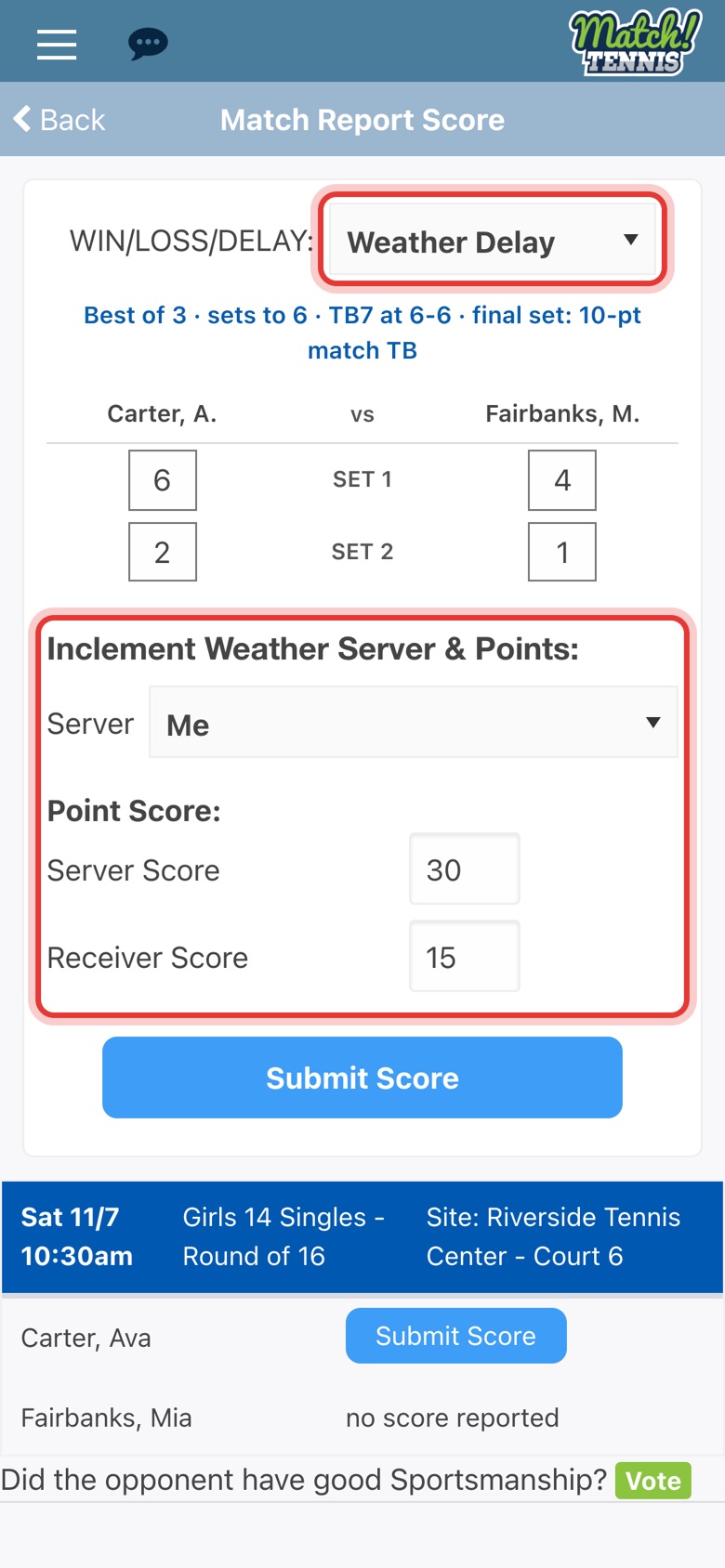
Step 8: If play stops for weather
Choose Weather Delay and enter the games so far. Pick who is serving, type the points in the current game and tap Submit Score.
Tips
- Retirements, defaults and walkovers. In WIN/LOSS/DELAY, pick Win: Opp Default, Win: Walkover, Win: Opp Injury, Win: Opp Ill or Win: Opp Retired.
- Set tiebreaks. When a set ends 7-6, a small box appears next to it. Type the tiebreak points there.
- From the tournament page. Report Score is also under Tournament Desk Live on the tournament's page.