How to Use the World Tennis Number (WTN)
Rankings & ratings Updated November 12, 2026 2 min read
See where the World Tennis Number shows in the app, and use it to compare players.
Part 1See a player's WTN
-
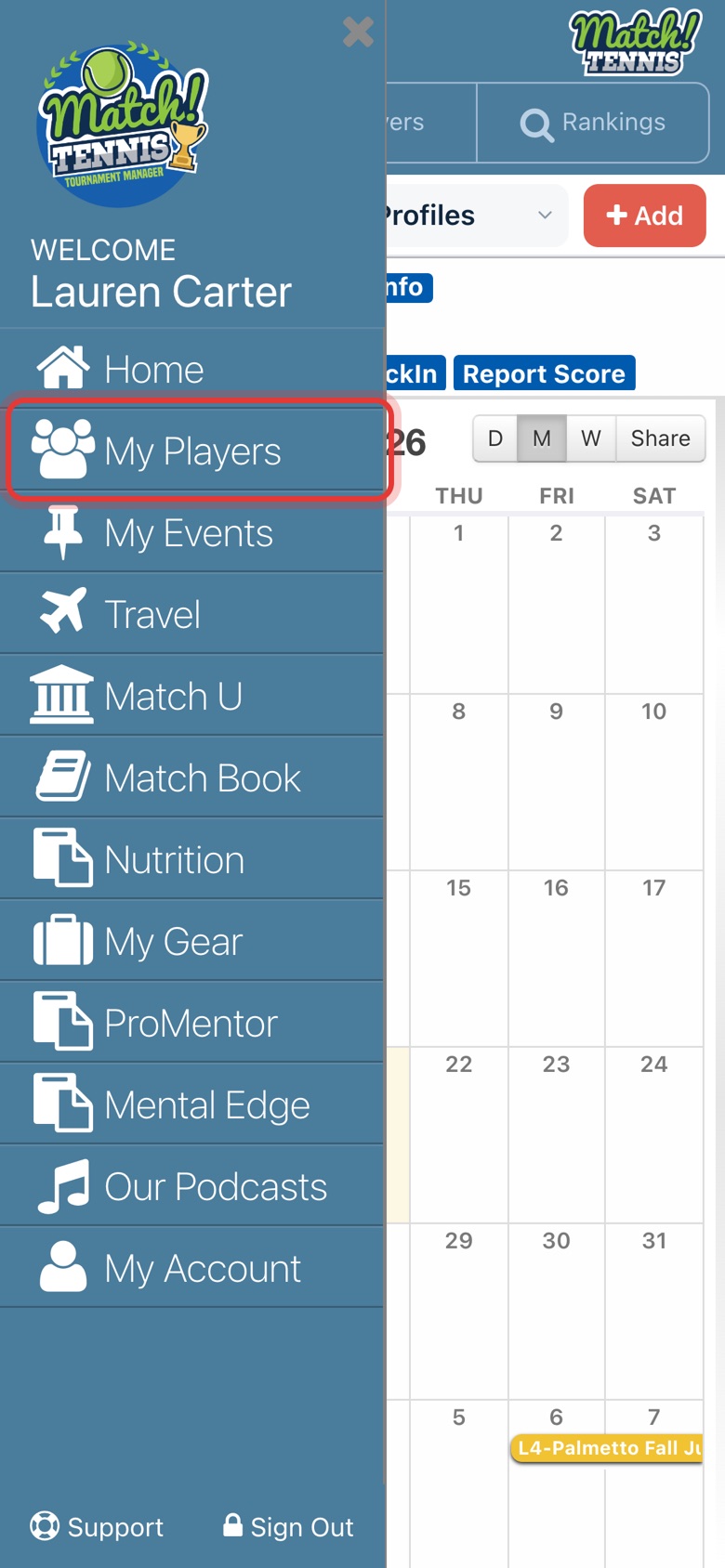
Step 1: Open My Players
Tap the menu at the top left, then My Players.
-
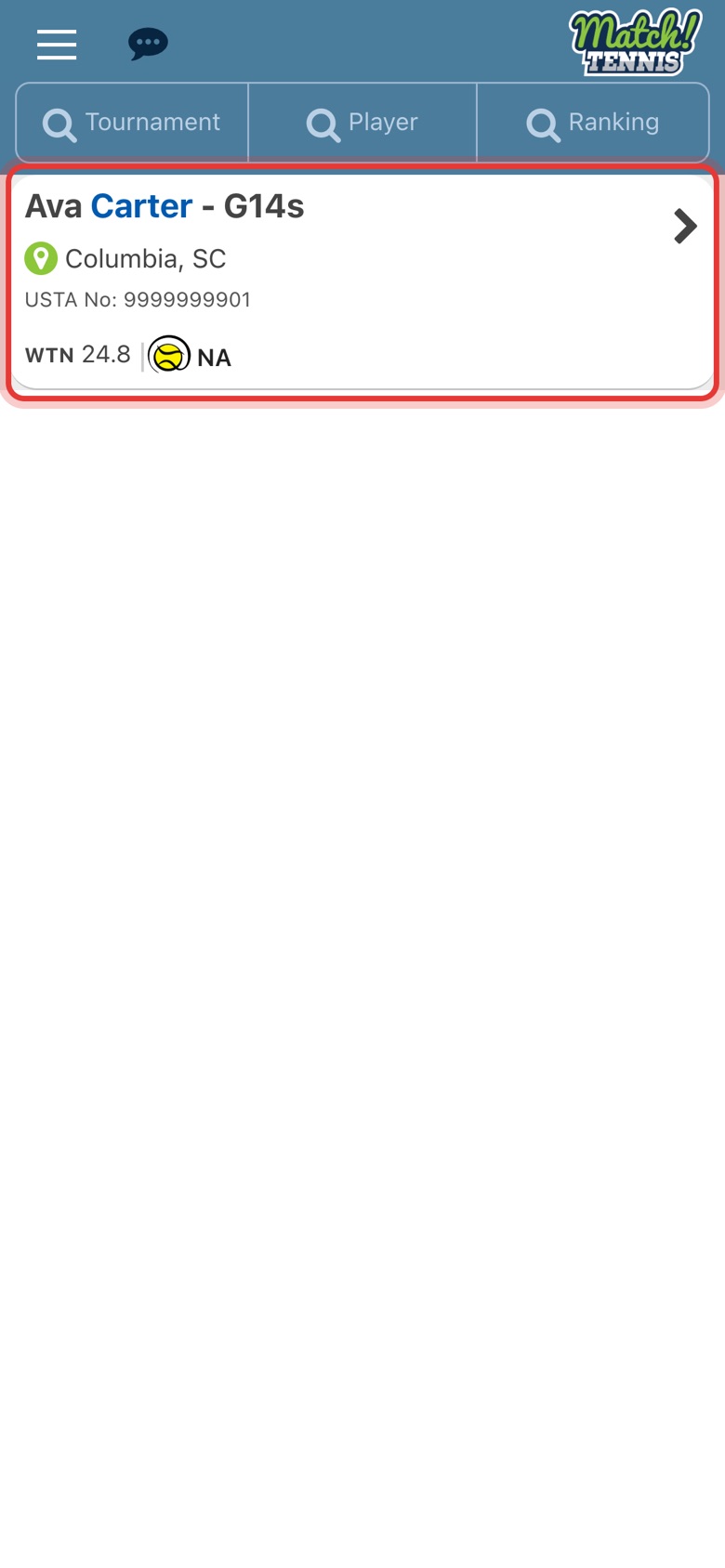
Step 2: Pick your player
Each player card shows the player's singles WTN. Tap the card to open the player's profile.
-
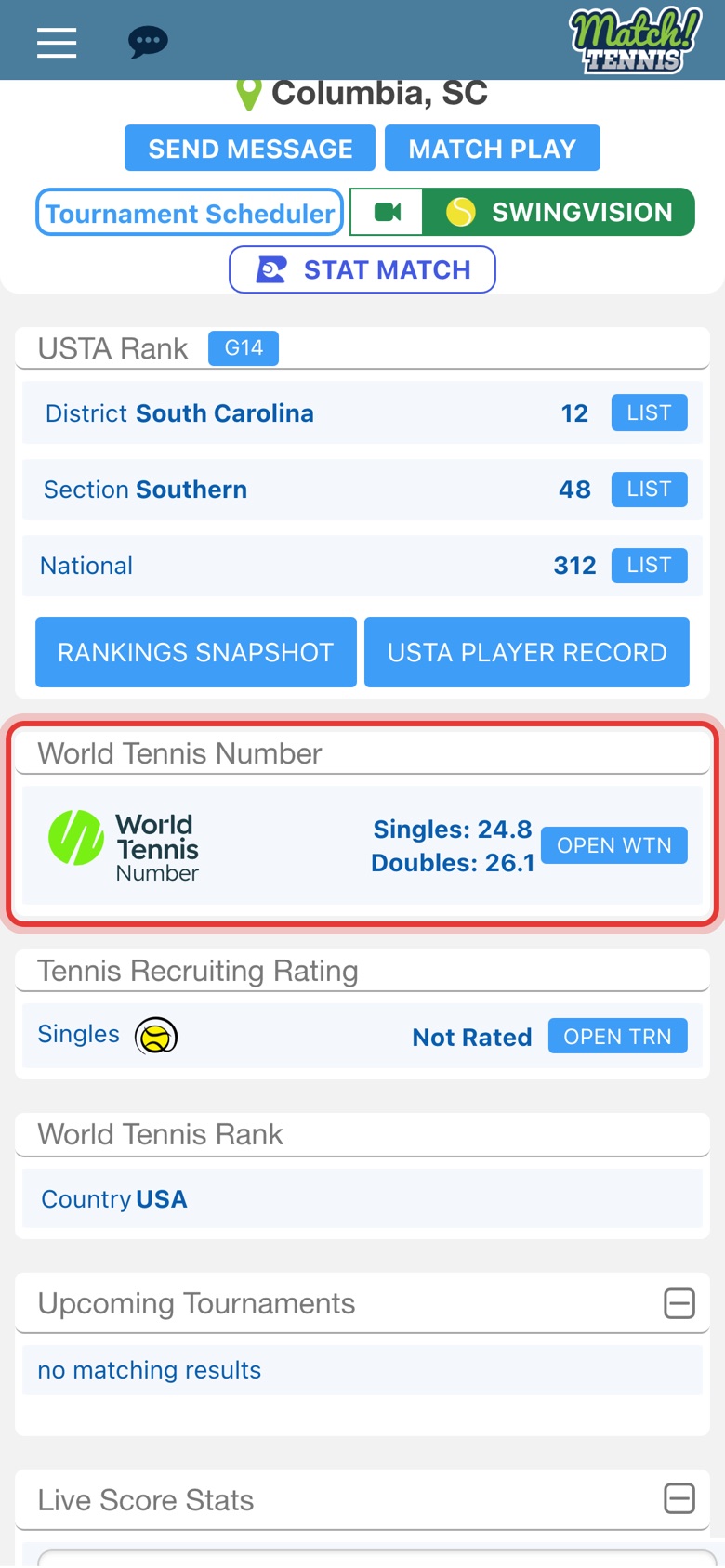
Step 3: Read the World Tennis Number box
Below the USTA rankings, the World Tennis Number box shows the player's singles and doubles WTN. Every player profile in the app has this box.
Part 2Compare players in a rankings list
-
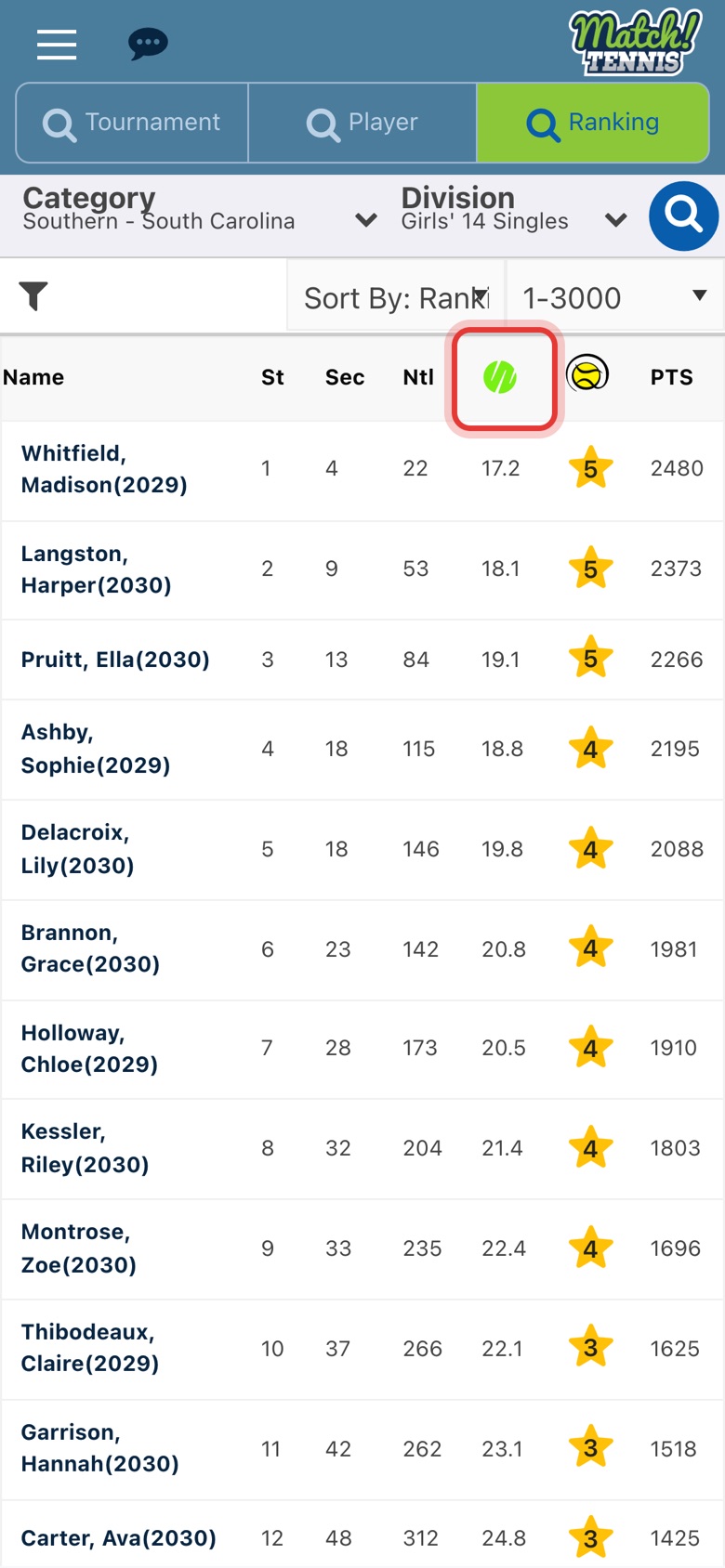
Step 4: Find the WTN column
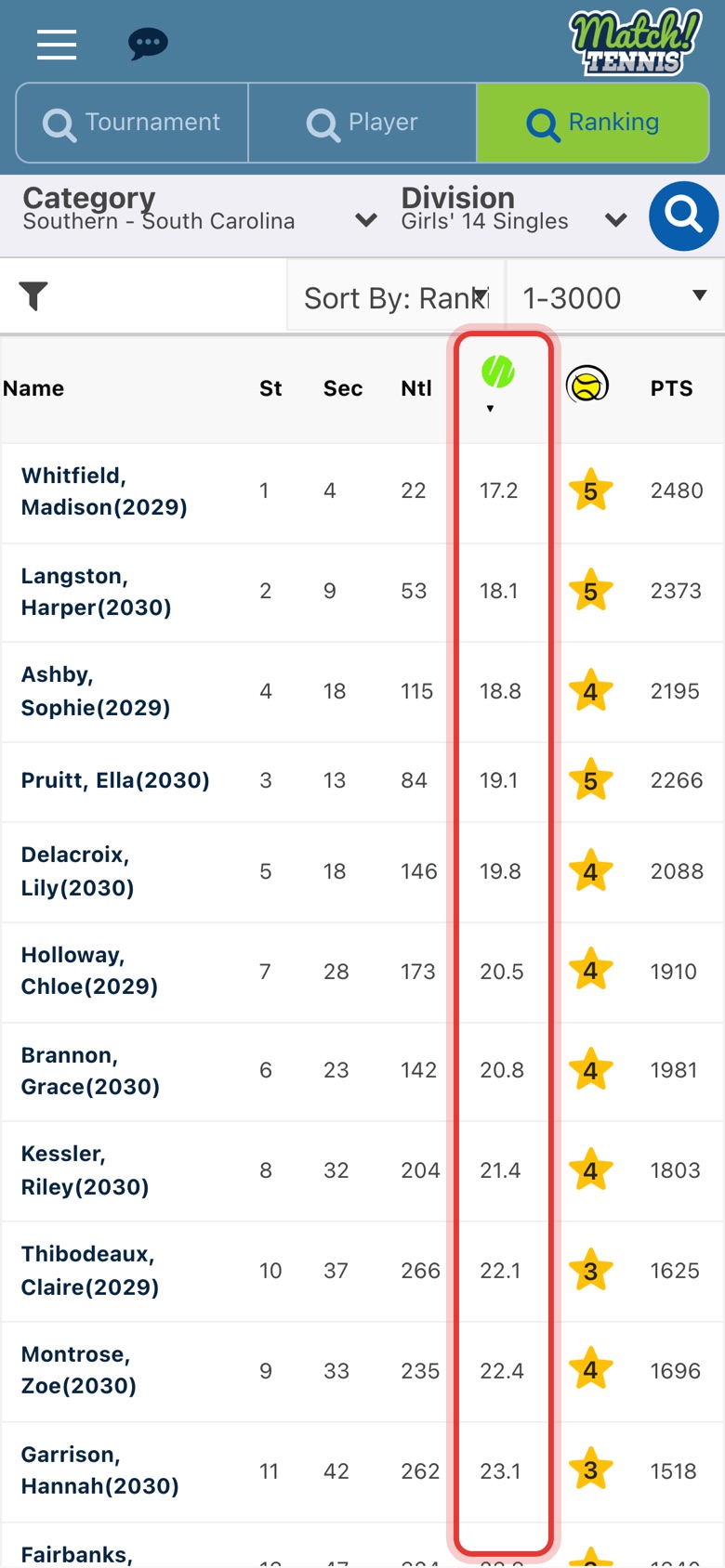
Open a rankings list: tap Ranking on Home, then pick a category and a division. The column with the WTN logo shows each player's singles WTN.
-
Step 5: Sort by WTN
Tap the WTN logo to sort the list by WTN. The lowest WTN, the strongest player, comes first. Players without a WTN show NR and go to the bottom.
Part 3Size up a tournament's field
-
Step 6: See the field's WTN range
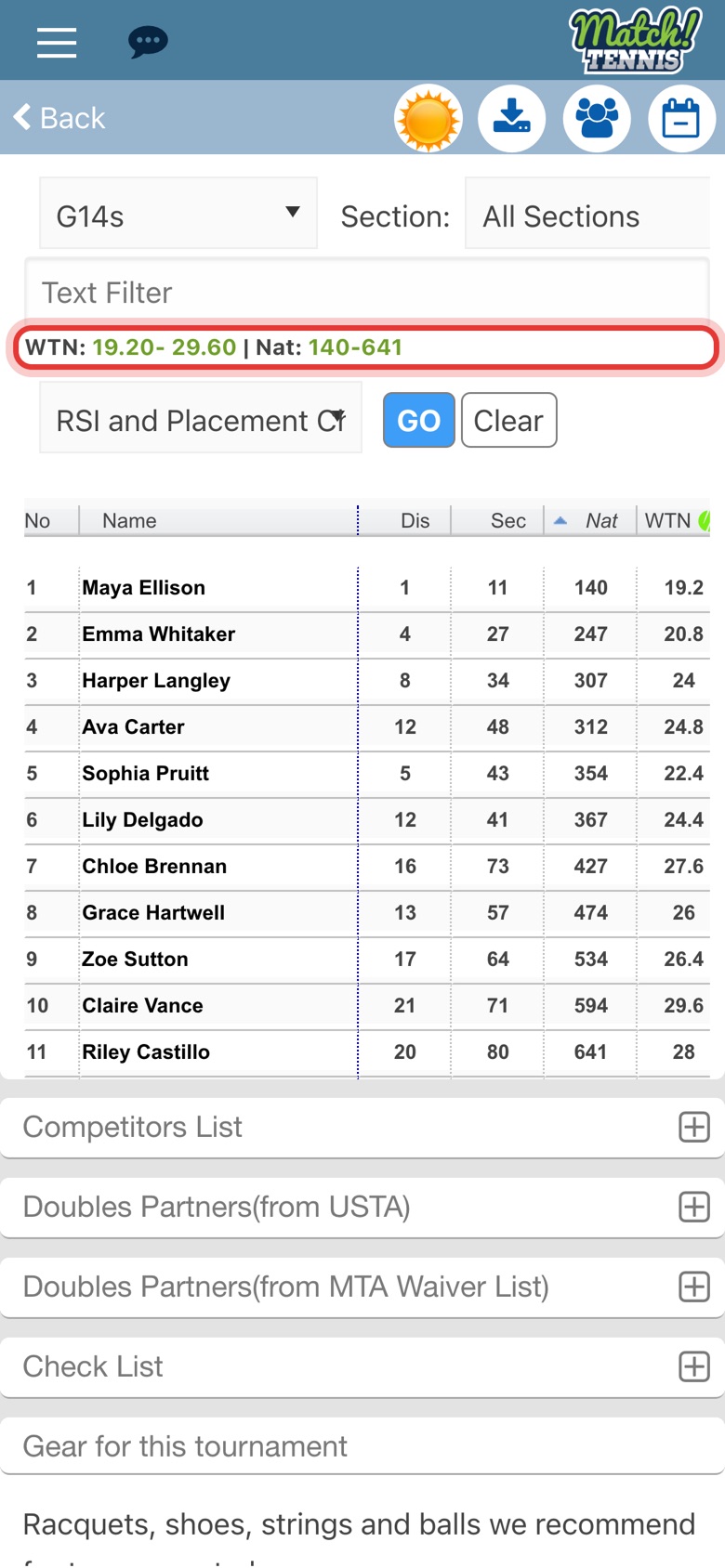
Open a tournament and tap the plus sign next to Applicants List, then pick a division. The green line shows the WTN range and the national ranking (Nat) range of the players who have applied.
-
Step 7: Sort the applicants by WTN
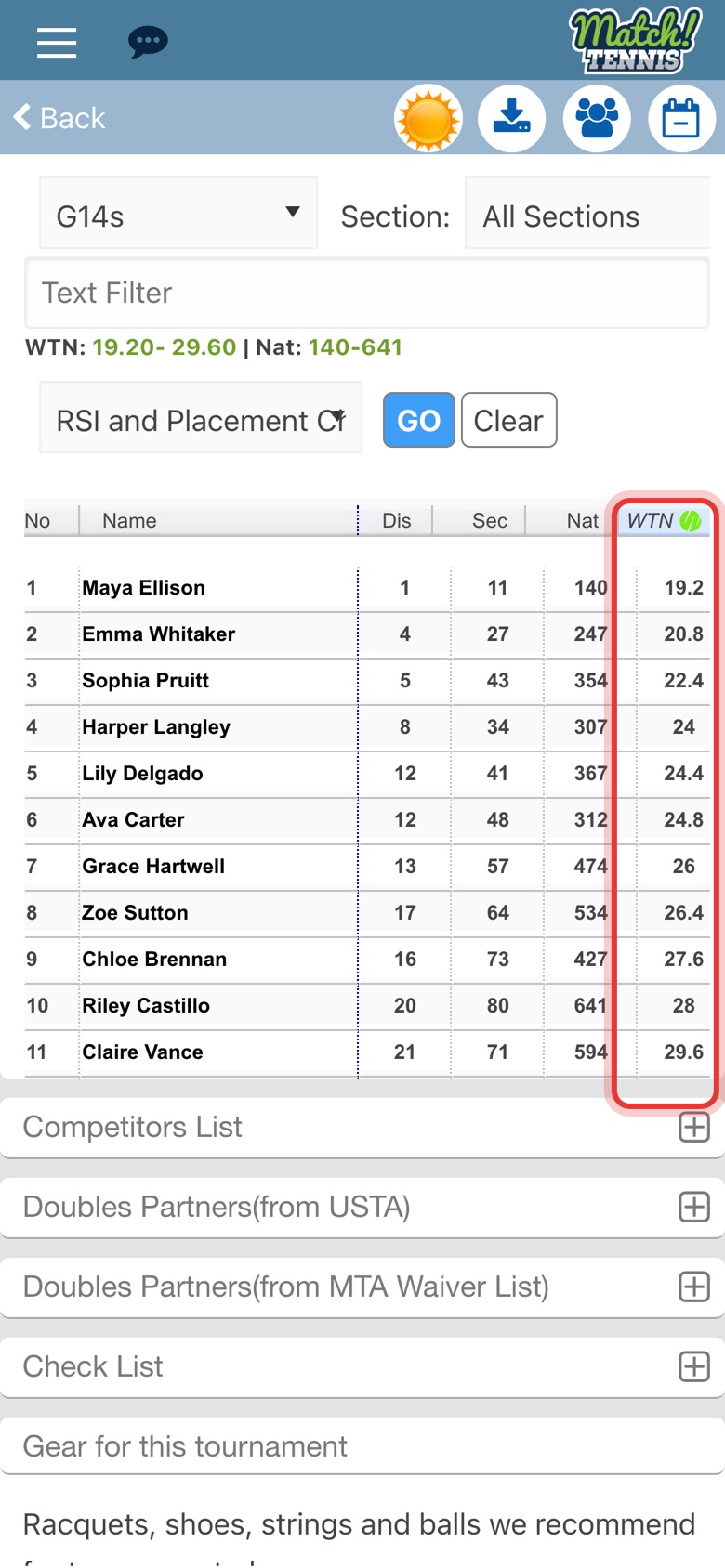
Tap WTN at the top of the table to list the applicants from the strongest WTN to the weakest. Find your player to see how many applicants have a better WTN.
What is the WTN?
The World Tennis Number (WTN) is the World Tennis rating for players of every level. It runs from 40 for players who are just starting out to 1 for the best professionals, so a lower number means a stronger player. Each player has a singles WTN and a doubles WTN.
The WTN comes from match results, so it moves as a player competes. Match Tennis App refreshes the numbers after USTA's weekly release; see When do NSL, seeding lists and WTN update? For the official ratings, visit worldtennisnumber.com.
Tips
- WTN and rankings measure different things. A USTA ranking comes from the points a player earns in tournaments. The WTN reflects the player's level from their match results. Use both: see How to Search the Rankings.
- Find tournaments at your level. Search tournaments by the players' ratings in Tournament Search by Player Ratings, or compare the WTN range of several tournaments with AI Analysis.
- Where does your player fit in a draw? Placement Check shows where your player stands among the applicants. For more on the list itself, see How to View the Applicants List and How to See the WTN and Ranking Range of a Tournament's Applicants.
- WTN in USTA junior tournaments: see Will WTN Be Used in USTA Junior Tournaments? and Will Green Ball Play Be Credited Towards a WTN?