How to Search the Rankings
Rankings & ratings Updated November 1, 2026 1 min read
See any USTA junior ranking list and find your player on it. It takes about a minute.
Part 1Choose the list
-
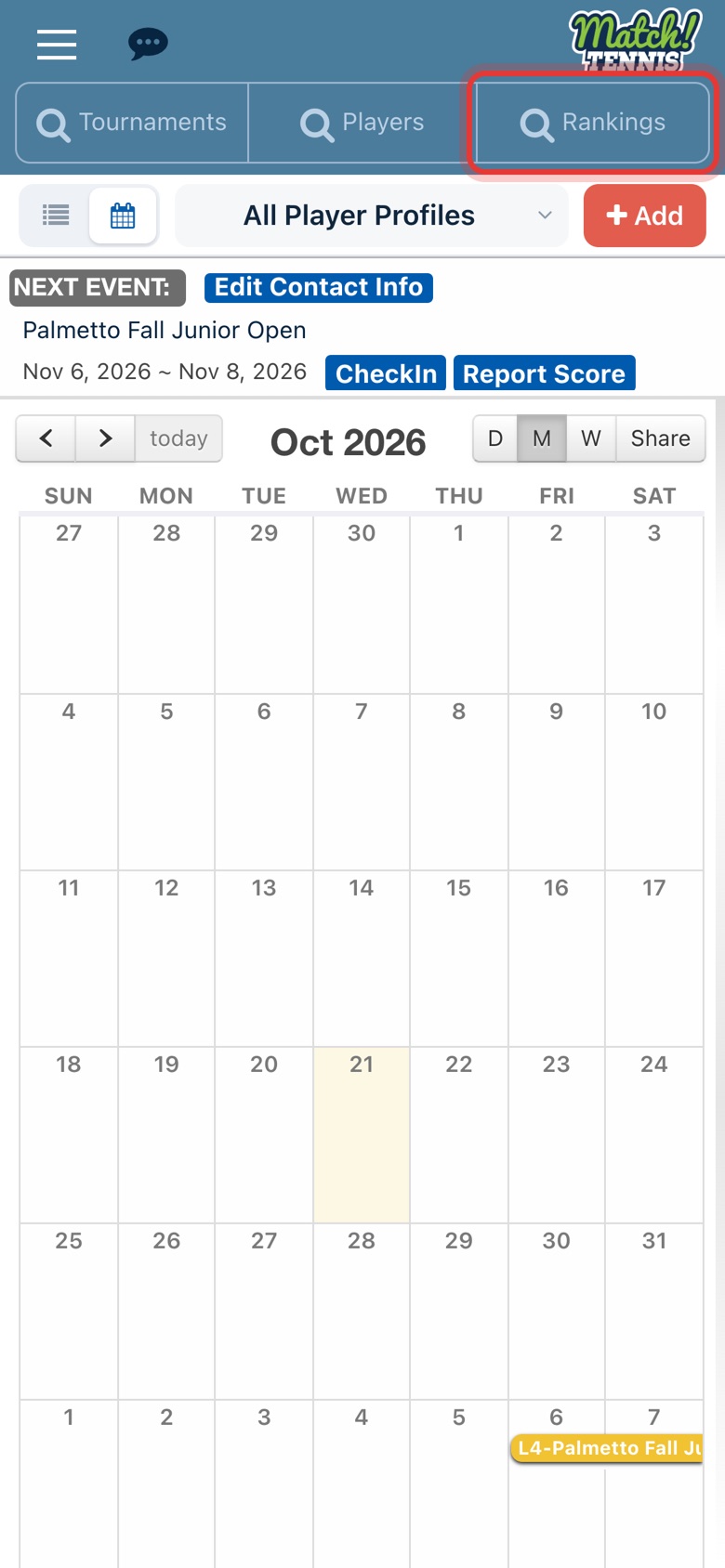
Step 1: Open the Rankings search
On Home, tap Rankings at the top of the screen.
-
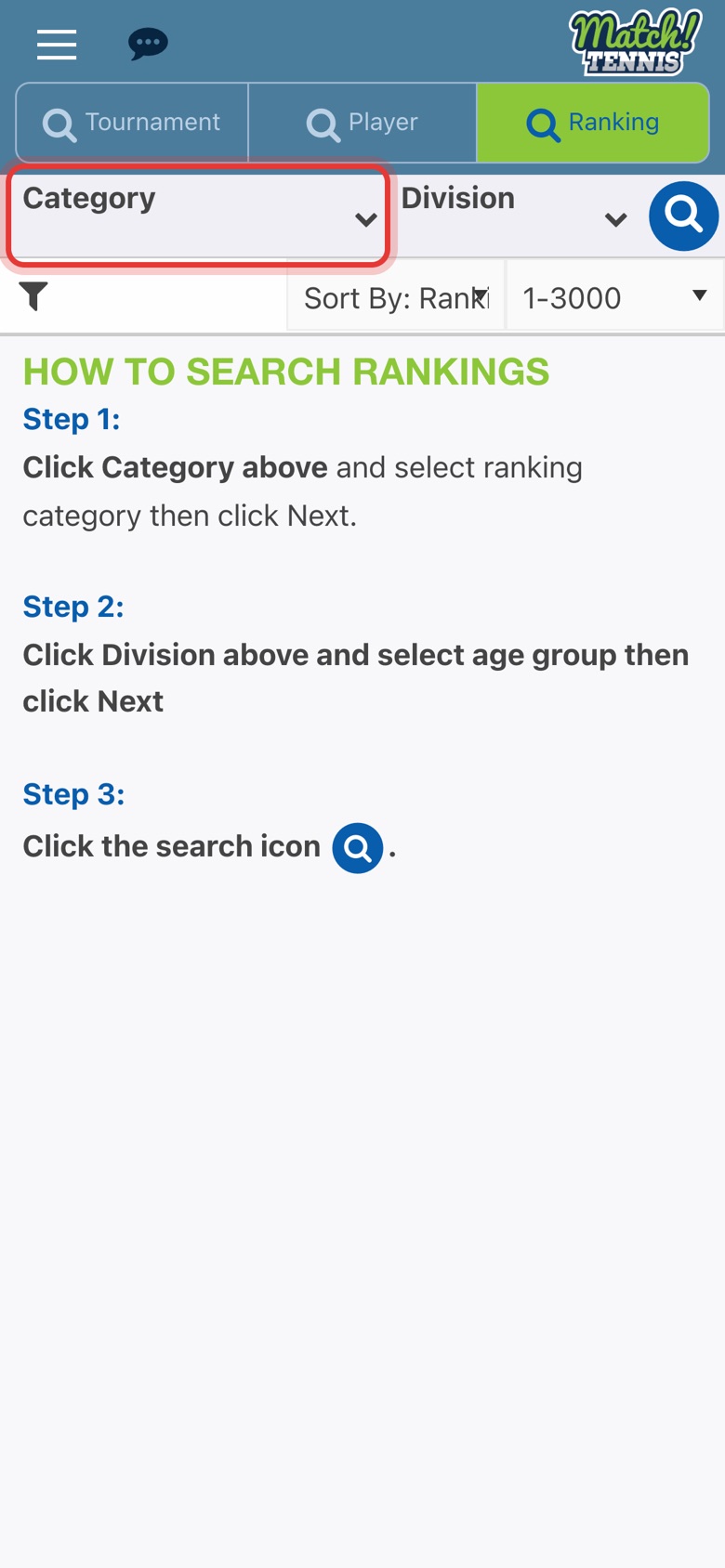
Step 2: Tap Category
The category is the list you want: National, a section, or a district inside a section.
-
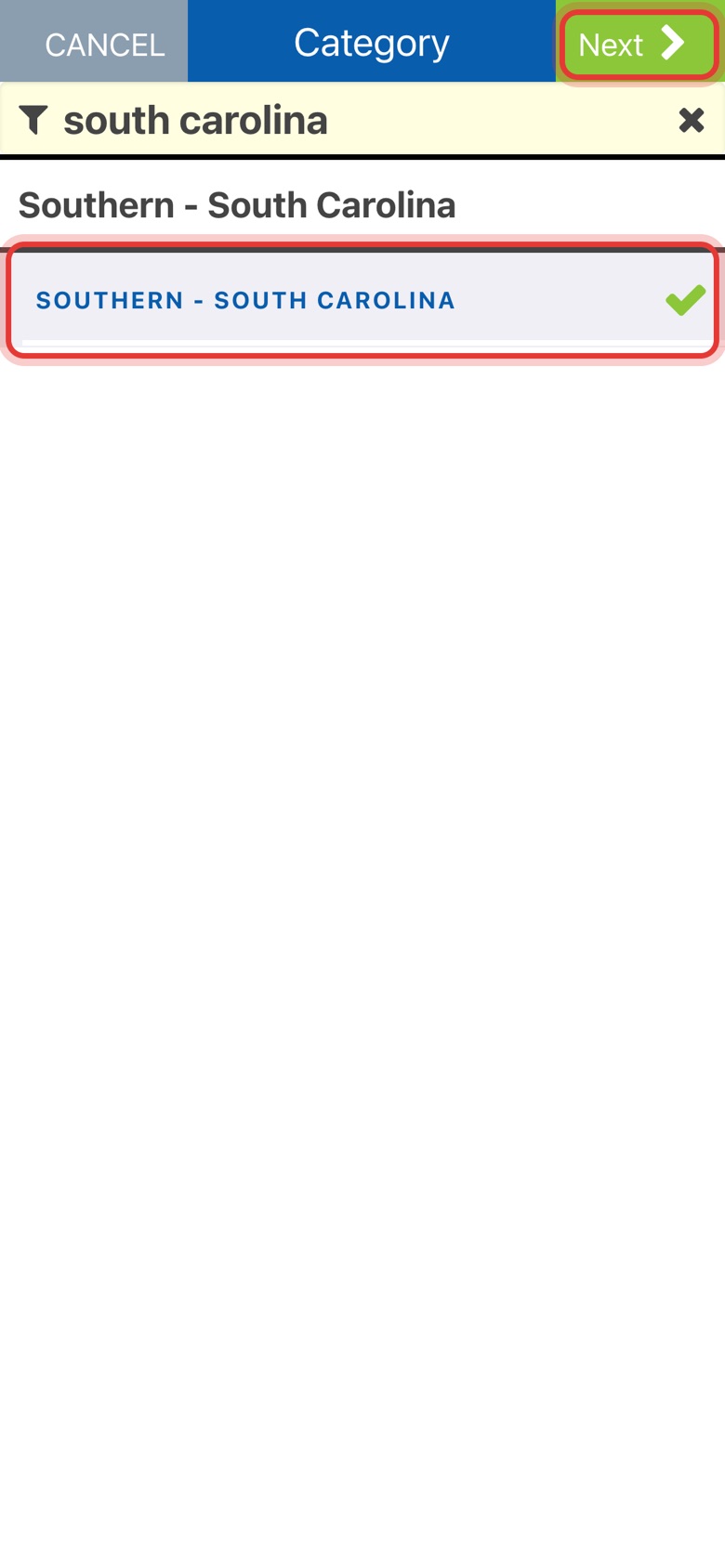
Step 3: Pick the category, then tap Next
Type in the filter box to shorten the list, tap your choice so it gets a check mark, then tap Next.
-
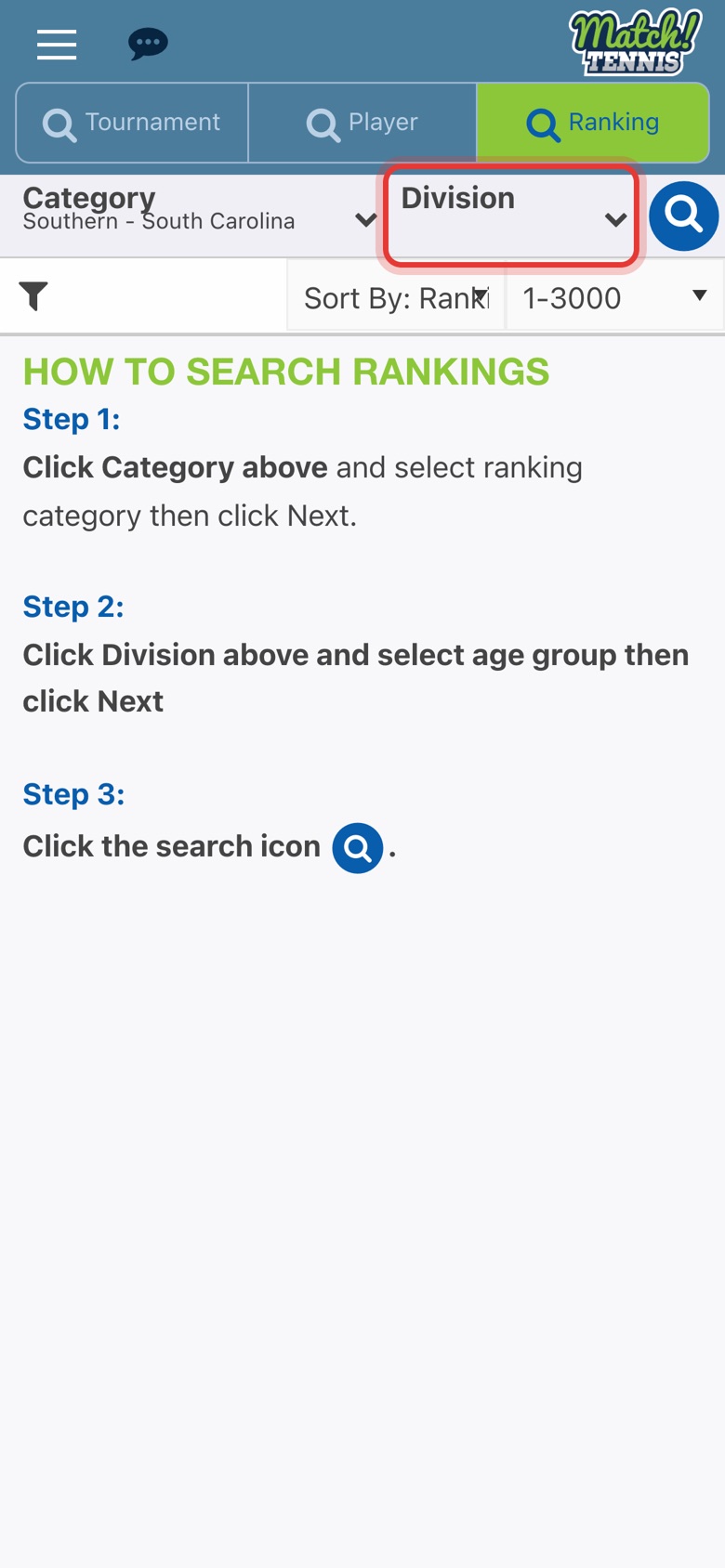
Step 4: Tap Division
Your category now shows under Category. Tap Division to choose the age group.
-
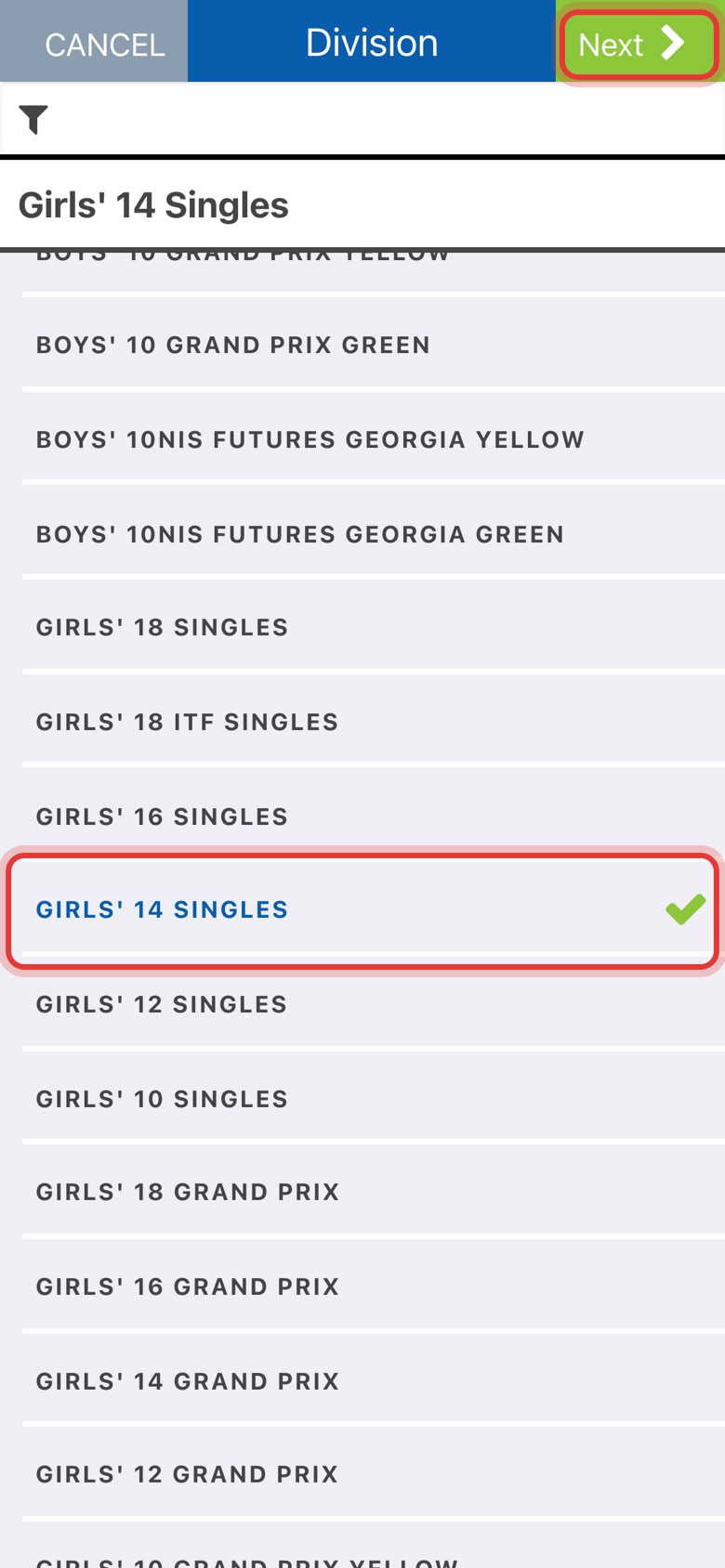
Step 5: Pick the division, then tap Next
Tap the division, such as Girls' 14 Singles, then tap Next. The list loads right away.
Part 2Read the rankings
-
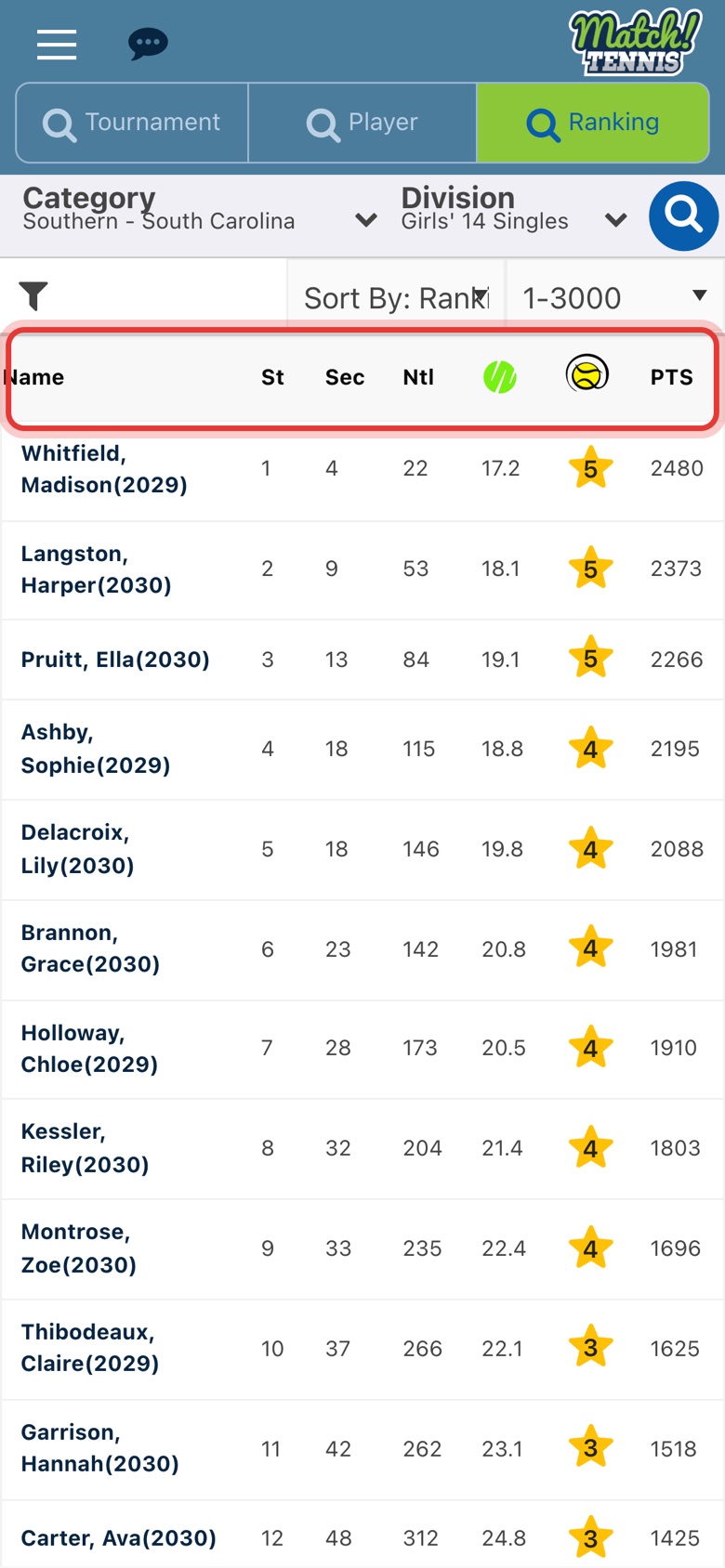
Step 6: Read the list
Players are in ranking order. The columns show the state (St), section (Sec) and national (Ntl) ranks, WTN, Tennis Recruiting stars and points.
-
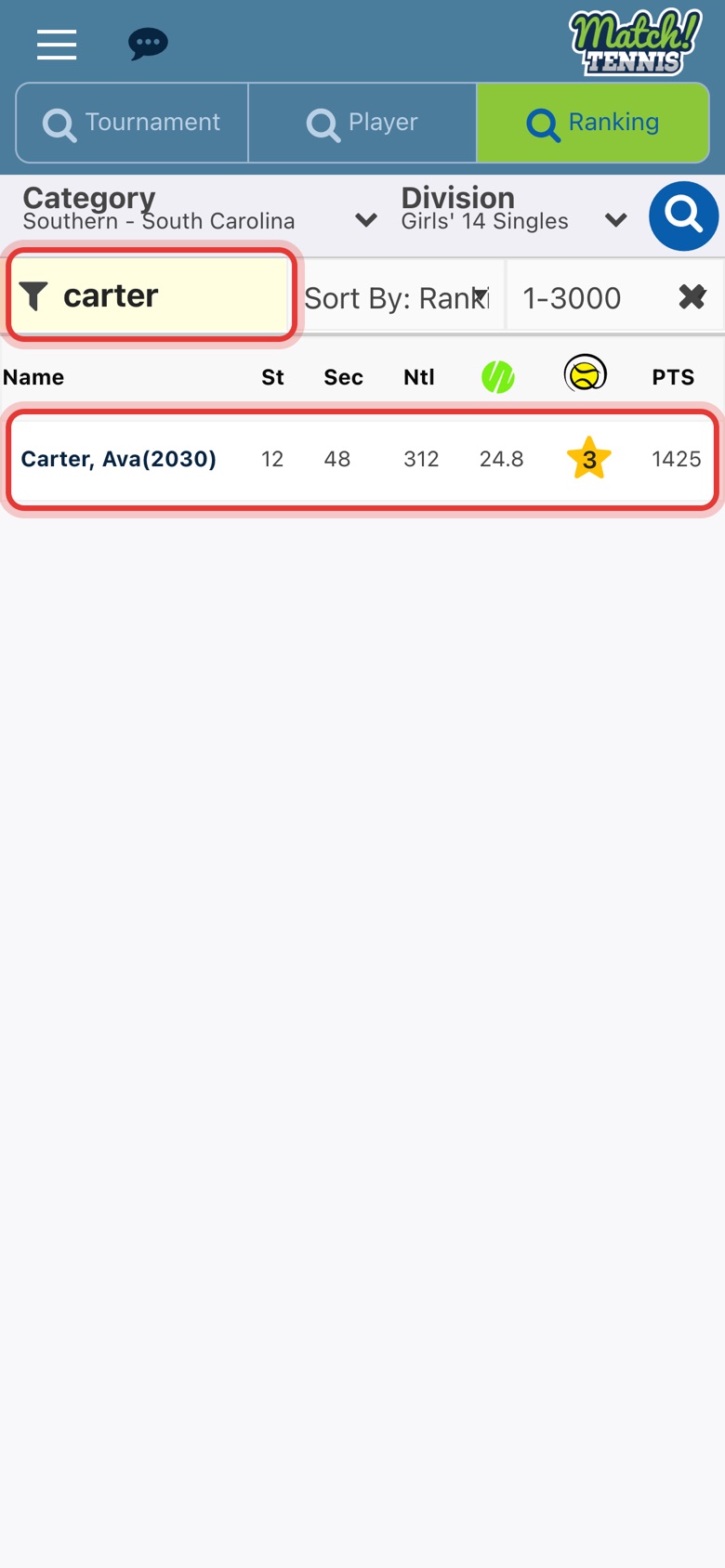
Step 7: Find your player
Type a name in the filter box under Category to show only matching players.
-
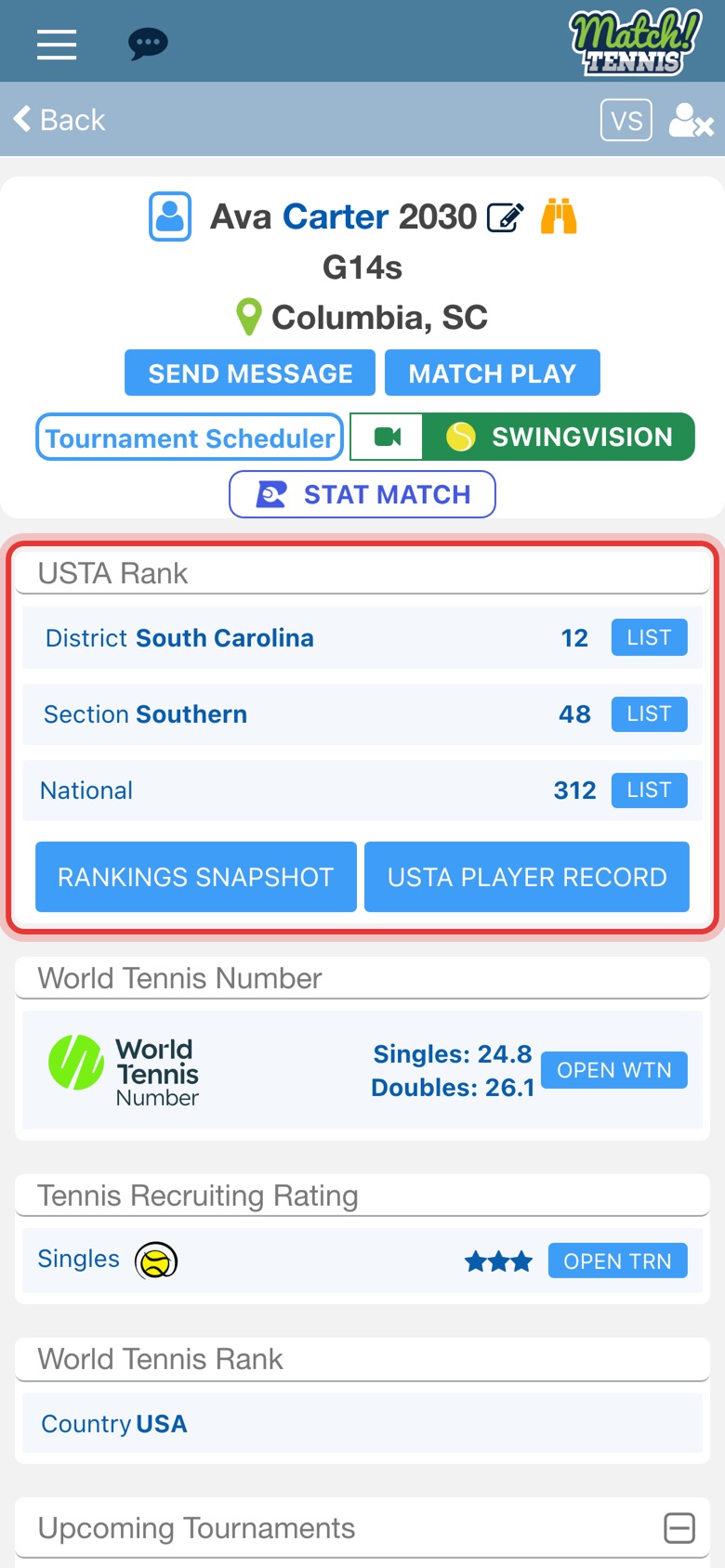
Step 8: Tap a name to open the profile
The player's profile shows their district, section and national ranks under USTA Rank.
Tips
- Sort by WTN. Change Sort By: Ranking to Sort By: WTN to order the same list by World Tennis Number.
- Long lists come in pages. The box next to Sort By shows 1-3000. Choose 3001-6000 and so on to see players further down.
- Clear the filter. Tap the X at the right of the filter box to see the whole list again.
- Change the list. Tap Category or Division again at any time. The search icon at the top right runs it again.