How to Find a Practice or Match Play Partner
Players & scouting Updated November 1, 2026 1 min read
Find players near you and invite them to a practice match. Your email and phone number stay private. It takes about two minutes.
Part 1Find players near you
-
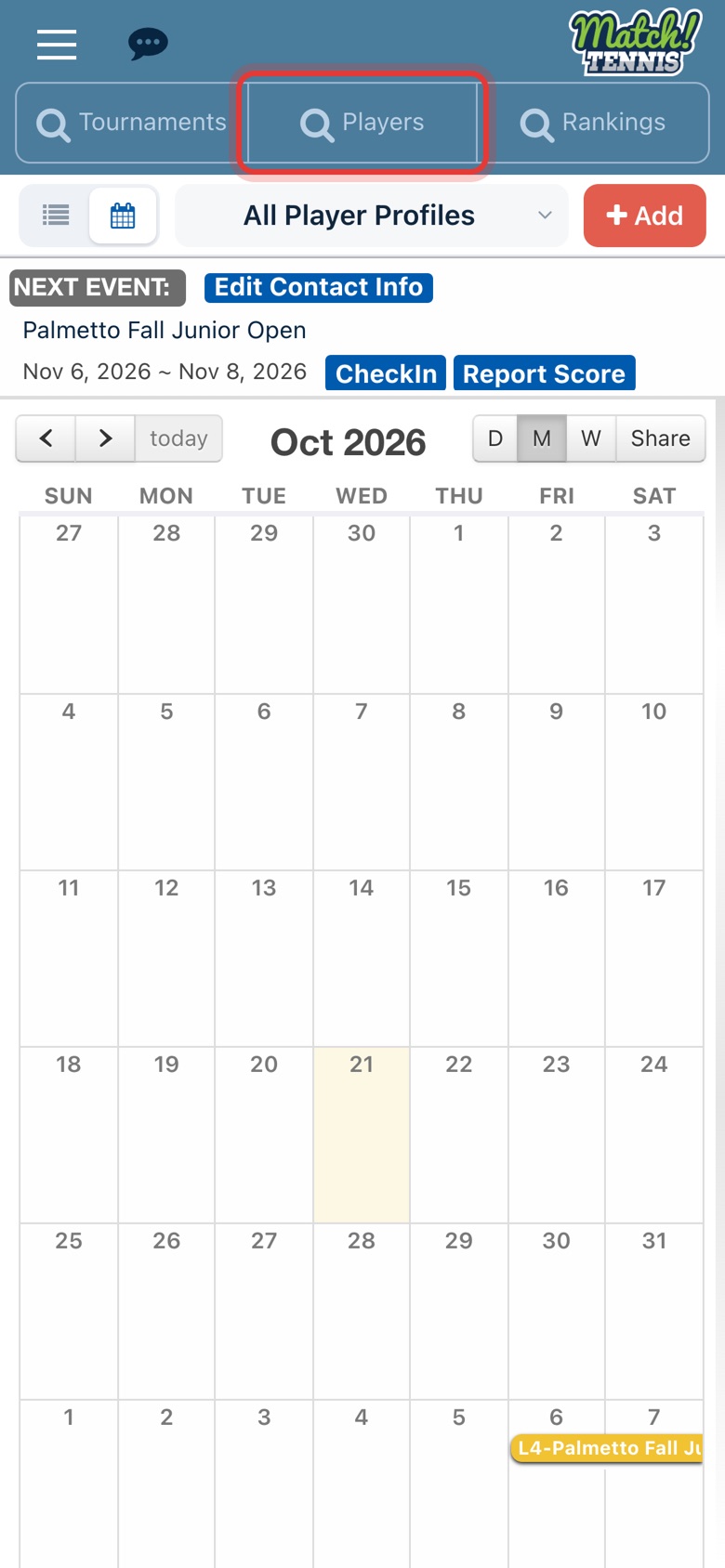
Step 1: Open the Players search
On Home, tap Players at the top of the screen.
-
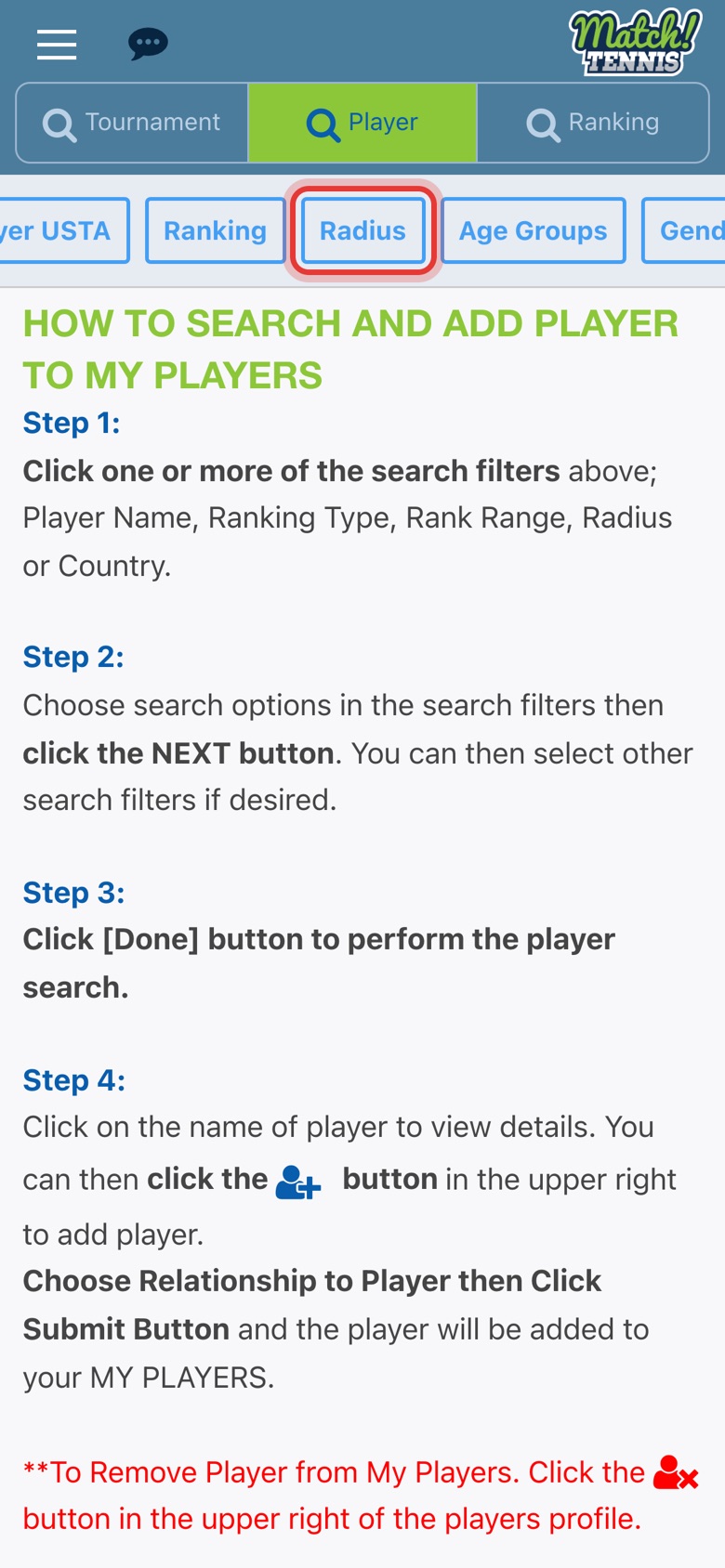
Step 2: Tap Radius
The filter buttons scroll sideways. You can also filter by Ranking, Age Groups, Gender, Country and State.
-
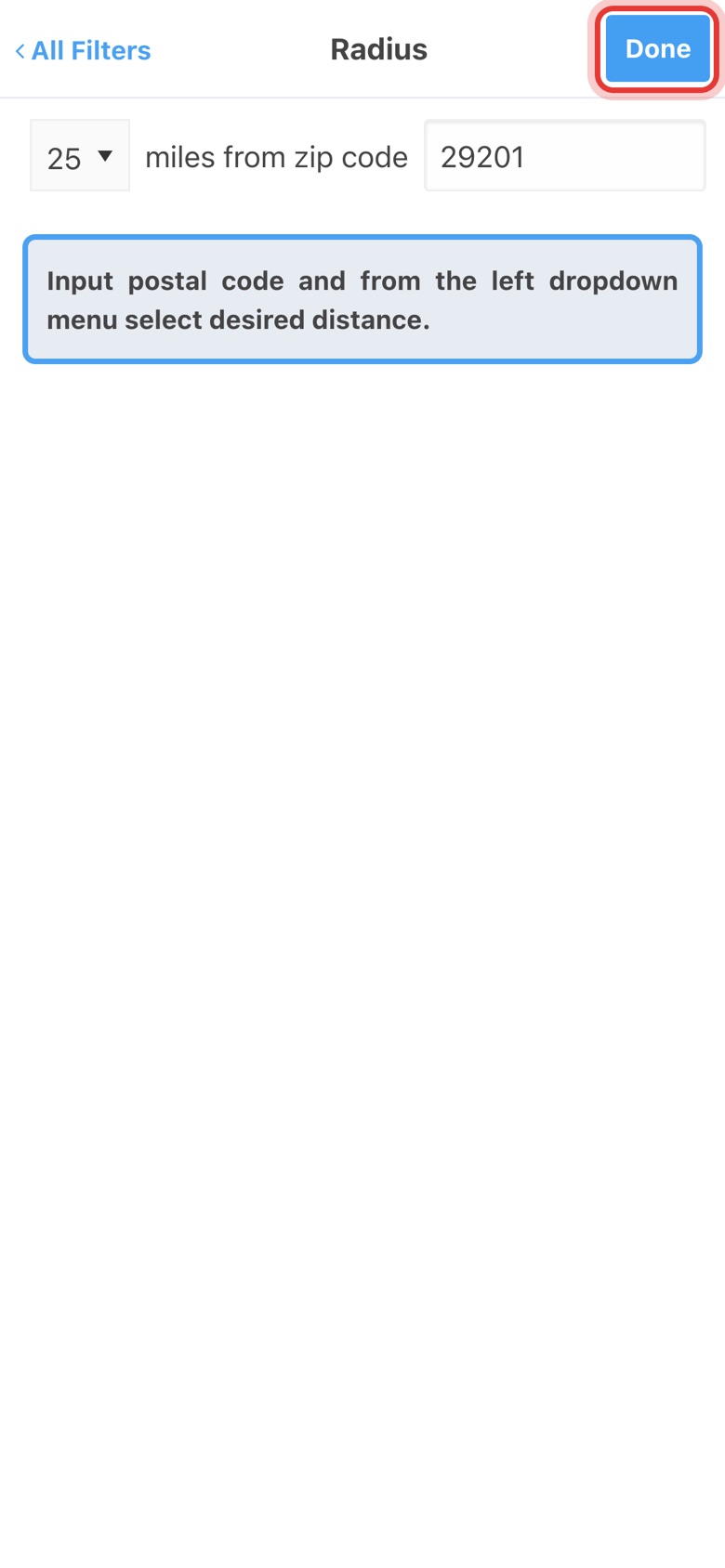
Step 3: Set the distance and zip code
Pick 10, 25, 50 or 75 miles, type your zip code and tap Done.
-
Step 4: Add more filters
Tap Gender, check Girl or Boy and tap Done. Age Groups and Ranking work the same way.

-
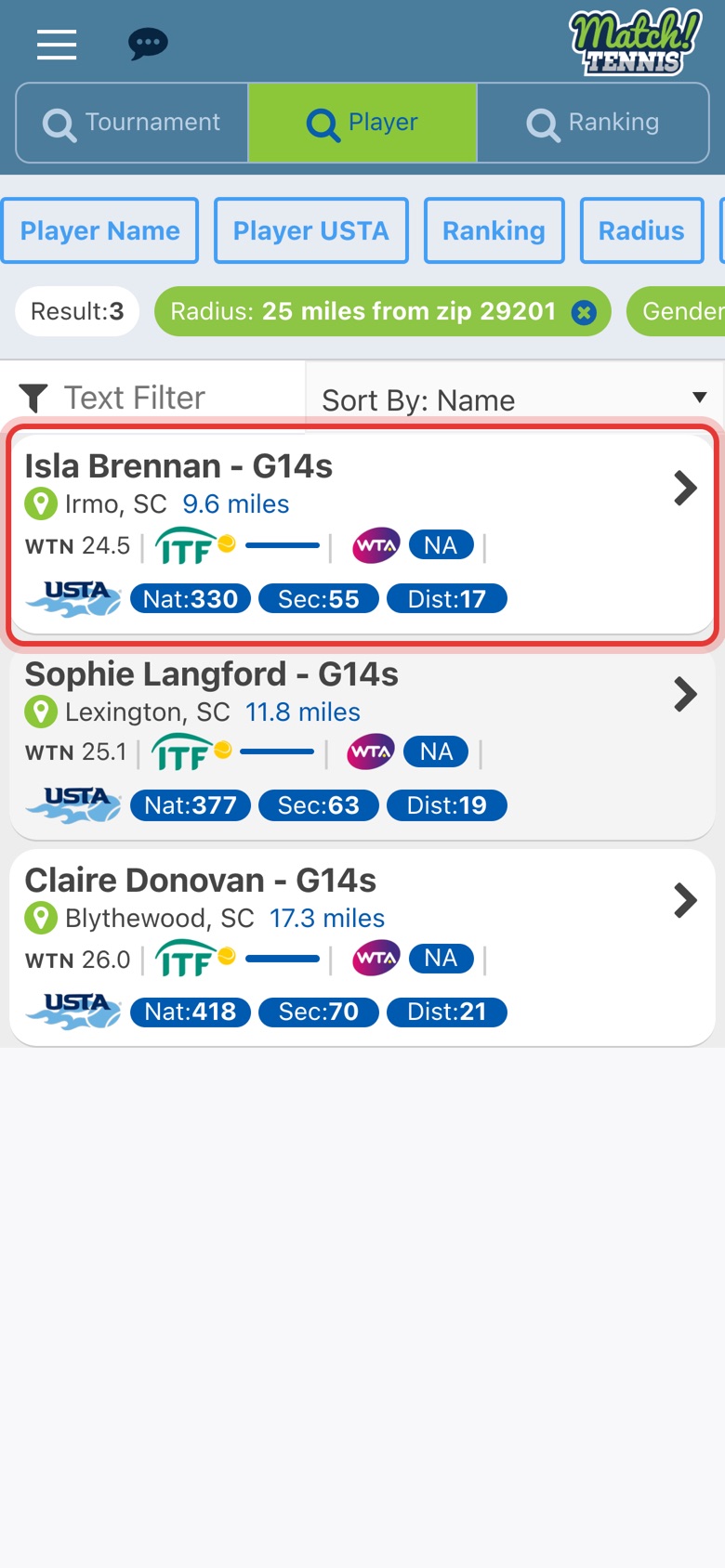
Step 5: Tap a player
Each result shows how many miles away the player is. Tap a player to open their profile.
Part 2Send a match play invite
-
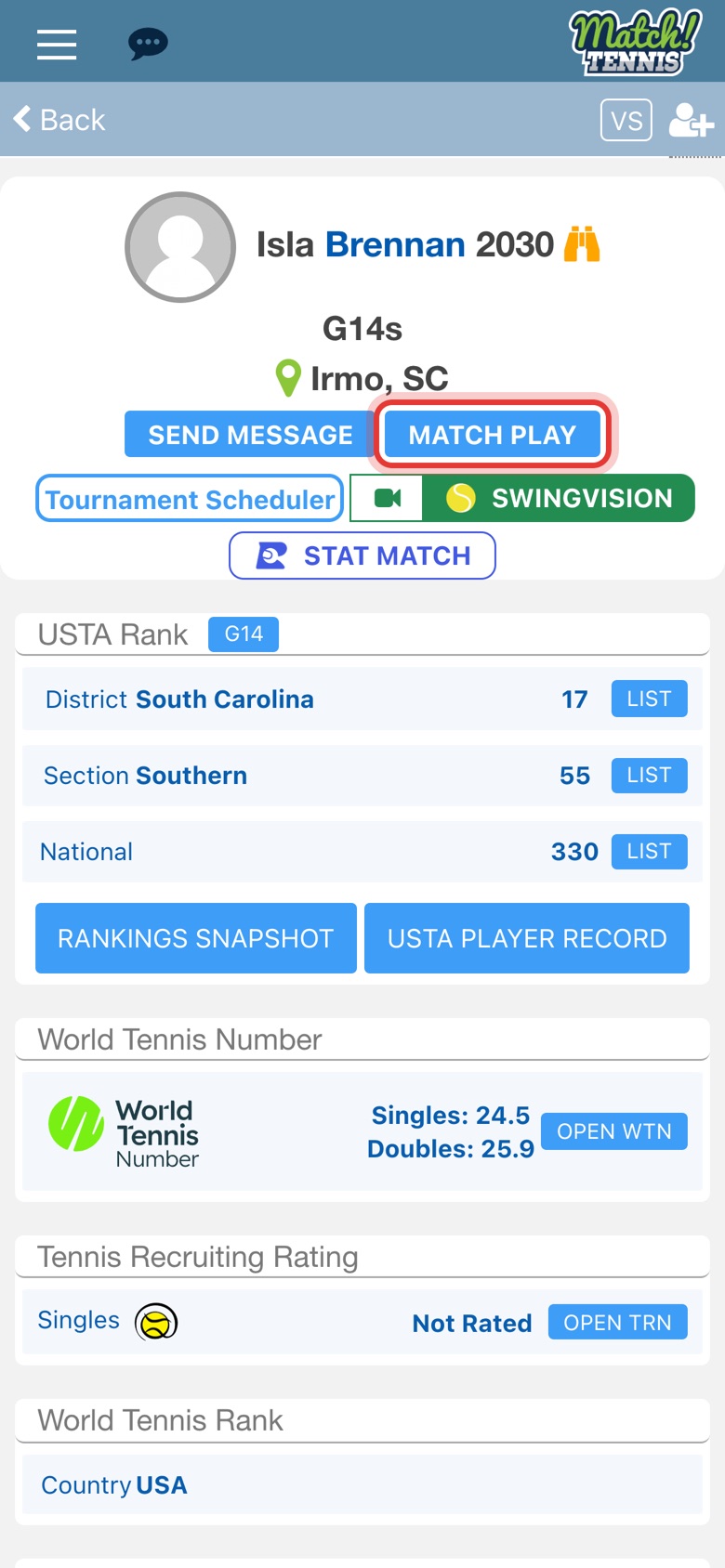
Step 6: Tap MATCH PLAY
MATCH PLAY is next to SEND MESSAGE on the player's profile.
-
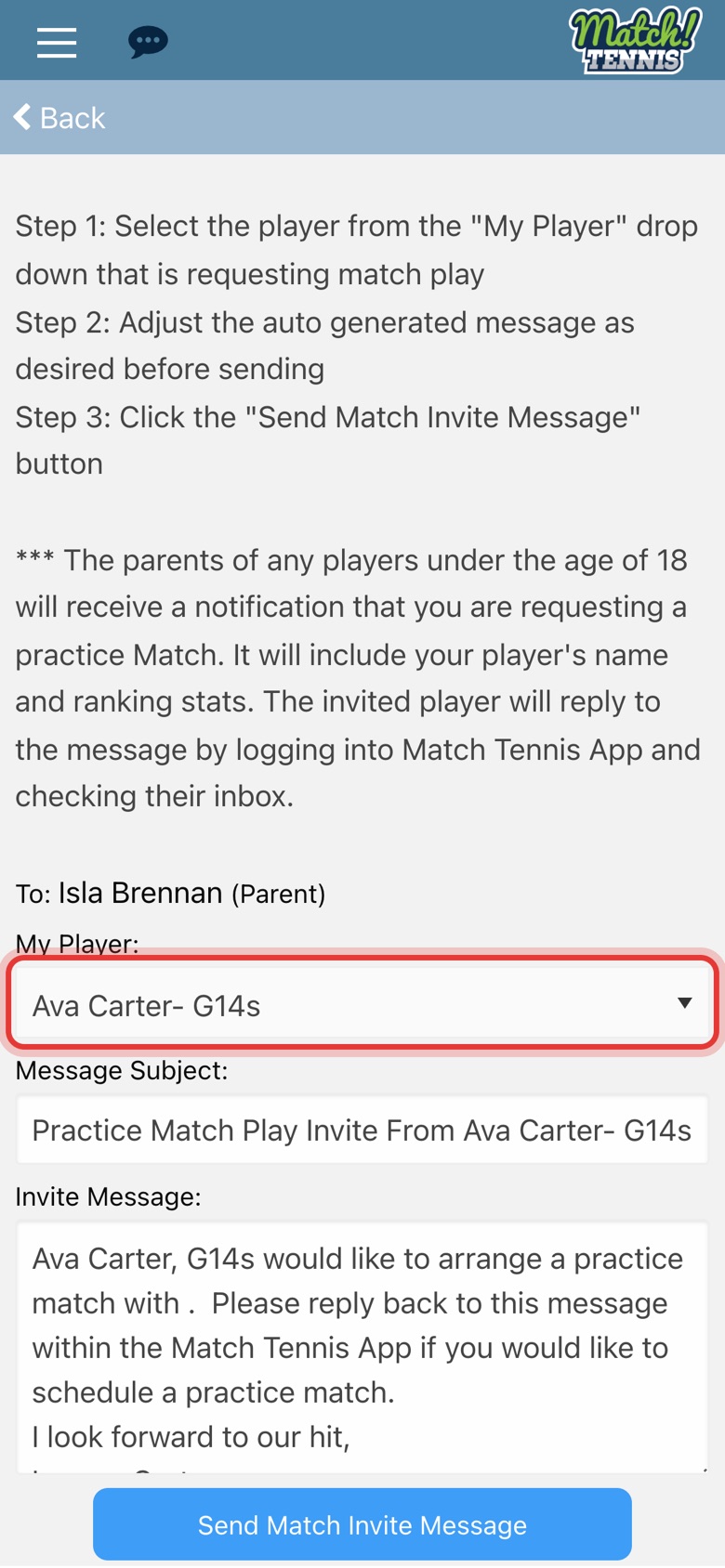
Step 7: Choose your player
Under My Player, pick the player who wants to play. A subject and message are filled in for you.
-
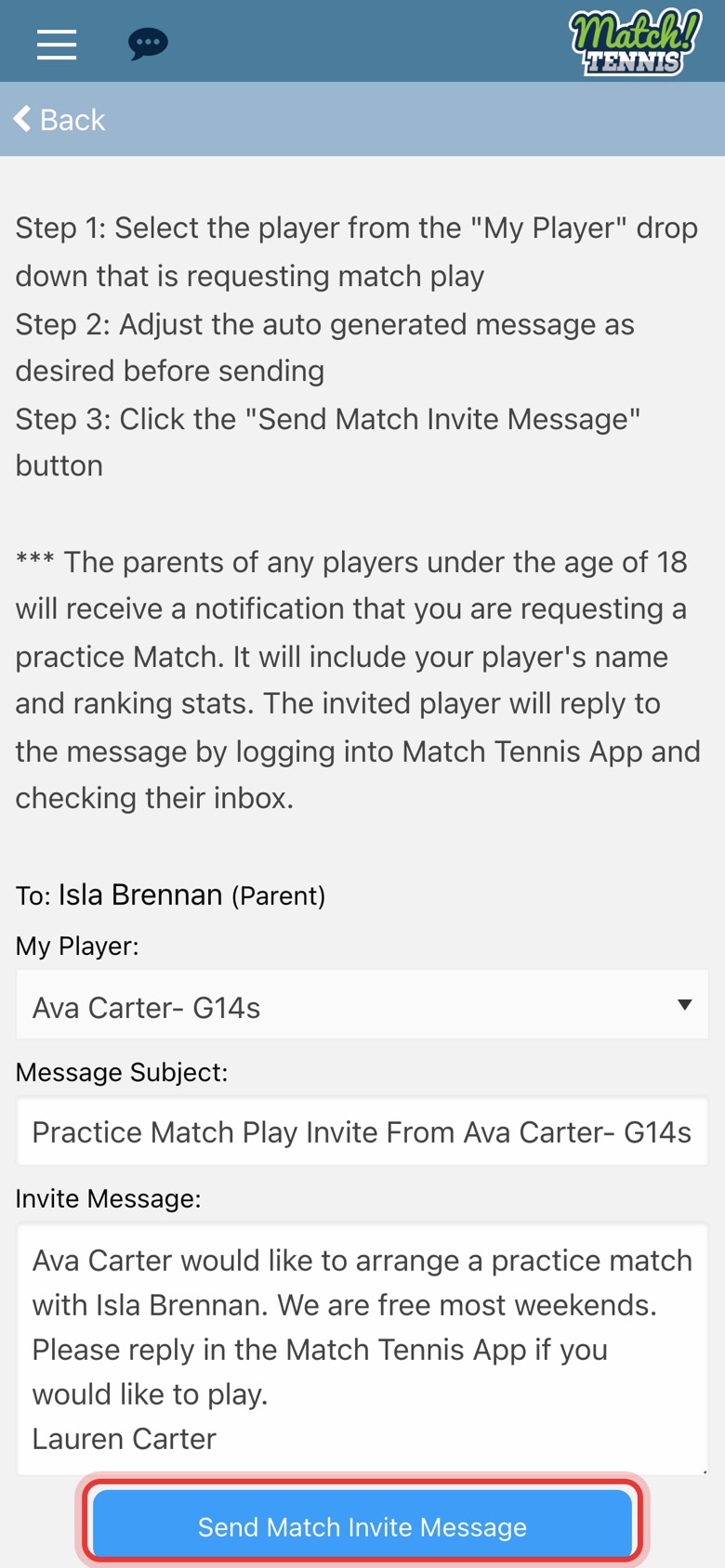
Step 8: Check the message and send
Change the message if you like, then tap Send Match Invite Message.
-
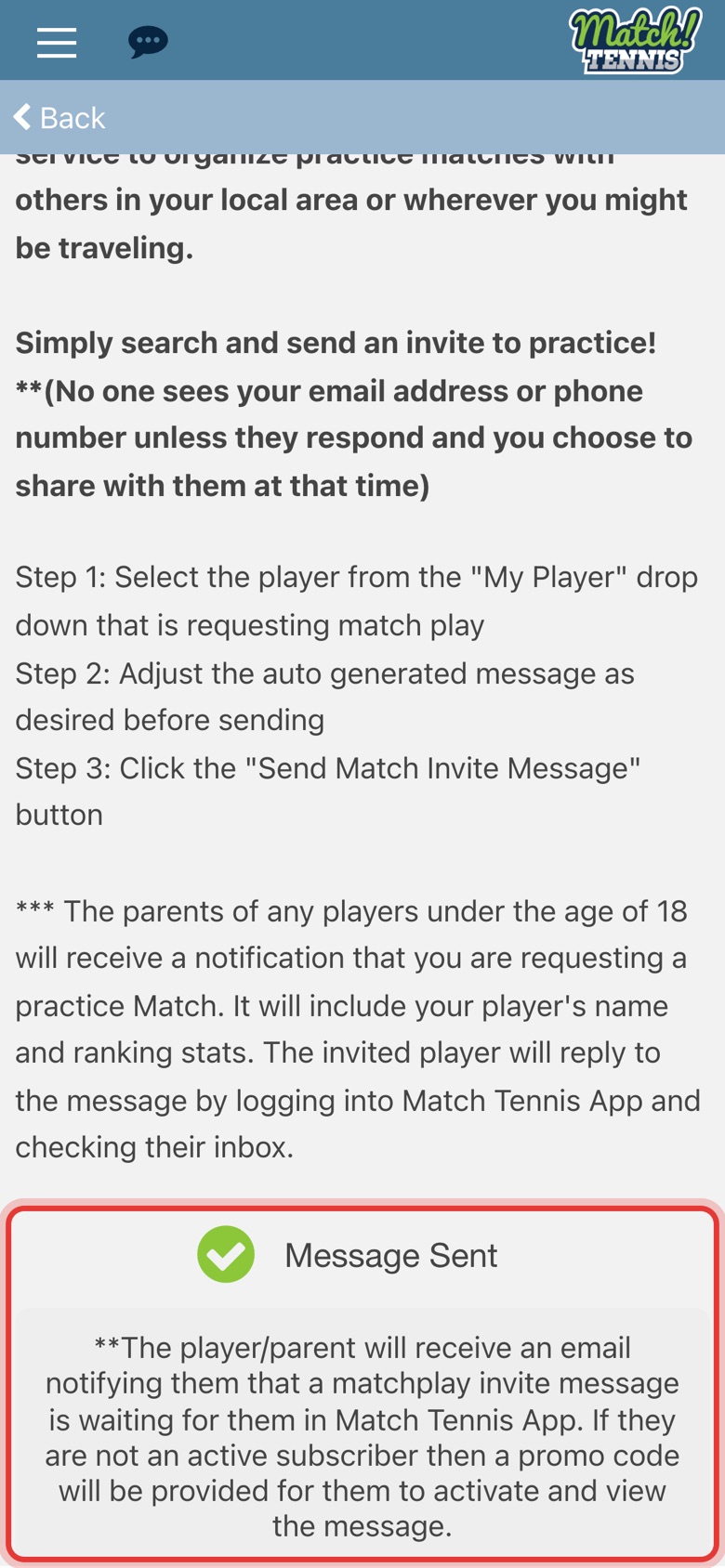
Step 9: The invite is sent
The player or parent gets an email saying a match play invite is waiting for them in Match Tennis App.
Part 3Get the reply
-
Step 10: Read the reply
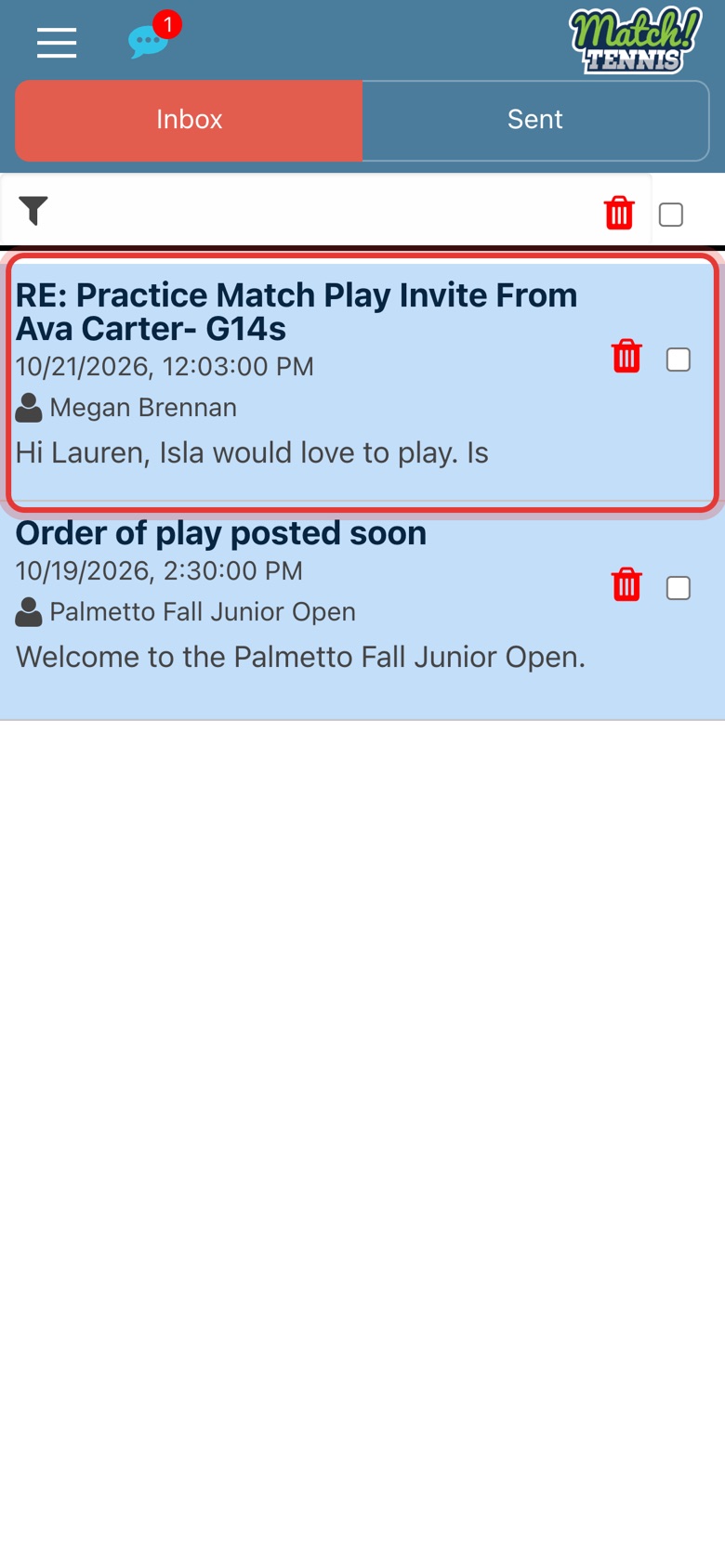
Replies arrive in your Inbox. Tap the chat bubble at the top, then tap the message to read and answer it.
Tips
- Your contact details stay private. No one sees your email or phone number unless they reply and you choose to share it.
- Parents are told. For players under 18, the parents get the invite. It includes your player's name and ranking stats.
- Closest first. Use Sort By above the results and pick Distance.
- Change a filter. Each filter shows as a tag above the results. Tap the x on a tag to remove it.