How to See a Player's USTA Player Record
Players & scouting Updated November 1, 2026 1 min read
See a player's rankings, every tournament match and the points each tournament earned. It takes about a minute.
Part 1Open the record
-
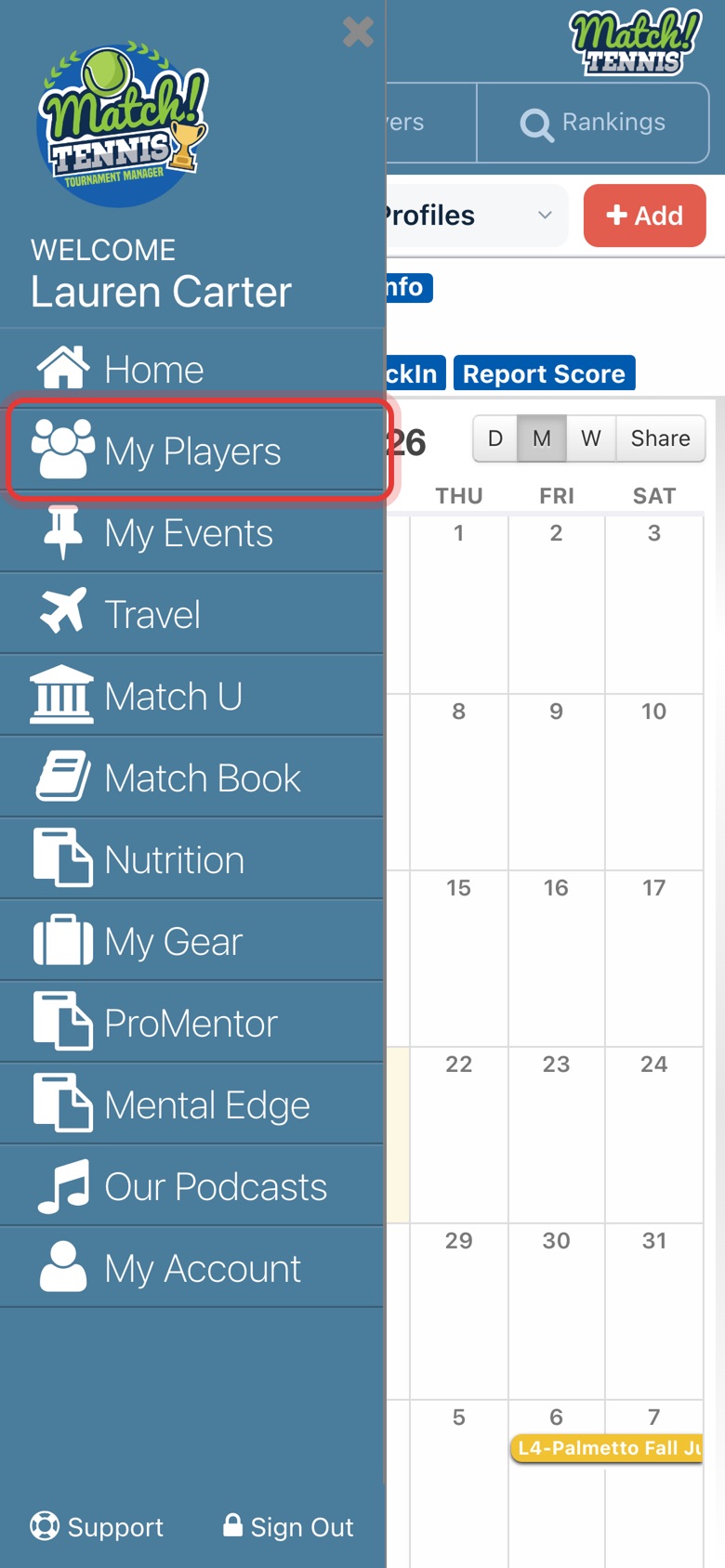
Step 1: Open My Players
Tap the menu at the top left, then tap My Players.
-
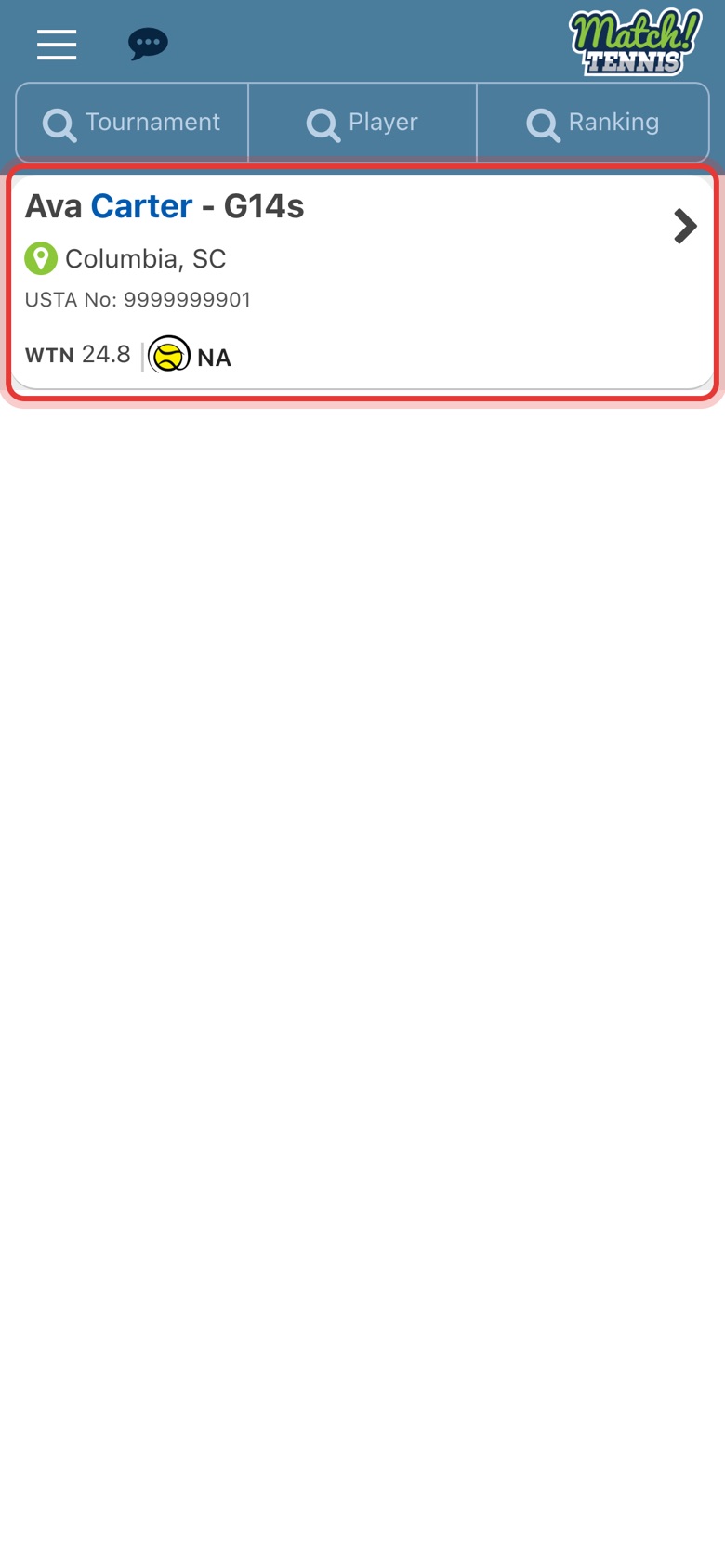
Step 2: Tap your player
Tap the player whose record you want to see. You can also open any player from the Players search.
-
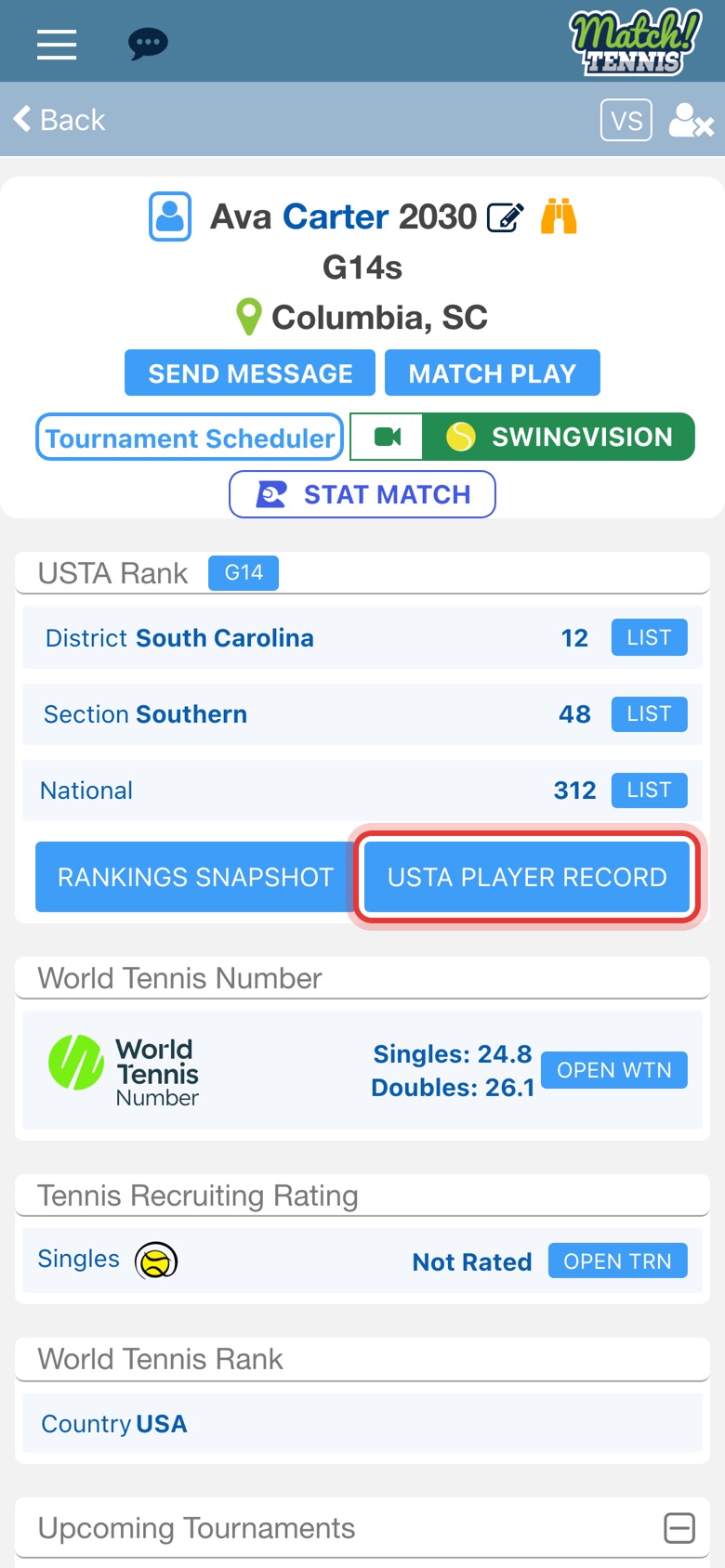
Step 3: Tap USTA PLAYER RECORD
On the player's profile, tap USTA PLAYER RECORD under USTA Rank.
Part 2Read the record
-
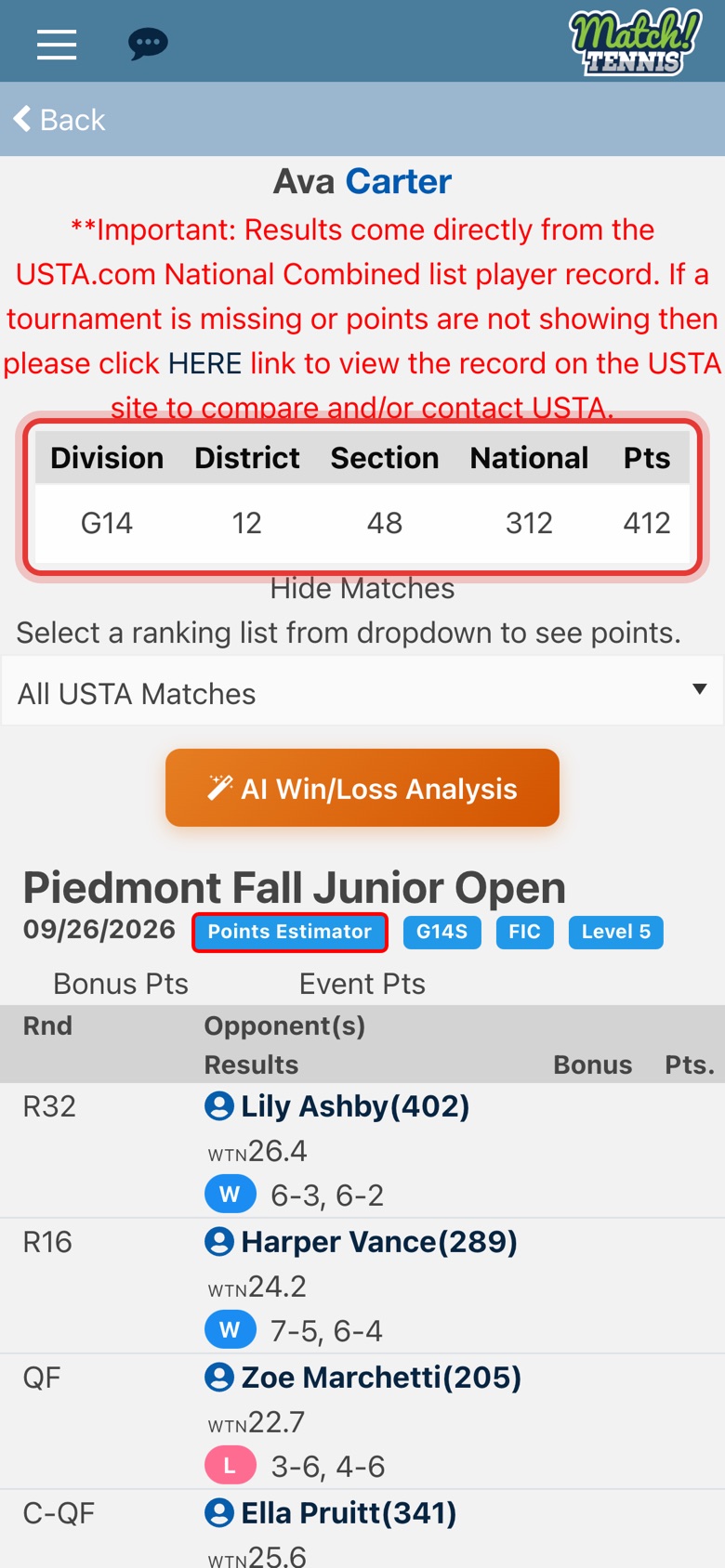
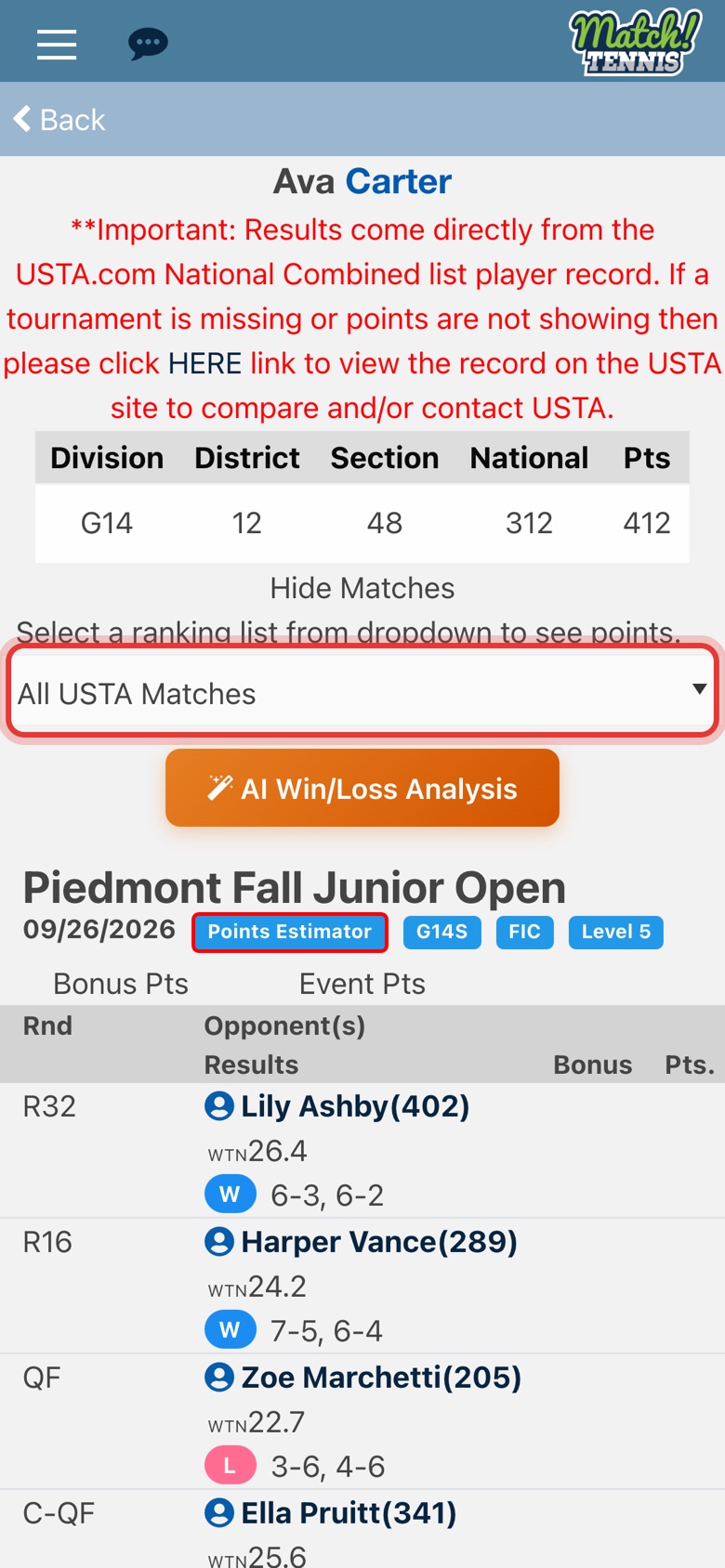
Step 4: Check the rankings
The table at the top shows the district, section and national ranking and the points for each division.
-
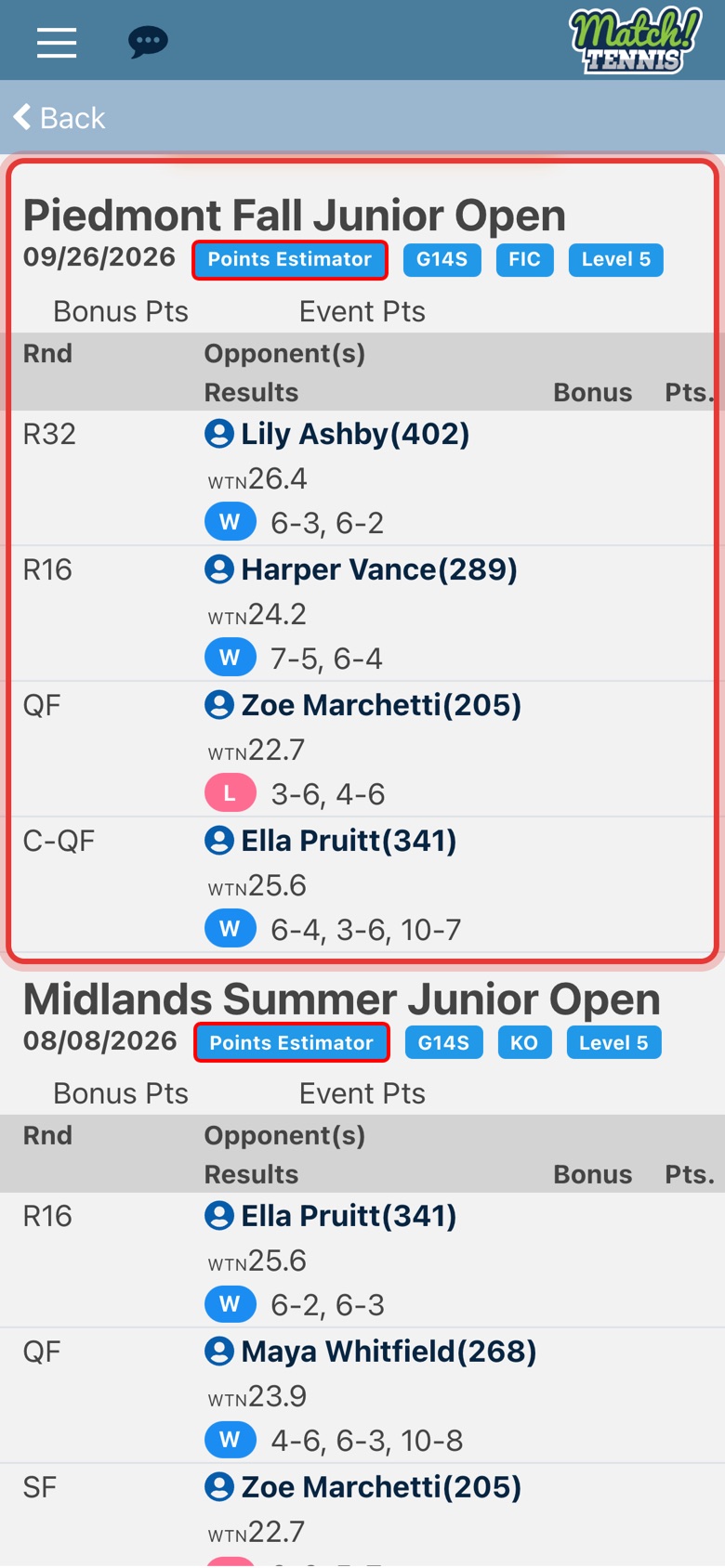
Step 5: Read each tournament
Each tournament shows its date, division, draw and level, then every round with the opponent, W or L, and the score.
Part 3See the points
-
Step 6: Pick a ranking list
Points only show for a list. Tap All USTA Matches and pick a list, for example Girls 14s National Combined.
-
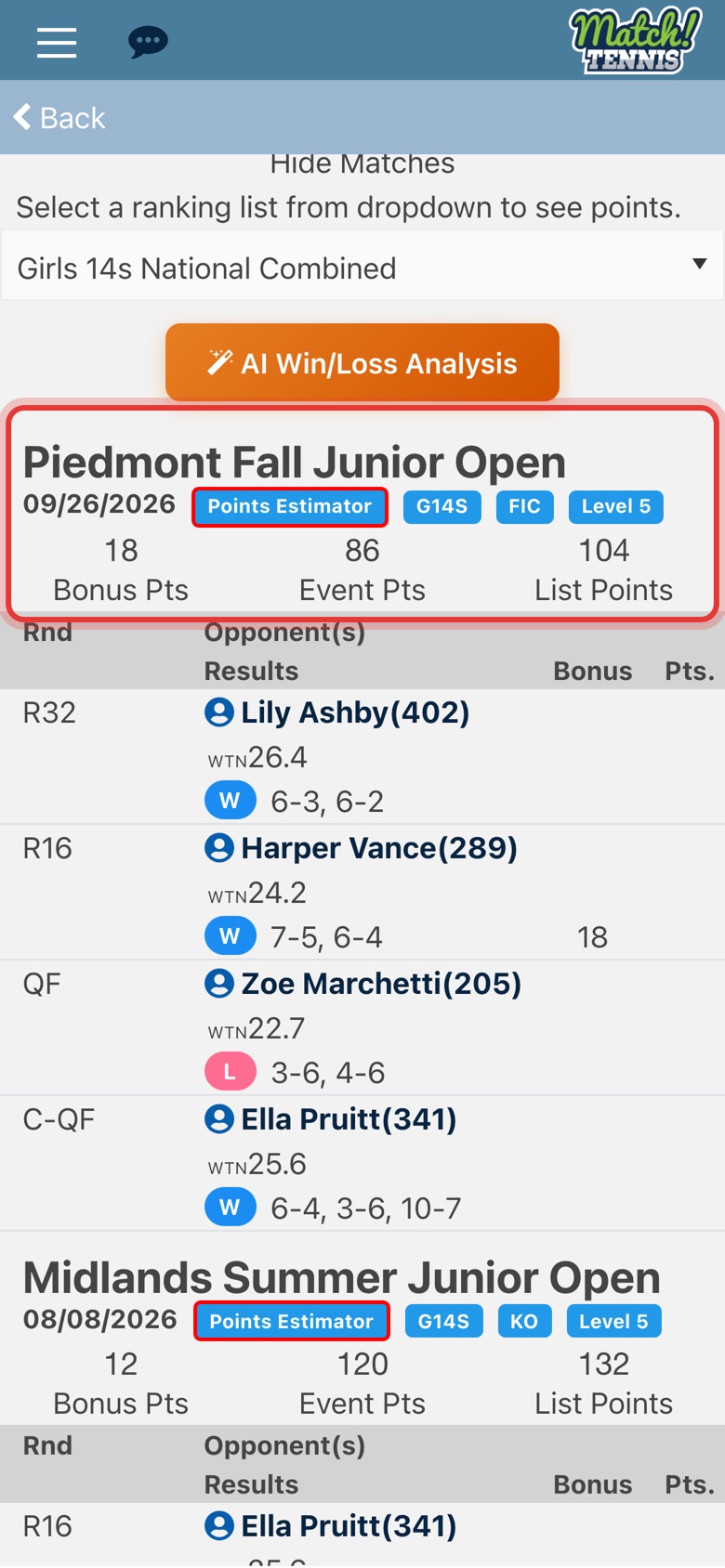
Step 7: See the points
Each tournament now shows its Bonus Pts, Event Pts and List Points for that list.
-
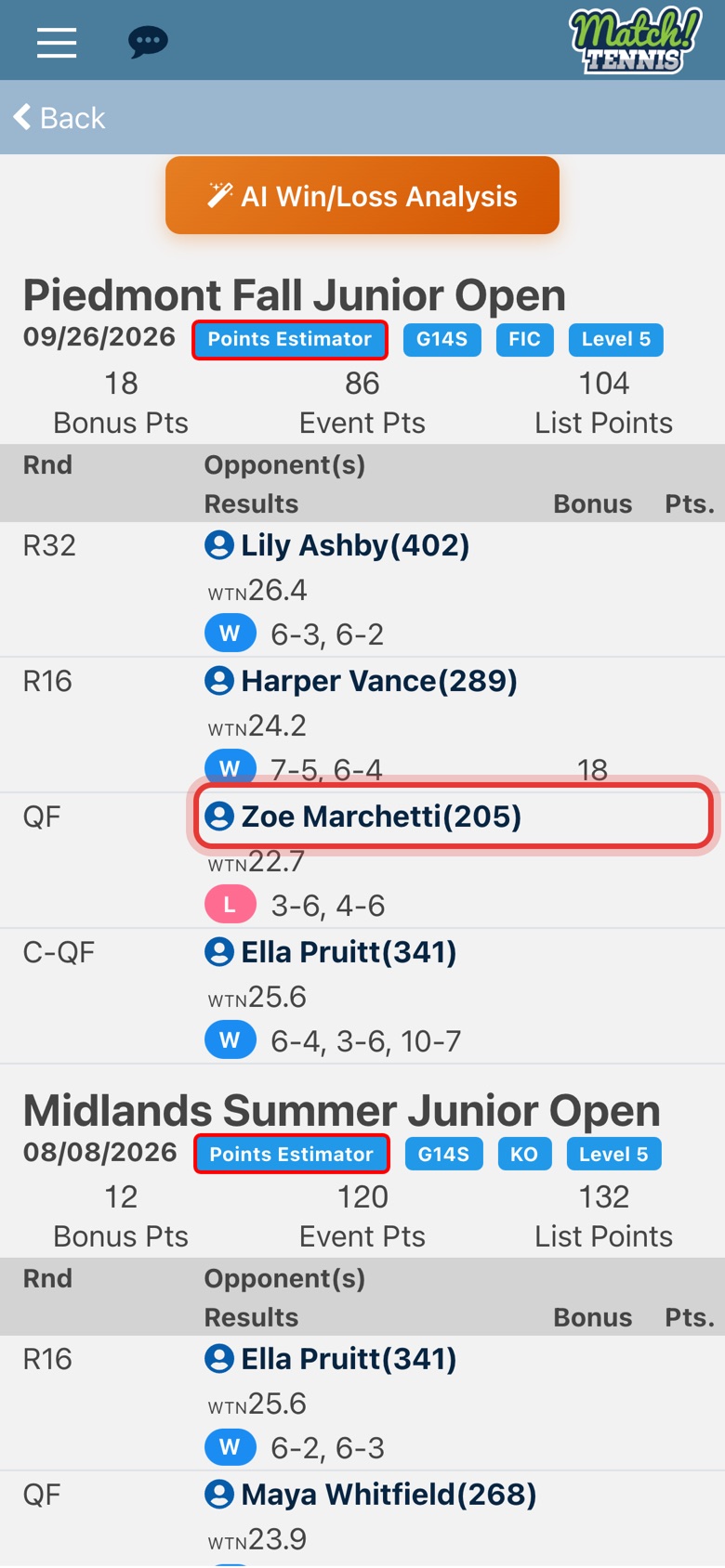
Step 8: Open an opponent
Tap an opponent's name to open their profile. The number after the name is their national ranking.
Tips
- Results come from USTA. The record matches the player's record on USTA.com. If a tournament or points are missing, tap the HERE link at the top to compare with the USTA site.
- Just the totals. Tap Hide Matches to see only the tournaments and their points. Tap Show Matches to bring the rounds back.
- Any player. The USTA PLAYER RECORD button is on every player's profile, so you can check an upcoming opponent too.