How to Find Your Top 6 USTA Results With Rankings Snapshot
Rankings & ratings Updated November 2, 2026 2 min read
Rankings Snapshot works out which tournament results count toward a player's USTA ranking and which ones drop off next. It's a premium feature.
Part 1Open the Rankings Snapshot
-
Step 1: Open My Players
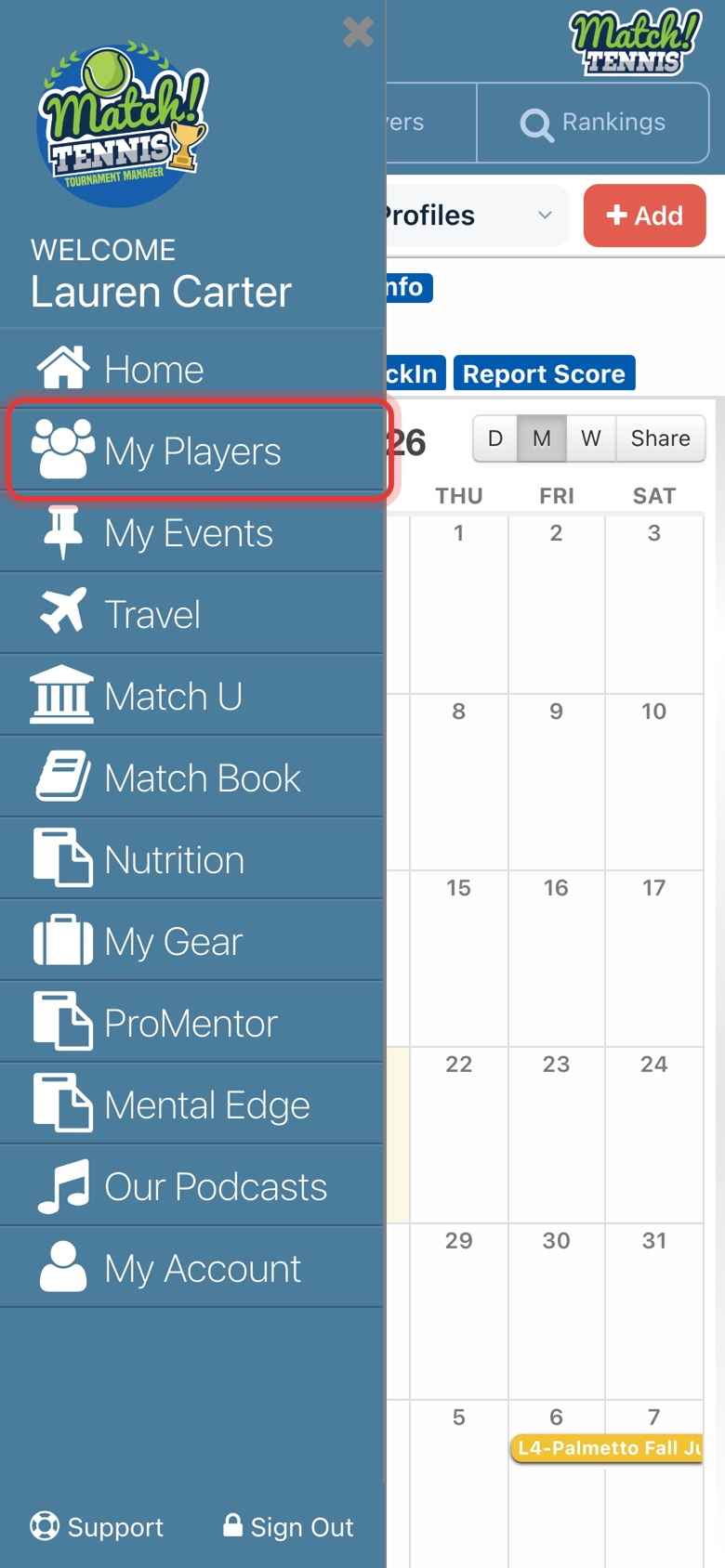
Tap the menu at the top left, then tap My Players. You can also open any player from the Players search.
-
Step 2: Tap your player
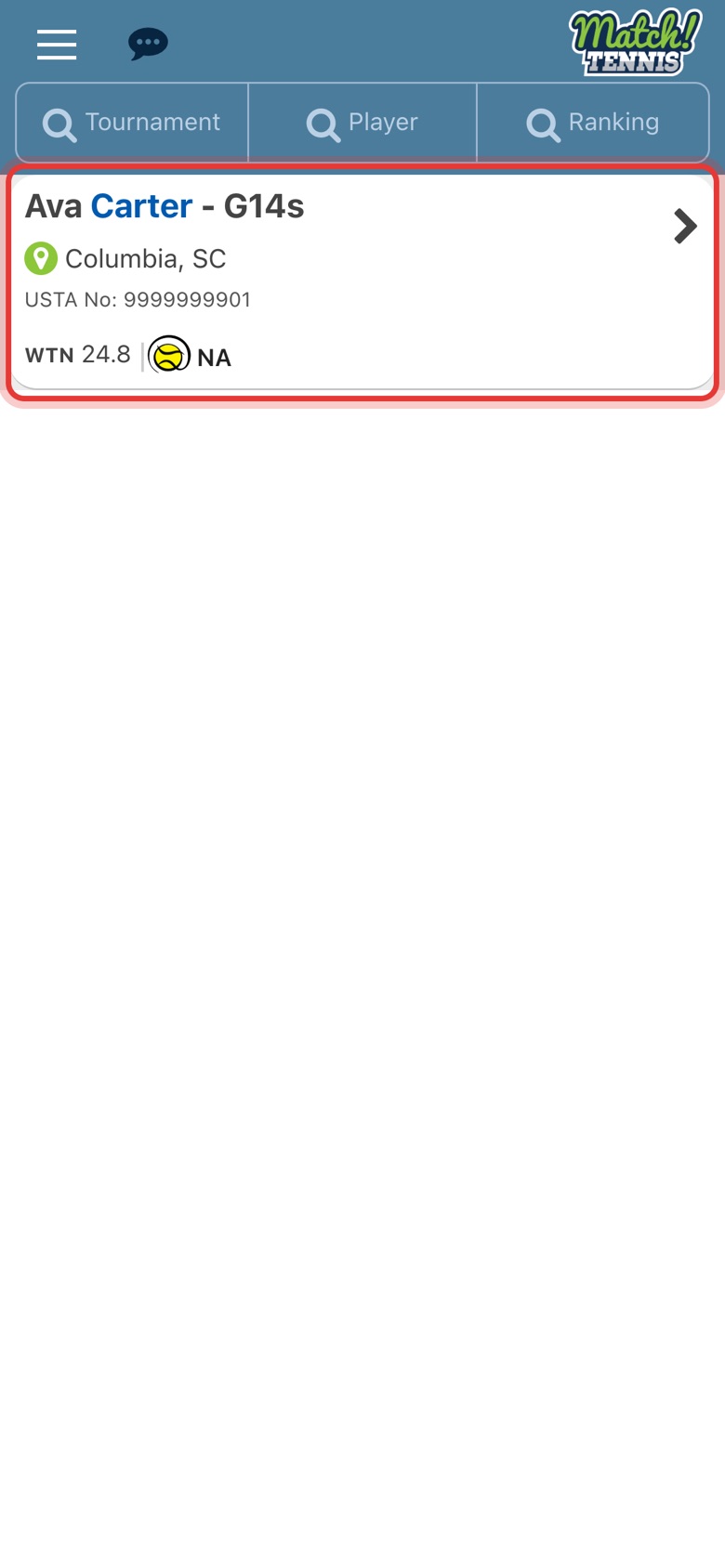
Tap the player to open their profile.
-
Step 3: Tap RANKINGS SNAPSHOT
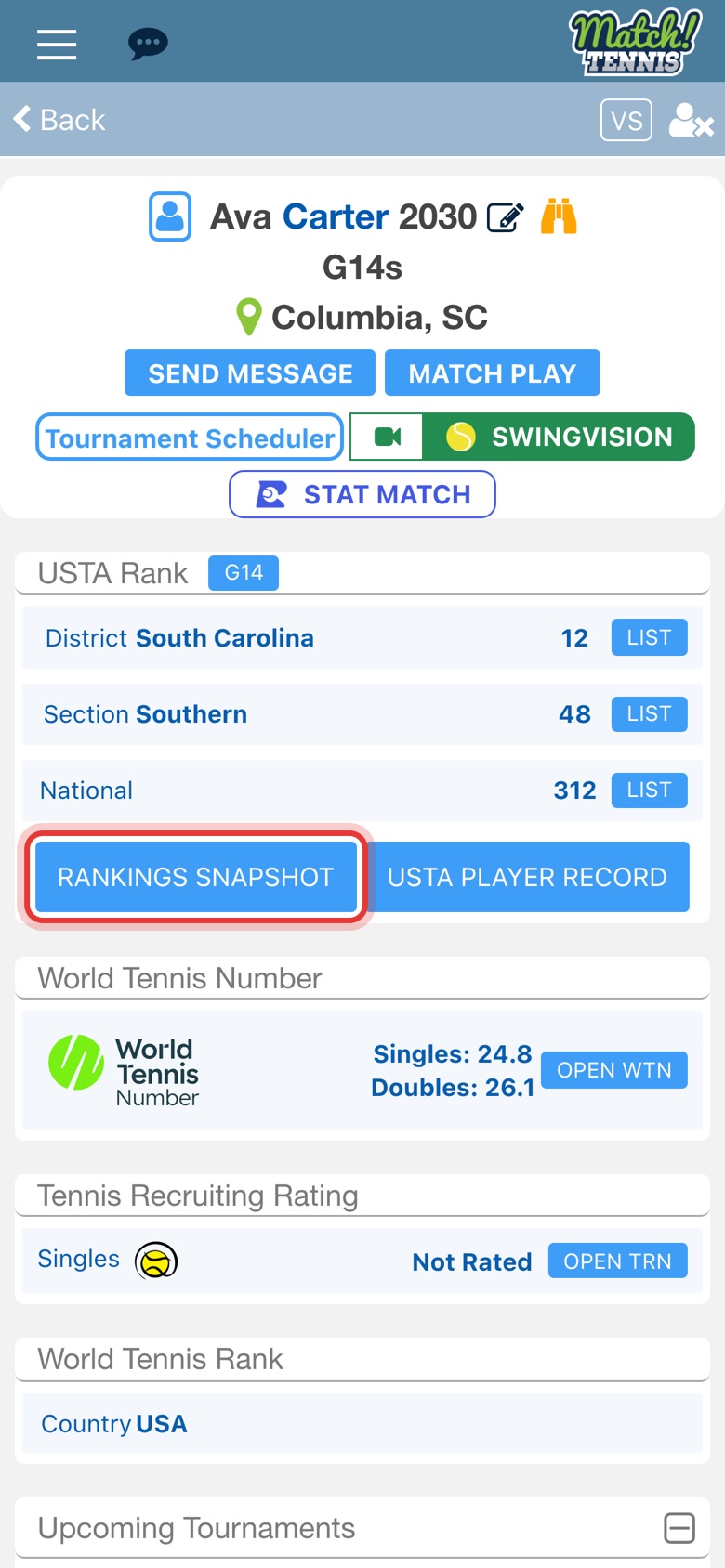
On the profile, tap RANKINGS SNAPSHOT under USTA Rank. It opens on the player's current age group.
Part 2Read the snapshot
-
Step 4: See the top 6 singles and doubles
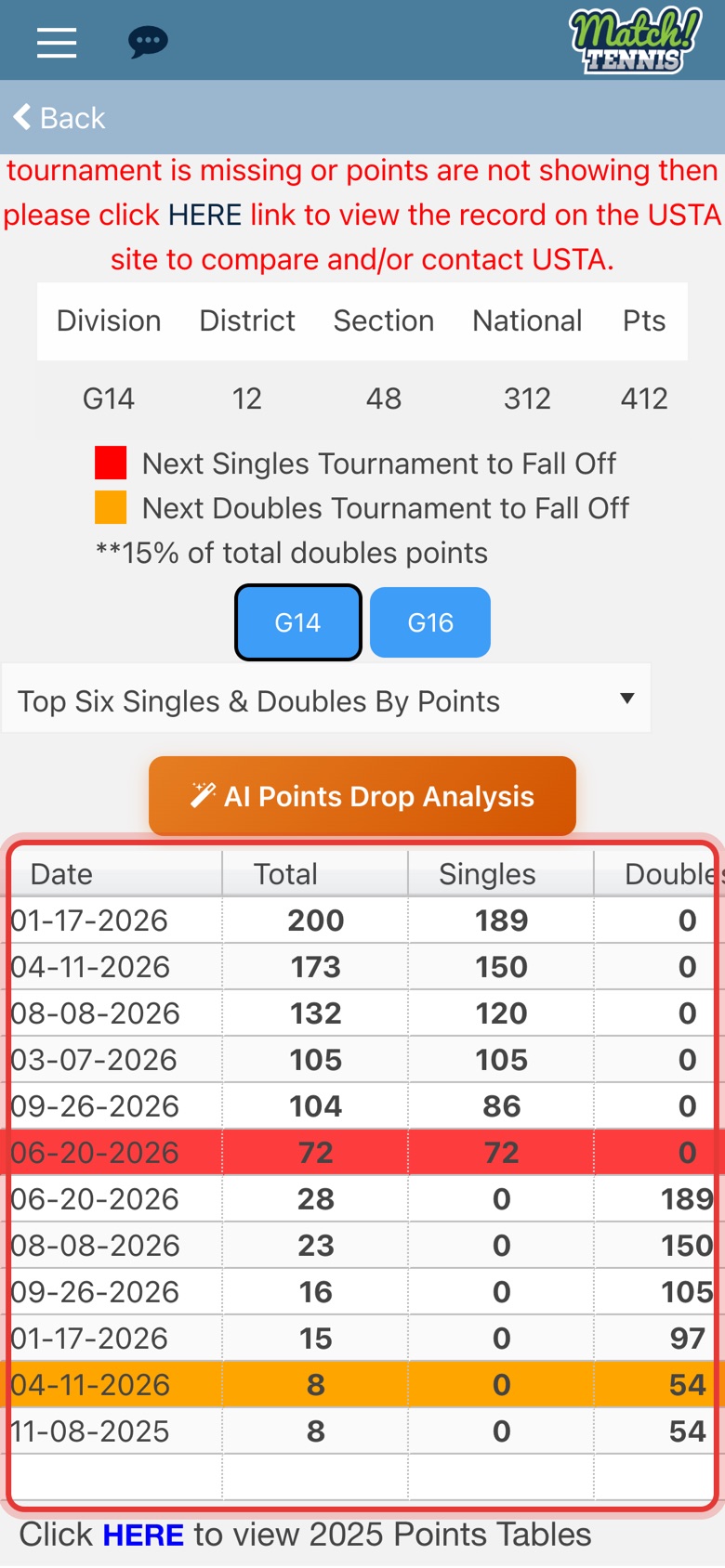
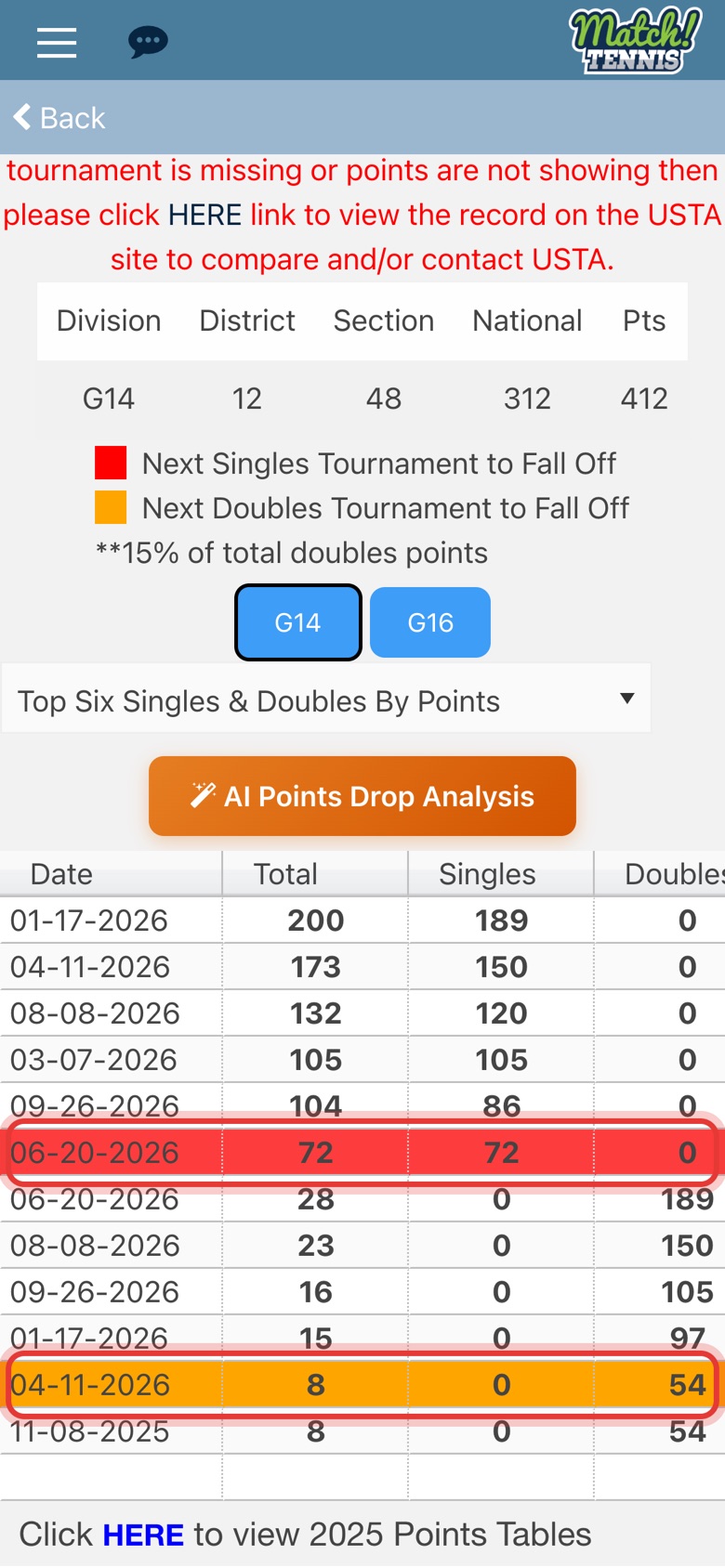
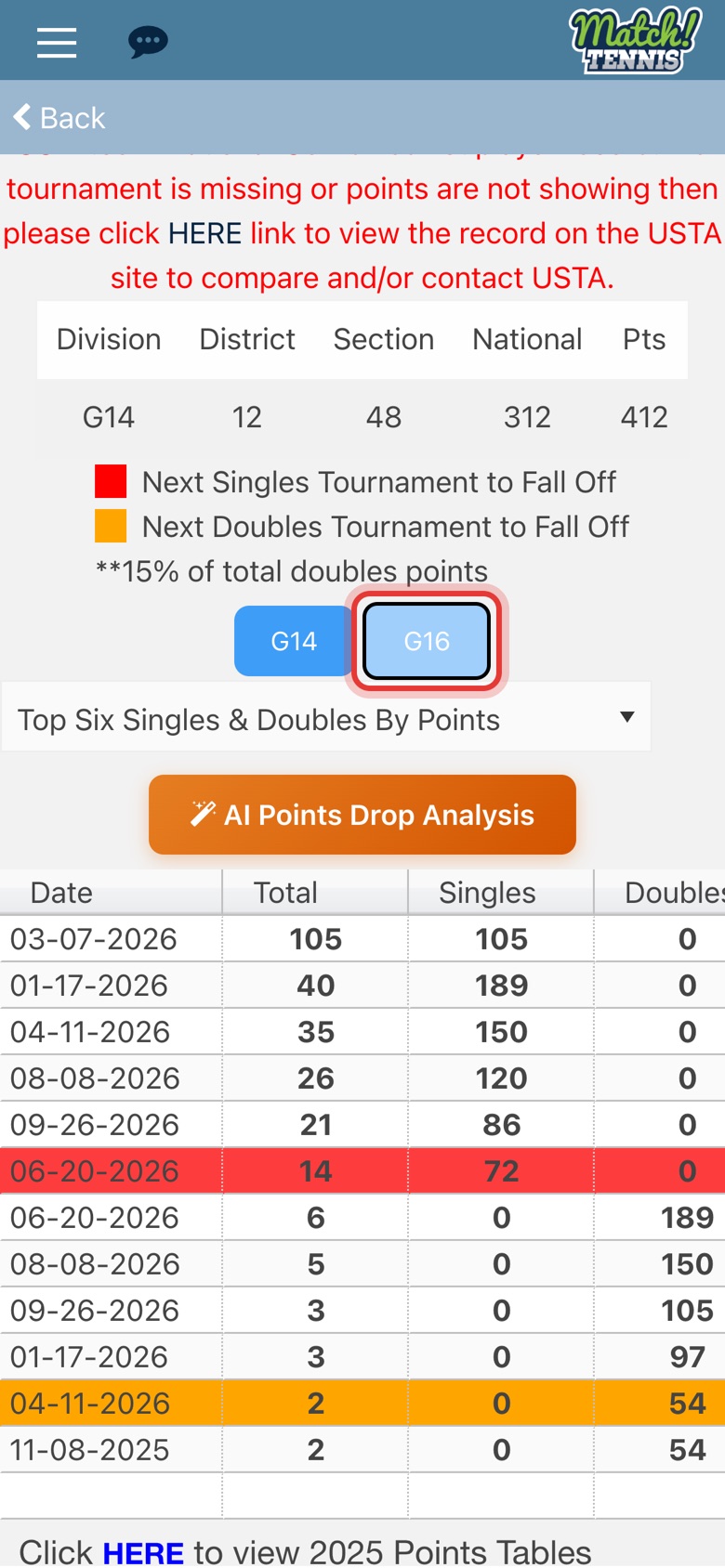
The table lists the 6 singles results that count, then the 6 doubles results. Total is what each result adds to the ranking: singles points plus bonus points, and 15% of doubles points.
-
Step 5: Swipe for more columns
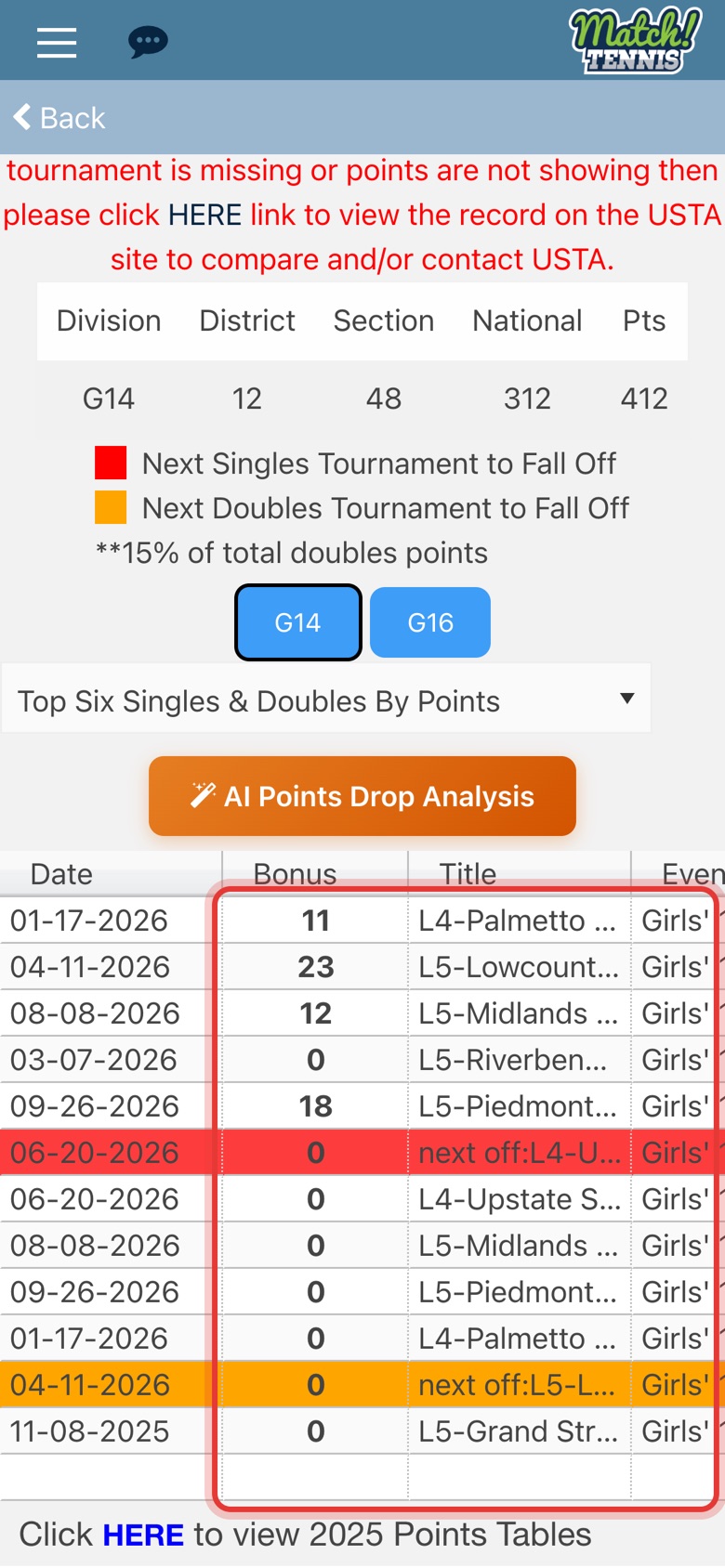
Swipe the table left to see Bonus points, the tournament's level and name, and the event. Tap a column heading to sort by it, and tap again to reverse.
-
Step 6: Check the red and orange rows
In the By Points view, red marks the lowest singles result that counts and orange the lowest doubles result. A better result at your next tournament replaces these first.
Part 3Change the view
-
Step 7: Show the top 6 by date
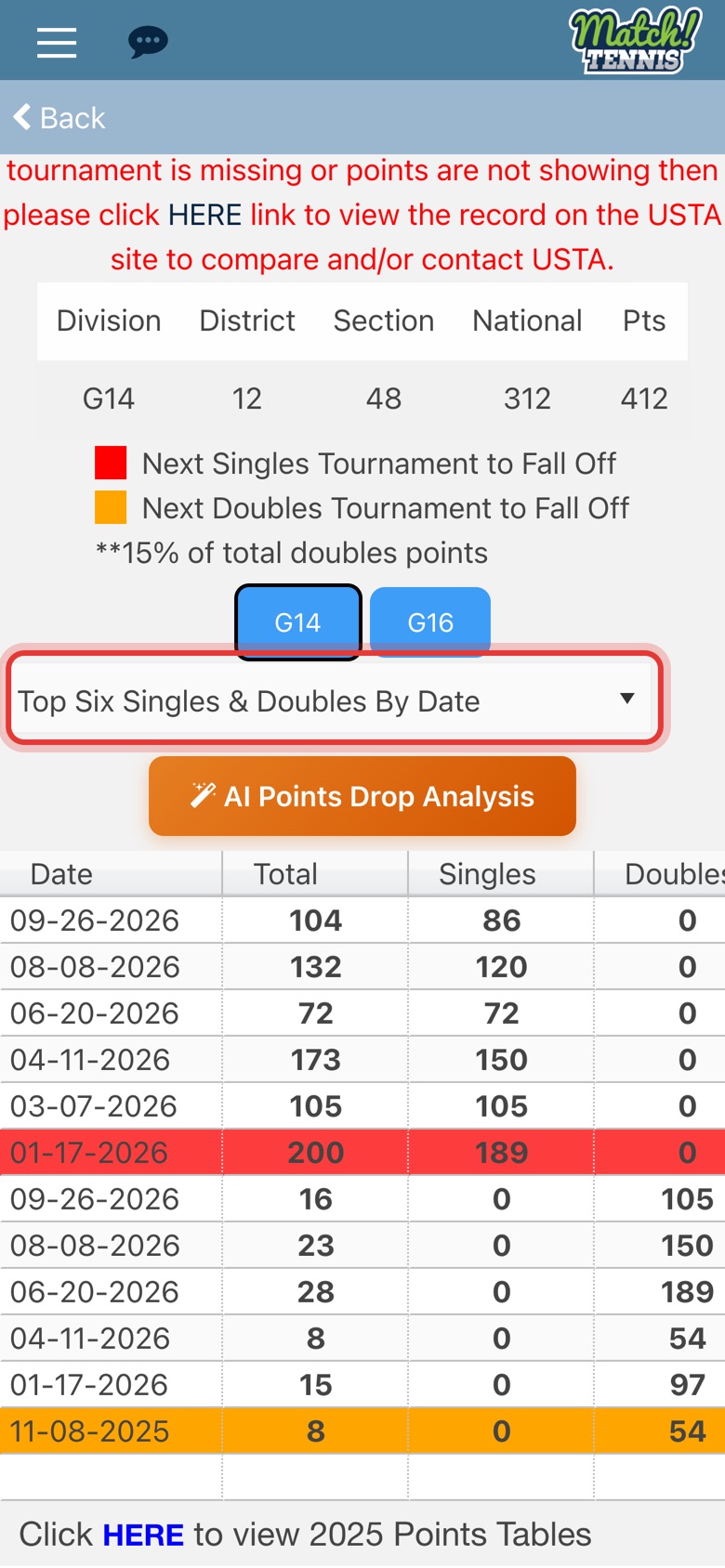
Pick Top Six Singles & Doubles By Date from the list. The same results are shown, newest first.
-
Step 8: See what falls off next
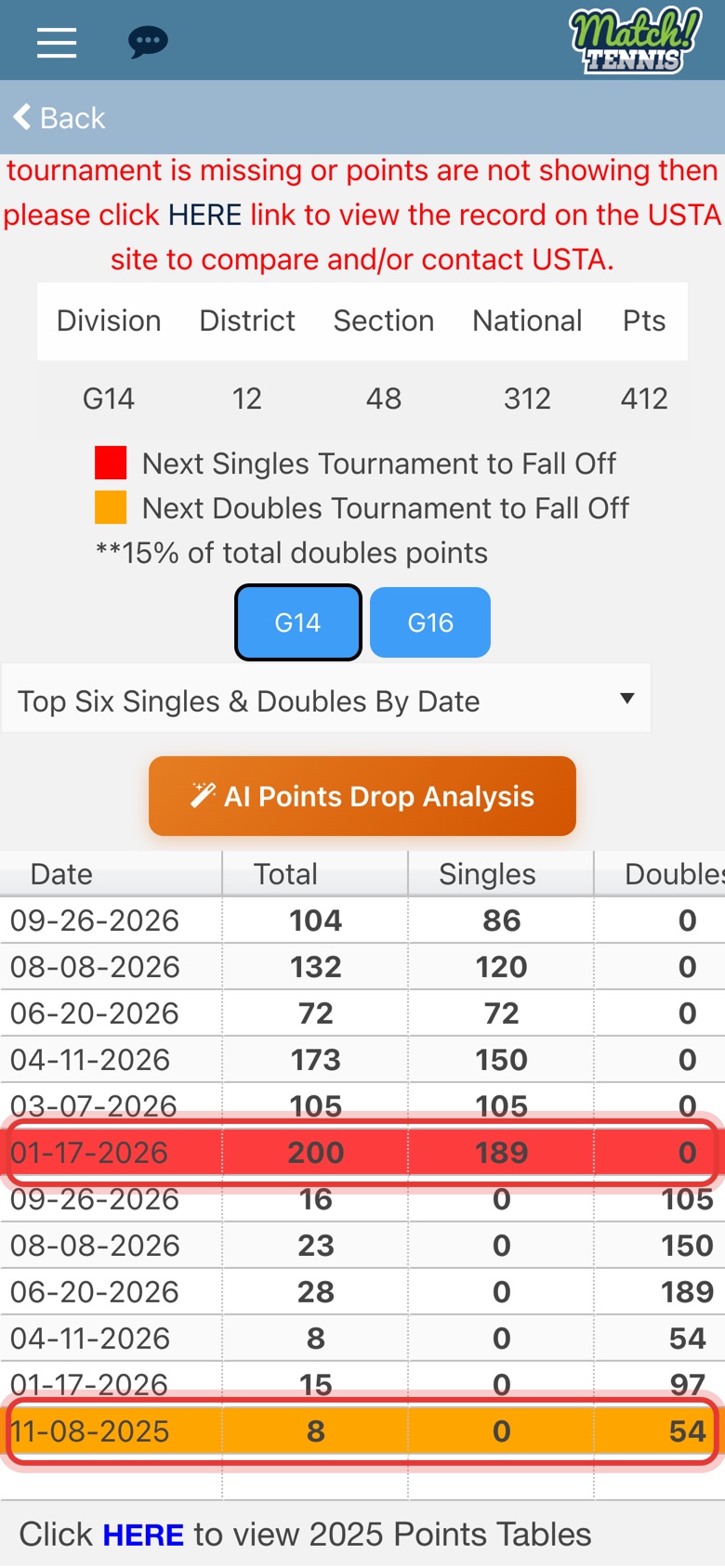
Now red and orange mark the oldest singles and doubles results. Results count for 12 months, so these are the next to drop off. Plan a tournament before then to replace them.
-
Step 9: Switch age groups
Tap another age group, such as G16, to see that list. Only 20% of the points from the next-younger age group count there, so a 14s player's results are much smaller on the G16 list.
Why the top 6 matter
A USTA junior ranking is built from a player's 6 best singles results plus 15% of their 6 best doubles results from the last 12 months, plus bonus points for singles wins over top-500 players. Rankings Snapshot does that sorting for you, so you can see at a glance which results count, which are weakest, and which drop off soonest. That makes it easier to decide which tournaments to play next.
For the full rules, see How USTA Junior National Rankings Are Calculated and USTA Junior Points Tables for 2026.
Tips
- Playing up or down an age group? Results from an older age group count in full toward a younger one, as long as the player has played a national ranking tournament in the younger group. Only 20% of a result counts toward the next-older age group.
- Something missing? The snapshot comes from the player's USTA record. If a tournament or points are missing, tap the HERE link at the top of the snapshot to compare with the record on USTA.com, and contact the USTA if it's wrong there too.
- Points tables: the link at the bottom of the snapshot opens USTA's points tables.
- AI Points Drop Analysis above the table writes up what the coming drop-offs mean for the player's ranking.
Plan what to play next
Use the snapshot with the Ranking Forecaster, which shows what each round of a tournament could add, and the Tournament Scheduler, which suggests tournaments for a ranking goal.
Not a premium member yet? Upgrade to Premium to use Rankings Snapshot.